


Step into the world of unparalleled connectivity and rewarding experiences with STC SIM and STC Gift Cards.
Capture Attention with STC’s cutting-edge communication technology, Stimulate Interest with a variety of prepaid and postpaid plans tailored to your needs, Foster Desire with the flexibility of Multi-SIM services allowing you to use multiple devices seamlessly, and Inspire Action with STC Gift Cards, the perfect present for your loved ones to enjoy STC’s extensive services.
Embrace the future of communication with STC Gift Cards, where every call, message, and byte of data brings you closer to the world.
Before You Start — Replacement Checklist
| What you need | Branch | Online (MySTC app) |
| National ID or Iqama | Required | Required |
| Original phone number | Required | Required |
| Nafath authentication | May be required | Required |
| Police report (FIR) | Recommended (theft) | Recommended (theft) |
| Replacement fee | ~SAR 11–20 | Varies |
| Time needed | 15–30 min | 5–10 min |
First step for lost/stolen SIMs: Suspend your SIM immediately by calling 920000900 or via MySTC → Account → Suspend Line. This prevents unauthorized calls and charges before you replace it.

Option 1: Replace Online via MySTC App (Lost / eSIM)
Best for: Lost SIM with active Nafath account.
- Open the MySTC app and log in.
- Go to My Account → My Lines → SIM Replacement.
- Select your number and reason (Lost / Damaged / eSIM).
- Verify your identity via Nafath.
- Choose SIM delivery or pick-up, and pay the fee.
- Your old SIM deactivates instantly — the new one activates on arrival or at pick-up.
Option 2: Replace at an STC Branch (All Cases)
Best for: Damaged SIM, no Nafath access, or if you prefer in-person service.
- Call 920000900 to suspend your line before visiting (lost/stolen only).
- Bring your national ID or Iqama — no substitutes accepted.
- Visit any STC branch — no appointment needed.
- Tell the rep: “SIM replacement” and state your reason (lost / damaged / size change).
- Fill out the replacement form and pay the fee (~SAR 11–20).
- Your new SIM is issued on the spot and activated within minutes.
- Restart your phone — your number, balance, and packages transfer automatically.
Which Path Is Right for You?
Lost or Stolen SIM
- Report the loss immediately to block the line.
- Then choose one of the following:
- Have Nafath? Replace it online through the MySTC app for the fastest option.
- No Nafath? Visit the nearest STC branch for assistance.
Damaged or Broken SIM
- Go to an STC branch.
- Bring your old SIM card with you.
Wrong SIM Size (For Example Nano SIM Needed)
- Visit an STC branch to request the correct size replacement.
Want to Switch to eSIM Instead?
- Open the MySTC app.
- Select eSIM Activation.
- Follow the on-screen steps to complete the process.
How To Activate An STC SIM Card
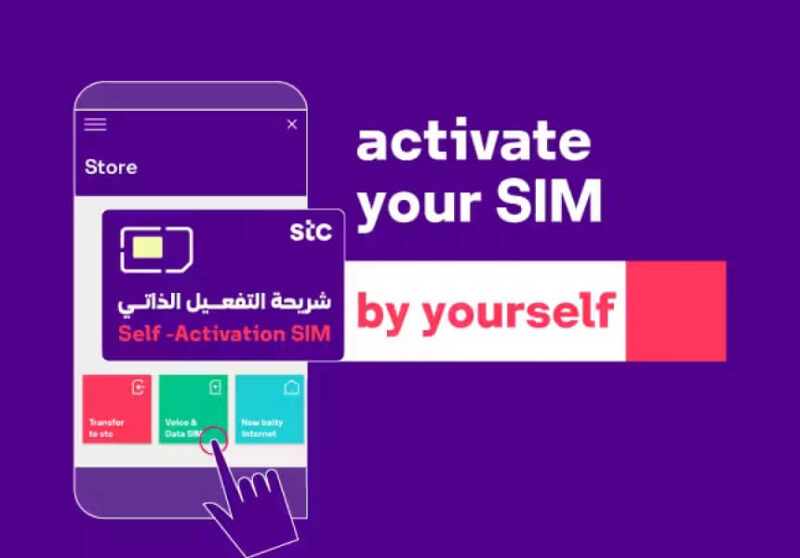
Activating an STC SIM card is a straightforward process. Here’s how you can do it:
- Download the mystc App: Install the mystc app from your device’s app store.
- Open the App: Launch the mystc app on your device.
- Select ‘Store’: In the app, choose the ‘Store’ option.
- Choose ‘Mobile and Internet STC SIM’: Tap on ‘Mobile and Internet SIM’.
- Activate Your STC SIM: Select ‘activate your SIM on your own’.
- Scan or Enter Details: Scan the SIM barcode or enter the serial number manually.
- Enter PUK2 Number: Input the PUK2 number, which can be found on the SIM package.
- Choose a Package: Select the package that best fits your needs.
- Enter Personal Details: Fill in your personal information as prompted.
- Verification Code: Enter the verification code sent to you.
- Complete ‘Nafath’ Authentication: Finish the authentication process using ‘Nafath’.
- Make Payment: Pay for the selected package through one of the available methods.
- Enjoy the Service: Once activated, you can start using your STC service.
What to Do If Your STC SIM Replacement Goes Wrong
1. “Identity Verification Failed” on MySTC App
If you see this message, it may be because your Nafath app has expired or your ID isn’t linked. Visit an STC branch — staff can verify your identity in person.
2. Branch Says Your Account Is “Frozen”
Repeated failed verifications can freeze your account. Bring a secondary ID and ask the representative to escalate the case to the back office. Resolution usually takes 24–48 hours.
3. New SIM Activated but Old SIM Still Works
This usually happens if Multi-SIM is active. Only one SIM per line should be active after replacement. Call 920000900 or return to the branch to resolve the issue.
4. Balance or Packages Did Not Transfer
Wait up to 2 hours for balances and packages to appear. If missing after that, call 920000900 with your replacement receipt. STC can manually credit your balance.
5. Replacement Rejected Due to Missing FIR (Stolen SIM)
If your replacement was rejected because the SIM was reported stolen, file a police report at the nearest station or via Absher. Then, return to the branch or resubmit your request through the app.
Advantages Of Using STC Gift Cards
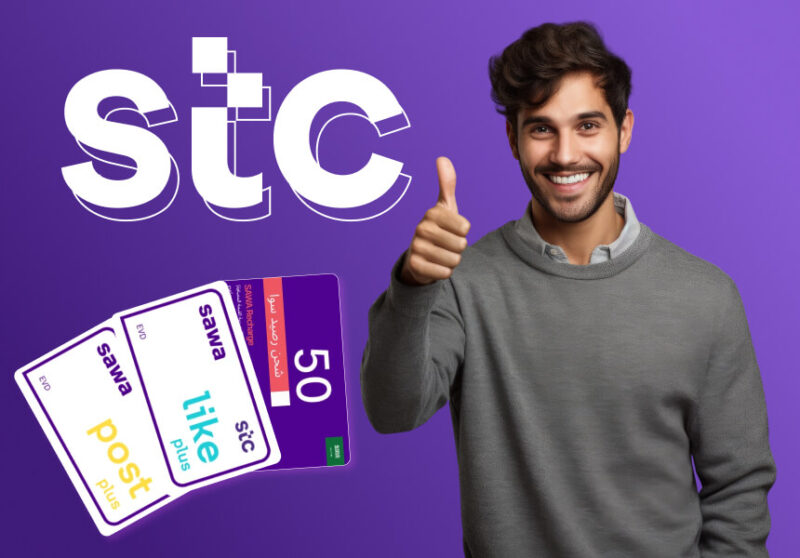
STC Gift Cards offer several advantages for users, particularly those who are customers of STC Sawa, one of the leading mobile service providers in Saudi Arabia.
Here are some benefits of using STC Gift Cards:
- Convenience: STC Gift Cards are a convenient way to recharge your phone or gift mobile services to others without the need for cash or credit cards.
- Flexibility: You can choose from a variety of Sawa packages to gift, depending on your budget and the recipient’s needs.
- Ease of Use: They can be easily redeemed through the mySTC app, by dialing a code, or by sending an SMS, making the process quick and user-friendly.
- Budgeting Tool: Gift cards can help with budgeting as they come with a preloaded amount that limits spending to the card’s value.
- Safe and Secure: Using gift cards reduces the risk of fraud and is safer than carrying cash.
- Widely Accepted: STC Gift Cards can be used for a variety of services, including data, voice, and SMS, and are accepted across a wide network.
- No Expiry on Balance: The balance from your STC Gift Card will be added to your account and can be used to purchase services without worrying about the card expiring soon.
- Exclusive Benefits: Users can enjoy exclusive benefits and discounts on various products and services, enhancing the overall value of the gift card.
- Gift of Communication: Gifting a Sawa package shows that you care about the recipient’s communication needs, making it a thoughtful present.
- Entertainment Options: Some STC packages allow for ad-free music streaming and other entertainment benefits without extra cost.
Conclusion
STC Gift Cards are more than just a means to recharge your mobile services; they are a gateway to uninterrupted connectivity and endless entertainment.
With the flexibility to choose from various Sawa packages, the security of a cashless transaction, and the joy of gifting communication, these cards are designed to enhance your mobile experience at all times.
Whether you’re reaching out to loved ones, enjoying your favorite tunes, or managing your expenses, STC Gift Cards ensure that you can do so with ease and peace of mind.
So, embrace the convenience and enjoy every moment with STC Gift Cards at your fingertips.
Need to top up your new SIM right away? Recharge your Sawa balance instantly at AR-Pay →

FAQs:
Can I keep my number when I replace my STC SIM?
Yes. Your existing number is preserved regardless of whether you replace at a branch or online.
How much does STC SIM replacement cost?
Typically SAR 11–20 depending on SIM type. eSIM fees may differ — confirm in the MySTC app at checkout.
How long does STC SIM replacement take?
At a branch: 15–30 minutes. Via MySTC app: 5–10 minutes for eSIM; 1–3 days for physical SIM delivery.
What if I lost my SIM and my phone was stolen too?
File a police report first via Absher or your local station. Then call 920000900 from another phone to suspend the line. Visit a branch with your ID and FIR copy to complete replacement.
Can I replace my SIM with an eSIM?
Yes — if your device supports eSIM and you can authenticate via Nafath, you can convert to eSIM through the MySTC app.
What happens to my Sawa balance and packages?
Both are transferred automatically to your new SIM. If they do not appear within 2 hours, contact STC support at 920000900.
Can someone else collect my replacement SIM?
No. STC requires the account holder to be present in person with valid ID for in-branch replacements.

Aya Atef
I'm Aya, a content creator at ARPay, crafting engaging articles about payment gift cards, digital installments, and everything that makes online shopping seamless. Whether it's gaming top-ups or the latest e-commerce trends, I write to level up your shopping experience!

