

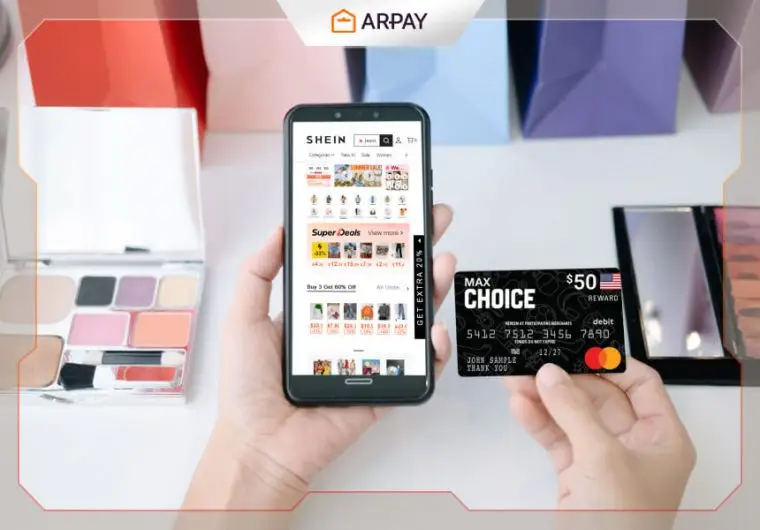
Ever dreamt of an endless shopping spree on SHEIN? Well, now you can turn that dream into a reality!
Discover the magic of using MasterCard Gift Cards to shop your heart out on SHEIN, one of the world’s leading online fashion retailers.
With a MasterCard Gift Card, your shopping experience on SHEIN becomes not just easy but limitless.
No more worrying about exceeding your budget or missing out on that perfect dress. Every swipe of your gift card brings you closer to the wardrobe you’ve always wanted.
Don’t wait! Buy your MasterCard Gift Card, visit SHEIN, and start filling your cart with all your favorite styles.
How To Shop From SHEIN By Using MasterCard Gift Cards
Get Your MasterCard Gift Card:
First, purchase a MasterCard Gift Card from a trusted retailer such as ARPay. Ensure it has enough balance to cover your intended shopping spree on SHEIN.
Activate Your Gift Card
Before using your MasterCard Gift Card online, you might need to redeem MasterCard Gift Card.
Follow the instructions provided with the card, which usually involve visiting a website or calling a customer service number.
Visit the SHEIN Website
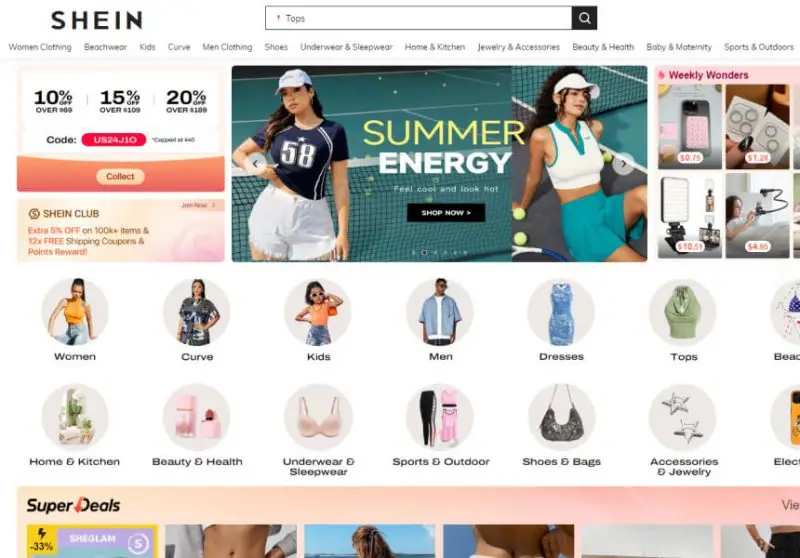
Go to SHEIN’s website (www.shein.com) or open the SHEIN app on your mobile device. Create an account if you haven’t already, or log in to your existing account.
Browse and Select Your Items
Explore SHEIN’s vast collection of trendy clothing, accessories, and beauty products. Add your desired items to your shopping cart by clicking the “Add to Bag” button.
Review Your Shopping Cart
Once you’ve selected all your items, click on the shopping cart icon to review your selections. Ensure the sizes, colors, and quantities are correct.
Proceed to Checkout
Click on the “Checkout” button to proceed with your purchase. You’ll be directed to the checkout page, where you can review your order summary.
Enter Shipping Information
Fill in the required shipping information, including your address, contact number, and any special delivery instructions. Make sure all details are accurate to avoid any delivery issues.
Choose Payment Method
On the payment page, select “Credit/Debit Card” as your payment method.
Enter the details of your MasterCard Gift Card just like you would with a regular credit or debit card. This includes the card number, expiration date, and CVV code.
Apply Discounts or Promo Codes:
If you have any discount codes or promo codes, enter them in the designated field to avail of additional savings.
Review and Place
Your Order Double-check all the details of your order, including the items, shipping address, and payment information.
Once everything is confirmed, click the “Place Order” button to complete your purchase.
Confirmation and Tracking:
You’ll receive an order confirmation email from SHEIN. This email will contain your order details and a tracking number. Use this tracking number to monitor the status of your delivery.

Alternative Payment Option at SHEIN
SHEIN offers convenient payment options, including the use of SHEIN Gift Cards, to make your shopping experience seamless and enjoyable.
Here’s how you can use SHEIN Gift Cards to pay for your purchases:
Redemption during Checkout
When you’ve finished adding items to your shopping cart on the SHEIN website or app, proceed to checkout.
During the payment process, you’ll find an option to redeem SHEIN gift cards. Enter the unique code found on your SHEIN Gift Card in the designated field.
Balance Verification
After entering the gift card code, SHEIN will verify the balance associated with the card.
Ensure that you’ve entered the code correctly to prevent any errors during the verification process.
Payment Confirmation
Once the balance has been verified, the amount on your SHEIN Gift Card will be applied towards your total purchase amount.
If the balance on your gift card covers the entire purchase, you won’t need to provide any additional payment information.
Partial Payments
If the value of your SHEIN Gift Card doesn’t cover the entire purchase amount, you can pay the remaining balance using another accepted payment method, such as credit/debit card or PayPal.
Enjoy Your Shopping
After completing the payment process, you’ll receive a confirmation of your order.
Sit back and relax as your stylish SHEIN items make their way to your doorstep, all thanks to the convenience of using SHEIN Gift Cards as a payment option.
Conclusion
Both MasterCard Gift Cards and SHEIN Gift Cards open up a world of convenience and flexibility for fashion enthusiasts.
With MasterCard Gift Cards, shoppers can indulge in the latest trends on SHEIN’s platform, enjoying the freedom to explore and purchase without the constraints of traditional payment methods.
Meanwhile, SHEIN Gift Cards provide a tailored experience, allowing recipients to curate their wardrobe with items that reflect their unique style preferences.
Together, these payment options offer a seamless shopping journey, where every click and swipe brings the joy of fashion discovery closer.
Whether treating oneself or gifting others, the combination of MasterCard and SHEIN Gift Cards elevates the shopping experience to new heights of accessibility and satisfaction.

FAQs
How to use a Mastercard gift card on SHEIN?
- To use a Mastercard gift card on SHEIN, first, ensure that the card is activated and has a balance.
- Then, proceed to the SHEIN website or app and add items to your shopping cart.
- During the checkout process, select “Credit/Debit Card” as your payment method.
- Enter the details of your Mastercard gift card, including the card number, expiration date, and CVV code, just like you would with a regular credit or debit card.
- Confirm your payment details and complete the checkout process. The amount will be deducted from your Mastercard gift card balance.
Why won’t my Mastercard gift card work on SHEIN?
If your Mastercard gift card is not working on SHEIN, there could be several reasons.
First, ensure that the card is activated and has a sufficient balance to cover your purchase. Check that you’ve entered the card details correctly during the checkout process, including the card number, expiration date, and CVV code.
Additionally, some Mastercard gift cards may have restrictions on certain types of transactions or online purchases.
If you continue to experience issues, contact the customer service department of both SHEIN and the issuer of the Mastercard gift card for assistance.

Aya Atef
I'm Aya, a content creator at ARPay, crafting engaging articles about payment gift cards, digital installments, and everything that makes online shopping seamless. Whether it's gaming top-ups or the latest e-commerce trends, I write to level up your shopping experience!

