

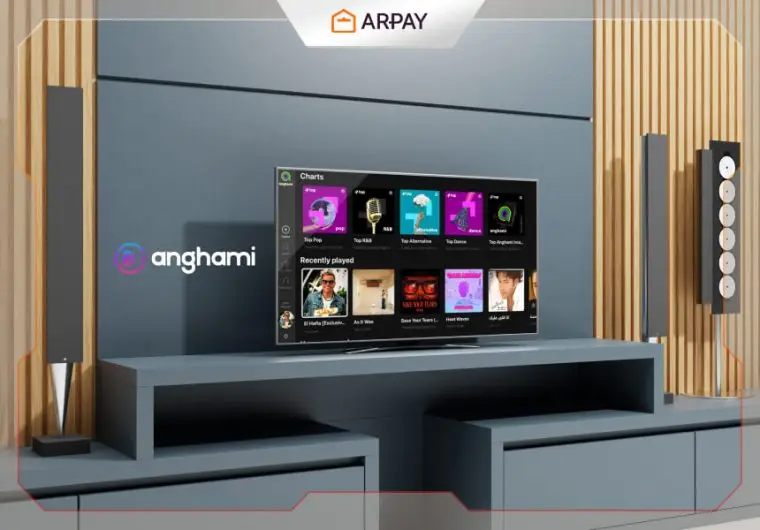
Looking to elevate your home entertainment experience? Discover how Anghami transforms your Smart TV into a powerhouse of musical delight, bringing you access to millions of songs, curated playlists, and exclusive content right in your living room. Imagine enjoying high-quality audio, personalized recommendations, and seamless integration with your Smart TV, all at your fingertips. With Anghami Smart TV, every moment can be filled with the perfect soundtrack.
Explore our ultimate guide to Anghami Smart TVs and unlock the full potential of your entertainment setup today!
Anghami Smart TV is a feature that allows users to stream music directly from the Anghami app on their Smart TVs.
With Anghami Smart TV, you can access millions of songs, curated playlists, and exclusive content right from your living room.
The app integrates seamlessly with your TV, providing high-quality audio and a visually engaging experience with album art, artist profiles, and lyrics displayed on the screen.
Whether you’re hosting a party or relaxing at home, Anghami Smart TV brings your favorite music to the big screen.
Benefits of Using Anghami Smart TV
Using Anghami Smart TV comes with several benefits:
- Access to a Massive Music Library: Enjoy millions of songs, curated playlists, podcasts, and exclusive content from around the world.
- High-Quality Audio: Experience superior sound quality with features like Dolby Atmos, making every song come to life.
- Seamless Integration: Effortlessly stream music on your Smart TV with easy navigation and a visually engaging interface.
- Personalized Recommendations: Get customized playlists and music suggestions based on your listening habits.
- Convenience: Control your music directly from your TV remote, making it easy to manage your entertainment without needing additional devices.
- Exclusive Deals and Offers: Take advantage of special promotions and partnerships, such as free trials and discounts on subscriptions.

How to Set Up Anghami Smart TV
To set up Anghami Smart TV, follow these steps:
- Connect to the Internet: Ensure your Smart TV is connected to the Internet via Wi-Fi or an Ethernet cable.
- Access the App Store: Navigate to your TV’s app store (e.g., Samsung Apps, LG Content Store, etc.).
- Search for Anghami: Use the search function to find the Anghami app.
- Download and Install: Select the Anghami app and download it to your Smart TV.
- Open Anghami: Once installed, open the Anghami app from your TV’s home screen.
- Log In or Sign Up: If you already have an Anghami account, log in. If not, create a new account.
- Start Streaming: Browse and play your favorite music, playlists, and podcasts directly on your Smart TV.
Unlock the ultimate music experience on your Smart TV with Anghami Gift Cards! Get yours now and enjoy unlimited streaming on the big screen!
Exploring Anghami’s Exclusive Content on Smart TV
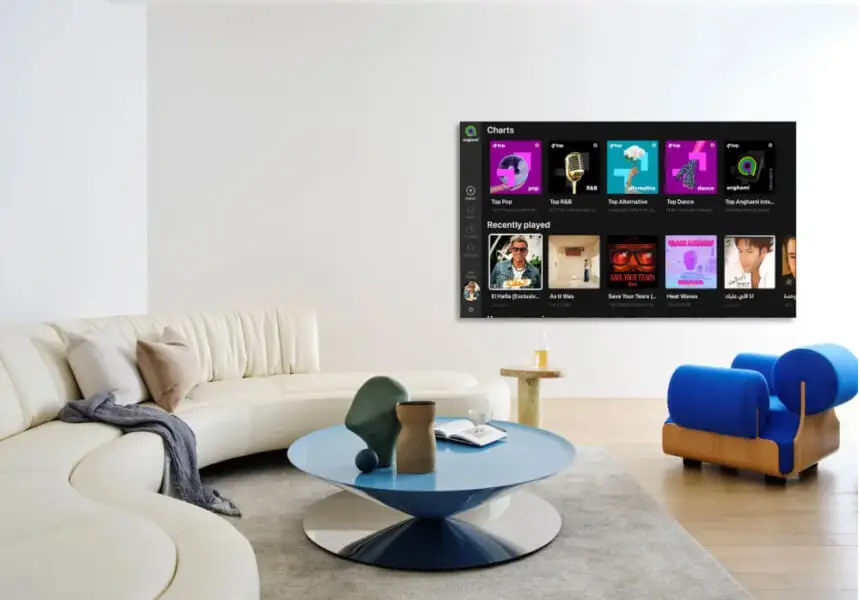
- Exclusive Playlists: Access curated playlists tailored to various moods, genres, and activities.
- Live Concerts: Watch exclusive live concert streams from your favorite artists.
- Podcasts: Listen to exclusive podcasts across diverse topics.
- Music Videos: Enjoy high-quality music videos and visual content.
- Artist Profiles: Dive into detailed profiles of artists with exclusive interviews and behind-the-scenes content.
- New Releases: Stay updated with the latest songs and albums from top artists.
- Personalized Recommendations: Get music suggestions based on your listening habits.
Best Practices for Using Anghami Smart TV
Here are some best practices for maximizing your experience with Anghami Smart TV:
- Stable Internet Connection: Ensure you have a reliable and high-speed internet connection for smooth streaming without interruptions.
- Update Your TV and App: Regularly check for and install updates for both your Smart TV and the Anghami app to enjoy the latest features and improvements.
- Optimize Audio Settings: Adjust your TV’s audio settings for the best sound quality. Utilize external speakers or a soundbar if available.
- Create Playlists: Organize your favorite songs into playlists for easy access during different activities or moods.
- Explore New Content: Take advantage of Anghami’s personalized recommendations to discover new music, podcasts, and exclusive content.
- Utilize Voice Commands: If your Smart TV supports voice commands, use them to control playback hands-free, making your experience more convenient.
- Parental Controls: Set up parental controls if your household includes children, ensuring a safe listening environment.
- Regularly Refresh Content: Update your playlists and explore new releases to keep your music library fresh and exciting.
- Engage with Artist Profiles: Dive into artist profiles for interviews, behind-the-scenes content, and more to enhance your connection with the music.
- Use the Anghami App on Other Devices: Sync your account across devices, like your smartphone and tablet, for a seamless music experience wherever you go.
Conclusion
Using Anghami on Smart TV offers a rich music streaming experience right from your living room. With access to millions of songs, curated playlists, and exclusive content, it transforms your Smart TV into a multimedia hub.
The seamless integration, high-quality audio, and user-friendly interface make it a standout choice for music lovers.
Setting up Anghami on Smart TV is straightforward, and following best practices ensures you get the most out of the app.
Explore and enjoy the diverse content that Anghami offers, turning every moment into a musical delight.

FAQs
How can I play Anghami Smart TV?
You can play Anghami Smart TV by downloading the Anghami app directly from your TV’s app store. Once installed, open the app and log in to your account to start streaming your favorite music.
Can you cast Anghami Smart TV?
Yes, you can cast Anghami Smart TV using devices like Chromecast or AirPlay. Simply open Anghami on your phone, tap the cast icon, and select your TV to start streaming music.
Can I play music from my phone on my smart TV?
Yes, you can play music from your phone on your smart TV by either casting it using Chromecast or AirPlay or connecting through Bluetooth if your TV supports it.
You can also use streaming apps like Anghami, Spotify, or YouTube on your phone and cast the music to your TV.
How to connect a smart TV?
To connect your smart TV, ensure it’s connected to the internet via Wi-Fi or an Ethernet cable. Then, you can log in to your streaming apps, use casting features, or connect devices like gaming consoles or speakers to enhance your entertainment options.

Aya Atef
I'm Aya, a content creator at ARPay, crafting engaging articles about payment gift cards, digital installments, and everything that makes online shopping seamless. Whether it's gaming top-ups or the latest e-commerce trends, I write to level up your shopping experience!

