


Are you looking for a seamless gaming experience on the go? The Xbox Android App brings all your favorite features and games right to your fingertips, allowing you to stay connected with your gaming community wherever you are. From managing your game library to streaming your console games, the Xbox App offers unmatched convenience and functionality for gamers. Discover the full potential of the Xbox App in our ultimate guide and elevate your gaming experience today!
The Xbox Android App is a versatile tool that elevates your gaming experience by keeping you connected to your games, friends, and achievements wherever you go.
With features like game library management, Game Pass integration, social connectivity, and remote play, the app ensures that you can enjoy your Xbox games and stay in touch with your gaming community on the go.
Compatible with Android devices running version 8.0 or higher, the Xbox Android App provides unparalleled convenience, flexibility, and social integration, making it an essential companion for any Xbox gamer.
Unlock the ultimate Xbox experience! Explore the latest news, tips, and exclusive updates on AR-PAY’s Xbox News – your gateway to next-level gaming!
Benefits of Using the Xbox Android App
The Xbox Android App offers numerous benefits for gamers, enhancing your overall gaming experience:
- Game Library Management: Easily browse, install, and manage your game library from your Android device.
- Game Pass Integration: Access the entire Game Pass catalog, get personalized game recommendations, and claim exclusive Game Pass Ultimate perks.
- Social Connectivity: Stay connected with friends through chat, set up or join Xbox parties, and share game clips and screenshots.
- Remote Play: Stream and play games from your Xbox console directly on your Android device, making gaming on the go a breeze.
- Achievements and Leaderboards: Track your progress, view leaderboards, and share your achievements on social media.
- Convenience: Manage your gaming life anytime, anywhere, without being tied to your TV or console.
- Updates and Notifications: Receive real-time updates and notifications about your games, friends, and achievements.
- Store Access: Browse and purchase games, add-ons, and more from the Xbox Store directly through the app.
How to Download and Install the Xbox Android App
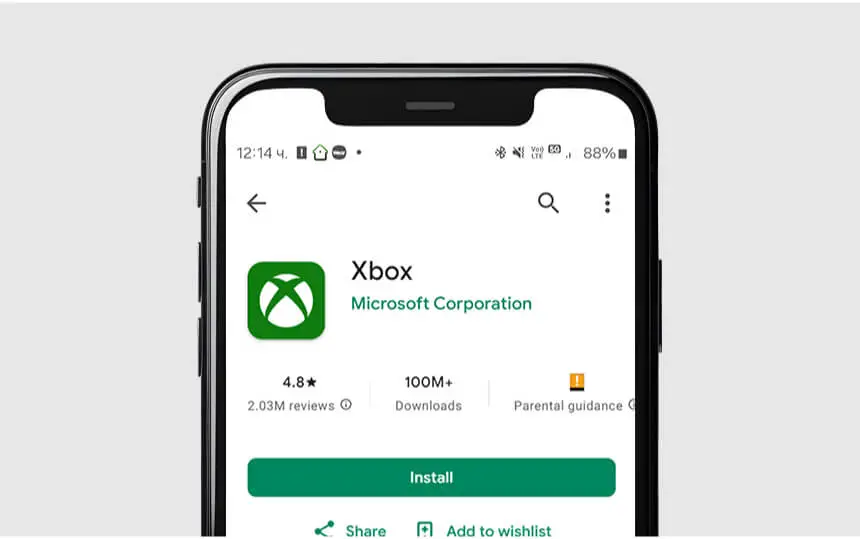
To download and install the Xbox Android App, follow these simple steps:
- Open the Google Play Store on your Android device.
- Search for “Xbox” in the search bar.
- Select the official Xbox Android App from the search results (look for the app developed by Microsoft Corporation).
- Tap on “Install” to download and install the app on your device.
- Once the installation is complete, open the App and sign in with your Microsoft account.
Maximizing Your Experience on the Xbox Android App
To get the most out of the Xbox Android App, here are some tips:
- Stay Connected: Use the chat feature and Xbox parties to keep in touch with friends, coordinate game sessions, and share gaming moments.
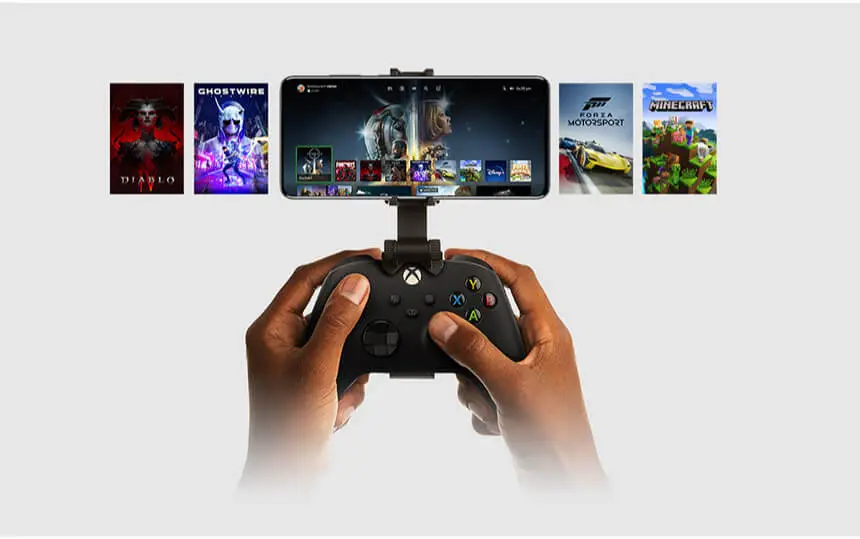
- Utilize Remote Play: Stream games from your Xbox console to your Android device. Perfect for gaming on the go or when the TV is occupied.
- Explore Game Pass: Dive into the Game Pass catalog, discover new games, and claim exclusive perks right from the app.
- Manage Your Library: Browse, install, and manage your game library with ease. Queue up downloads remotely so your games are ready to play when you get home.
- Track Achievements: Monitor your achievements and leaderboards. Share your progress with friends on social media.
- Receive Notifications: Stay updated with real-time notifications about your games, friends, and achievements.
- Personalize Your Profile: Customize your gamer profile, including your avatar, gamerpic, and bio, to stand out in the Xbox community.
- Join Beta Programs: Get early access to features and updates by joining the Xbox Insider Program through the app.
Experience limitless gaming fun—get your Xbox gift cards from ARPay and enhance your gaming sessions!
Updates and What’s New in the Xbox Android App
The Xbox Android App has recently received some exciting updates and new features:
- Game Purchases: Starting in November 2024, you’ll be able to purchase Xbox games directly from the app. This change comes after a recent court ruling that allows developers to bypass Google’s Play Billing system.
- Game Pass Integration: You can now explore the full Game Pass catalog, receive personalized game recommendations, and claim Game Pass Ultimate perks directly from the app.
- Remote Play Enhancements: The app now offers improved remote play functionality, allowing you to stream and play games from your Xbox console directly on your Android device.
- Social Features: Enhanced social connectivity features, including easier setup for Xbox parties, built-in voice chat, and the ability to share game clips and screenshots with friends and on social media.
- Notifications: Real-time notifications about your games, friends, and achievements, ensuring you never miss an update.
Conclusion
The Xbox Android App is a powerful tool that enhances your gaming experience by keeping you connected to your games, friends, and achievements on the go.
Offering features like game library management, Game Pass integration, social connectivity, and remote play, the app provides unmatched convenience and flexibility. Recent updates have improved game purchases, social features, and notifications, making it even more versatile and user-friendly.
With the Xbox App, you can manage your gaming life anytime, anywhere, and enjoy your favorite games right from your Android device. Whether you’re catching up with friends, streaming games, or tracking achievements, this app is your ultimate gaming companion. Ready to take your gaming experience to the next level?

FAQs
Does Android have an Xbox App?
Yes, there is an Xbox App available for Android devices. You can download it from the Google Play Store.
Does Xbox work with Android?
Yes, the Xbox App works with Android devices. You can use it to stay connected to your gaming community, share game clips, chat with friends, and more.
Can you play Xbox games on Android?
Yes, you can play Xbox games on Android devices using Xbox Cloud Gaming with a Game Pass Ultimate subscription. You can also use Xbox Remote Play to stream games from your Xbox console to your Android device.
Is Xbox free on Android?
The Xbox App itself is free to download and use. However, to play Xbox games on Android, you’ll need a Game Pass Ultimate subscription, which is a paid service.

Aya Atef
I'm Aya, a content creator at ARPay, crafting engaging articles about payment gift cards, digital installments, and everything that makes online shopping seamless. Whether it's gaming top-ups or the latest e-commerce trends, I write to level up your shopping experience!

