


Step 1. Click on your Account to start the Registration process.

Step 2. Choose Register now.

Step 3. Create your account by Signing up with email.

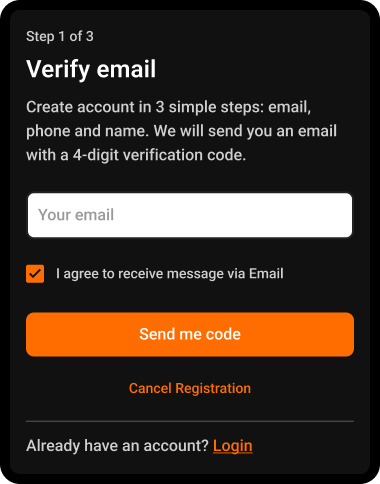
Step 4. Enter a valid Email, mark the checkbox, and click on the “Send me code” button.
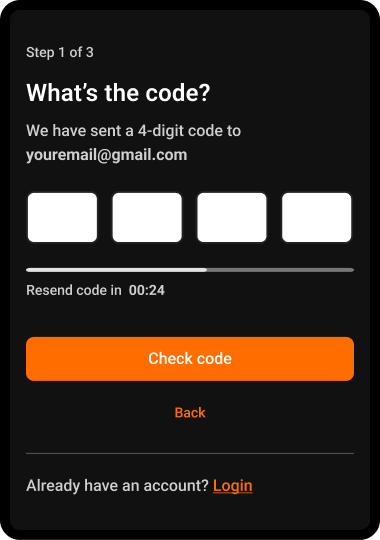
Step 5: Enter the Code that you received in your Email
Wait a few seconds for the code, then add it and click on the button below to verify. If you don’t receive the code, please click on Resend code button.
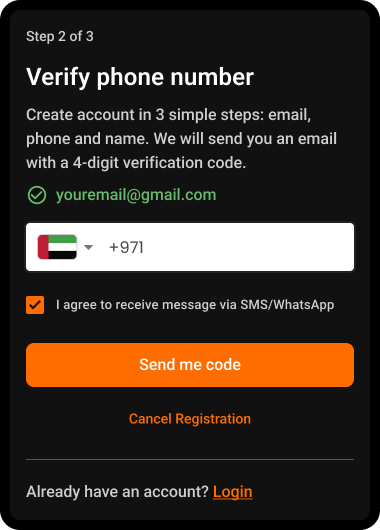
Step 6: Verify Phone Number
Verification happens only once during registration. When you register, you will be logged in automatically and will stay logged in until you manually log out. The next time you log in, you only need to enter your email. A verification code will be sent to your email for login confirmation.
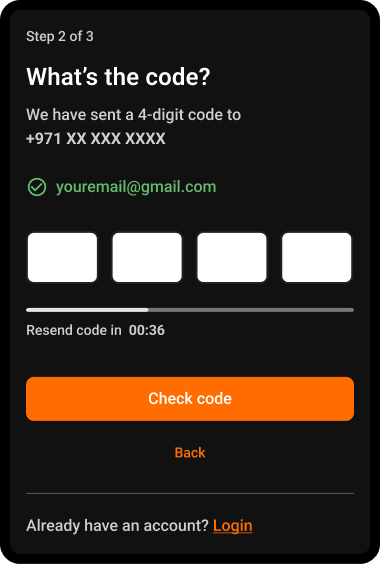
Step 7: Enter the Code that you receive on your phone
Wait a few seconds for the code, then add it and click on the button below to verify. If you don’t receive the code, please click on Resend code button.
Step 8. Enter your Name, read and agree to our policies.
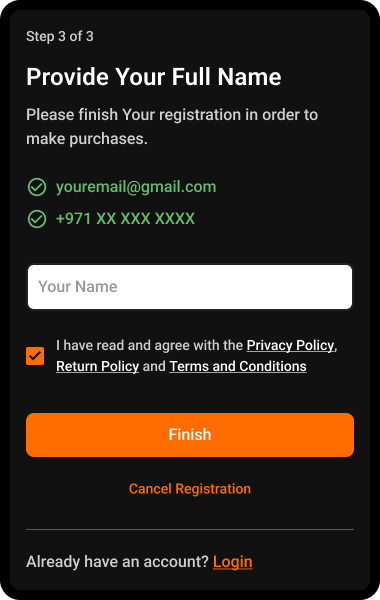
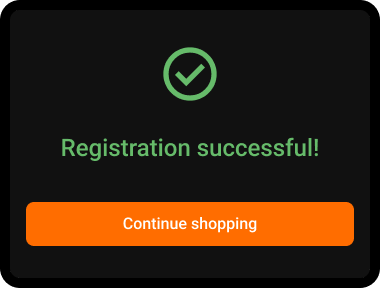
Congratulations! You’ve successfully registered and can start placing your orders.

Maha Amer
I’m Maha, a Turkish content writer at ARPay Blog. I love helping readers explore the exciting world of gift cards, vouchers and gaming deals. With a focus on delivering up-to-date information, With a guarantee for an easy, quick and 100% safe shopping process.

