

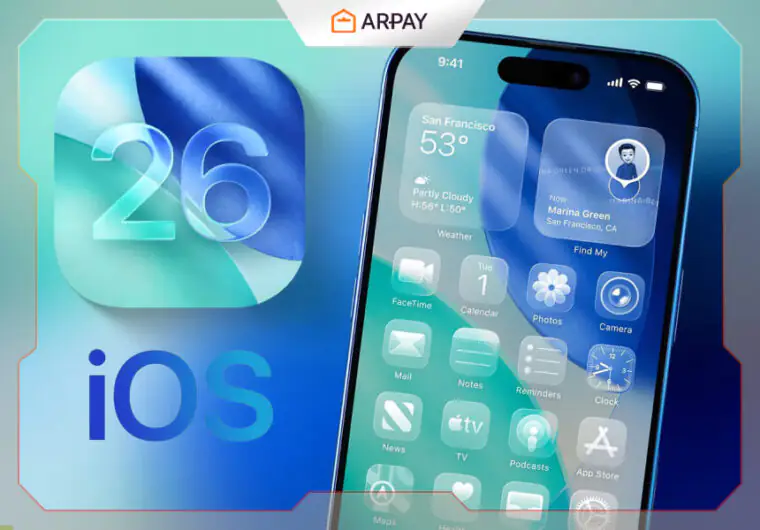
Every year, Apple redefines what your iPhone can do. But the iOS 26 update isn’t just another normal change; it’s a deep transformation. With bold design shifts and powerful Apple Intelligence, this update makes your iPhone feel more responsive, more personalized, and more intelligent than ever.
- Apple iOS 26 Update: Design Changes That Redefine How You Interact
- Apple Intelligence in iOS 26 Update: The Future of On-Device AI
- Apple iOS 26: Communication Upgrades That Keep You Closer
- What’s New in Apple Maps with iOS 26 Update
- Entertainment Upgrades for Gamers and Music Lovers
- Productivity and Organization Tools That Help
- Cross-Device Compatibility That Feels Seamless
- iOS 26 Privacy and Accessibility Features That Matter
- The Future of iOS Starts Now
- Compatibility Overview: Which Devices Support iOS 26 Update?
- Conclusion
- FAQs
Whether you care about design, AI tools, privacy, or just getting things done, this release touches every corner of the iPhone experience.
And if you’re planning to explore everything iOS 26 has to offer, whether it’s smarter apps, exclusive games, or immersive music, start by topping up your Apple ID with App Store & iTunes Gift Cards from Arpay.
It’s the fastest and most secure way to unlock premium features and content, right from day one.
Let’s explore what makes iOS 26 features a game-changer, and why it might be the most meaningful upgrade in years.
Apple iOS 26 Update: Design Changes That Redefine How You Interact

Your iPhone now feels more alive. With redesigned visuals and an adaptive interface, iOS 26 Update lets your device reflect your preferences in every gesture, glance, and tap. Whether you’re customizing widgets or changing lock screen moods, it’s all about making your iPhone yours.
Revamped User Interface for Enhanced Usability
- Smoother animations and transitions
- More intuitive gesture responses
- Cleaner layout for menus and control center
Personalized Lock Screen Features
- Multiple lock screen profiles with smart switching
- Live widgets for real-time updates
- Dynamic wallpapers that adapt to the time of day
Vibrant and Functional App Icons
- Color-aware icons that shift based on Focus mode
- Simplified icon sets for clearer navigation
- Expanded icon packs are available through the App Store
Dynamic Widgets and Controls for Customization
- Resizable and interactive widgets
- Context-aware suggestions (e.g., music widgets at commute time)
- Smart Stacks that evolve with daily usage patterns

Apple Intelligence in iOS 26 Update: The Future of On-Device AI
Apple’s new Apple Intelligence system does more than automate—it understands. From real-time language translation to personalized content suggestions, your iPhone can now act, predict, and support like a true assistant. And it all runs privately on-device.
Live Translation Updates for Seamless Communication
- Supports 20+ languages with offline mode
- Live audio translation in FaceTime and phone calls
- Real-time text overlays for live conversations
Visual Intelligence Enhancements for Smart Photos
- Context-aware photo sorting
- AI-powered object removal and background blur
- Scene recognition for memory curation
AI-Driven Productivity Features for Efficient Workflows
- Smart replies and email summarization
- Suggested documents, contacts, and actions based on routine
- Personalized focus modes tied to calendar or location
Apple iOS 26: Communication Upgrades That Keep You Closer
iOS 26 Update makes staying in touch feel natural, even when you’re juggling life. From filtering spam calls to managing group messages with new tools, it’s communication made simple, clear, and even fun.
Improved Spam and Unwanted Call Management
- Real-time detection powered by on-device learning
- Auto-block based on crowd-sourced databases
- Silent, unknown caller updates
New Group Messaging Options and Backgrounds
- Custom backgrounds and themes for chat groups
- Inline reply threads and reactions
- Smart group naming based on members
Scheduled Call Hold: A Game Changer for Phone App
- Schedule when you’re available to take calls
- Auto-reply with a message or calendar share
- Works with Focus mode integration
Voting Polls and Collaborative Features in Messages
- Create polls inside iMessage
- Shared reminders, to-do lists, and collaborative notes
- Group scheduling support is linked with Calendar
What’s New in Apple Maps with iOS 26 Update
Maps just got personal. From better route planning to curated highlights of your favorite places, the Apple Maps experience is more useful, more human, and more connected to your day.
Enhanced Route Prediction and Personalization
- Real-time updates based on habits
- Alternate suggestions with travel time forecasting
- Smarter rerouting during traffic or detours
Interactive Features: Visited Places and Favorites
- Visual trip timeline by date
- Quick access to frequent spots
- Suggested visits based on routines
AutoMix Listening and Enhanced Lyrics Translation
- Seamless switching between navigation and music
- On-screen lyrics translation while listening
- Smarter audio balancing with directions
Entertainment Upgrades for Gamers and Music Lovers
Whether you’re competing or relaxing, iOS 26 Update brings next-level features to games and music. This is about immersion, ease, and enjoyment—wherever and whenever you want it.
The All-New Games App and Gaming Features
- Universal game library with cloud saves
- Game progress syncs across devices
- Enhanced controller support and performance metrics
Revamped Music App for Personalized Experiences
- Mood-based playlists powered by AI
- Smart crossfades and seamless playback
- Artist Connect: in-app stories and updates from musicians
Immersive Audio Experiences with Spatial Sound
- Upgraded spatial audio with dynamic head tracking
- Personalized EQ presets based on hearing profile
- High-fidelity lossless streaming on supported devices
Read also: iPhone 16 Pro Or 16 Pro Max: Which Is Right for You?
Productivity and Organization Tools That Help
iOS 26 Update respects your time. It introduces features that organize your day without extra effort, from smarter reminders to faster access to what matters. Think of it as structure, with soul.
Upgraded Reminders and Shortcuts with AI Capabilities
- AI-suggested to-dos based on location or habits
- Cross-app shortcuts triggered by simple prompts
- Smart categorization of tasks
New Calendar Features for Better Event Management
- Natural language event creation
- Auto-reminders from messages or mail
- Suggested meeting times and locations
Widgets and Customization for Quick Access
- Lock screen calendar widgets
- Home screen folders with app previews
- Drag-and-drop widget configuration
Cross-Device Compatibility That Feels Seamless
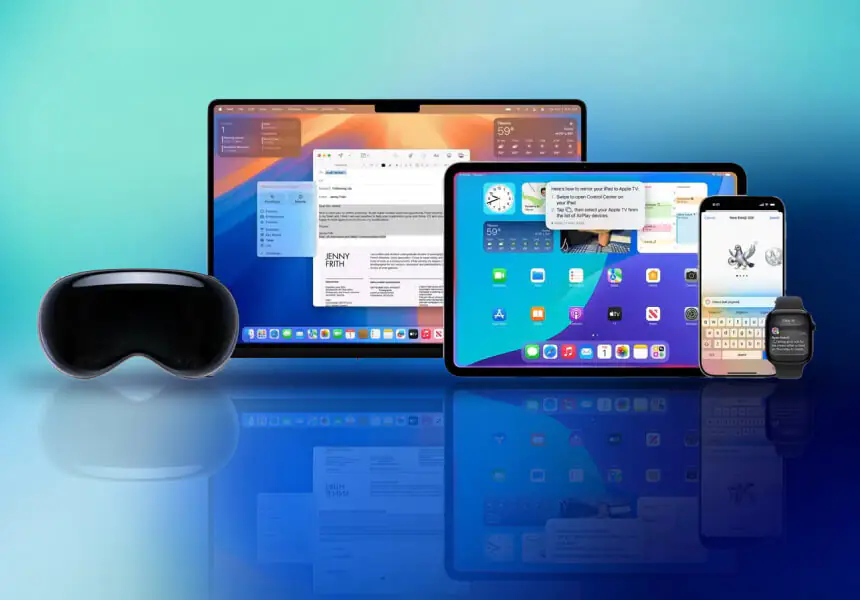
Apple knows your iPhone isn’t your only device. iOS 26 features build even deeper bridges between all Apple hardware, creating a unified experience from your wrist to your dashboard.
Improved CarPlay Features for a Smarter Drive
- Personalized driver profiles
- Split-screen multitasking
- More responsive Siri suggestions
Cross-Device Sync for a Unified Experience
- Continue apps across devices in real time
- Auto-hand-off for calls, texts, and music
- Shared clipboard and drag-and-drop media
New Wallet Features for Convenient Transactions
- Smart travel cards and boarding passes
- Dynamic payment suggestions based on location
- Tighter ID and document integration
iOS 26 Privacy and Accessibility Features That Matter
Privacy and inclusion aren’t afterthoughts in iOS 26 Update. These features are at the core of Apple’s values, offering protection, respect, and empowerment for every user.
New Privacy Features for Enhanced Security
- App activity reports with detailed logs
- Expanded Lockdown Mode
- Password sharing protections with Family
Accessibility Advancements for Inclusive Design
- Voice control improvements with natural dictation
- Eye tracking for iPhone and iPad
- Audio descriptions in system apps
Family Sharing Improvements for Better Management
- Screen time insights per family member
- Shared purchases and subscriptions with limits
- Content filters that adapt by age and time
The Future of iOS Starts Now
With iOS 26 features, Apple isn’t just improving the iPhone; it’s transforming how we live with it. This update is smarter, more personal, and more capable across every interaction.
Whether you’re a multitasker, a creative, a commuter, or someone who just wants tech that understands you, this is your upgrade.
Compatibility Overview: Which Devices Support iOS 26 Update?
- iPhone 11 and later
- iPhone SE (2nd generation and newer)
- Some AI and Apple Intelligence features require A17+ chips
Availability and Update Process for Users
- Available worldwide starting September 2025
- Free update via Settings > General > Software Update
- Beta testing is now open through Apple’s Developer Program
Read also: Introducing the iPhone 16e: Things to Know Before Buying
Conclusion
iOS 26 Update brings a fresh visual style with its Liquid Glass interface, smarter Apple Intelligence features, enhanced messaging and call tools, and deeper integration across apps and devices.
The public beta is already available via Apple’s Beta Software Program, and the full launch is expected in September 2025, likely around the same time as Apple’s annual iPhone update.
This release shows Apple pushing forward in design, privacy, and intelligent features, all while focusing on keeping everyday use fast and personal. If you’re using a compatible device, it’s worth upgrading when the stable version arrives.
Ready to get the full iOS 26 experience? Enhance your Apple journey by purchasing App Store & iTunes Gift Cards from Arpay. Whether you’re buying apps, games, music, or upgrading storage, it’s the easiest way to power up your digital life.

FAQs
Which iPhones support iOS 26 Update?
iOS 26 features work on any iPhone with an A13 chip or newer. Supported models include iPhone 11, iPhone 12, 13, 14, 15, 16, and SE (2nd gen or later). Devices like the iPhone XR, XS, and XS Max are not supported.
Which devices run Apple Intelligence features?
Real-time translation and Visual Intelligence require an A17 Pro chip or newer. So only iPhone 15 Pro, 15 Pro Max, and all iPhone 16 models support full Apple Intelligence features.
When will the iOS 26 update be released publicly?
Apple plans to launch iOS 26 to the public in September 2025, likely in the second half of the month, shortly after the iPhone 17 launch event.
How can I try iOS 26 features before the official release?
You can join the Apple Beta Software Program to install the public beta. Be aware it’s a test version—some features may be glitchy or unstable.
Will the iOS 26 update affect battery life or performance?
Early testers report increased battery drain and potential slowdowns on older devices like the iPhone XR. Models with newer chips, like iPhone 16, run the beta more smoothly, though moderate bugs remain.
Are there new privacy or security tools?
Yes. iOS 26 features add stronger call and message screening, a redesign of app tracking transparency, recovery assistant, and a new permission manager for wired accessories, all aimed at improving control and safety

Maggi
A content writer who specializes in the entertainment field, developing entertaining and interactive content that resonates with the culture of this field. I keep abreast of current trends, especially in the world of games, movies and shopping.

