


Checking your Virgin data offers in Saudi Arabia takes less than 30 seconds once you know the right method. This guide covers all three ways to do it: USSD codes (no internet needed), the Virgin app, and the website, plus what to do if something goes wrong.
- METHOD 1: USSD Codes (Fastest — No Internet Required)
- METHOD 2: The Virgin Mobile App
- METHOD 3: Virgin Mobile Website
- Which Method Is Best for Checking Your Offers?
- What to Do When Checks Fail
- Types of Data Plans Offered by Virgin Mobile
- Featured Data Packages
- Maximize Your Savings with Virgin Gift Cards
- Conclusion
- FAQs
Need to check Virgin data offers right now? Pick your fastest method
| Method | How | Best When |
| USSD Code | Dial *111# from your Virgin SIM | No internet, fastest option |
| Virgin App | Open app → Shop → Data Offers | Browsing & comparing plans |
| Website | virginmobile.sa → Plans & Offers | Detailed view, desktop |
Check your current data balance: Dial *102#Check all balances: Dial *104#
METHOD 1: USSD Codes (Fastest — No Internet Required)
Dial directly from your Virgin Mobile number. Results appear on-screen within seconds.
Dial *111# — Browse available data offers Dial *102# — Check your current data balance Dial *101# — Check your main credit balance Dial *104# — Full account summary (balance, data, minutes) Dial *122# — Special promotional packages Dial *144# — Social media bundle options
Tip: USSD codes work on any mobile network signal — even when your data has run out. This is the fastest method if you just need to quickly check what offers are available.

METHOD 2: The Virgin Mobile App
- Open the Virgin Mobile KSA app (download from Google Play or the App Store if you haven’t already — search “Virgin Mobile Saudi Arabia”).
- Log in with your Virgin number, then verify via SMS.
- From the home dashboard, tap Shop or look for the Offers section. You may also see a rotating banner at the top highlighting active promotions.
- Filter by Data Packages. Tap any offer to see full details — price, data allowance, validity period, and whether it stacks with your current plan.
- To activate, tap Purchase or Add to Plan, confirm your payment method, and wait for the SMS confirmation.
Tip: The app is the best choice when you want to compare multiple packages side by side before deciding.
METHOD 3: Virgin Mobile Website
- Go to virginmobile.sa
- Click My Virgin (top right) and log in with your mobile number and password.
- Navigate to Plans & Offers, then filter by prepaid or postpaid as relevant.
- Browse packages and use the comparison tool to evaluate data volume, price, and validity.
Tip: The website is most useful on desktop when you want to read full terms and conditions or compare many plans at once.
Which Method Is Best for Checking Your Offers?
- Use USSD (*111#) if: Your data has run out, you want the fastest answer, or you’re not near a Wi-Fi connection.
- Use the app if: You want to visually browse and compare packages, activate an offer immediately, or manage your account in one place.
- Use the website if: You’re on a desktop, want to read full plan details, or are comparing several options before making a decision.
Read more: How to Recharge Virgin Mobile: Step-by-Step Guide
What to Do When Checks Fail
USSD code not working?
- Make sure you’re dialing from a Virgin Mobile KSA SIM (USSD codes don’t work on other networks).
- Check that you have at least a basic signal — USSD needs network coverage but not data.
- If the menu doesn’t load, try again after 60 seconds; network congestion can delay USSD responses.
- International roaming: most Virgin USSD codes do not work abroad. Use the app with Wi-Fi instead.
App not showing offers?
- Update the app to the latest version from the App Store or Google Play.
- Clear the app cache (Settings → Apps → Virgin Mobile → Clear Cache).
- Log out and back in — sometimes session tokens expire and prevent offer pages from loading.
- Switch from mobile data to Wi-Fi (or vice versa) if pages fail to load.
Website login problems?
- Use the “Forgot Password” option if you haven’t logged into the web portal recently.
- Make sure you’re on virginmobile.sa — not a third-party site.
- The site uses two-factor authentication; ensure SMS is working on your number.
Offer activated but not applied?
- Wait up to 15 minutes — most activations are instant but some take a few minutes.
- Check confirmation via *104# to see if the new balance reflects the offer.
If still not applied after 15 minutes, contact Virgin Customer Service at 920008200.
Types of Data Plans Offered by Virgin Mobile
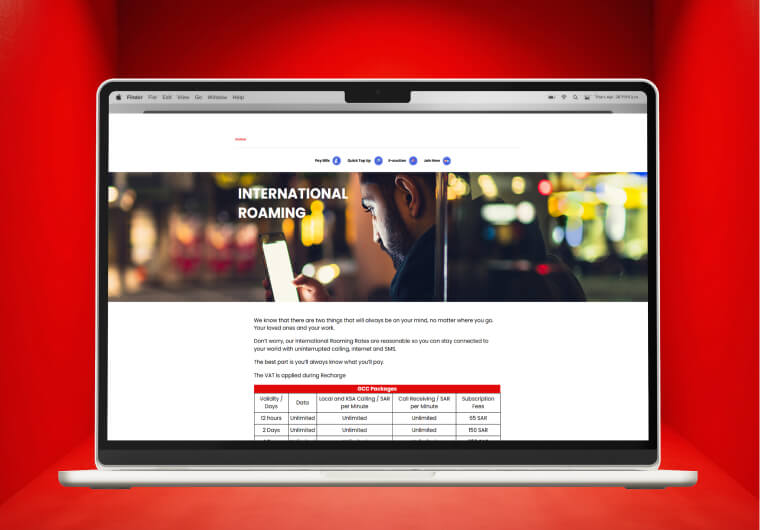
Virgin Mobile KSA offers a diverse range of data plans designed to meet different user needs and budgets. Understanding these options is crucial before checking for specific offers.
Featured Data Packages
Lowest Priced Starter Plan
1.99 SAR – (2.29 SAR with VAT)
- Data: 30 MB
- Validity: 1 Day
Ideal for quick access to essential online services when you need it most.
Highest Value Long-Term Plan
450.00 SAR – (517.50 SAR with VAT)
- Data: 300 GB
- Validity: 90 Days
Perfect for heavy users who need a large data allowance over a longer period.
Special Promotional Offers
Virgin Mobile frequently runs limited-time promotions:
- Double Data Offers: Extra data at no additional cost
- Free Social Media: Unlimited access to specific apps
- Weekend Data Boosts: Additional data for weekends only
- Student Discounts: Reduced rates with valid student ID
Planning your data needs becomes easier when you know exactly what’s available. Consider purchasing Virgin Mobile credit through ARPAY gift cards to maximize your savings on these plans.
Maximize Your Savings with Virgin Gift Cards
Smart Virgin Mobile users know that the key to significant savings lies in purchasing credit through discounted gift cards rather than direct top-ups.
Understanding Gift Card Benefits
Gift cards offer multiple advantages over traditional recharging methods:
- Financial Benefits:
- Discounts of 5-15% off face value
- Bulk purchase savings available
- Protection against price increases
- Budget control through pre-payment
- Convenience Factors:
- Instant digital delivery
- 24/7 availability
- No need to visit physical stores
- Multiple payment method acceptance
Introducing ARPAY: Your Trusted Gift Card Provider
ARPAY has established itself as the leading digital gift card marketplace in KSA, specializing in telecom solutions including Virgin Mobile credit.
Why Choose ARPAY for Virgin Gift Cards:
- Reliability and Trust:
- Thousands of satisfied customers across KSA
- Verified seller with proven track record
- Secure payment processing systems
- Licensed digital commerce platform
- Competitive Advantages:
- Best prices guaranteed on Virgin Mobile credit
- Instant digital delivery within minutes
- 24/7 customer support in Arabic and English
- Multiple denominations available (SAR 50-500)
- User Experience Excellence:
- Simple three-step purchase process
- Mobile-optimized website design
- Various payment methods accepted
- Order history and tracking available
Ready to maximize your Virgin Mobile savings? Visit ARPAY’s Virgin Mobile gift card section to explore current offers and start saving on your mobile expenses today.
Conclusion
Staying informed about virgin data offer KSA promotions doesn’t have to be complicated. With the comprehensive methods outlined in this guide, you now have multiple reliable ways to check Virgin Mobile’s latest deals
Don’t forget the power of discounted gift cards. By purchasing your Virgin Mobile credit through ARPAY, you’re not just checking offers – you’re maximizing every riyal spent on mobile services.
Stay connected, stay informed, and most importantly – stay smart about your mobile expenses in Saudi Arabia.

FAQs
How often does Virgin Mobile KSA update their data offers?
Virgin Mobile typically updates promotional offers weekly, with major campaign launches monthly. Special holiday and seasonal promotions occur throughout the year.
Do Virgin Mobile data offers work for both prepaid and postpaid customers?
Most offers are available for both customer types, but some promotions are exclusive to specific plan categories. Always check offer terms before activation.
How do I check my current Virgin data balance?
Dial *102# from your Virgin Mobile number. The result shows your remaining data and its expiry date instantly, with no internet needed.
What is the code to see Virgin Mobile data offers?
Dial *111# to browse currently available data packages on your account. For special promotions, dial *122#.
Can I check Virgin offers without internet?
Yes. USSD codes like *111# and *102# work on network signal alone — no data connection required. This is useful when your data bundle has expired.
Why am I not seeing offers in the Virgin app?
Usually caused by an outdated app version or a cached session. Update the app, clear the cache, and log back in. If offers still don’t appear, your account type may restrict certain promotions — check via *111# to confirm what’s available for your number.
Is it free to dial Virgin USSD codes?
Balance and usage codes (*101#, *102#, *104#) are free. Some promotional browsing codes may charge a small fee (typically under SAR 1). Check the confirmation screen before proceeding.

Hager Hesham
Content Writer and your go-to gaming expert. I'm here to share my best practices, valuable strategies, and professional gamer guidance. Also, I'm a gem hunter for the best deals and gift cards, just to enjoy games at almost zero cost with AR-pay.

