

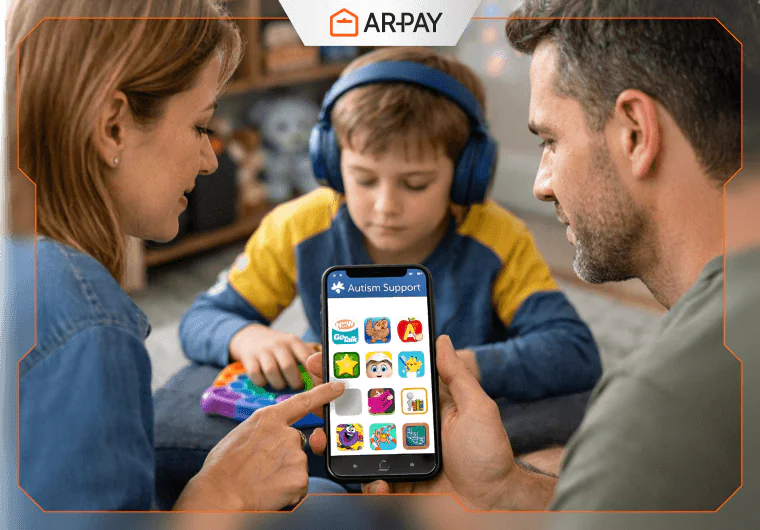
Finding the right digital tools for your autistic child feels like searching for treasure without a map. You download app after app, hoping something clicks. Meanwhile, screen time ticks away with little to show for it. This changes today.
- Best Apps for Kids with Autism: Communication Tools
- Top Apps for Children with Autism: Learning & Academic Support
- Best Apps for Autism Kids: Social & Daily Living Skills
- iPad Apps for Supporting Students with Autism: Wellness & Motor Skills
- Step-by-Step Plan: Getting Started with Best Apps for Kids with Autism
- Conclusion
- FAQs
The best Autism Apps for kids do more than entertain. They build communication bridges, teach life skills, and turn daily struggles into small victories. After reviewing dozens of options and parent feedback, I’ve narrowed it down to 12 game-changers that actually work.
Let’s find the ones your child needs.
Best Apps for Kids with Autism: Communication Tools
GoTalk NOW LITE: Your First Step Into AAC
GoTalk NOW LITE opens the door to communication for nonverbal children. This entry-level augmentative and alternative communication (AAC) tool gives kids a voice through picture buttons they can tap to express needs, feelings, and thoughts.
The lite version comes free, making it perfect for testing whether AAC works for your child. You get three customizable pages with image buttons that speak when pressed. Parents love how quickly kids grasp the concept because pictures feel natural and intuitive.
Key Features:
- Simple button-based interface requiring no reading skills
- Record your own voice for familiar sounds
- Add personal photos to make requests specific
- Works offline once you set it up
Start with basic needs like “water,” “snack,” or “bathroom.” Watch your child’s frustration melt away when they can finally tell you what they want.
Proloquo2Go: The Professional Standard
Proloquo2Go represents the gold standard in iPad apps for supporting students with autism. This customizable, professional-grade AAC app costs around $250, but many insurance plans cover it as durable medical equipment. Check with your provider or ask your speech therapist about discount programs.
The investment pays off. Proloquo2Go grows with your child from simple requests to complex sentences. Its research-backed vocabulary system teaches language structure while supporting immediate communication needs.
What Sets It Apart:
- Over 10,000 symbols covering nearly every concept
- Progressive Language feature that adjusts complexity automatically
- Backup and sync across devices
- Extensive customization for motor and cognitive abilities
Pro tip: Many school districts provide Proloquo2Go through IEPs. Document your child’s communication needs and request an AAC evaluation if you haven’t already.
Ready to unlock communication breakthroughs? Grab an Apple Gift Card from ARPay and invest in tools that give your child a voice. Every word they express starts with the right resources.
Top Apps for Children with Autism: Learning & Academic Support
ABC Kids: Phonics Without the Chaos
ABC Kids strips learning down to pure fun. This free phonics app teaches letter recognition and tracing without a single ad interrupting the flow. That matters because children with autism thrive on predictable, distraction-free environments.
The app guides little fingers through letter formation with colorful animations. Each correct trace triggers cheerful rewards, building confidence one letter at a time.
Why Parents should Choose This app:
- Completely ad-free experience
- No in-app purchases or surprise costs
- Self-paced progression that never rushes
- Works for ages 2 to 6
The simple design prevents sensory overload. No flashing banners, no random pop-ups, just steady learning that respects your child’s needs.
Starfall: Building Blocks for School Success
Starfall takes school readiness seriously. This comprehensive platform covers phonics, math, and social-emotional learning through songs, games, and interactive stories. The free version offers substantial content, while the $35 annual membership unlocks everything.
Teachers designed Starfall with struggling learners in mind. The multisensory approach reinforces concepts through sight, sound, and touch, which helps information stick for kids who learn differently.
Learning Areas Covered:
- Letter sounds and sight words
- Number sense and basic math
- Seasonal activities and calendar skills
- Following directions and emotional awareness
The calendar feature deserves special mention. It teaches time concepts through daily practice, helping kids understand yesterday, today, and tomorrow.
Reading Eggs: Where Phonics Meets Play
Reading Eggs transforms phonics and vocabulary into addictive games. Designed by teachers, this subscription app (starting at $10 monthly) tracks progress across 120 lessons that adapt to your child’s pace.
The reward system hooks kids immediately. They earn eggs for completing activities, which they spend on avatar customization and virtual pet care. This gamification turns reading practice from chore to choice.
Standout Features:
- Placement test finds the perfect starting level
- Progress reports show exactly what they’re mastering
- Works on tablets, computers, and phones
- Includes 2,500+ digital books
Many autism apps for children focus on one skill, but Reading Eggs builds entire literacy foundations. The structured approach removes guesswork from what comes next.
Read also: The 10 Best ADHD Apps That Actually Work in 2025
Best Apps for Autism Kids: Social & Daily Living Skills
Pokémon Smile: Toothbrushing Gets Fun

Pokémon Smile solves the toothbrushing battle through pure genius. Kids catch Pokémon by brushing correctly for two minutes while the camera watches their technique. No more fights, tears, or half-cleaned teeth.
The app shows exactly where to brush through augmented reality. Kids see themselves on screen with Pokémon appearing as they clean different zones. Complete the routine, catch the creature. Simple motivation that actually works.
What Makes It Work:
- Free with zero ads or purchases
- Two-minute timer ensures thorough brushing
- 100+ Pokémon to collect over time
- Stickers reward consistency
Oral hygiene ranks among the toughest daily living skills for autistic children. This app turns routine into reward.
Turn healthy routines into lasting habits; unlock fun, educational apps like Pokémon Smile with Google Play Gift Cards. Give your child motivation that sticks by instantly accessing the tools that make daily living skills rewarding.
First Then Visual Schedule HD: Anxiety’s Antidote
First Then Visual Schedule HD brings structure to chaos. This visual scheduling app reduces anxiety by showing kids exactly what happens next. You create sequences using photos, symbols, or text that outline the day’s activities.
Transitions destroy many good days. Visual schedules prepare kids mentally for changes, giving them control through predictability. The app lets you build multiple schedules for different routines like morning prep, therapy days, or bedtime.
Practical Applications:
- Morning routines with bathroom, breakfast, and getting dressed
- Therapy sessions broken into manageable steps
- School day timelines to ease separation anxiety
- Weekend activities so fun doesn’t feel chaotic
Take photos of your actual bathroom, your child’s backpack, and their bedroom. Familiar images work better than generic symbols because they remove ambiguity.
iCreate Social Skills Stories: Personalized Learning

iCreate Social Skills Stories lets you write custom social narratives using your child’s photos and your voice. These personalized stories teach everything from waiting in line to handling disappointment.
The power lies in personalization. Instead of generic characters, your child sees themselves successfully navigating tricky situations. Your recorded voice adds comfort and authority that generic narration can’t match.
Story Ideas That Work:
- Going to the dentist with actual photos of the office
- Playing with siblings and taking turns
- What to do when feeling angry or overwhelmed
- Restaurant behavior and ordering food
iPad Apps for Supporting Students with Autism: Wellness & Motor Skills
GoNoodle: Movement That Feels Like Play
GoNoodle gets kids moving through dance, yoga, and mindfulness activities. These short video sessions (3-5 minutes) provide sensory breaks that reset attention and reduce anxiety. The app works brilliantly for children who need movement to regulate emotions.
Each activity targets specific needs. High-energy dances burn excess energy before homework. Calming flows prepare for bedtime. Breathing exercises interrupt meltdown spirals before they escalate.
Activity Categories:
- Dance parties for gross motor development
- Mindfulness exercises for emotional regulation
- Stretching routines for body awareness
- Focus flows that improve attention span
Teachers use GoNoodle for brain breaks because it delivers results fast. At home, it transforms “I need to move” into productive activity instead of chaos.
Aquapark.io: Fine Motor Fun
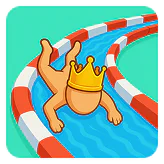
Aquapark.io disguises occupational therapy as waterslide racing. Kids guide a character down colorful slides by tilting their device or swiping precisely. The game naturally builds fine motor dexterity and hand-eye coordination without feeling like work.
Top apps for children with autism balance skill-building with genuine entertainment. This one nails it. The simple controls work for various ability levels, while the quick rounds suit short attention spans.
Therapeutic Benefits:
- Finger strength from precise swiping
- Bilateral coordination from device tilting
- Visual tracking as characters speed through slides
- Cause-and-effect understanding through immediate feedback
Use this as a reinforcer after less preferred activities. Five minutes of Aquapark.io motivates completion of homework, therapy exercises, or chores.
Power up learning with smart purchases. Use your Google Play Gift Card from ARPay to unlock premium features in educational apps. Small investments create big learning leaps.
Step-by-Step Plan: Getting Started with Best Apps for Kids with Autism
1. Audit Your Child’s Needs
Start by identifying the biggest challenges right now. Does communication frustration trigger most meltdowns? Are academic skills lagging behind peers? Does your child struggle with daily routines or social situations?
Write down three priority areas. You can’t address everything at once, so focus on what impacts quality of life most. A nonverbal five-year-old needs AAC before social stories. A verbal eight-year-old struggling socially needs different support.
Match apps to needs:
- Communication gaps require GoTalk NOW or Proloquo2Go
- Academic struggles need ABC Kids, Starfall, or Reading Eggs
- Routine anxiety demands First Then Visual Schedule
- Social confusion calls for iCreate Social Skills Stories
- Sensory needs benefit from GoNoodle
2. Track Progress
Download one or two apps per category maximum. Too many choices overwhelm everyone. Install them, set them up completely, then use them consistently for two weeks before judging effectiveness.
Create a simple tracking system. Note when your child uses each app, for how long, and any changes you observe. Did they request the AAC app independently? Are morning routines smoother with the visual schedule? Is toothbrushing happening without fights?
Visual schedules and reward systems boost app effectiveness. Try this: Place app icons in a visual schedule showing when screen time happens. Earn tokens for using learning apps that trade for preferred games later.
3. Consult Therapists
Share your app selections with your child’s therapy team. Speech therapists can integrate AAC apps into sessions. Occupational therapists might suggest motor skill apps you haven’t considered. ABA therapists can incorporate apps into behavior plans.
Ask specific questions:
- Which apps support current therapy goals?
- How much daily use do you recommend?
- Should we focus on mastery or variety?
- What data should we track?
Insurance sometimes covers app costs when prescribed by therapists as treatment tools. Document everything and submit receipts. The worst they can say is no.
Read also: Best Educational Apps for Kids in 2025: Fun & Learning
Conclusion
The best apps for kids with autism aren’t the most expensive or feature-packed. They’re the ones your child actually uses. Start small, track results, and adjust based on what you see. Some children take to AAC immediately while others need weeks of gentle introduction. Some devour educational games while others need movement breaks first.
Technology can’t replace human connection, therapy, or love. But the right apps extend learning beyond therapy sessions, give nonverbal children voices, and transform daily struggles into small victories. They turn tablets from time-wasters into powerful tools.
Your child’s needs will evolve. The nonverbal three-year-old using GoTalk might graduate to Proloquo2Go at five. The six-year-old obsessed with ABC Kids might need Reading Eggs by seven. Stay flexible and keep communication open with your support team.
Every download represents hope for progress. Make each one count by choosing purposefully, implementing consistently, and celebrating the small wins along the way. Your child’s breakthrough might be one app away.
Support your child’s learning journey with Arpay Gift Cards; a simple, secure way to access trusted autism apps and tools. Choose the right card today and turn screen time into meaningful progress and daily wins.

FAQs
Are paid autism apps worth the cost compared to free options?
Paid apps often deliver better results for serious skill-building. Free apps like ABC Kids and GoTalk NOW LITE work wonderfully for basic needs. But comprehensive tools like Proloquo2Go and Reading Eggs offer research-backed features, no ads, and professional support that justify costs. Start with free versions to test concepts, then invest in paid apps for areas where your child shows interest and progress. Many insurance plans and school districts cover AAC apps, so explore funding options before paying out of pocket.
How much daily screen time should I allow with educational autism apps?
Quality matters more than quantity. Thirty focused minutes with learning apps beats two hours of passive watching. Break screen time into short sessions matching your child’s attention span. Try 10-minute blocks for young children, 15-20 minutes for school-age kids. Balance educational apps with movement breaks using tools like GoNoodle. Always supervise initially to ensure your child uses apps correctly and doesn’t just tap randomly. Track engagement levels because checked-out screen time teaches nothing.
Can apps replace therapy for children with autism?
Never. Apps supplement therapy but cannot replace trained professionals who observe, adjust, and respond to your child’s unique needs. Think of apps as homework between sessions, extending practice beyond the therapy room. AAC apps reinforce speech therapy goals. Social story apps prepare kids for situations discussed with behavioral therapists. Motor skill games complement occupational therapy exercises. The best results happen when therapists recommend specific apps, show you how to use them therapeutically, and review progress together.

Maggi
A content writer who specializes in the entertainment field, developing entertaining and interactive content that resonates with the culture of this field. I keep abreast of current trends, especially in the world of games, movies and shopping.

