

It’s 11 PM. You’ve got seven browser tabs open, three unfinished projects scattered across your desk, and a sinking feeling you forgot something important. Your phone lights up with a reminder you swiped away twice already. If this sounds like your average Tuesday, you’re not alone.
Living with ADHD means your brain works differently. The usual productivity advice falls flat because it wasn’t built for you. But here’s the good news: the right apps can transform chaos into clarity. Not because they force you to change who you are, but because they work with your brain instead of against it.
I spent six months testing 47 different apps to find the ones that actually stick. Most ended up deleted within a week. These ten survived because they solve real ADHD problems like time blindness, task paralysis, and distraction spirals.
Why Generic Productivity Apps Fail ADHD Brains
Standard to-do lists don’t account for executive dysfunction. Regular calendars ignore time blindness. Basic focus timers miss the dopamine piece entirely.
ADHD apps need to address three core challenges: starting tasks when motivation is zero, staying focused when distractions are everywhere, and remembering what you were supposed to do in the first place. The apps on this list tackle at least one of these issues head-on.
Best Focus & Distraction Control Apps
Forest: Turn Phone Avoidance Into a Game

Forest gamifies the hardest part of focus: not touching your phone. You plant a virtual tree that grows while you work. Leave the app, and your tree dies. It sounds simple, but it works because it gives your ADHD brain the instant feedback it craves.
What makes it special:
- Visual progress you can actually see growing
- Social accountability through shared forests with friends
- Real-world impact (they plant actual trees through partnerships)
Best for: Anyone who picks up their phone without thinking and loses 40 minutes to social media.
Price: $3.99 one-time purchase
The catch? You need to commit to sessions ahead of time. If your work requires phone use, this won’t help much.
Brain.fm: Music That Actually Helps You Focus
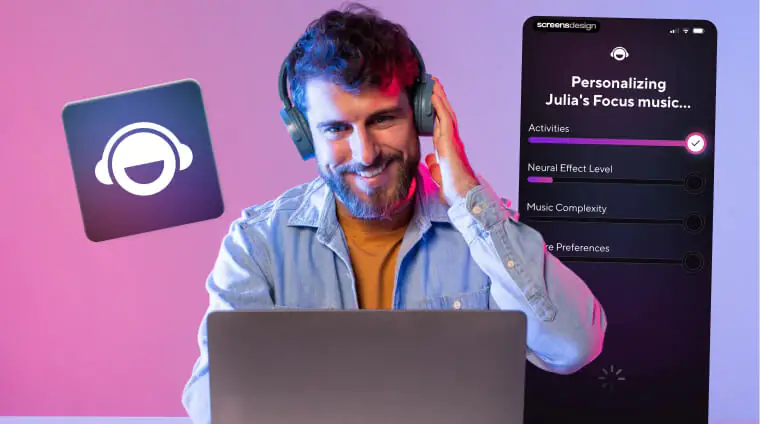
Brain.fm isn’t just another Spotify playlist. The audio uses something called neural phase-locking at 40Hz, which sounds technical but basically means your brain syncs to the rhythm and enters focus mode faster.
Key features:
- Different modes for deep work, light focus, or relaxation
- Works offline once downloaded
- Sessions timed to common work blocks
Best for: People who get distracted by background noise or find regular music too engaging.
Price: $6.99/month or $49.99/year
Freedom: The Nuclear Option for Blocking Distractions
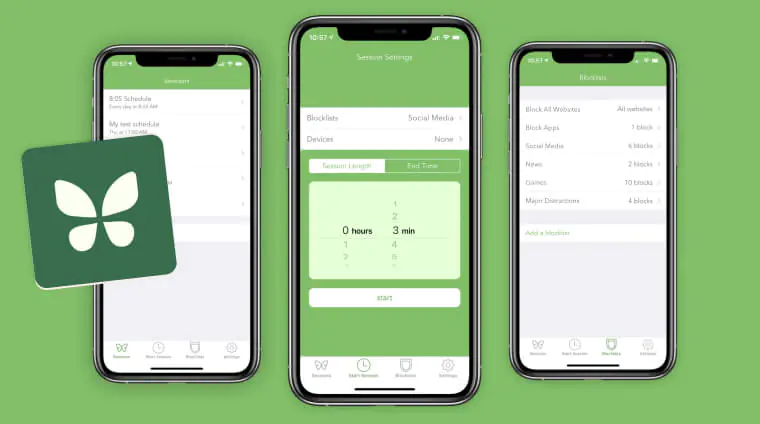
Freedom blocks websites and apps across all your devices at once. Schedule it ahead of time, and when focus time hits, those distractions simply vanish. The locked mode prevents you from disabling it mid-session.
Why it works:
- Removes temptation instead of relying on willpower
- Syncs across phone, tablet, and computer
- Scheduled sessions run automatically
Best for: Severe procrastinators who need external structure.
Price: $8.99/month or $129 lifetime
Top Organization & Task Management Apps For ADHD
Tiimo: Visual Planning That Makes Sense
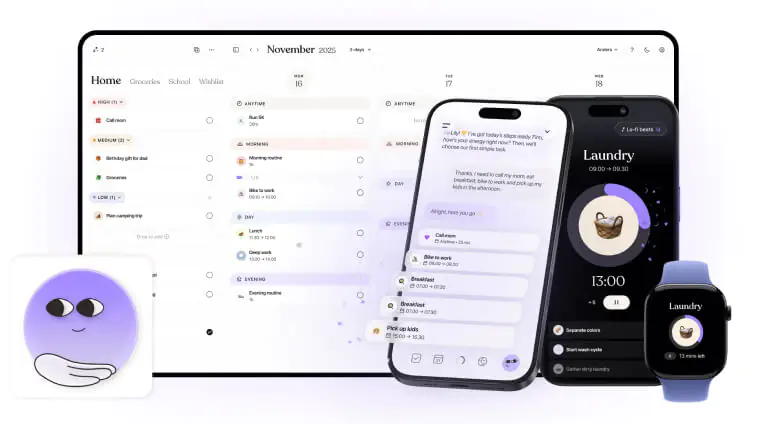
Tiimo uses colors, icons, and time-blocking to create schedules your brain can actually process. Instead of reading “dentist appointment,” you see a tooth icon in a blue block at 2 PM.
Standout features:
- Drag-and-drop scheduling feels natural
- Focus timer integrated directly
- Emotion tracking to spot patterns
Best for: Visual thinkers who feel overwhelmed by text-heavy calendars.
Price: Free basic version, $4.99/month for premium
The colorful design might feel too casual for corporate environments.
Stop scrolling, start focusing. Grab your app store gift cards from ARPay now and download the ADHD tools that actually work.
Todoist: Task Management That Reads Your Mind

Type “every Monday at 9am” and Todoist automatically creates a recurring task. This natural language processing makes capturing tasks effortless when your brain is already juggling too much.
What sets it apart:
- Project templates for repeating workflows
- Priority levels that actually help you decide what’s next
- Productivity tracking shows streaks and patterns
Best for: People managing multiple projects or juggling lots of deadlines.
Price: Free for basics, $4/month for pro features
The task list can grow overwhelming if you don’t regularly review and delete completed items.
Structured: Today Only, Nothing Else
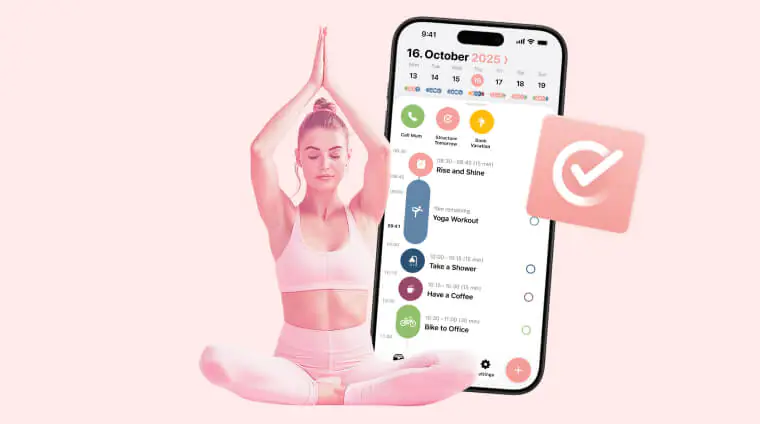
Structured shows you one day at a time. That’s it. No week view. No month overview. Just today’s tasks in time-based order.
Why this matters:
- Eliminates anxiety from seeing your entire overwhelming week
- Widget puts your schedule right on your home screen
- Morning and evening review prompts
Best for: People who freeze when they see too much at once.
Price: Free
Only available on iOS, and customization options are limited.
Best Brain Support & Habits Apps for ADHD
Inflow: CBT Designed for ADHD

Inflow delivers cognitive behavioral therapy lessons specifically built for ADHD brains. Daily lessons take 10 minutes and teach practical skills like emotion regulation and time management.
What you get:
- Science-backed techniques from ADHD specialists
- Habit trackers integrated with lessons
- Community support from other users
- Symptom tracking over time
Best for: Newly diagnosed adults or anyone waiting for therapy.
Price: $59.99/year
This requires daily commitment. It won’t replace medication or professional therapy.
Routinery: Your Morning Routine, Guided

Routinery walks you through routines step-by-step with voice guidance. When you’re barely awake and decision-making feels impossible, having someone tell you “brush your teeth, then make coffee” removes all friction.
Key benefits:
- Audio guidance eliminates decision fatigue
- Time estimates keep you on track
- Apple Watch support for wrist reminders
Best for: Anyone who struggles with morning or bedtime routines.
Price: Free basic, $2.99/month pro
The voice guidance can feel childish initially, but effectiveness beats ego.
Want even more app recommendations? Discover our complete guide to the best iOS apps of 2025 and find your next favorite tool, then grab Apple Gift Cards from ARPay to unlock their premium features!
All-in-One Solutions apps for ADHD
Notion: Your Life in One Place
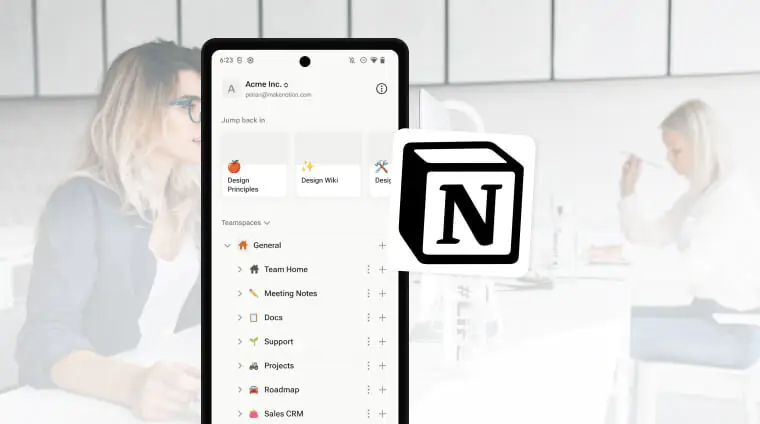
Notion combines notes, tasks, projects, and goals into one customizable workspace. No more switching between five different apps trying to remember where you saved that important thing.
Major advantages:
- Databases connect related information automatically
- Templates available for common ADHD needs
- Web clipper saves articles for later
- Collaboration features for teams or families
Best for: Power users who want total control over their system.
Price: Free for personal use
Steep learning curve. Start with templates before building custom systems.
RescueTime: See Where Your Time Goes

RescueTime runs in the background tracking which apps and websites you actually use. The weekly report often reveals shocking truths about where hours disappear.
What it tracks:
- Automatic app and website monitoring
- Productivity scoring based on your goals
- Focus session mode for distraction-free time
- Detailed reports and trends
Best for: People with time blindness or anyone who needs data to change behavior.
Price: Free basic version, $12/month premium
Privacy-conscious users might feel uncomfortable with constant monitoring.
Honorable Mentions Worth Knowing
- Medisafe: handles medication reminders with customizable alerts. Critical if you take ADHD medication and forget doses.
- Goblin Tools: is a free web tool that breaks overwhelming tasks into manageable steps. Type “clean kitchen” and it generates a logical sequence.
- Time Timer: creates visual countdowns that make abstract time concrete and visible.
How to Build Your ADHD App System
Don’t download all ten apps tomorrow. That’s setting yourself up to use none of them. Instead, build your system in stages.
Start With Three Apps Maximum
Pick one focus tool, one task manager, and medication tracking if needed. Use only these for two full weeks. Your goal isn’t perfection. It’s consistency.
- The Distracted Professional needs: Forest + Todoist + Freedom
- The Overwhelmed Student needs: Tiimo + Brain.fm + Notion
- The Forgetful Creative needs: Structured + Medisafe + Routinery
Add More After You’ve Built the Habit
Week three, add a distraction blocker if focus is still struggling. Week four, add time tracking to spot patterns. Month two, consider comprehensive tools like Notion or specialized support like Inflow.
Each new app should solve a specific problem you’ve identified through actual use, not theoretical needs.
The Weekly Review Ritual
Sunday evening, spend 20 minutes planning your week in your task manager. Each morning, review today’s schedule for five minutes. Each evening, spend three minutes noting what worked and what didn’t.
Monthly, audit your apps. Delete anything you haven’t opened in two weeks..
Conclusion
Managing ADHD isn’t about changing who you are. It’s about finding tools that support your brain’s natural wiring. These ten apps represent the best options available in 2025, tested by real users dealing with real ADHD challenges.
Start small with your core three apps. Build consistency before adding more. Review your system regularly and adjust what isn’t working. Most importantly, remember that apps are supports, not solutions. They work best alongside therapy, medication, and lifestyle changes.
Your ADHD brain is capable of amazing things when it has the right support system. These apps are part of that system. Download one today and take the first step toward a more organized, focused version of your life.
Ready to unlock these life-changing ADHD apps? Get your Google Play or Apple Gift Cards instantly from ARPay and start your focus journey today!

FAQs
What’s the best free ADHD app?
Structured offers the most value completely free, showing daily tasks in time-blocked format without overwhelming you with week-long views. Todoist’s free tier also provides solid task management, while Forest costs just $3.99 one-time, making it practically free compared to subscriptions.
Can apps really help with ADHD or do I need medication?
Apps work best alongside medication and therapy, not as replacements. They help manage specific symptoms like time blindness and distraction, but they can’t address the underlying neurological differences. Think of apps as tools that make medication and therapy more effective, not alternatives to professional treatment.
How many ADHD apps should I use at once?
Start with three maximum: one for focus, one for tasks, and one for medication reminders if needed. Adding more before these become habits guarantees you’ll use none consistently. After two weeks of daily use, consider adding one more app to address your biggest remaining challenge. Quality and consistency beat quantity every time.

Hager Hesham
Content Writer and your go-to gaming expert. I'm here to share my best practices, valuable strategies, and professional gamer guidance. Also, I'm a gem hunter for the best deals and gift cards, just to enjoy games at almost zero cost with AR-pay.

