


Top Free Study Apps 2026: Best 12 Apps for Students

Posted on:
The Ultimate List of Free Study Apps That Will Transform Your Grades in 2026

Your phone could be your biggest academic weapon, not just a distraction. While most students scroll through social media during breaks, top performers are using free apps to organize notes, memorize faster, and actually enjoy studying. The gap between strugglers and high achievers often comes down to the tools they use.

Last semester, Maria balanced a study abroad program in Barcelona with her engineering courses back home. She didn’t hire tutors or buy expensive software. Instead, she downloaded five free apps that synced across her devices. Result? Her GPA jumped from 3.2 to 3.8 while traveling through Europe.

This guide reveals the best free study apps that work in 2026, tested by real students who transformed their academic performance.

Why Free Study Apps Are Game-Changers in 2026

Students who ignore these tools risk falling behind peers who study smarter, not longer. Your classmates are already using AI-powered flashcards, gamified focus timers, and cloud-synced notes. The playing field isn’t level anymore.

These apps save hours of stress by automating what used to take manual effort. Forget rewriting notes or losing track of deadlines. Modern study apps handle organization, memorization, and time management while you focus on actual learning.

The fear of missing out is real here. Imagine discovering after finals that a free app could have simplified everything. That’s exactly what happened to thousands of students last year who found Anki only after struggling through medical school exams the hard way.

Read More: The 10 Best ADHD Apps That Actually Work in 2026

Top 3 Free Planning Apps: Organize Your Chaos
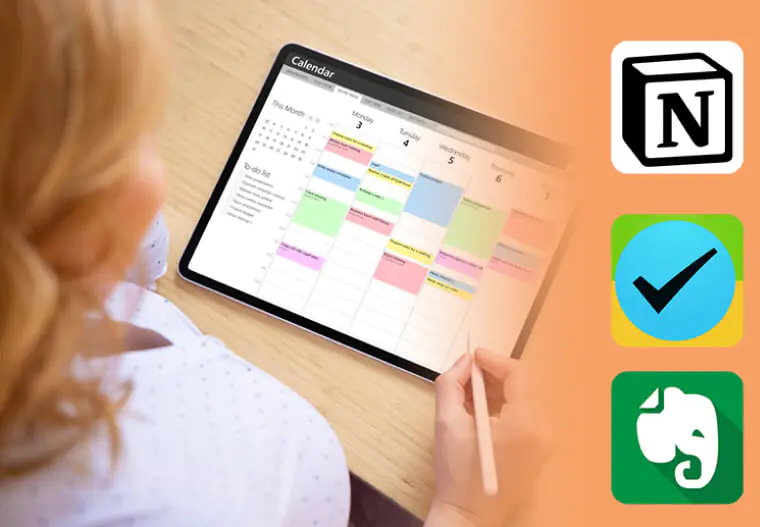
Top 3 Free Planning Apps: Organize Your Chaos - 2Do - Evernote - Notion -  Top Free Study Apps 2026: Best Apps for Students

Notion

This all-in-one workspace replaced three separate apps for most students. Notion combines note-taking, project management, and databases into one clean interface. You can create custom templates for each class, track assignments with deadlines, and build a knowledge base that grows with you.

Key Features:

  • Drag-and-drop interface that adapts to your workflow
  • Free unlimited blocks for students with .edu email
  • Templates for everything from lecture notes to research papers
  • Real-time collaboration for group projects

Best for: Students who want everything in one place and enjoy customizing their workspace.

Evernote

Digital notebooks that actually feel organized. Evernote captures lecture recordings, scans handwritten notes, and searches text inside images. The AI editing feature suggests improvements to your writing while the web clipper saves research articles directly to your notebooks.

Key Features:

  • Optical character recognition reads text in photos
  • Cross-device sync keeps notes accessible everywhere
  • Notebook stacks organize subjects and semesters
  • Monthly upload limit of 60MB on free plan

Best for: Students who take notes across multiple formats and need powerful search capabilities.

2Do

Task management built for complex student schedules. 2Do prioritizes assignments based on deadlines and difficulty, sends smart reminders before due dates, and integrates with calendar apps. Group projects become manageable when everyone shares the same task list.

Key Features:

  • Location-based reminders trigger when you reach campus
  • Recurring tasks for weekly assignments
  • Tags and lists organize tasks by subject or priority
  • One-time purchase, no subscription required

Best for: Students juggling multiple projects who need advanced task prioritization.

Top 5 Study Apps in 2026: Elevate Your Study System
Top 5 Study Apps in 2026 - Top 3 Free Planning Apps: Organize Your Chaos - 2Do - Evernote - Notion -  Top Free Study Apps 2026: Best Apps for Students - Forest - Anki - Quizlet

Quizlet

Over 60 million students use Quizlet because it works. Create flashcards in seconds, then study them through games, practice tests, or spaced repetition. The AI feature generates study sets from your notes or textbook photos, saving hours of manual card creation.

Key Features:

  • Learn mode adapts to your performance
  • Collaborative study sets shared by millions
  • Audio pronunciation for language learning
  • Free tier includes all core features

Jake replaced mindless Instagram scrolling with 15-minute Quizlet sessions during breaks. His biology grade went from C+ to A- in one semester. The difference? Consistent micro-studying instead of marathon cram sessions.

Best for: Any student who needs to memorize facts, vocabulary, or concepts.

Anki

Medical students swear by Anki, with 86% using it regularly. This flashcard app uses spaced repetition algorithms that show cards right before you’d forget them. The learning curve is steeper than Quizlet, but the results are unmatched for long-term retention.

Key Features:

  • Completely free on desktop and Android
  • Add-ons customize everything from card design to study stats
  • Syncs across devices via AnkiWeb
  • Community-shared decks for common subjects

Best for: Pre-med, nursing, law students, or anyone memorizing large amounts of information.

Forest

Studying becomes a game where focus grows virtual trees. Set a timer, put your phone down, and watch your tree grow. Pick up your phone early and the tree dies. Over time, you build entire forests representing hours of focused work.

Key Features:

  • Gamified Pomodoro technique keeps you engaged
  • Real trees planted through partnerships when you earn coins
  • Whitelist allows necessary apps during study sessions
  • Visual progress tracker motivates consistency

Sarah struggled with phone addiction during study sessions. After downloading Forest, she competed with roommates to grow the biggest forest. Her average study session jumped from 20 minutes to 90 minutes of distraction-free work.

Best for: Students who struggle with phone distractions and respond well to gamification.

Mathway

Instant solutions to math problems with step-by-step explanations. Snap a photo of any equation and Mathway solves it while showing the work. Covers everything from basic algebra to calculus and statistics.

Key Features:

  • Camera input recognizes handwritten or printed problems
  • Multiple solution methods for understanding different approaches
  • Free solutions with step-by-step explanations in paid version
  • Works offline after downloading problem types

Best for: Math students who need homework help or want to check their work.

MyStudyLife

A student planner designed by students. MyStudyLife tracks your timetable, assignments, and exams in one clean interface. The notification system sends reminders before classes and deadlines, syncing seamlessly across all devices.

Key Features:

  • Rotating schedule support for alternating class days
  • Exam countdown creates urgency
  • Cloud backup prevents lost schedules
  • Completely free with no ads

David avoided three missed deadlines last semester by syncing MyStudyLife on his phone, tablet, and laptop. Notifications caught assignments he’d forgotten about until hours before submission.

Best for: Students with complex schedules who need reliable deadline tracking.

Need to fund app upgrades or in-app purchases? Get google gift cards and Apple gift card from ARPay to unlock premium features in your favorite study apps without using your credit card. Perfect for students managing budgets while accessing powerful learning tools.

Language Apps: Break Barriers, Expand Horizons
Language Apps: Break Barriers, Expand Horizons - HelloTalk - Duolingo - The Ultimate List of Free Study Apps That Will Transform Your Grades in 2026 Your phone could be your biggest academic weapon, not just a distraction. While most students scroll through social media during breaks, top performers are using free apps to organize notes, memorize faster, and actually enjoy studying. The gap between strugglers and high achievers often comes down to the tools they use. Last semester, Maria balanced a study abroad program in Barcelona with her engineering courses back home. She didn't hire tutors or buy expensive software. Instead, she downloaded five free apps that synced across her devices. Result? Her GPA jumped from 3.2 to 3.8 while traveling through Europe. This guide reveals the best free study apps that work in 2026, tested by real students who transformed their academic performance. Why Free Study Apps Are Game-Changers in 2026 Students who ignore these tools risk falling behind peers who study smarter, not longer. Your classmates are already using AI-powered flashcards, gamified focus timers, and cloud-synced notes. The playing field isn't level anymore. These apps save hours of stress by automating what used to take manual effort. Forget rewriting notes or losing track of deadlines. Modern study apps handle organization, memorization, and time management while you focus on actual learning. The fear of missing out is real here. Imagine discovering after finals that a free app could have simplified everything. That's exactly what happened to thousands of students last year who found Anki only after struggling through medical school exams the hard way. Read More: The 10 Best ADHD Apps That Actually Work in 2026 Top 3 Free Planning Apps: Organize Your Chaos Notion This all-in-one workspace replaced three separate apps for most students. Notion combines note-taking, project management, and databases into one clean interface. You can create custom templates for each class, track assignments with deadlines, and build a knowledge base that grows with you. Key Features: Drag-and-drop interface that adapts to your workflow Free unlimited blocks for students with .edu email Templates for everything from lecture notes to research papers Real-time collaboration for group projects Best for: Students who want everything in one place and enjoy customizing their workspace. Evernote Digital notebooks that actually feel organized. Evernote captures lecture recordings, scans handwritten notes, and searches text inside images. The AI editing feature suggests improvements to your writing while the web clipper saves research articles directly to your notebooks. Key Features: Optical character recognition reads text in photos Cross-device sync keeps notes accessible everywhere Notebook stacks organize subjects and semesters Monthly upload limit of 60MB on free plan Best for: Students who take notes across multiple formats and need powerful search capabilities. 2Do Task management built for complex student schedules. 2Do prioritizes assignments based on deadlines and difficulty, sends smart reminders before due dates, and integrates with calendar apps. Group projects become manageable when everyone shares the same task list. Key Features: Location-based reminders trigger when you reach campus Recurring tasks for weekly assignments Tags and lists organize tasks by subject or priority One-time purchase, no subscription required Best for: Students juggling multiple projects who need advanced task prioritization. Top 5 Study Apps in 2026 Quizlet Over 60 million students use Quizlet because it works. Create flashcards in seconds, then study them through games, practice tests, or spaced repetition. The AI feature generates study sets from your notes or textbook photos, saving hours of manual card creation. Key Features: Learn mode adapts to your performance Collaborative study sets shared by millions Audio pronunciation for language learning Free tier includes all core features Jake replaced mindless Instagram scrolling with 15-minute Quizlet sessions during breaks. His biology grade went from C+ to A- in one semester. The difference? Consistent micro-studying instead of marathon cram sessions. Best for: Any student who needs to memorize facts, vocabulary, or concepts. Anki Medical students swear by Anki, with 86% using it regularly. This flashcard app uses spaced repetition algorithms that show cards right before you'd forget them. The learning curve is steeper than Quizlet, but the results are unmatched for long-term retention. Key Features: Completely free on desktop and Android Add-ons customize everything from card design to study stats Syncs across devices via AnkiWeb Community-shared decks for common subjects Best for: Pre-med, nursing, law students, or anyone memorizing large amounts of information. Forest Studying becomes a game where focus grows virtual trees. Set a timer, put your phone down, and watch your tree grow. Pick up your phone early and the tree dies. Over time, you build entire forests representing hours of focused work. Key Features: Gamified Pomodoro technique keeps you engaged Real trees planted through partnerships when you earn coins Whitelist allows necessary apps during study sessions Visual progress tracker motivates consistency Sarah struggled with phone addiction during study sessions. After downloading Forest, she competed with roommates to grow the biggest forest. Her average study session jumped from 20 minutes to 90 minutes of distraction-free work. Best for: Students who struggle with phone distractions and respond well to gamification. Mathway Instant solutions to math problems with step-by-step explanations. Snap a photo of any equation and Mathway solves it while showing the work. Covers everything from basic algebra to calculus and statistics. Key Features: Camera input recognizes handwritten or printed problems Multiple solution methods for understanding different approaches Free solutions with step-by-step explanations in paid version Works offline after downloading problem types Best for: Math students who need homework help or want to check their work. MyStudyLife A student planner designed by students. MyStudyLife tracks your timetable, assignments, and exams in one clean interface. The notification system sends reminders before classes and deadlines, syncing seamlessly across all devices. Key Features: Rotating schedule support for alternating class days Exam countdown creates urgency Cloud backup prevents lost schedules Completely free with no ads David avoided three missed deadlines last semester by syncing MyStudyLife on his phone, tablet, and laptop. Notifications caught assignments he'd forgotten about until hours before submission. Best for: Students with complex schedules who need reliable deadline tracking. Need to fund app upgrades or in-app purchases? Get google gift cards and Apple gift card from ARPay to unlock premium features in your favorite study apps without using your credit card. Perfect for students managing budgets while accessing powerful learning tools. Language Apps: Break Barriers, Expand Horizons Duolingo Gamified language learning that actually sticks. Duolingo turns vocabulary and grammar into bite-sized lessons with immediate feedback. The AI personalization adjusts difficulty based on your performance, keeping lessons challenging but achievable. Key Features: 40+ languages from Spanish to Korean Daily streaks build consistent practice habits Speaking and listening exercises improve pronunciation Achievement system rewards progress Imagine acing your study abroad program by mastering the local language before arrival. That's what happened to Emma, who used Duolingo for 15 minutes daily for six months. She passed the Spanish proficiency exam and confidently navigated Madrid without translation apps. Best for: Students preparing for study abroad or fulfilling language requirements. HelloTalk Connect with native speakers worldwide for real conversation practice. HelloTalk pairs language learners, providing translation tools, correction features, and voice calling. Learning from textbooks gets you halfway there. Actual conversations get you fluent. Key Features: Built-in translation for when you're stuck Correction tools let partners fix your mistakes Voice and video calls practice speaking Moments feature shares cultural insights Best for: Intermediate language learners ready for real conversations. Finance and Travel Apps: Study Abroad Without Stress Splitwise Shared expenses become simple. Splitwise tracks who paid for what, calculates splits automatically, and settles debts without awkward money conversations. Perfect for roommates, group trips, or study abroad programs. Key Features: Multiple currency support for international students Unequal splits for different contribution levels Payment integration settles debts digitally Expense categories track spending patterns A group of five students studying in Prague used Splitwise for three months. They avoided arguments about rent, groceries, and weekend trips while saving over $400 by tracking shared expenses accurately. Best for: Students living with roommates or traveling in groups. TripAdvisor Student discounts and budget travel reviews in one app. TripAdvisor reveals hidden deals on accommodations, restaurants, and attractions. Filter by student-friendly prices and read reviews from other young travelers. Key Features: Price comparison across booking platforms Student discount tags on participating businesses Offline maps for navigation without data Review photos show actual conditions Skip these apps and you'll overspend on overpriced tourist traps. Combine Splitwise with TripAdvisor and your study abroad budget stretches twice as far. Best for: Students planning budget travel or study abroad programs. How to Choose the Right App for You Match apps to your actual study habits, not idealized versions of yourself. If you hate flashcards, Anki won't magically change that. If you're easily distracted, Forest matters more than another note app. Start with two or three apps maximum. Too many tools create distraction instead of productivity. Master the basics before expanding your setup. Quick Matching Guide: Visual learners: Notion, GoodNotes, Quizlet Easily distracted: Forest, Focus Keeper, app blockers Heavy memorization: Anki, Quizlet, spaced repetition tools Disorganized: MyStudyLife, Google Drive, 2Do Group projects: Notion, Google Drive, Splitwise Marcus streamlined his workflow by sticking to Evernote for notes and Quizlet for memorization. He deleted five other apps he'd downloaded but never actually used. His productivity doubled by going deeper with fewer tools. Test apps for one full week before deciding. Some apps feel clunky initially but become powerful with practice. Others seem great at first but don't fit your long-term workflow. Completely Free vs Freemium Options Completely Free (No Strings Attached): Anki (desktop and Android) OneNote (Microsoft account required) Google Drive (15GB storage) Notion (unlimited for students) Socratic by Google MyStudyLife Freemium (Strong Free Tiers): Quizlet (ads in free version) Forest (free on Android, $2 on iOS) Grammarly (basic checks free) Evernote (60MB monthly upload limit) Duolingo (ads between lessons) One-Time Purchase: GoodNotes (around $8-10) Notability (around $15) 2Do (around $5-15 depending on platform) Ready to level up your entire study routine? Purchase google gift cards and Apple gift card through ARPay to access premium versions of these apps, unlock advanced features, and invest in tools that directly improve your academic performance. FAQs What is the best completely free study app for students? Notion stands out as the most comprehensive free option for students with .edu email addresses. It combines note-taking, project management, databases, and collaboration in one platform. For memorization specifically, Anki dominates with its spaced repetition algorithm used by 86% of medical students. Both apps offer full functionality without paywalls or subscription requirements. Do study apps actually improve grades? Study apps improve grades when they address specific weaknesses in your current routine. Apps don't magically make you smarter, but they remove friction from good study habits. Spaced repetition apps like Anki improve long-term retention by 200% compared to cramming. Focus apps like Forest increase average study session length by reducing phone distractions. Organization apps prevent missed deadlines that tank grades. The key is using apps that solve your actual problems, not downloading every trending tool. Which is better for flashcards: Quizlet or Anki? Quizlet wins for ease of use, collaborative features, and quick study sessions. Its interface is intuitive, millions of pre-made sets exist, and setup takes minutes. Anki wins for long-term retention and customization. The spaced repetition algorithm is scientifically proven to maximize memory, and power users can customize everything. Choose Quizlet for language learning, quick memorization, and shared study sets. Choose Anki for medical school, law school, or any subject requiring thousands of facts retained for years. Meta Title: Top Free Study Apps 2026: Best Apps for Students Meta Description: Discover the best free study apps for 2026. From Notion to Anki, Forest to Quizlet - boost grades with apps tested by real students for iOS, Android and desktop.
Duolingo

Gamified language learning that actually sticks. Duolingo turns vocabulary and grammar into bite-sized lessons with immediate feedback. The AI personalization adjusts difficulty based on your performance, keeping lessons challenging but achievable.

Key Features:

  • 40+ languages from Spanish to Korean
  • Daily streaks build consistent practice habits
  • Speaking and listening exercises improve pronunciation
  • Achievement system rewards progress

Imagine acing your study abroad program by mastering the local language before arrival. That’s what happened to Emma, who used Duolingo for 15 minutes daily for six months. She passed the Spanish proficiency exam and confidently navigated Madrid without translation apps.

Best for: Students preparing for study abroad or fulfilling language requirements.

HelloTalk

Connect with native speakers worldwide for real conversation practice. HelloTalk pairs language learners, providing translation tools, correction features, and voice calling. Learning from textbooks gets you halfway there. Actual conversations get you fluent.

Key Features:

  • Built-in translation for when you’re stuck
  • Correction tools let partners fix your mistakes
  • Voice and video calls practice speaking
  • Moments feature shares cultural insights

Best for: Intermediate language learners ready for real conversations.

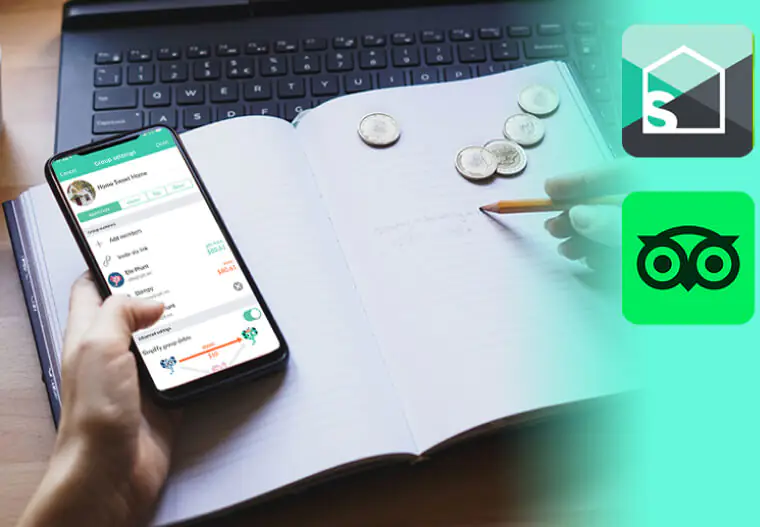
Finance and Travel Apps: Study Abroad Without Stress

Finance and Travel Apps: Study Abroad Without Stress - The Ultimate List of Free Study Apps That Will Transform Your Grades in 2026

Splitwise

Shared expenses become simple. Splitwise tracks who paid for what, calculates splits automatically, and settles debts without awkward money conversations. Perfect for roommates, group trips, or study abroad programs.

Key Features:

  • Multiple currency support for international students
  • Unequal splits for different contribution levels
  • Payment integration settles debts digitally
  • Expense categories track spending patterns

A group of five students studying in Prague used Splitwise for three months. They avoided arguments about rent, groceries, and weekend trips while saving over $400 by tracking shared expenses accurately.

Best for: Students living with roommates or traveling in groups.

TripAdvisor

Student discounts and budget travel reviews in one app. TripAdvisor reveals hidden deals on accommodations, restaurants, and attractions. Filter by student-friendly prices and read reviews from other young travelers.

Key Features:

  • Price comparison across booking platforms
  • Student discount tags on participating businesses
  • Offline maps for navigation without data
  • Review photos show actual conditions

Skip these apps and you’ll overspend on overpriced tourist traps. Combine Splitwise with TripAdvisor and your study abroad budget stretches twice as far.

Best for: Students planning budget travel or study abroad programs.

How to Choose the Right App for You

Match apps to your actual study habits, not idealized versions of yourself. If you hate flashcards, Anki won’t magically change that. If you’re easily distracted, Forest matters more than another note app.

Start with two or three apps maximum. Too many tools create distraction instead of productivity. Master the basics before expanding your setup.

Quick Matching Guide:

  • Visual learners: Notion, GoodNotes, Quizlet
  • Easily distracted: Forest, Focus Keeper, app blockers
  • Heavy memorization: Anki, Quizlet, spaced repetition tools
  • Disorganized: MyStudyLife, Google Drive, 2Do
  • Group projects: Notion, Google Drive, Splitwise

Marcus streamlined his workflow by sticking to Evernote for notes and Quizlet for memorization. He deleted five other apps he’d downloaded but never actually used. His productivity doubled by going deeper with fewer tools.

Test apps for one full week before deciding. Some apps feel clunky initially but become powerful with practice. Others seem great at first but don’t fit your long-term workflow.

Completely Free vs Freemium Options

Completely Free (No Strings Attached):

  • Anki (desktop and Android)
  • OneNote (Microsoft account required)
  • Google Drive (15GB storage)
  • Notion (unlimited for students)
  • Socratic by Google
  • MyStudyLife

Freemium (Strong Free Tiers):

  • Quizlet (ads in free version)
  • Forest (free on Android, $2 on iOS)
  • Grammarly (basic checks free)
  • Evernote (60MB monthly upload limit)
  • Duolingo (ads between lessons)

One-Time Purchase:

  • GoodNotes (around $8-10)
  • Notability (around $15)
  • 2Do (around $5-15 depending on platform)

Ready to level up your entire study routine? Purchase google gift cards and Apple gift card through ARPay to access premium versions of these apps, unlock advanced features, and invest in tools that directly improve your academic performance.

FAQs

What is the best completely free study app for students?

Notion stands out as the most comprehensive free option for students with .edu email addresses. It combines note-taking, project management, databases, and collaboration in one platform. For memorization specifically, Anki dominates with its spaced repetition algorithm used by 86% of medical students. Both apps offer full functionality without paywalls or subscription requirements.

Do study apps actually improve grades?

Study apps improve grades when they address specific weaknesses in your current routine. Apps don’t magically make you smarter, but they remove friction from good study habits. Spaced repetition apps like Anki improve long-term retention by 200% compared to cramming. Focus apps like Forest increase average study session length by reducing phone distractions. Organization apps prevent missed deadlines that tank grades. The key is using apps that solve your actual problems, not downloading every trending tool.

Which is better for flashcards: Quizlet or Anki?

Quizlet wins for ease of use, collaborative features, and quick study sessions. Its interface is intuitive, millions of pre-made sets exist, and setup takes minutes. Anki wins for long-term retention and customization. The spaced repetition algorithm is scientifically proven to maximize memory, and power users can customize everything. Choose Quizlet for language learning, quick memorization, and shared study sets. Choose Anki for medical school, law school, or any subject requiring thousands of facts retained for years.

How useful was this post?

Click on a star to rate it!

Average rating 0 / 5. Vote count: 0

No votes so far! Be the first to rate this post.

As you found this post useful...

Follow us on social media!

We are sorry that this post was not useful for you!

Let us improve this post!

Tell us how we can improve this post?

Hager Hesham

Hager Hesham

Content Writer and your go-to gaming expert. I'm here to share my best practices, valuable strategies, and professional gamer guidance. Also, I'm a gem hunter for the best deals and gift cards, just to enjoy games at almost zero cost with AR-pay.

Follow us on Google News
Share on: