


Ready to unlock the full potential of your Android device? The Google Play Store is your gateway to a world of apps, games, movies, books, and more, tailored to enhance every aspect of your digital life. Explore our ultimate guide to the Google Play Store and empower yourself with the knowledge to make the most out of your device!
Google Play Store is a digital distribution service operated by Google, offering a vast selection of apps, games, movies, TV shows, books, and more for Android devices. Here are some features and recent updates:
- Wide Range of Content: The Play Store provides access to millions of apps and digital content, catering to various interests and needs.
- User-Friendly Interface: The Play Store is designed to be easy to navigate, with categories, search functions, and personalized recommendations.
- In-App Purchases and Subscriptions: Many apps offer in-app purchases and subscription services, allowing users to access additional features or content.
- Google Play Protect: This built-in security feature scans apps for malware and other threats, helping to keep your device safe.
- Pre-Registration and Early Access: Users can pre-register for upcoming apps and games to receive notifications when they become available.
- Recent Updates: The Play Store is constantly evolving, with recent updates including the introduction of AI-powered features to enhance user experience, such as the ability to ask questions about unfamiliar apps.
However, the Google Play application is full of secrets and advantages that we have already presented, by reviewing 15 hidden features Google Play Store that not many know.
How to Use Google Play Store
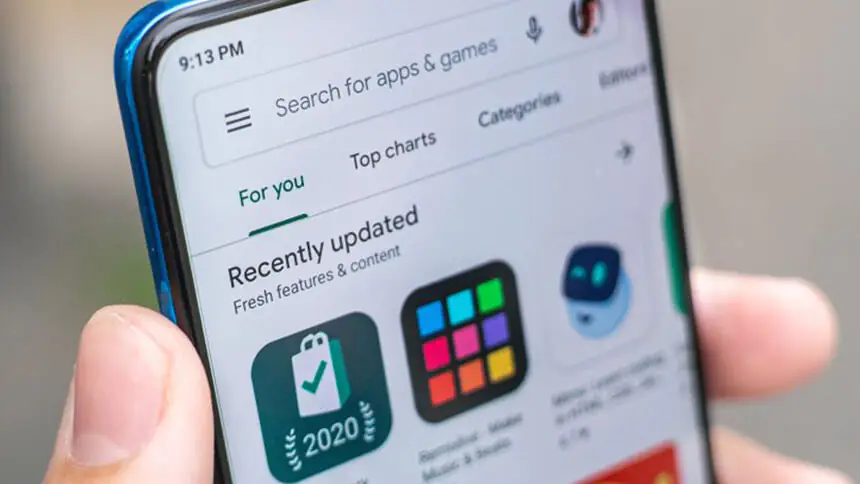
Many people know that the Google Play Store is the main digital store for users of Android devices, which in the past was called the Android Store. When you open your application’s window, you will see a Play Store application among all the applications installed automatically on your Android device.
Thus, the step of downloading any Google Play Store application will be one of the easiest things. All you have to do, dear reader, is to use the search bar that is always present at the top of the Google Play application, just click on this bar and then type the name of the application you are looking for. The store will show you many suggestions as you type, by presenting the most popular applications.
If you do not find what you are looking for within these suggestions, click on the search icon.
A list of results will appear to you, choose the application you want to show its application page, which contains a lot of information, such as the average rating of the application by users, a brief description of the application, and some screenshots in addition to user comments if any.
This is a great way to learn a lot about apps before downloading them to your device.
So what are the tricks that can be used in the Google Play Store other than the process of downloading and installing apps?

Best Google Play Store Tricks for Android Devices
Here are some useful tricks for getting the most out of the Google Play Store on your Android device:
- Try and Redeem Apps: You can test apps before purchasing them and get refunds if needed. This is great for trying out new apps without immediately committing to a purchase.
- Search Using the Application Developer: Use the pub:[developer’s name] modifier to filter search results and find apps by a specific developer.
- Early Access to Applications: Access early access or beta versions of apps to try new features before they are widely released.
- View Reviews and Ratings: Filter reviews to see only those relevant to your device model or the latest version of the app.
- Download Blocked Applications: Use a VPN to download apps that are region-blocked or not available in your country.
- Do Not Add New Applications to the Home Screen: Prevent clutter on your home screen by unchecking the “Add to Home Screen” option when installing new apps.
- Re-download Applications on Another Device: Use your Google account to easily re-download apps on a new device without needing to repurchase them.
Why Use Google Play Gift Cards
- Easily Purchasing: You can easily purchase Google Play Gift Cards online from Arpay and instantly receive them via email.
- Convenience: Easily purchase apps, games, movies, books, and more from the Google Play Store without needing a credit card.
- Gift Giving: Ideal for gifting to friends and family, allowing them to choose what they want from a vast selection of content.
- Security: Reduce the risk of fraud or identity theft since there’s no need to share credit card information online.
- Budget Control: Set a spending limit by using a prepaid card, making it easier to manage and control your expenses.
- Promotions and Discounts: Often, Google Play Store offers exclusive discounts and promotions that can be accessed using gift cards.
- No Expiry: Google Play gift cards typically have no expiration date, so you can use them whenever possible.
- Flexibility: This can be used to purchase in-app content, subscriptions, and more, providing a versatile spending option.
All You Need To Know About AR-PAY
At ARPAY, our commitment is to provide a unique gifting experience that brings happiness to your loved ones. We offer a wide range of gift cards to suit every taste and occasion, focusing on secure, easy, and hassle-free shopping for 100% customer satisfaction.
Choose from our diverse selection of gift cards, including options for games and entertainment. Surprise your gamer friend with a Steam or Xbox voucher to help them level up.
Delight your family with an iTunes or Google Play gift card for access to fantastic entertainment. Treat your loved ones to an unforgettable online shopping experience with our Amazon gift cards, or enjoy quality time with friends and family while watching your favorite TV shows on Netflix.
Their smiles will be a heartwarming reward, not just for you but for us too.
At ARPAY, we value unique and thoughtful gifts, which is why we offer a variety of gift cards suitable for any occasion, including birthdays, weddings, anniversaries, and holidays.
Our platform aims to make your gifting experience convenient and straightforward. We offer a variety of gift cards, including:
Visit our website now to explore our extensive catalog and find the perfect gift card for your loved ones!

FAQs
What is a Google Play gift card?
A Google Play gift card is a prepaid card used to purchase various digital products and services, including apps, games, music, movies, and books, from the Google Play Store.
Where can I purchase a Google Play gift card?
Google Play gift cards can be purchased online from the Google Play Store or various retailers such as Walmart, Target, and Best Buy.
How do I redeem a Google Play gift card?
To redeem a Google Play gift card, scratch off the code on the back of the card and enter it into the Google Play Store app or website.
The balance will be added to your account, and you can use it to purchase digital products and services.
Do Google Play gift cards expire?
Yes, Google Play gift cards expire after a certain amount of time.
The expiration date can vary depending on the country and region where the gift card was purchased.
Can I use a Google Play gift card to purchase a subscription?
Yes, you can use a Google Play gift card to purchase a subscription to various services such as Google Play Music, Google Play Pass, and YouTube Premium.
Can I use a Google Play gift card to purchase physical products?
No, Google Play gift cards can only be used to purchase digital products and services from the Google Play Store.
Can I use a Google Play gift card outside of my country or region?
No, Google Play gift cards are only valid in the country and region where they were purchased.
Mahmoud Ahmed
I’m Mahmoud Ahmed, an English content writer at ARPAY. Through my written articles, I will guide you through the world of vouchers, gift cards, and payment innovations, helping you make the most informed decisions, engaging discussions, expert advice, and practical tips in your shopping and gaming journey!

