


The return of Team Builder marks one of the most requested features coming back to the College Football franchise. After years of fans asking for the ability to craft their own programs, EA Sports listened. This isn’t just about slapping a logo on a generic template. It’s about building something that feels yours from the ground up.
EA SPORTS College Football 26 launched on July 10, 2025, with early access starting July 7 for pre-order customers. The game runs exclusively on PlayStation 5 and Xbox Series X|S, leaving last-gen consoles behind. EA Sports made the official announcement that Team Builder would return through a major update, giving players full control over custom college programs.
Here’s what you’ll learn: how Team Builder actually works, what customization tools are available, how it connects with online features, and why the community can’t stop talking about it.
Customize your dream college team and dominate the field with College Football 26. Use PlayStation Gift Cards from ARPay to grab add-ons, upgrades, and more.
College Football 26: What’s New in the Latest Update?

Feature Overview: Custom Team Creation Returns
Team Builder puts you in charge of building custom colleges from scratch. You control everything: team names, school colors, logos, stadium selection, and complete rosters. The system connects directly to EA servers, which means you can share your creations online or download what other players have made. Cross-platform support lets you upload and manage your teams across different console generations without losing progress.
Customization Depth
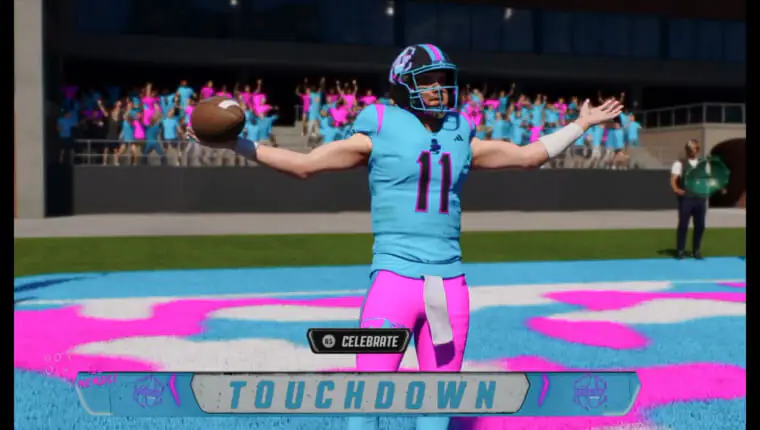
The uniform editor uses a layer-based system that gives you precise control over helmets, jerseys, and pants. Each element can be adjusted separately, letting you match exact color codes or experiment with wild designs that would never exist in real college football.
Logo creation happens through a web-based tool. You can upload custom graphics or choose from preset templates if you want something quick. The flexibility here means you could recreate your high school team or design something completely fictional.
Roster editing lets you build players from the ground up or import existing rosters as a starting point. Want to create a team full of dual-threat quarterbacks? Go for it. Prefer a run-heavy offense with five-star linemen? That works too.
Stadium selection includes real college venues and fictional designs. You’re not locked into a generic field. Pick the atmosphere that matches your program’s identity, whether that’s a massive 100,000-seat arena or an intimate 20,000-capacity stadium.
Interested in EA FC 26? Check This out: 13 Game-Changing Features That Actually Matter in EA Sports FC 26
Team Builder in Game Modes
Custom teams integrate directly into Dynasty and Road to Glory modes. You can import your creations into offline or online dynasties and play through full seasons with them. This opens up scenarios that were impossible before, like putting your custom program against established powerhouses in a conference realignment.
Online play includes competitive balance features to keep custom teams fair. EA regulates how overpowered your roster can be, preventing someone from creating a team of 99-overall players and dominating every match. The system keeps things competitive while still allowing creative freedom.
How Team Builder Elevates the College Football 26 Experience
Creative Freedom That Matters
You can bring back schools that lost their programs or create fantasy colleges that exist only in your head. Want to rebuild a historic program that shut down decades ago? Team Builder makes it possible. Prefer to design a school based on your hometown or a fictional rivalry? That’s on the table too.
Community Sharing Changes Everything
The ability to download top-rated creations from other players adds massive value. You’re not limited to your own design skills. Browse what the community has built, grab a few teams, and populate your dynasty with fresh competition. Some players host design challenges, pushing the creative limits of what the tools can do.
Replayability Gets a Serious Boost
Every dynasty can feel different when you control conference alignment and rivalries. One season you might run a powerhouse in the SEC. The next, you could start a small-school program fighting for respect in a custom conference. The variety keeps you coming back instead of burning out after one championship run.
Deeper Immersion Through Personalization
Custom logos, stadiums, and uniforms make the college atmosphere feel authentic in a way generic teams never could. When you see your school’s colors on the field, hear the fight song you picked, and watch your designed uniforms move under the lights, it hits different. That personal connection keeps you invested in your program’s success.
What Remains to Be Seen / Known Issues
The community is still testing whether legacy bugs from older games got fixed. Import and upload issues plagued previous versions of Team Builder, and players want confirmation that those problems won’t resurface.
EA’s approach to moderating uploaded content raises questions too. How will they handle copyrighted logos or inappropriate designs? The balance between creative freedom and content moderation hasn’t been fully explained yet.
Early community response looks positive, but long-term feedback will determine if the creation tools need adjustments. Some players already want more preset options, while others push for advanced editing features that weren’t included in this update.
Stadium variety might expand in future patches. The current selection covers most needs, but more options would give designers extra flexibility when building specific types of programs.
Enhance your College Football 26 experience. Create your ultimate team, expand your dynasty, and unlock exclusive content. Get Xbox Gift Cards from ARPay for quick, secure top-ups.
4 PRO Tips for Players Using Team Builder
- Start With What You Know: Design your alma mater or a fictional rival school first. You’ll already have ideas about colors, mascots, and what makes that program special. This gives you a low-pressure way to learn the tools before tackling more complex projects.
- Test Before You Commit: Run your custom team through exhibition matches before importing it into Dynasty mode. You’ll catch roster imbalances, uniform glitches, or other issues that are easier to fix outside of a multi-season campaign. A few test games save hours of frustration later.
- Browse for Inspiration: Community uploads provide templates and ideas you might not think of alone. Even if you don’t download complete teams, seeing how other players solved design challenges can spark your own creativity. Pay attention to uniform combinations and logo placements that work well.
- Stay Updated on Fixes: Official forums and patch notes contain crucial information about Team Builder updates. EA releases fixes and adds features based on player feedback. Following these channels keeps you ahead of problems and lets you take advantage of new tools as soon as they drop.
Conclusion
The latest update brings Team Builder back to College Football 26, adding layers of creativity and customization that the series needed. Players finally have the tools to build programs that reflect their vision, whether that’s recreating history or inventing something completely new.
EA’s commitment to player feedback shows they’re listening to what the community wants. Team Builder represents a significant step toward making College Football 26 the definitive college sports game. The foundation is solid. Now it’s up to the community to push these tools to their limits and show what’s possible.
From PlayStation and Xbox to hundreds of other gaming and entertainment cards, ARPay makes it easy to top up securely, instantly, and affordably.
Explore ARPay Gift Cards Now and power up every game in one place!

FAQs
Can I use my custom teams in online Dynasty mode with friends?
Yes, custom teams work in both offline and online Dynasty modes. You can import your creations and compete against friends over multiple seasons. EA includes competitive balance features to prevent overpowered custom rosters from ruining the experience. Your team needs to fall within certain rating limits for online play.
Do I need special software to create logos for Team Builder?
No external software is required. Team Builder includes a web-based logo creator that handles uploads and editing. You can use image files from your computer or choose from preset templates built into the system. The interface supports common file formats and walks you through the upload process.
Will my custom teams carry over if I upgrade consoles?
Cross-platform access means your creations sync across console generations. Upload your teams to EA servers from one console and access them from another without rebuilding from scratch. Your rosters, uniforms, and settings transfer automatically once you log into your EA account on the new system.

Hager Hesham
Content Writer and your go-to gaming expert. I'm here to share my best practices, valuable strategies, and professional gamer guidance. Also, I'm a gem hunter for the best deals and gift cards, just to enjoy games at almost zero cost with AR-pay.

