


FIFA 25 is the latest installment in EA Sports’ football simulation series, offering advanced gameplay, updated rosters, and stunning visuals. especially on the PlayStation 5. Whether you’re a seasoned player or just starting out, this guide will walk you through everything you need to know to set up, play, and excel in FIFA 25 on PS5.
Essential Setup for Playing FIFA 25 on PS5
Step 1: Setting Up Your PS5 Console
ensure your PS5 is properly set up. Connect the console to a stable internet connection, sign into your PlayStation Network (PSN) account, and install any pending system updates.
A strong internet connection is essential for online features and game updates.
Step 2: Downloading FIFA 25 from the PlayStation Store
To download FIFA 25, head to the PlayStation Store, search for the game, and select the correct edition (Standard, Deluxe, etc.).
Once purchased, the download will begin automatically. Make sure you have enough storage space. FIFA 25 requires a significant amount due to its high-resolution assets.
Step 3: Installing the Game
After downloading, the game will install automatically. Keep your PS5 powered on and avoid interrupting the installation.
Once installed, check for the latest patches to ensure you’re playing the most up-to-date version of FIFA 25.
Explore more about the Great Era of Football Gaming with EA Sports FIFA 2K25!

Understanding the Basic Controls for FIFA 25
Step 4: Familiarizing Yourself with Default Controls
FIFA 25 maintains familiar control schemes but may include new commands or updated mechanics.
Spend time in the Practice Arena or Skill Games to get comfortable with basic moves like passing, shooting, tackling, and sprinting.
Step 5: Customizing Controls to Fit Your Play Style
Personalizing your controls can greatly improve performance.
Head to the settings menu to adjust button configurations, sensitivity, and camera angles to better suit your preferences.
Players who prefer manual control schemes may benefit from advanced passing and shooting options.
Exploring Gameplay Modes in FIFA 25
Single Player Modes and What They Offer
FIFA 25 offers a variety of offline modes.
Career Mode allows you to manage a team or a single player’s career, while Kick-Off mode is ideal for quick matches. Skill Games and Training Sessions also help refine your abilities.
Engaging with Online Multiplayer Features
Online Seasons, Co-op Seasons, and Pro Clubs let you compete against players worldwide. Ranking systems and matchmaking ensure balanced competition and replay value. A PS Plus subscription is required for most online features.
Trying Out Ultimate Team
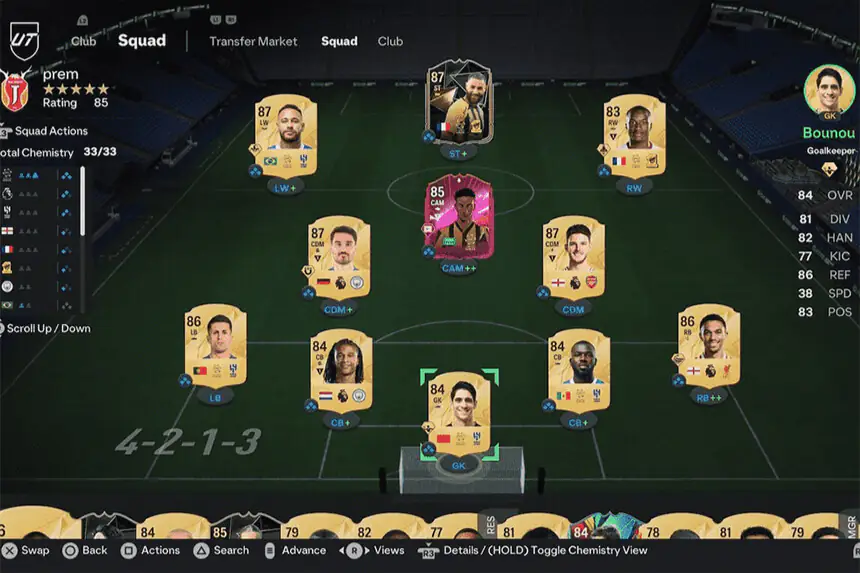
FIFA Ultimate Team (FUT) remains one of the most popular modes. Build your squad by earning coins, opening packs, and trading players. Participate in Division Rivals, Squad Battles, and FUT Champions to test your team in various challenges.
Tips for Enhancing Your FIFA 25 Experience
Utilizing Career Mode Strategies
Focus on scouting, youth development, and contract management. Use dynamic tactics to adjust formations mid-game. Monitor player morale and match sharpness to improve overall team performance.
Effective Team Management Tactics
In any mode, success often depends on smart substitutions, player positioning, and formation selection. Adapt your tactics based on the opponent and manage player stamina to avoid injuries during long seasons.
Connecting with Other Players: Online Features
Setting Up Cross-Play
FIFA 25 supports cross-play across platforms. Enable this feature in the settings to compete with friends playing on other consoles or PC. Cross-play is especially useful for finding matches faster and joining friends’ games.
Joining Online Tournaments and Competitions
Look out for EA-hosted events and community-run tournaments. These competitions offer rewards, ranking points, and the chance to qualify for professional eSports opportunities. Regularly check in-game notifications or EA’s official channels for announcements.
Maximizing Graphics and Performance on PS5
Adjusting Display Settings for Optimal Gameplay
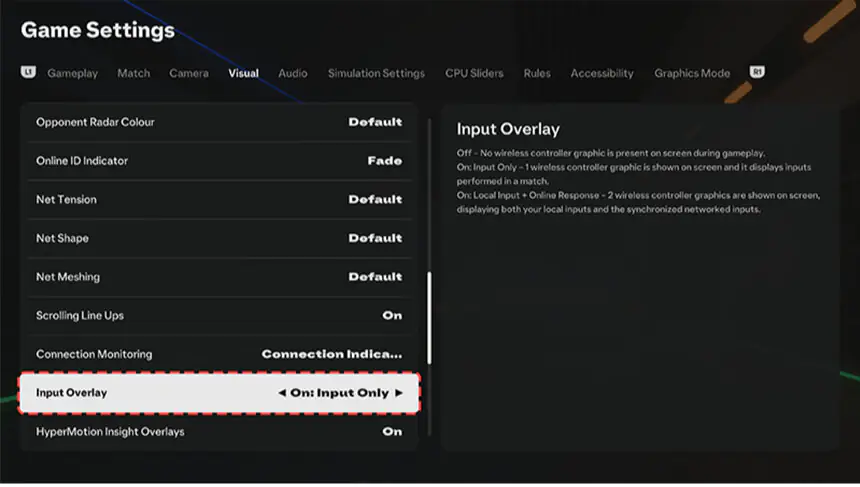
To get the best visual experience, set your PS5 output to 4K and enable HDR if your TV supports it. In FIFA 25, you can toggle motion blur, brightness, and camera angles to suit your setup.
Using PS5 Features to Enhance Your Game Experience
The PS5 DualSense controller brings haptic feedback and adaptive triggers to FIFA 25, making gameplay more immersive. You’ll feel resistance when sprinting or shooting, adding a layer of realism to every match.
Conclusion
FIFA 25 on PS5 offers a premium football experience enhanced by next-gen features and competitive online play. By following this step-by-step guide. from setup and controls to game modes and optimization. you’ll be well-prepared to perform at your best.
Whether you’re managing a club in Career Mode or climbing the ranks in Ultimate Team, mastering FIFA 25 starts with preparation and strategic gameplay.
Have the best gaming experience ever with a convenient, easy, and safe payment method with FIFA Gift Cards from ARPAY.

FAQs
Why is FIFA 25 lagging on PS5?
Check your internet connection and close background apps. Ensure the game is updated to the latest version.
The game won’t launch. What should I do?
Restart your console, rebuild the database in safe mode, or reinstall the game if needed.
Can I play EA FC 25 on PS5?
Although this game is playable on PS5, some features available on PS4 may be absent.

Maha Amer
I’m Maha, a Turkish content writer at ARPay Blog. I love helping readers explore the exciting world of gift cards, vouchers and gaming deals. With a focus on delivering up-to-date information, With a guarantee for an easy, quick and 100% safe shopping process.

