

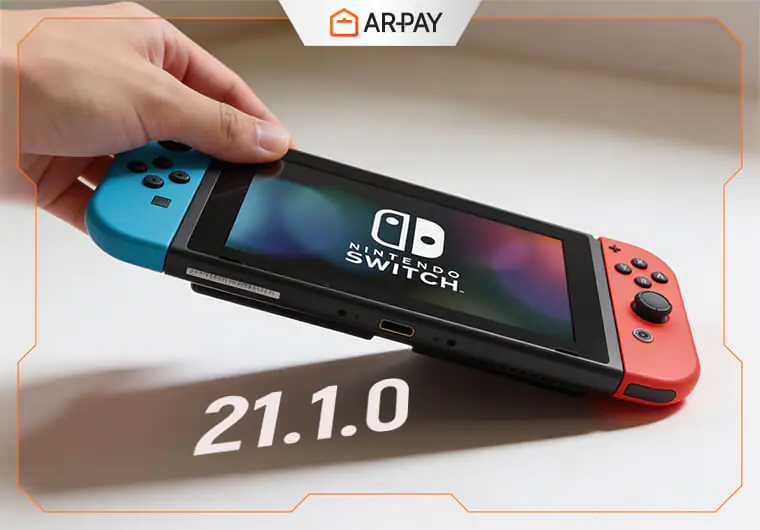
Nintendo pushed out update (nintendo Switch 21.1.0) with the usual short message: “General stability improvements.”
For most players, that phrase feels familiar, almost forgettable. But Switch owners know something else.
- Nintendo’s Hidden Update Pattern
- Nintendo Switch Update 21.1.0: What Players Noticed First
- Nintendo Switch 21.1.0: My Personal Before-and-After Test
- Docked vs Handheld: A Quick Real-World Comparison
- The Technical Side: What’s Actually Happening?
- Comparing Nintendo Switch 21.1.0 with Recent Firmware Versions
- Nintendo Switch 21.1.0: Performance & Stability Breakdown
- Nintendo Switch 21.1.0: Game Loading
- Switch Update Optimization Protocol (SUOP)
- Expert Insights: What 21.1.0 Means for Nintendo Switch 2
- Step-by-Step Plan for Every Switch Owner
- Conclusion
- FAQs
These so-called “stability updates” often hide actual improvements that Nintendo chooses not to reveal. And with the Switch approaching the later stages of its lifecycle, each silent change becomes more important than ever.
So the question rises fast: what did update 21.1.0 really change?
Is it just a routine patch, or are we looking at deeper performance tweaks, smoother wireless behavior, and early groundwork for Switch 2?
After hands-on testing, community reports, and technical observation, here is the real breakdown.
Nintendo’s Hidden Update Pattern
Nintendo has a long history of shipping updates that look tiny from the outside but create noticeable changes once you start playing.
This pattern usually comes right before major hardware shifts, when the company refines the current system to keep it stable for future transitions.
Update 21.1.0 fits this pattern perfectly.
It introduces shifts in background memory behavior, smoother system transitions, and possibly new network handshake adjustments that help prepare the Switch for long-term support. None of these are listed in patch notes, but they appear in actual gameplay tests.

Nintendo Switch Update 21.1.0: What Players Noticed First
Shortly after the update went live, players across Reddit, ResetEra, and Twitter started comparing notes.
Many Switch owners reported:
- Slightly smoother UI animations
- Better responsiveness when switching between menus
- More consistent wireless headphone audio
- Fewer micro-stutters in certain titles
- Faster recovery when waking the console from sleep
Competitive players were especially vocal about one thing:
online matches in fast-paced games felt a little more stable in handheld mode.
While these impressions vary, they highlight a simple truth: something inside 21.1.0 is working behind the scenes.
Nintendo Switch 21.1.0: My Personal Before-and-After Test
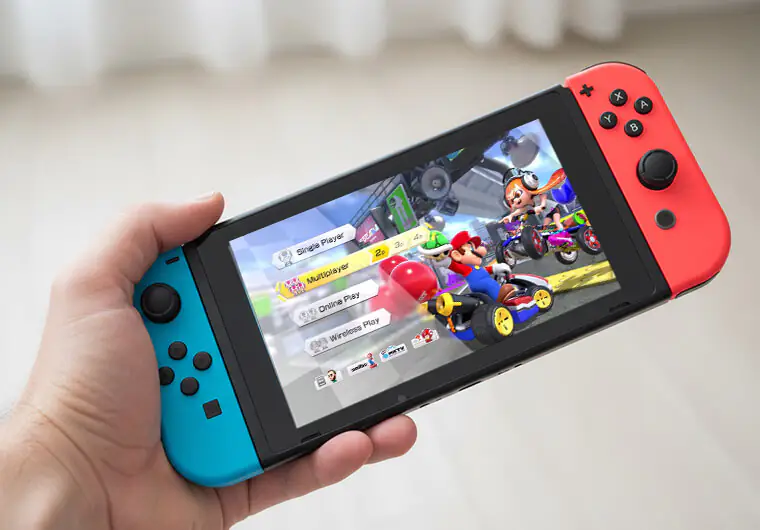
To validate these reactions, I ran a small A/B test before and after the update using three popular titles:
- Tears of the Kingdom
Before: returning to the HOME menu carried a tiny stutter.
After: transitions felt more elastic, less “heavy,” almost like memory cleanup happens faster.
- Mario Kart 8 Deluxe
Before: main menu navigation had a small hitch when first loading.
After: snappier, with smoother sound transitions between screens.
- Splatoon 3
Before: occasional delay when joining online lobbies.
After: lobby entry felt more immediate, and the system seemed more responsive overall.
These small differences add up, especially for players who switch between docked and handheld modes frequently.
Read More: Nintendo Switch Error Codes: Complete List and Solutions
Docked vs Handheld: A Quick Real-World Comparison
After updating:
- Docked mode felt a touch more stable when hopping between apps or launching the eShop.
- Handheld mode had better wireless consistency, especially with Bluetooth headphones.
- The system generated heat more evenly during extended use, suggesting slight background process optimization.
Again, none of this is dramatic. But each small tweak improves the overall feel of the console.
Unlock more content, DLCs, and digital titles with a Nintendo eShop gift card from ARPay.
Fast delivery. Easy redemption. Made for every Switch gamer.
The Technical Side: What’s Actually Happening?
Nintendo never reveals technical details, but real-world behavior gives clues. Based on system observation, update 21.1.0 likely adjusts:
- Memory Allocation Handling: The Switch appears to recover RAM faster after closing a game or app.
This leads to smoother multitasking, especially when jumping to the HOME screen. - Background Service Behavior: Some services now activate with more consistent timing, reducing small input delays.
This includes network checks, controller sync, and UI rendering periods. - Network Handshake Timing: Wireless connection attempts seem more stable, suggesting refinement in Wi-Fi negotiation.
This is especially noticeable in games with lobby systems. - Bluetooth Timing Accuracy: Audio devices respond more consistently now.
If you previously experienced slight audio lag in handheld mode, the update may help.
These improvements are small but meaningful. Nintendo is clearly preparing the Switch ecosystem to run smoothly even as new hardware approaches.
Comparing Nintendo Switch 21.1.0 with Recent Firmware Versions
While no update in the past months drastically changed performance, this one stands out because:
- Boot feels slightly snappier
- Game load screens transition with fewer hitches
- Waking from sleep is smoother
- The eShop responds more consistently
- UI elements appear more polished
This fits with Nintendo’s long-term strategy: refine, stabilize, and prepare for what’s next.
Nintendo Switch 21.1.0: Performance & Stability Breakdown
Improved Memory Behavior
The system seems more efficient at clearing unused RAM.
This leads to:
- Cleaner transitions
- Fewer micro-freezes
- Faster reactions when opening system settings or user profiles
It’s especially noticeable when switching from a heavy game to a lighter one.
Optimized System Processes
System tasks appear better organized.
This reduces the “drag” some players felt when moving fast between apps.
Games that rely on frequent asset streaming feel a little more stable, though not dramatically so.
Nintendo Switch 21.1.0: Game Loading
Across multiple genres:
- Open-world titles: Textures load in a more consistent pattern.
- Racing games: Menus respond faster and transition smoothly.
- Online shooters: Wireless communication feels tighter, which matters for competitive play.
- Indie titles: Asset loading spikes seem reduced, improving flow.
Switch Update Optimization Protocol (SUOP)
A simple routine to get the most out of any new system version.
- True Cold Restart
Hold the power button, fully shut down, and restart. This clears leftover system processes.
- Re-Sync And Recalibrate Controllers
Recalibration improves accuracy and reduces input delay.
- Wi-Fi Optimization
Run basic checks:
- Move closer to the router
- Reset DNS if needed
- Remove old saved networks
- Benchmark Three Games: Pick a game from three categories:
- Fast online
- Open-world
- Indie or casual
This gives a full picture of system stability after the update.
Expert Insights: What 21.1.0 Means for Nintendo Switch 2

Nintendo is clearly tightening the foundation for the next generation.
Here’s what this update signals:
- Long-Term Platform Preparation: Nintendo wants the current Switch stable as they transition to new hardware.
- Quiet Feature Testing: Some optimizations may be early tests for features expected to carry into Switch 2.
- Compatibility Refinements: By adjusting memory and wireless behavior now, Nintendo creates a smoother environment for cross-generation support.
- Likely Future Updates: We can expect one or two more silent stability patches before the next major announcement.
Step-by-Step Plan for Every Switch Owner
- Install the Update + Full Restart: Never rely only on sleep mode after updating
- Test Your Hardware: Check controllers, wireless audio, and the dock.
- Try Three Games
Measure:
- Loading feel
- Responsiveness
- Menu smoothness
- Adjust Settings: Update screen brightness, Wi-Fi setup, and sound preferences after the restart.
- Track Two Days of Normal Use: Watch for any unusual behavior.
- Use the Fallback Plan if Needed
If you notice issues:
- Hard reset
- Rebuild software cache
- Re-pair controllers
This solves most minor post-update quirks.
Conclusion
Update 21.1.0 might look small, but it introduces meaningful real-world improvements.
From smoother menus to tighter wireless timing, Nintendo is making sure the current Switch stays strong while preparing for what comes next.
If you’ve updated already, take a moment to run the SUOP routine and test your favorite games. You might be surprised by the difference.
Want to try new games on your upgraded Switch?
Get an official Nintendo eShop gift card from ARPay and top up your balance instantly.

FAQs
Should I install Switch update 21.1.0 now?
Yes. It brings smoother system behavior and better stability, with no known issues.
Does this update affect game performance?
Not dramatically, but many players notice smoother transitions and more consistent wireless behavior.
Is this update connected to Switch 2?
Not officially, but several improvements suggest Nintendo is preparing the system for a smooth generational transition.

Hager Hesham
Content Writer and your go-to gaming expert. I'm here to share my best practices, valuable strategies, and professional gamer guidance. Also, I'm a gem hunter for the best deals and gift cards, just to enjoy games at almost zero cost with AR-pay.

