

Nintendo kicked off 2026 with its first system update for both the Nintendo Switch and Switch 2. Released on January 12, Update 21.2.0 arrived quietly but serves an important purpose for millions of players worldwide.
- What Is the Nintendo Switch 21.2.0 Update?
- Nintendo Switch Update January 2026: Full Patch Notes Breakdown
- How This Switch 2 Patch Notes Release Compares to Recent Updates
- Why Nintendo Keeps Switch 2 Stability Improvements Small Early in the Year
- How to Update Nintendo Switch 2 Manually
- What Players Want: Switch 2 Backwards Compatibility and Feature Requests
- Conclusion
- FAQ
This guide breaks down everything you need to know about the first firmware update of the year. You’ll discover what changed, how to install it, and what this maintenance release means for your gaming experience moving forward.
Key Takeaways: Version 21.2.0 focuses on system stability improvements rather than flashy new features. The update applies to both Switch consoles and sets the foundation for bigger releases coming throughout 2026.
Don’t miss out on 2026’s biggest Nintendo releases! Stock up on Nintendo eShop credit through ARPay’s secure platform. With competitive rates and reliable service, ARPay makes purchasing Nintendo gift cards simple for gamers across the region. Get your gaming funds ready for Animal Crossing, Mario Tennis, and more exciting titles coming soon.
What Is the Nintendo Switch 21.2.0 Update?
Nintendo Switch 2 Update 2026: Version Overview
Version 21.2.0 launched on January 12, 2026, as the first firmware update of the new year. Nintendo released this patch simultaneously for both the original Nintendo Switch and the newer Switch 2 console.
The update follows Nintendo’s traditional pattern of starting each year with maintenance releases. While version numbers might seem technical, they help players track their system software and ensure compatibility with new games.
Why This Switch 2 System Update Matters
System stability improvements might sound boring, but they’re crucial for smooth gameplay. These behind-the-scenes fixes address bugs, optimize performance, and prepare your console for upcoming game releases.
Think of stability updates as routine maintenance for your car. You might not notice dramatic changes immediately, but these tweaks prevent problems down the road and keep everything running smoothly.

Nintendo Switch Update January 2026: Full Patch Notes Breakdown
What Changed in Switch 2 Firmware Update 21.2.0
Nintendo’s official patch notes state: “General system stability improvements to enhance the user’s experience.”
This standard message covers several improvements:
- Background performance optimization
- Memory management tweaks
- Network connection stability
- Preparation for upcoming game launches
- Minor bug fixes that most players never encountered
The update also included crucial backwards compatibility fixes for Switch 2 users. Pokemon Brilliant Diamond, Pokemon Shining Pearl, and Cats on Duty now run properly on the newer console.
How This Switch 2 Patch Notes Release Compares to Recent Updates
December and November 2025 Updates
Version 21.1.0 arrived in December 2025 with similar stability improvements. That update focused on fixing specific error codes and connection issues that affected online multiplayer.
November’s version 21.0.1 addressed system transfer problems and resolved crashes during specific game launches. Each incremental update built upon previous fixes.
Major Previous Feature Update (21.0.0)
The version 21.0.0 update stands out as the most significant recent release. It introduced practical UI changes that players actually notice:
- Physical and digital game indicators on the HOME menu
- Better download progress controls
- Enhanced accessibility options for players with disabilities
- Improved system settings organization
Why Nintendo Keeps Switch 2 Stability Improvements Small Early in the Year
Platform Maturity
Both Switch consoles have mature, well-tested software platforms after years of updates. The original Switch launched in 2017, giving Nintendo nearly eight years to refine its operating system.
Frequent small patches throughout 2025 addressed most major issues. Early 2026 updates build on that solid foundation rather than overhauling systems that already work well.
Focus on Stability for Holiday Game Releases
Major titles released during the 2025 holiday season needed stable systems to shine. Games like the upcoming Animal Crossing: New Horizons Switch 2 Edition require optimized performance.
Nintendo prioritizes making sure these high-profile releases run flawlessly. Version 21.2.0 likely includes specific optimizations for games launching in January and February 2026.
Preparing for Bigger 2026 Feature Updates
This maintenance release sets the stage for more substantial updates later in the year. Nintendo often introduces major features during summer months or alongside significant game announcements.
Future updates might bring requested improvements like redesigned UI elements, enhanced social features, or performance boosts for demanding games.
How to Update Nintendo Switch 2 Manually
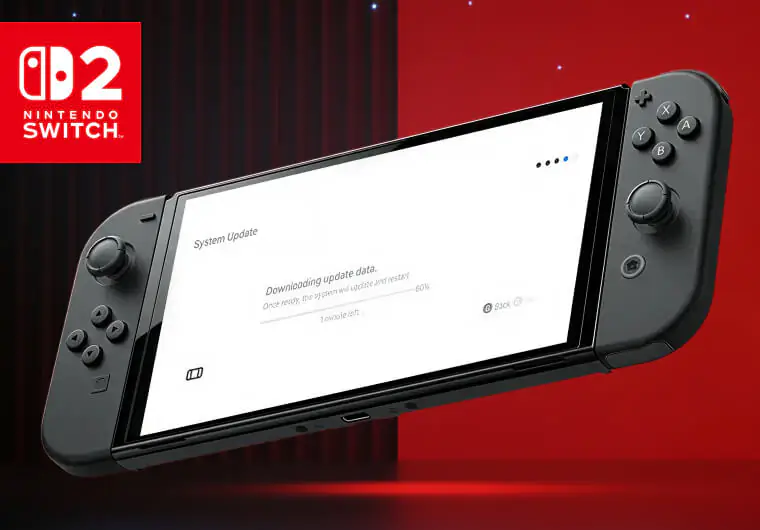
How to Install the Switch 2 System Update
Your Switch console probably already downloaded version 21.2.0 automatically if you left it in standby mode with an internet connection. Here’s how to check and install manually:
- Press the HOME button on your controller
- Navigate to System Settings (gear icon)
- Scroll down and select System
- Choose System Update
- The update begins downloading and installing automatically
The entire process takes just a few minutes depending on your internet speed. The update file size remains small, so storage space isn’t a concern.
Troubleshooting Tips for Switch 2 Update Download
Most updates install without issues, but occasionally problems occur:
- Update Won’t Start: Restart your console by holding the power button for three seconds, then selecting Power Options and Restart. Try updating again after the system reboots.
- Download Stalls: Check your internet connection strength. Move closer to your router or use a wired connection for more reliable downloads.
- Error Messages: Note the specific error code and search Nintendo’s support site. Most codes have simple fixes like adjusting network settings or freeing up storage space.
Stability updates work behind the scenes, so you won’t notice dramatic changes in daily use. Your games should load slightly faster and run more smoothly overall.
What Players Want: Switch 2 Backwards Compatibility and Feature Requests

Common Requests from the Community
Nintendo fans have voiced consistent desires for quality-of-life improvements:
- Faster UI navigation and menu responsiveness
- Enhanced download management with pause and prioritize options
- Advanced battery optimization settings
- Native voice chat and video calling tools
- Customizable HOME menu themes and layouts
- Folders for organizing large game libraries
Read More: Nintendo Switch Error Codes: Complete List and Solutions
Conclusion
The first Switch and Switch 2 update of 2026 maintains Nintendo’s tradition of starting the year with solid maintenance releases. Version 21.2.0 might lack exciting new features, but stability improvements matter more than flashy additions for most players.
These foundation updates ensure your console runs smoothly when major games launch throughout 2026. Nintendo prepares for bigger releases by addressing bugs and optimizing performance before adding complex features.
Keep your system updated to enjoy the best gaming experience and access new releases. The small time investment pays off with smoother gameplay and fewer technical headaches.
Ready to enhance your Nintendo Switch experience? Purchase Nintendo eShop gift cards from ARPay to grab the latest games and DLC as soon as version 21.2.0 ensures optimal performance. ARPay offers instant digital delivery, so you’ll be playing within minutes of your purchase.

FAQ
Will this Nintendo Switch 21.2.0 update add new games or gameplay features?
No, version 21.2.0 focuses exclusively on system stability improvements. It doesn’t include new games, themes, or gameplay features. The update does fix backwards compatibility issues for certain Pokemon games on Switch 2, but it won’t change how existing games play.
Do users need to update right away?
You should update promptly for the best experience. While not immediately urgent, you’ll need version 21.2.0 to access online features, the Nintendo eShop, and new game releases. Your console likely already installed it automatically in standby mode.
How large is the Switch 2 update file size?
The version 21.2.0 update file is quite small, typically under 100MB. Download and installation complete within 5 to 10 minutes on most internet connections. The tiny file size means you won’t need to worry about storage space.

Hager Hesham
Content Writer and your go-to gaming expert. I'm here to share my best practices, valuable strategies, and professional gamer guidance. Also, I'm a gem hunter for the best deals and gift cards, just to enjoy games at almost zero cost with AR-pay.

