You have a PlayStation gift card, or you are thinking about buying one. That still sounds simple in 2026, but the useful part is not just knowing where to type the code. It is understanding what the card can fund, how redemption works across devices, and which mistakes cause the most trouble. A little clarity saves time, prevents region headaches, and helps you use every bit of wallet credit more effectively.
The original version of this guide got the core idea right: PlayStation gift cards are flexible, convenient, and especially useful if you do not want to attach a bank card directly to your account. What needs more caution in 2026 is the exact wording around storefront menus, supported purchases, wallet rules, spending caps, family-account behavior, and some region policies, because those details can shift over time. The good news is that the practical steps and common-sense safeguards still hold up.
How PlayStation gift cards work
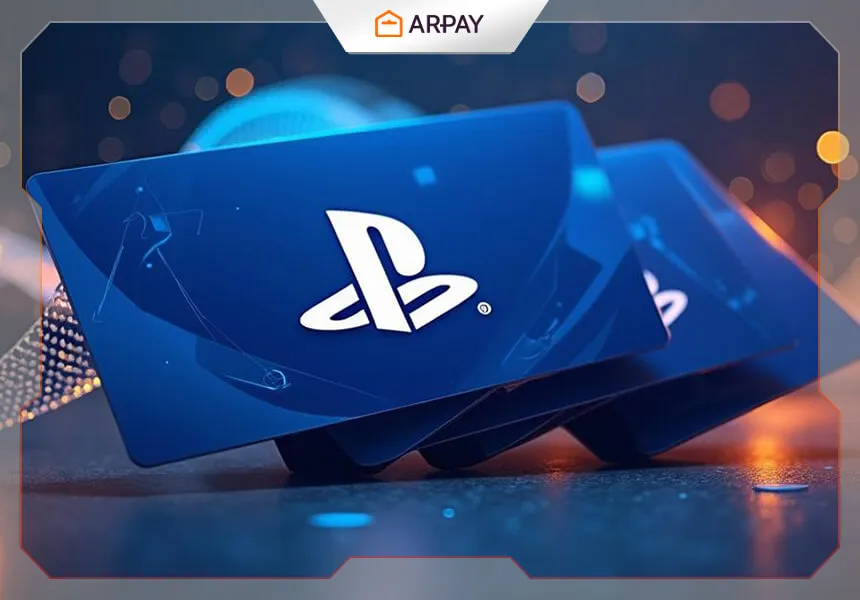
A PlayStation gift card is prepaid digital credit that you redeem to a PlayStation Network wallet. Once the code is accepted, the funds sit on your account and can usually be used for eligible digital purchases tied to that region. In general, that includes full games, add-ons, in-game content, and subscription-related spending through the PlayStation ecosystem. Exact catalog eligibility can change by market and by Sony policy, so any claim that “everything” is always available should be treated carefully.
That flexibility is the main reason these cards remain popular. They work well for personal budgeting, gifting, and safer purchasing, especially for users who want spending control or who prefer not to save a payment card on the account. They also reduce one common buying mistake: overspending during big store promotions, because your wallet balance gives you a natural cap.
How to redeem a PlayStation gift card
You can usually redeem a PlayStation gift card through a console, web browser, or the PlayStation mobile app. The exact button labels may vary by interface version, but the process is generally the same: sign in to the correct PSN account, find the redeem-code option, enter the code carefully, and confirm. If the code is valid and the account region matches, the balance should appear in your wallet. Menu wording and navigation paths may differ between PS4, PS5, the app, and the web store.
The most important habit is simple: redeem on the account that will actually use the funds. Many support problems begin because someone is signed into the wrong profile, uses the wrong regional account, or assumes that wallet funds can move freely between regions or family members. In practice, you should treat gift card credit as account-specific and region-sensitive unless Sony’s current rules for your market clearly say otherwise.
What you can buy with the balance
For most players, the biggest uses are still straightforward: digital games, downloadable content, in-game currency, and PlayStation Plus plans. Pre-orders may also be supported when the title is eligible in your region and your wallet has enough balance at the time Sony processes the charge. Older guidance about movie rentals, themes, avatars, or every store category being universally available is less reliable now because storefront offerings can differ by country and by year.
The smartest way to use the balance is usually to match it to a plan. If you mainly want online multiplayer and monthly subscription benefits, using it for PlayStation Plus can make sense. If you are waiting for seasonal promotions, holding the balance for store sales may stretch it further. If you only need one major release, redeeming close to purchase time reduces the chance that you forget where the credit is sitting.
Common problems and the fastest fixes
If a code does not work, start with the obvious checks before assuming the card is broken. Re-enter the characters slowly, watch for lookalikes such as O and 0, and try a different redemption method if one interface fails. A browser might succeed where a console menu does not, or the app may show a clearer error message. If the issue continues, keep your purchase receipt or email confirmation and contact the seller or PlayStation Support with proof of purchase.
Region mismatch is the other major problem. Gift cards are usually locked to the store region they were issued for, which means a US code typically does not belong on a UK or Gulf-region account, and vice versa. That is why buying the correct region matters more than buying quickly. If you are gifting a code, confirm the recipient’s account region first instead of guessing based on where they live physically.
Using gift cards with child accounts and mixed payments
Family accounts can complicate things. Some child-account purchases may be limited by spending settings or parental controls, and some families handle wallet funds through the adult account first. The exact behavior depends on Sony’s current family-management rules and the setup of the account. If a child account cannot spend the balance as expected, the first place to check is family permissions rather than the code itself.
Mixed payments can also matter. If your wallet balance does not cover the full price of a purchase, Sony may allow the remainder to be paid using another approved method, depending on region and account status. That can be useful for larger releases, but it also means you should check your saved payment settings before checkout so you know exactly what backup method the account will try to use.
Smart ways to get better value
The best value usually comes from timing, not from the code itself. Store-wide promotions, weekly discounts, publisher spotlights, and subscription renewal windows are where gift card credit becomes more powerful. Instead of redeeming and spending immediately, many players get more from the card by waiting for a sale on a wishlist title or by stacking the balance toward a larger purchase they already planned.
It is also smart to redeem digital codes soon after purchase. Older advice that most Sony-issued gift cards do not expire may still be broadly true, but reseller terms, local laws, and listing conditions can vary. Redeeming early reduces the risk of lost emails, forgotten codes, or support complications months later.
Conclusion
A PlayStation gift card is still one of the simplest tools in gaming, but using it well means understanding region rules, account setup, redemption paths, and the best moments to spend the balance. In 2026, the safest approach is to buy the right region, redeem on the right account, keep proof of purchase, and treat time-sensitive storefront rules with caution when they sound too absolute. Do that, and your card becomes more than wallet credit. It becomes a cleaner, safer way to plan how you play.