

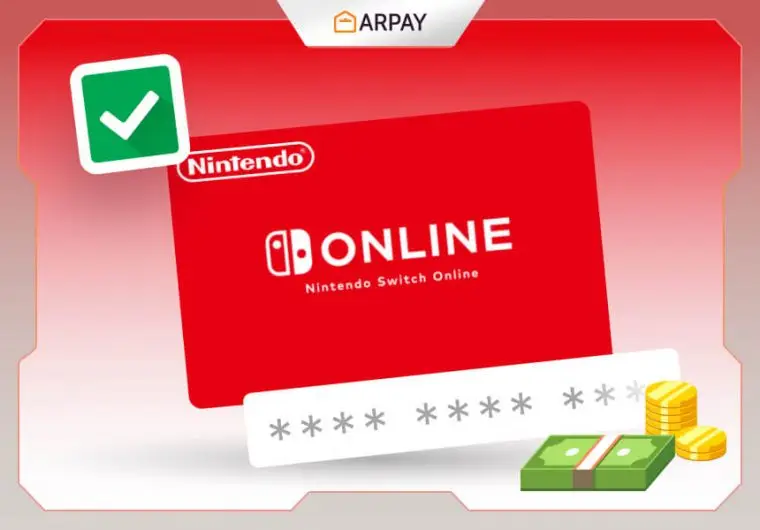
What are Nintendo Prepaid Cards?
Nintendo Prepaid Cards are digital or physical cards that can be used to add funds to your Nintendo Account balance. These funds can then be used to purchase games, downloadable content (DLC), and subscriptions on the Nintendo eShop for the Nintendo Switch. They are a convenient and secure way to buy digital content without the need for a credit card or bank account.

Where to Buy Nintendo Prepaid Cards
You can purchase Nintendo Prepaid Cards online or in physical stores. Online retailers like ARPay offer instant digital delivery, allowing you to receive your code by email within minutes. Physical cards are also available in select retail stores and supermarkets. Always ensure you are purchasing from authorized sellers to avoid scams or invalid codes.
How to Use Nintendo Prepaid Cards
Using a Nintendo Prepaid Card is quick and easy. Simply follow these steps to add funds to your account and start enjoying digital purchases:
- Ensure your Nintendo Account region matches the card’s region (e.g., Europe, USA, Japan, etc.).
- Access the Nintendo eShop on your Nintendo Switch console or through the official Nintendo website.
- Select “Redeem Code” from the menu options.
- Enter the 16-digit code from your Nintendo Prepaid Card.
- The funds will be instantly added to your Nintendo Account balance.
- Use your balance to buy games, DLC, or Nintendo Switch Online subscriptions.
Benefits of Using Nintendo Prepaid Cards
- Safe and secure: No need to link your bank or credit card details.
- Instant delivery: When purchased from ARPay, codes are delivered immediately to your email.
- Flexible options: Available in various denominations to fit your budget.
- Perfect gift: Ideal for gamers of all ages who love Nintendo titles.
- Universal access: Buy from anywhere and enjoy content from the Nintendo eShop.
How to Redeem Nintendo Prepaid Cards
To redeem your Nintendo Prepaid Card, follow these simple steps:
- Go to the Nintendo eShop on your Nintendo Switch console.
- Log in using your Nintendo Account.
- Select “Redeem Code.”
- Enter your 16-digit prepaid code carefully.
- Confirm to add funds to your Nintendo eShop balance.
- Start purchasing games, content, or subscriptions immediately.
Terms and Conditions
- Nintendo Prepaid Cards can only be used on accounts registered in the same region as the card.
- Once redeemed, the balance cannot be transferred, refunded, or exchanged for cash.
- Keep your code secure and do not share it with anyone.
- ARPay is not responsible for lost, stolen, or misused codes.
- Ensure that you redeem your code on the correct Nintendo account before confirming.
Conclusion
Nintendo Prepaid Cards provide an easy and secure way to enhance your Nintendo gaming experience. Whether you want to buy new games, extra content, or gift a gamer something special, these cards are a perfect solution. Purchase your Nintendo Prepaid Card from ARPay today and unlock endless entertainment on the Nintendo eShop.

FAQs
What are Nintendo Prepaid Cards and how do they work?
- Nintendo Prepaid Cards are cards that contain a code that can be used to add funds to your Nintendo eShop account.
- You can use these funds to buy games and other content from the Nintendo eShop on any compatible device.
- You can also use them to Prepaid games and memberships to your friends and family.
Where can I buy Nintendo Prepaid Cards and how much do they cost?
- You can buy Nintendo Prepaid Cards from various retailers, both online and offline.
- Some of the retailers that sell Nintendo Prepaid Cards are Amazon, Best Buy, GameStop, Target, Walmart, and many more.
- You can also buy them from ARPay, a trusted and reliable platform that sells and redeems various Gift Cards.
- The prices of Nintendo Prepaid Cards vary depending on the type and amount of the card.
- For example, in the US, Nintendo eShop cards range from $10 to $100, while Nintendo Switch Online cards cost $7.99 for 3 months or $19.99 for 12 months for individual membership, and $34.99 for 12 months for family membership.
How can I redeem my Nintendo prepaid card code and what can I buy with it?
- You can redeem your Nintendo prepaid card code on any device that has access to the Nintendo eShop.
- You just need to enter or scan the code from your card and confirm your purchase or activation.
- You can buy any content from the Nintendo eShop with your funds, such as games, downloadable content, subscriptions, and other items.
- You can also use your funds to gift games and memberships to your friends and family.
What are the benefits of using Nintendo Prepaid Cards?
- Nintendo Prepaid Cards offer you many benefits, such as convenience, flexibility, security, and fun.
- You can buy games and other content from the comfort of your home or anywhere you have internet access.
- You can choose from a wide range of games and content that suit your preferences and budget.
- You don’t have to share your personal or financial information online when using Nintendo Prepaid Cards.
- You can protect your account from unauthorized purchases or frauds.
- You can also enjoy playing hundreds of amazing games on your Nintendo devices with high-quality graphics, sound, and gameplay.
- You can also join millions of other players online and have a blast.
Mahmoud Ahmed
I’m Mahmoud Ahmed, an English content writer at ARPAY. Through my written articles, I will guide you through the world of vouchers, gift cards, and payment innovations, helping you make the most informed decisions, engaging discussions, expert advice, and practical tips in your shopping and gaming journey!

