

At ARPAY, we’re committed to providing a fast, secure, and seamless gift card buying experience. As part of that commitment, we have tiered purchase limits based on your verification level. If you’ve reached the limit for your current level, it’s time to upgrade, and we’ve made it quick and easy.
Why Verification Matters
To comply with financial regulations and to ensure the safety of our community, we require users to complete a simple Know Your Customer (KYC) verification process. This process not only protects your account but also unlocks higher purchasing limits and uninterrupted access to our full range of services.
Benefits of Completing Verification
- Unlock Higher Purchase Limits: Verified users enjoy increased flexibility when purchasing gift cards.
- Added Security: Your account and identity are protected through secure verification steps.
- Full Access: Some payment methods or features may be restricted without verification.
What You’ll Need
The verification process is quick and straightforward. You’ll need to provide:
- A valid government-issued ID: (passport, national ID card, or driver’s license)
- A selfie: This ensures your photo matches your submitted ID and helps prevent fraud.
How It Works
- Submit Your Documents: Head to the verification page and upload your ID and selfie.
- Review & Confirmation: Our system will securely review your submission. Most verifications are processed within a short time.
- Enjoy Higher Limits: Once verified, your account will be automatically upgraded, giving you access to higher limits and additional features.
Get Verified Today
Don’t let limits hold you back. Complete your verification now and unlock the full power of ARPAY.
NOTE: Purchase limits are different for each country!

Step-by-step guide to Verify your Identity
Step 1. Click on your Account

Step 2. Select User levels
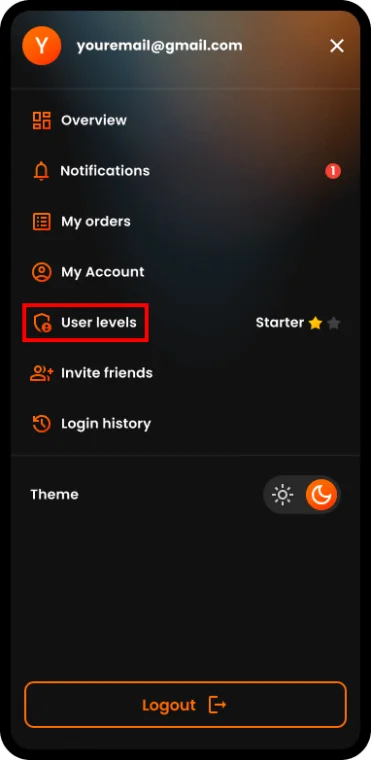
Step 3. Click on the button to Verify Basic level

Step 4. Select Your preferred language and choose one of the two options to Start Verification process
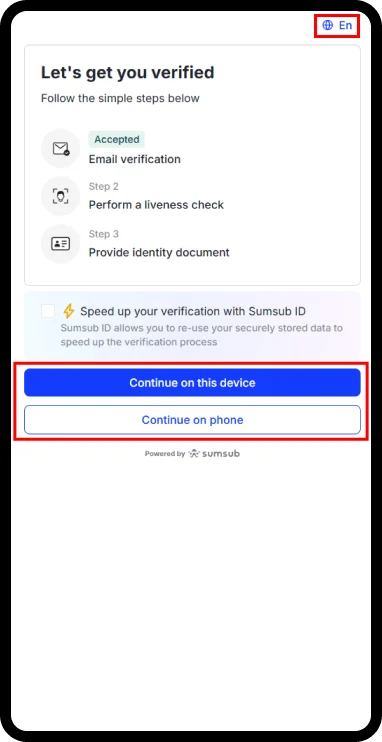
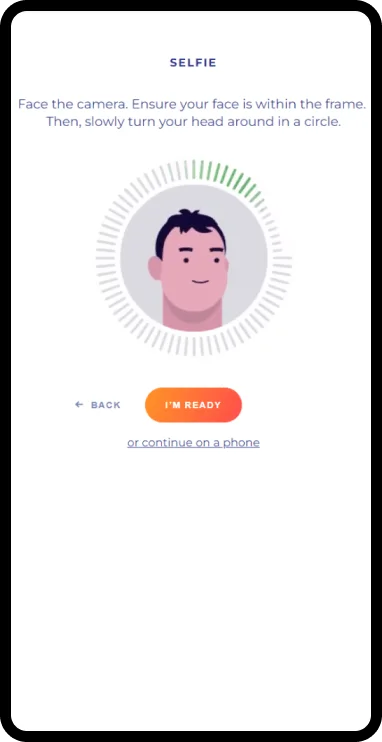
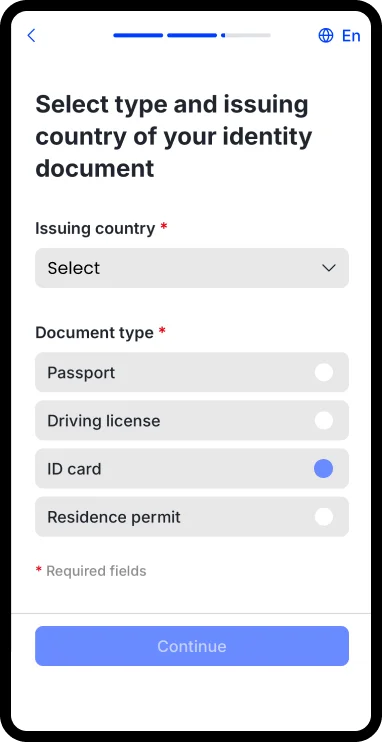
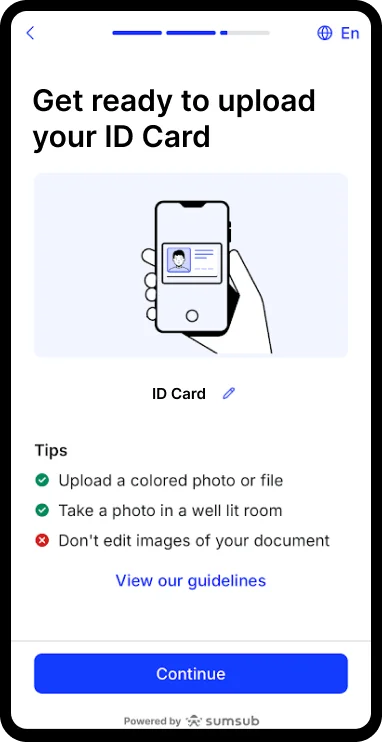
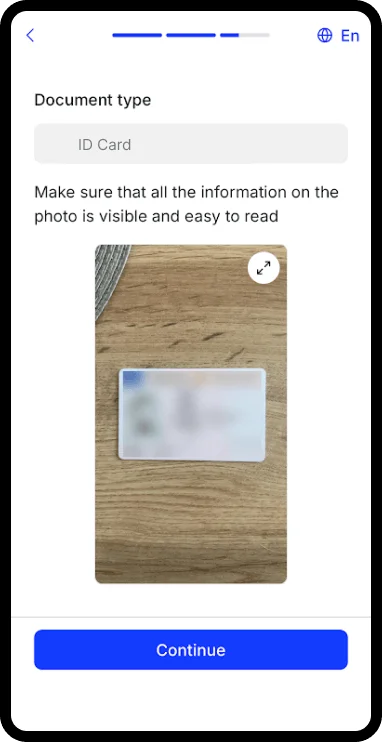
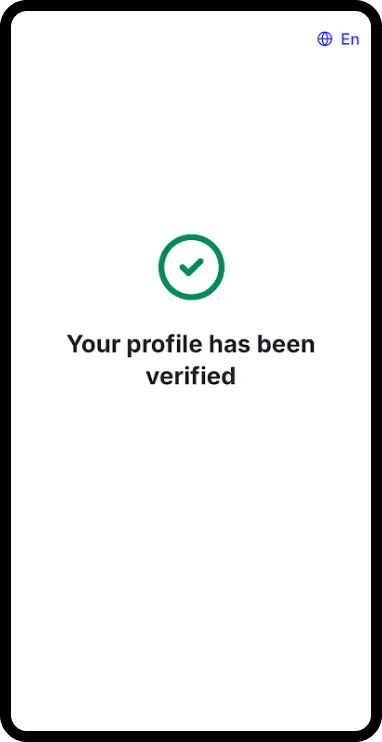
Step 5. Complete the Verification process successfully.

You’re all set now.
Basic level is verified and your limits are increased.
NOTE: After verifying the Basic level you can verify a Payment method to increase even more your purchase limits.

Hager Hesham
Content Writer and your go-to gaming expert. I'm here to share my best practices, valuable strategies, and professional gamer guidance. Also, I'm a gem hunter for the best deals and gift cards, just to enjoy games at almost zero cost with AR-pay.

