

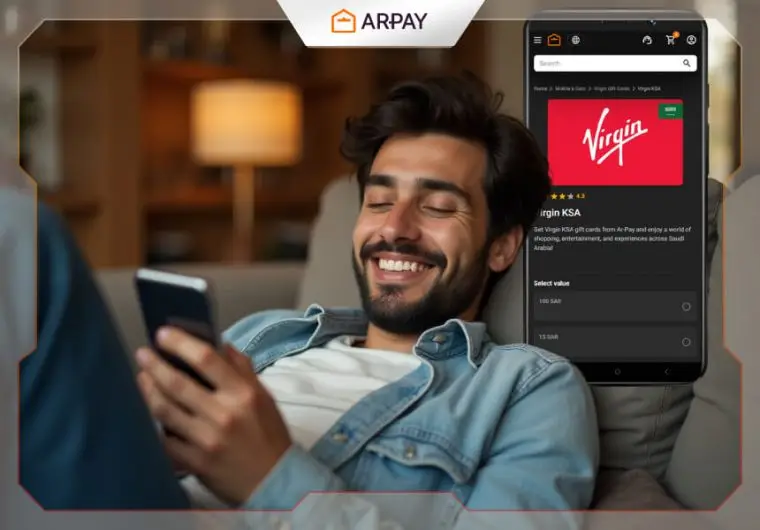
Need a Quick Virgin Mobile Recharge?
Your Virgin Mobile balance just hit zero at the worst possible moment. Maybe you’re stuck at the airport waiting for an important call, or you’re miles away from the nearest store when your data runs out. We’ve all been there – that sinking feeling when your phone shows “insufficient balance” right when you need it most.
Gone are the days of hunting for physical top-up cards or standing in long queues. Digital recharge methods have changed everything, putting the power to refill your account right in your pocket. Within minutes, you can go from zero balance to fully charged, ready for whatever your day throws at you.
Recharge your Virgin Mobile online instantly using AR-Pay Virgin Mobile Gift Cards.
How to Recharge Virgin Mobile in 2025
Gone are the days when you had to rush to the nearest store just to top up your phone. Virgin Mobile users now have several convenient options at their fingertips, and honestly, some work better than others.
Your Main Recharge Options
Here’s what you can choose from right now:
- Virgin Mobile App – The official app lets you manage everything from one place
- Recharge by Code – Perfect when someone gives you a top-up code as a gift
- Bank Payments – Direct transfers from your bank account to your mobile balance
- Online Gift Cards – Fast, reliable, and available 24/7 through trusted platforms
Why Online Gift Cards Stand Out
While each method has its place, online gift cards have become the go-to choice for smart users. They’re instant, secure, and you don’t need to create accounts or remember passwords.
The AR-Pay platform makes this process especially smooth. You pick your amount, pay securely, and get your recharge code delivered to your email within minutes. No waiting, no complications.
The Digital-First Reality
Most Virgin Mobile customers have moved away from physical stores and traditional payment methods. Digital recharging fits perfectly into busy lifestyles where convenience matters most.
Whether you’re traveling, working late, or simply want to avoid the hassle of store visits, these modern methods give you complete control over when and how you recharge your account.

Recharge Virgin Mobile Easily with AR-Pay Gift Cards

Getting your Virgin Mobile account topped up doesn’t have to involve hunting for physical stores or waiting in lines. AR-Pay has streamlined the entire process into something you can handle from your couch.
Quick Steps to Buy Virgin Mobile Gift Cards Online
Here’s how the whole thing works:
- Visit AR-Pay’s Virgin Mobile page – Head straight to their dedicated section where all the recharge options live
- Pick your card value – Choose the amount that matches your needs.
- Complete payment securely – Use your preferred payment method with their encrypted checkout system
- Receive your code instantly – Check your order page for the recharge code
Why AR-Pay Virgin Mobile Cards Work So Well
- 24/7 Availability
Your phone doesn’t run out of credit on a schedule, so why should recharge options? AR-Pay operates around the clock, meaning you can top up at 3 AM or during your lunch break. - No Registration Hassles
Skip the username creation and password requirements. Just buy, pay, and get your code. Clean and simple. - Accepted Throughout UAE – KSA
How to Use a Virgin Mobile Gift Card Code
Got your Virgin gift card code? Great! Now comes the fun part – actually using it to top up your account. You have two solid options here, and both work like a charm.
Via Virgin Mobile App
- The Virgin Mobile app makes everything straightforward. Here’s what you need to do:
- Download the app from your phone’s app store if you haven’t already
- Log into your account using your mobile number and password
- Find the “Top Up” or “Recharge” section – it’s usually right on the main screen
- Select “Gift Card” or “Voucher Code” from the payment options
- Enter your gift card code carefully (no spaces, just the numbers and letters)
- Confirm the amount and hit submit
Your balance updates within seconds. The app even sends you a confirmation message so you know everything went through.
Manual Dial Method
Sometimes the old-school way works best. If you prefer dialing directly:
Dial the Virgin Mobile recharge code (this varies by region, but it’s typically something like 120 [your code]#) Press the call button and wait for the confirmation message Check your balance to make sure the credit appeared
This method works on any phone – smart or basic. No internet connection required.
Avoiding Common Gift Card Mistakes
- Here are some quick tips to save yourself headaches:
- Double-check your code before hitting submit. One wrong digit means starting over.
- Use your gift card promptly – most codes expire within 12 months of purchase.
- Keep your receipt from AR-Pay until you’ve successfully recharged. Screenshots work too.
- Make sure you’re topping up the right number – especially if you’re helping family or friends.
Troubleshooting Invalid Codes
- Sometimes things don’t go as planned. If your code isn’t working:
- Try again in a few minutes – network delays happen, especially during busy hours.
- Contact Virgin customer service if the code keeps getting rejected. They can check if there’s an issue on their end.
- Verify the code format – some regions use different structures for their gift card codes.
- Most issues resolve quickly once you know what to look for. The key is staying patient and methodical.
Read also: 5 Ways To Recharge Your Virgin Balance Easily
Conclusion
Your Virgin recharge shouldn’t be a source of stress. AR-Pay’s digital recharge cards put you back in control – instant codes, secure payments, and zero hassle.
Ready to stay connected? Try AR-Pay’s Virgin Mobile top-up cards for your next recharge. fast, safe, and always available.

FAQs
Can I use Virgin Mobile gift cards from AR-Pay for UAE numbers?
Yes, AR-Pay’s Virgin Mobile recharge cards work perfectly with UAE numbers. The service is designed specifically for Virgin Mobile UAE customers, so you can top up your local number without any issues. Just make sure you’re purchasing from AR-Pay’s Virgin Mobile UAE section.
How long is the gift card valid?
Your Virgin Mobile gift card code from AR-Pay doesn’t expire once you receive it. The code remains active until you redeem it on your Virgin Mobile account.
Can I recharge someone else’s number?
Absolutely! AR-Pay gift cards work for any Virgin Mobile number, not just your own. You can buy a recharge card and send the code to family or friends. This makes it perfect for parents topping up their kids’ phones or sending credit as a thoughtful gift. Just enter their Virgin Mobile number when redeeming the code.

Hager Hesham
Content Writer and your go-to gaming expert. I'm here to share my best practices, valuable strategies, and professional gamer guidance. Also, I'm a gem hunter for the best deals and gift cards, just to enjoy games at almost zero cost with AR-pay.

