


Imagine a world where your favorite shows and movies are just a click away, tailored specifically for you.
Welcome to Netflix KSA, your ultimate entertainment destination!
With a vast library of local and international content, Netflix KSA offers something for everyone.
From gripping dramas and thrilling action movies to heartwarming comedies and insightful documentaries, there’s always something new to discover.
Experience the magic of seamless streaming with stunning HD quality, exclusive Arabic content, and personalized recommendations that make finding your next binge-watch a breeze.
Don’t miss out on the entertainment revolution. Sign up for Netflix KSA today and unlock a world of endless possibilities. Your next great adventure is waiting!
About Netflix KSA
Netflix KSA is the Saudi Arabian version of the globally renowned streaming service, offering a vast library of movies, TV shows, documentaries, and exclusive Netflix Originals tailored to the tastes and preferences of viewers in Saudi Arabia.
With a user-friendly interface and a variety of subscription plans, Netflix KSA provides an unparalleled entertainment experience.
The platform also features a rich selection of Arabic-language content, including popular series, films, and specially curated collections, making it a top choice for viewers seeking high-quality entertainment in the region.
Whether you’re looking for the latest global hits or local favorites, Netflix KSA delivers a diverse and dynamic viewing experience for all ages.
Stay ahead of the curve and explore the latest Netflix News on the ARPay blog – your ultimate source for all things streaming!

How to Sign up for Netflix KSA?
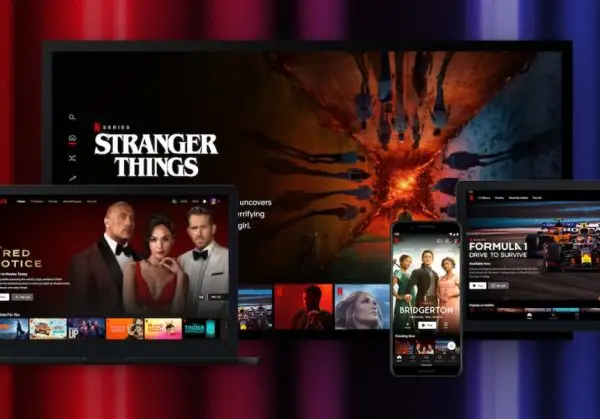
As a Netflix member, you are charged once a month on the date you signed up. There are no contracts, no cancellation fees, and no commitments.
You have the freedom to change your plan or cancel online at any time if you decide Netflix isn’t for you.
Follow the below steps for your platform to sign up for a Netflix account.
Android
If you have the Netflix app from the Google Play store, you can start sign-up from the app. You’ll need to use a mobile or computer browser to finish signing up.
- Visit netflix.com/signup from a mobile browser.
- Create an account by entering your email address and creating a password.
- If using the Netflix Android app, you’ll receive an email from Netflix with a link to finish sign-up on Netflix.com using a mobile or computer browser.
- Choose the plan that’s right for you. You can downgrade or upgrade at any time.
- Enter a payment method.
Computer
- Visit netflix.com/signup.
- Choose the plan that’s right for you. You can downgrade or upgrade at any time.
- Create an account by entering your email address and creating a password.
- Enter a payment method.
iPhone or iPad
- Visit netflix.com/signup from a mobile browser.
- Note: Sign-up is not supported on the Netflix iOS app.
- Choose the plan that’s right for you. You can downgrade or upgrade at any time.
- Create an account by entering your email address and creating a password.
- Enter a payment method.
- Download and sign in to the Netflix app on a device running iOS 16 or above.
TV or TV streaming device
- Open the Netflix app.
- On most TVs and TV streaming devices, you’ll need to start by providing your email address or phone number.
- Once provided, you will receive an email or SMS text message with an activation link to continue the signup flow.
- Choose the plan that’s right for you. You can downgrade or upgrade at any time.
- Create an account by entering your email address and creating a password.
- Enter a payment method.
Netflix KSA Plans and Pricing

Netflix offers a variety of plans to meet your entertainment needs.
Basic Plan
- Price: 32 SAR/month.
- Features:
-
- Unlimited ad-free movies, TV shows, and mobile games
- Watch on 1 supported device at a time
- Watch in 720p (HD)
- Download on 1 supported device at a time
Standard Plan
- Price: 43 SAR/month.
- Features:
-
- Unlimited ad-free movies, TV shows, and mobile games
- Watch on 2 supported devices at a time
- Watch in 1080p (Full HD)
- Download on 2 supported devices at a time
Premium Plan
- Price: 61 SAR/month.
- Features:
-
- Unlimited ad-free movies, TV shows, and mobile games
- Watch on 4 supported devices at a time
- Watch in 4K (Ultra HD) + HDR
- Download on 6 supported devices at a time
- Netflix spatial audio
How to Upgrade or Downgrade Your Plan?
- Sign in to your Netflix account: Open the Netflix website or app and log in with your credentials.
- Go to Account Settings: Click on your profile icon in the top right corner and select “Account” from the dropdown menu.
- Select Change Plan: In the “Plan Details” section, click on “Change Plan.” If you don’t see this option, you may need to resolve any account holds first.
- Choose Your New Plan: Select the plan you want to switch to. You can compare the features and prices of the available plans.
- Confirm Your Choice: Click “Continue” and then “Confirm Change” to finalize your selection.
Canceling Your Netflix Subscription in KSA
- Sign in to your Netflix account: Open the Netflix website or app and log in with your credentials.
- Go to Account Settings: Click on your profile icon in the top right corner and select “Account” from the dropdown menu.
- Select Cancel Membership: In the “Membership & Billing” section, click “Cancel Membership.”
- Confirm Cancellation: Follow the prompts to confirm your cancellation.
How to Pay for Netflix KSA?
There are several options for paying for Netflix.
By Using Netflix Gift Cards
A Netflix gift card is a great choice when you want to give the gift of Netflix, or if you prefer to use cash to prepay your subscription.
- You can purchase Netflix gift cards from the ARPAY store.
- You can redeem multiple Netflix gift cards on your account.
By Using Credit and Debit Cards
We accept the following cards, which must be enabled for recurring e-commerce transactions.
Note: You may need to enable your card for international transactions.
- Visa
- MasterCard
- American Express
Note: If you have a Mada credit/debit card. you may need to have your bank disable two-factor authentication. If they can’t, you must choose a different payment option.
Additional Features For Netflix KSA
- Multiple Plans: Netflix provides different subscription plans, including Standard with ads, Standard, and Premium, each with varying benefits like the number of devices you can stream on simultaneously and video quality (up to 4K + HDR for Premium).
- Download and Watch Offline: You can download TV shows and movies on your mobile device to watch offline, which is perfect for on-the-go viewing.
- Kids’ Profiles: Set up dedicated profiles for children with parental controls, including the option to apply a PIN code to ensure they only watch age-appropriate content.
- Wide Device Compatibility: Stream Netflix on a variety of devices, including smart TVs, game consoles, PCs, Macs, mobile phones, and tablets.
- Localized Content: Enjoy a selection of movies and TV shows that cater to local tastes and preferences, including Arabic content.
- Spatial Audio: Available on the Premium plan, spatial audio provides an immersive sound experience for select titles.
Tips and Tricks for Maximizing Your Netflix KSA Experience.
- Use Profiles Wisely: Create separate profiles for different family members to keep recommendations tailored to individual tastes. You can even create profiles for specific genres, like one for action movies and another for documentaries.
- Explore Hidden Categories: Netflix has a vast array of hidden categories that you can access using specific codes. For example, entering “1365” in the search bar will bring up action and adventure movies
- Download for Offline Viewing: Take advantage of the download feature to watch your favorite shows and movies offline. This is especially useful when traveling or if you have limited internet access
- Customize Subtitles: Adjust the appearance of subtitles to make them easier to read. You can change the font, size, and color in the subtitle settings.
- Use Keyboard Shortcuts: If you’re watching on a computer, keyboard shortcuts can make navigation easier. For example, pressing “F” will switch to full-screen mode, and the spacebar will pause or play the video.
- Disable Autoplay: If you find autoplay previews annoying, you can disable them in your account settings. This will stop trailers from playing automatically when you browse.
- Check Out New Releases: Keep an eye on the “New Releases” and “Trending Now” sections to stay updated with the latest content. Netflix frequently updates its library with new movies and TV shows.
- Use a VPN for More Content: If you’re looking to access content not available in your region, consider using a VPN. This can help you unlock a wider range of shows and movies.
- Rate What You Watch: Give a thumbs up or down to the content you watch. This helps Netflix’s algorithm better understand your preferences and recommend shows and movies you’ll likely enjoy.
- Explore Netflix Originals: Don’t miss out on Netflix Originals, which often include high-quality, exclusive content that you won’t find anywhere else.
Conclusion
Welcome to the world of Netflix KSA, where endless entertainment is just a click away! Whether you’re a movie buff, a series marathoner, or a documentary enthusiast, Netflix KSA has something for everyone.
Just visit netflix.com, choose your plan, create an account, and you’re ready to explore a sea of content.
With a user-friendly interface and a vast library of content, Netflix KSA offers a seamless streaming experience.
So, grab your popcorn, get comfy, and let Netflix KSA take you on an unforgettable entertainment journey!

FAQs
How to get 6 months of free Netflix?
Netflix does not offer free trials, but you have the freedom to change your plan or cancel online at any time if you decide Netflix isn’t for you. There are no contracts, no cancellation fees, and no commitments.
How can I pay for my Netflix KSA subscription?
You can pay for your Netflix KSA subscription using various payment methods, including credit/debit cards, PayPal, and gift cards.
Can I watch Netflix KSA on multiple devices?
Yes, depending on your subscription plan, you can watch Netflix KSA on multiple devices simultaneously.
The Standard plan allows for two devices, while the Premium plan allows for up to four devices.
How can I contact Netflix KSA customer support?
You can contact Netflix KSA customer support through the Help Center on the Netflix website or app. They offer support via live chat and phone.

Nourhan
Hi, I'm Nourhan, a blog writer and content creator. I'm thrilled to be part of the ARPay team because it allows me to showcase my passion for gaming and present my expertise through content that ensures you get the most important information. My goal is to keep you up to date with the latest gaming deals, updates, and offers!

