

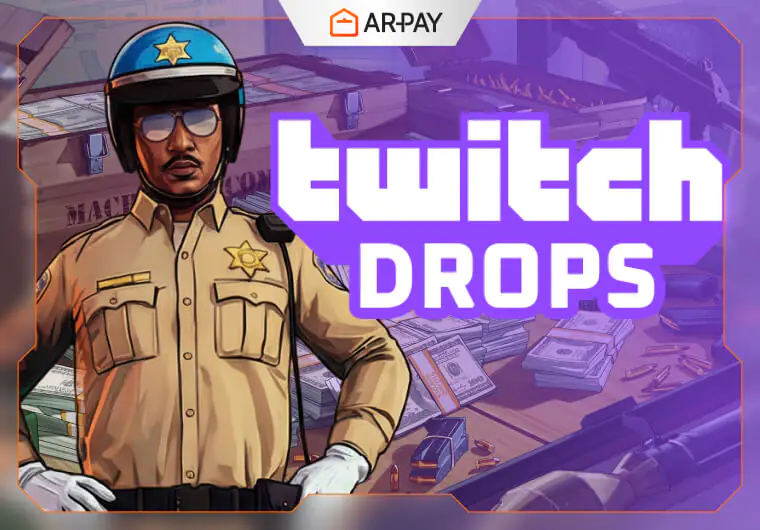
Calling all Los Santos players! Rockstar Games has teamed up with Twitch for the Neighborhood Watch Event, giving GTA Online fans a chance to earn up to $1,000,000 GTA dollars and the exclusive Winter Highway Patrol outfit. Hurry, this limited-time GTA Online Twitch Drops event ends April 15, 2026!
This guide shows you everything you need: how Twitch Drops work, linking your accounts, watching eligible streams, and claiming your rewards. Don’t miss out—boost your criminal empire and upgrade your wardrobe while enjoying your favorite GTA Online streamers!
Understanding GTA Online Twitch Drops: More Than Just Freebies
Twitch Drops let you earn exclusive in-game items, currency, and cosmetics just by watching eligible GTA Online streams. These rewards are often unique and collectible, disappearing after the campaign ends.
This GTA Online Twitch Drops campaign is part of the Neighborhood Watch Event, bringing police-themed content like new Dispatch missions, vehicles, and outfits.
If you’re excited about the future of the series, keeping up with the Official GTA 6 Release Date, adds even more anticipation to your current GTA Online sessions.
By participating, you can:
- Support your favorite streamers
- Get exclusive rewards
- Stand out in the streets of Los Santos
Level up your gaming experience even further with gaming console gift cards. Perfect for unlocking new games, expansions, or in-game goodies. Treat yourself or a fellow gamer and enjoy the freedom to play your way in Los Santos and beyond!
The Loot List: Unveiling This Campaign’s Exclusive GTA Online Twitch Drops Rewards
This campaign offers a tiered reward structure, meaning the more you watch, the more you earn! The rewards are cumulative, culminating in a significant cash injection and a stylish, event-specific outfit. Here’s a detailed look at what’s up for grabs:
| TWITCH DROPS | REQUIREMENTS |
| GTA $250,000 | Watch the stream for 2 hours. |
| GTA $250,000 | Watch the stream for 4 hours. |
| GTA $500,000 | Watch the stream for 6 hours. |
| Winter Highway Patrol Outfit | Watch the stream for 8 hours. |
Grand Theft Auto Dollars: Boost Your Bank Account
The financial rewards alone make this campaign incredibly appealing. With a potential total of $1,000,000 GTA dollars, players can significantly accelerate their progress in GTA Online.
Whether you’re saving up for that dream supercar, investing in a new business venture, or simply restocking your arsenal and supplies, this cash injection provides a valuable boost. Think of the possibilities: a down payment on a new property, a fleet upgrade, or perhaps just a lavish shopping spree in Rockford Hills.
Every dollar counts in Los Santos, and a cool million for simply watching streams is an offer too good to refuse.
Suit Up: The Exclusive Winter Highway Patrol Outfit
Beyond the cash, the centerpiece of this campaign is undoubtedly the Winter Highway Patrol outfit. This unique cosmetic item allows your character to embrace the theme of the “Neighborhood Watch Event” in true Los Santos fashion.
Exclusive outfits like these are perfect for players who love to customize their characters and showcase their dedication to the game’s evolving events. Imagine cruising through the city, sporting this distinctive uniform – it’s a statement piece that speaks volumes about your participation in this special event.
As with all exclusive drops, once the campaign ends on April 15, 2026, this outfit is unlikely to be available again, solidifying its status as a rare collectible.
Level up your GTA Online experience with PlayStation and Xbox gift cards. Unlock extra in-game content, boosts, and stay connected for all the action. Keep your Los Santos adventures going strong and enjoy every mission to the fullest!
Your Step-by-Step Guide to Claiming Every GTA Online Twitch Drops
Earning these fantastic rewards is a straightforward process, but it requires a few crucial steps to ensure everything goes smoothly. For players looking to enhance their in-game experience even further, learning How to Use GTA Prepaid Cards can help you maximize your purchases and unlock additional content. Follow this guide carefully, and you’ll be enjoying your new GTA Online goodies in no time!
Step 1: Forge the Connection – Linking Your Rockstar Games and Twitch Accounts
Before you even start watching, the most critical step is to link your Rockstar Games account to your Twitch account. This essential connection is what tells Rockstar where to send your hard-earned rewards. Without it, your watch time won’t count, and you won’t receive anything!
Here’s how to link your accounts:
- Sign in to your Rockstar Games Social Club account via a web browser. You can typically find this under “Account” or “Profile” settings.
- Navigate to the Settings section of your account.
- Locate the Linked Accounts section within your settings.
- Under the “Twitch” option, select Link Account.
- You will be prompted to log in to your Twitch account and authorize the connection. Follow the on-screen instructions to complete this secure link.
Once these steps are completed, your accounts will be linked, making you eligible to earn Twitch Drops. Double-check the connection status to ensure it’s successful!
Step 2: Tune In and Earn – Watching for Rewards
With your accounts linked, the fun part begins: watching eligible GTA Online streams!
- Find an Eligible Streamer: Head over to the GTA Online category on Twitch. Look for any streamer who has the “Drops Enabled” tag displayed prominently, usually right above or below their stream title or in the chat section. This tag confirms that watching their stream will contribute to your progress.
- Tune In: Once you find a suitable stream, simply tune in! You don’t need to actively engage in chat or even have the stream in the foreground. You can let it run in the background while you go about your day.
- Track Your Progress: You can monitor your watch time progress directly on Twitch via your Drops Inventory page or by clicking on your profile icon and looking for the “Drops” menu.
Remember, the rewards are tiered, so make sure to watch for the specified durations to unlock each item: 2 hours for the first $250K, 4 hours for the next $250K, 6 hours for the $500K, and a full 8 hours to unlock the exclusive Winter Highway Patrol outfit.
Step 3: The Crucial Final Click – Manually Claiming Your Drops
This is perhaps the most critical step that many players overlook, leading to missed rewards! Your GTA Online Twitch Drops WILL NOT be delivered automatically once you hit the watch time milestones. You must manually claim them.
Here’s exactly what you need to do:
- Visit Your Drops Inventory: After reaching each watch-time threshold, navigate to your Twitch Drops Inventory page (you can usually find this by clicking on your profile icon on Twitch and selecting “Drops” or by visiting twitch.tv/drops/inventory).
- Click “Claim Now”: For each unlocked reward shown in your inventory, you will see a prominent “Claim Now” button. You must click this button for each individual reward. Failing to do so means the reward will not be sent to your Rockstar Games account.
- Understand the Deadline: All earned drops must be claimed by April 15, 2026. Any drops not manually claimed by this date will expire and be permanently lost, regardless of whether you met the watch time requirements.
- In-Game Delivery: Once claimed from your Twitch inventory, your rewards will typically appear in GTA Online within 72 hours. Don’t worry if they don’t show up instantly; a short wait is normal.
Conclusion
This GTA Online Twitch Drops campaign is a golden opportunity for all players to significantly enhance their gameplay experience without spending a dime. The ability to earn $1,000,000 GTA for free is a game-changer for many, providing the funds needed to acquire new assets or simply enjoy the finer things in Los Santos.
Coupled with the exclusive and stylish Winter Highway Patrol outfit, these rewards represent both practical value and a chance to showcase your participation in the “Neighborhood Watch Event.”
With the campaign ending on April 15, 2026, the window of opportunity is closing fast. Make sure your accounts are linked, find an eligible stream, start watching, and most importantly, remember to manually claim every reward from your Twitch Drops Inventory. Missing out on these free, exclusive items would be a true crime in Los Santos!
Keep your GTA Online adventures fully stocked with ARPay. Easy, fast, and ready for all your in-game purchases. Grab yours today and make sure nothing slows down your Los Santos gameplay!

FAQs
What are Twitch Drops in GTA Online and how do they work?
Twitch Drops are free rewards that players earn by watching eligible live streams on Twitch. Rewards can include GTA dollars, exclusive outfits, and in-game cosmetics.
How do I link my Rockstar Games account to Twitch to claim rewards?
To earn Twitch Drops, link your Rockstar Games Social Club account to your Twitch account through your account settings. Once linked, all watch time on eligible streams counts toward earning rewards.
What rewards are available in the Neighborhood Watch Event Twitch Drops campaign?
- Up to $1,000,000 GTA dollars by completing the required watch hours
- Exclusive “Winter Highway Patrol” outfit, only available during this event
How many hours of streaming do I need to unlock each reward?
- 2 hours: $250,000 GTA
- 4 hours: $250,000 GTA
- 6 hours: $500,000 GTA
- 8 hours: Winter Highway Patrol Outfit
How do I claim my Twitch Drops after watching?
You must manually claim rewards from your Twitch Drops Inventory. Unclaimed rewards after April 15, 2026, will expire.
Can I earn Twitch Drops by watching streams in the background?
Yes! You don’t need to interact or keep the stream in the foreground—watch time is counted even in the background.
When will my rewards appear in GTA Online after claiming them?
Rewards usually appear in your game account within 72 hours after claiming from Twitch.
Can I get GTA Online Twitch Drops rewards after the event ends?
No, all rewards will expire on April 15, 2026, and will not return after the event concludes.

Maggi
A content writer who specializes in the entertainment field, developing entertaining and interactive content that resonates with the culture of this field. I keep abreast of current trends, especially in the world of games, movies and shopping.

