Barnes & Noble
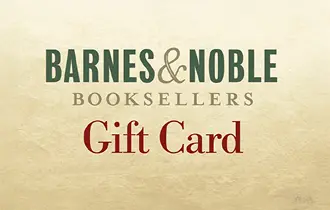
Explore thousands of books, eBooks, and audiobooks with Barnes & Noble Gift Cards. Perfect for students, book lovers, and lifelong readers. Buy online via ARPAY Iraq and give the gift of knowledge today!




Discover the Joy of Reading in Iraq with Barnes & Noble Gift Cards
Bring the magic of books to Iraq with ARPAY Iraq! Barnes & Noble Gift Cards give you access to thousands of books, eBooks, audiobooks, magazines, and more. Perfect for students, book lovers, and anyone looking to explore new worlds through reading.
Shop conveniently online or redeem in-store at Barnes & Noble locations in the U.S. Send instant digital gift cards via ARPAY and let your friends and family choose their next great read!
Give the gift of imagination and learning today. Purchase your Barnes & Noble Gift Card now from ARPAY Iraq and spark a love for reading.
How to Redeem
Redeeming your Barnes & Noble Gift Card is simple and convenient, whether you prefer to shop online or in-store.
First: Access Your Gift Card on AR-Pay
- Log in to your ar-pay.com account.
- Go to the Orders section in your user account.
- Locate your Barnes & Noble Gift Card — you’ll find a code, PIN, and possibly a barcode or link.
Now, it’s time to redeem your card!
Option A: Redeem In-Store
Use at a Barnes & Noble Store or Café
- Visit any Barnes & Noble retail location.
- At checkout, either:
- Show the e-Gift Card barcode, number, and PIN on your mobile device, OR
- Print the email or gift card page and present it to the cashier (make sure it includes the barcode, card number, and PIN).
- The cashier will scan/apply the gift card to your purchase.
Option B: Redeem Online at BN.com
Step 2B: Use on the Barnes & Noble Website
- Go to Barnes and Noble site and browse for items you wish to purchase.
- Add your items to your Bag and proceed to Checkout.
- On the Payment page, enter your e-Gift Card number and PIN in the Gift Card section.
- If your gift card doesn’t cover the full total, you can pay the remaining balance using various methods, including another e-gift card, credit card, or even PayPal.
Option C: Redeem for NOOK Books
Step 2C: Save & Use for NOOK Content
- Go to Barnes & Noble Gift Cards section.
- Click “Manage Gift Cards for NOOK Books™” and save your e-Gift Card to your account.
- Visit the NOOK Book Online store.
- Select a title and click “Buy Now.”
- Your e-Gift Card balance will be applied automatically first.
- Any remaining balance will be charged to your default credit card.
Terms and Conditions
- Barnes & Noble e-Gift Cards can be used at any Barnes & Noble store across the U.S., at BN.com, and at Barnes & Noble College locations.
- These cards do not carry maintenance, dormancy, or service fees, and they do not expire.
- They may be used to purchase annual Barnes & Noble Memberships; however, continuous billing memberships require a valid credit card.
- If a card is lost or stolen, it cannot be replaced without a valid card number and proof of purchase.
- e-Gift Cards are not redeemable for cash, except where required by law.
- Any card obtained or refunded through unauthorized methods is considered void.
- Transactions exceeding $2,000 in a 24-hour period, or those used to purchase other gift cards, may be declined.
- Barnes & Noble reserves the right to suspend or limit usage if transactions exceed $1,000 within 30 days.
- Cards are issued by Barnes & Noble Marketing Services LLC.
- Barnes & Noble is not a sponsor or co-sponsor of this promotion and is not responsible for any actual or alleged claims related to it.
- Full terms and conditions are available on the back of the card or at Barnes & Noble Terms and Conditions.