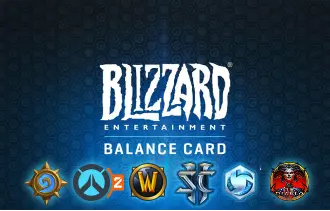
Blizzard USA
Get Blizzard gift cards from Ar-Pay to top up your Battle.net balance and enjoy games like World of Warcraft, Overwatch, and Diablo III.




Unlock Epic Adventures with Blizzard USA Gift Cards
Dive into the vast universes of Blizzard Entertainment with a Battle.net gift card. Whether you're buying for yourself or gifting to a friend, these cards are your all-access pass to a world of legendary games and content. At AR-PAY, you get your digital code instantly, allowing you to top up your Blizzard Balance and get back to the action without delay.
These gift cards are the perfect way to manage your gaming budget or surprise a fellow player. They are designed exclusively for U.S. Battle.net accounts, ensuring seamless compatibility.
Why Choose a Blizzard USA Gift Card?
- Instant Delivery: Receive your digital code immediately after purchase and redeem it in seconds.
- Ultimate Flexibility: Use your Blizzard Balance to buy full games, expansions, in-game items, character services, and more.
- The Perfect Gift: Give the gift of choice to any gamer who loves titles like World of Warcraft, Overwatch 2, Diablo IV, or Call of Duty.
- No Expiration Date: Your Blizzard Balance never expires, so you can use it whenever you're ready.
How to Redeem Your Blizzard USA Gift Card
Redeem on the Battle.net Website
- Visit the official Blizzard code redemption page.
- Log in to your Battle.net account.
- Enter your Blizzard gift card code into the redemption box.
- Click Redeem Code.
- Once confirmed, the funds will be instantly added to your Battle.net balance.
Redeem on the Battle.net Desktop App
- Open the Battle.net desktop app and log in.
- Click your profile icon in the top-right corner.
- Select Redeem a Code from the drop-down menu.
- Enter your Blizzard gift card code in the pop-up window.
- Click Redeem Code to apply the funds to your account.
Terms and Conditions
- Validity: Never expires; no service fees.
- Redemption: Redeemable only on U.S. Battle.net accounts for Blizzard Balance, usable on digital games, expansions, services, and in-game items. Not valid outside the U.S.
- Refunds: All sales final. Refunds only where required by law. Once redeemed, Balance cannot be refunded.
- Restrictions: Region-locked to U.S. accounts. Cannot be resold, transferred, or exchanged for cash. Balance capped at $350.
- Privacy: Data handled under Blizzard’s Global Privacy Policy, subject to U.S. and California law.
- Liability: Blizzard not responsible for lost, stolen, or unauthorized use.
- Support: Available via Blizzard Customer Service.
- Disclaimers: Blizzard may suspend accounts, decline redemption, or update these terms anytime.
For full terms of sale, please visit the official Blizzard legal page: Blizzard Terms of Sale.
FAQs
What is a Blizzard USA gift card?
A Blizzard gift card is a digital code that adds a specific amount of funds to your Blizzard Balance. This balance acts as a virtual wallet on your Battle.net account, which you can use to purchase digital games, in-game items, character services, and more across Blizzard's entire library of PC games.
How do I redeem my Blizzard USA gift card code?
You can redeem your code on the Battle.net website, the desktop app, or the mobile app. Simply log in to your account, find the "Redeem a Code" option in your account settings or profile, enter the 16-digit code, and confirm. The funds will be added to your Blizzard Balance instantly.
What can I buy with my Blizzard Balance?
You can use your Blizzard Balance to buy a wide variety of digital content. This includes full games (likeDiablo IV), expansions (forWorld of Warcraft), in-game currency (likeOverwatchCoins or COD Points), cosmetic items (skins, mounts, pets), game time forWorld of Warcraft, and character services (like name or faction changes).
Do Blizzard USA gift cards expire?
No, the funds from a Blizzard USA gift card do not expire once they are added to your Blizzard Balance. There are also no service fees or dormancy charges, so you can use your balance whenever you like.
Can I use a USA Blizzard gift card in another country?
No, Blizzard gift cards are region-locked. A Blizzard USA gift card can only be redeemed on a Battle.net account that is registered in the United States. Ensure your account's country matches the region of the gift card you are purchasing.
Can I use my Blizzard Balance on Xbox or PlayStation?
No, Blizzard Balance is exclusive to the PC and Mac versions of games on the Battle.net platform. It cannot be used for purchases on console marketplaces like the PlayStation Store or Xbox Marketplace, even for Blizzard games.
Can I use a Blizzard USA gift card for a World of Warcraft subscription?
You cannot use Blizzard Balance to pay for a recurring, auto-renewingWorld of Warcraftsubscription. However, you can use your balance to purchase fixed blocks of digital game time (e.g., 30 or 60 days) from the Battle.net shop, which provides the same access to the game.
How can I check my Blizzard Balance?
After logging into your account on the Battle.net websiteor desktop app, your current Blizzard Balance is displayed in the top-right corner of the screen, near your profile name.
Are Blizzard USA gift cards refundable?
All sales of Blizzard gift cards are final and non-refundable. Once a code is redeemed and the funds are added to an account, the balance is also non-transferable and cannot be converted back to cash, except where required by law.
What should I do if my gift card code isn't working?
First, double-check that you have entered the code correctly. If it's a physical card, ensure it was activated at the point of sale. Also, confirm the card's region matches your account's country. If you still receive an error like "Oops, something went wrong," try clearing your browser cache or using a different browser. If the issue persists, you should contact Blizzard Customer Support for assistance.