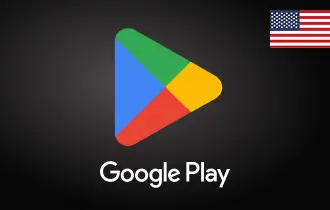
Google Play US
Buy Google Play USA gift cards from Ar-Pay and enjoy apps, games, movies, books, and more—instant digital entertainment at your fingertips!




Unlock a World of Entertainment with Google Play US Gift Cards
Google Play USA cards are the perfect way to give the gift of entertainment. These gift cards can be used to purchase a variety of digital content, including apps, movies, books, music, and TV shows. With a Google Play USA card, your loved ones can explore the vast library of content available on the Google Play Store and find something they're sure to enjoy.
Here are just a few of the things you can purchase with a Google Play USA card:
- Apps: There are millions of apps available on the Google Play Store, including games, productivity apps, social media apps, and more. With a Google Play USA card, your loved ones can download the apps they want to try or purchase in-app items to enhance their gaming experience.
- Movies: Google Play offers a wide selection of movies to rent or buy, from new releases to classic favorites. With a Google Play USA gift card, your loved ones can enjoy a night in at the movies without ever leaving their homes.
- Books: Google Play has a vast library of ebooks, audiobooks, and comic books. With a Google Play USA gift card, your loved ones can curl up with a good book or discover new authors and genres.
- Music: Google Play offers a wide selection of music to stream or download. With a Google Play USA gift card, your loved ones can listen to their favorite artists or discover new music.
- TV shows: Google Play offers a wide selection of TV shows to rent or buy. With a Google Play USA gift card, your loved ones can catch up on their favorite shows or binge-watch a new series.
How to Redeem
A. On a Computer
- Go to play.google.com/redeem
- Enter your gift card code
- Click Redeem
- Review the Google account that will receive the balance
- Click Confirm
To redeem during checkout:
- Proceed through the checkout process until you reach the payment method screen
- Next to the payment method, click the down arrow and select Redeem code
- Enter your gift card code
- Follow the on-screen instructions
B. On an Android Device
- Open the Google Play Store app
- Tap your profile picture in the top right corner
- Tap Payments and subscriptions > Redeem code
- Enter your gift card code
- Tap Redeem
- Review the account that will receive the balance
- Tap Confirm
To redeem during checkout:
- Proceed through the checkout process until you reach the payment method screen
- Next to the payment method, tap the down arrow and select Redeem code
- Enter your gift card code
- Follow the on-screen instructions
Terms and Conditions
Issuer & Legal Info:
- Issued by Google Arizona LLC (GAZ)
- Upon redemption, balance is maintained by Google Payment Corp. (GPC)
- Terms governed by the laws of California
Usage Restrictions:
- Valid only for U.S. residents aged 13 or older
- Requires a U.S. Google Payments account
- Region-locked for use within the United States only
- Can only be used on Google Play for eligible content
- Not valid for certain device purchases and subscriptions
- Not refundable, transferable, or reloadable, unless required by law
Card Terms:
- No expiration date
- No fees
User Obligations & Limitations:
- Users must accept Google’s Privacy Policy
- No Know Your Customer (KYC) verification required
- GAZ and GPC disclaim all warranties
- Neither GAZ nor GPC are liable for lost or stolen cards
- Fraudulent activity may lead to account suspension or alternate billing methods
Support:
- Customer support available via the Play Store account page or by phone
Other Information:
- Terms are subject to change by GAZ or GPC as permitted by law
For full terms, please visit play.google.com/us-card-terms.