Minecraft
Get Minecraft gift cards from Ar-Pay to unlock skins, maps, and exciting content—enhance your adventure in the Minecraft universe!




Your Next Minecraft Adventure Awaits!
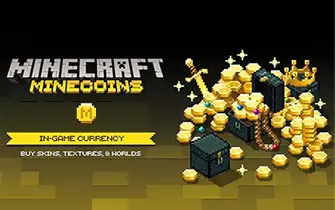
At ar-pay, we specialize in delivering Minecraft gift cards instantly to fuel your creative adventures. Our digital gift cards provide seamless access to Minecoins, allowing players to enhance their Minecraft experience with premium content, skins, and marketplace items.
Whether you're building epic structures, exploring vast worlds, or customizing your character, our Minecraft gift cards offer the perfect solution for safe and secure spending. With no expiry date and cross-platform compatibility, these cards work seamlessly across PC, console, and mobile devices.
Why Choose Our Minecraft Gift Cards?
- Instant Delivery: Receive your gift code immediately after purchase
- No Expiry Date :Use your Minecoins whenever you're ready
- Cross-Platform Access :Works on PC, Xbox, PlayStation, Nintendo Switch, and mobile
- Safe for Kids: Perfect alternative to credit cards for young players
- Premium Content :Access exclusive skins, worlds, and texture packs
Our Minecraft gift cards are available in two convenient denominations: Minecoins Pack 1720 Coins and Minecoins Pack 3500 Coins.
These packs provide excellent value for purchasing marketplace content, character skins, adventure maps, and texture packs that enhance your gameplay experience.
Perfect for gifting to young builders, creative minds, or anyone passionate about the world's most popular sandbox game. With secure checkout and reliable delivery, ar-pay.com makes it simple to fuel your Minecraft adventures.
How to Redeem Your Minecraft Gift Card
Redeem via Web Browser (PC or Mobile):
- Visit minecraft.net/redeem
- Sign in with your Microsoft account
- Enter your 25-character code
- Click "Redeem" to add content or Minecoins to your account
Redeem via Xbox Console:
- Press the Xbox button to open the guide
- Select "Store" then "Redeem"
- Enter the 25-character code and select "Next"
- Follow the on-screen instructions
Redeem via Microsoft Store (Windows):
- Open Microsoft Store from the Start menu
- Select your account, then "Redeem Code or Gift Cards"
- Enter the 25-character code and select "Next"
- Follow the instructions to complete redemption
Terms and Conditions
- Validity: No expiry date unless required by law or explicitly stated on the card.
- Redemption: Redeemable at minecraft.net/redeem or directly via Microsoft Store.
- Refunds & Exchanges: Non-refundable and not redeemable for cash except where required by law.
- Regional Restrictions: Gift cards are region-locked to the country of purchase and cannot be used in other regions.
- Resale Restrictions: Cannot be resold or used for unauthorized promotions.
- Account Requirements: Redemption requires a Microsoft Account. Data is processed under Microsoft Privacy Policy and applicable U.S. laws.
- Liability: Microsoft is not liable for lost, stolen, or unauthorized card use after delivery.
- Customer Support: Available via Minecraft.net support and Microsoft customer service.
- Fraud Protection: Microsoft reserves the right to suspend, amend, or cancel codes in cases of fraud or misuse.
For complete terms and conditions, visit: microsoft.com/en-us/store/b/giftterms