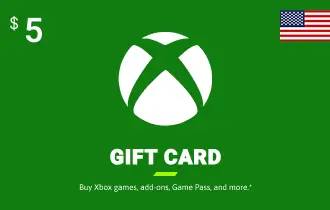
Xbox USA $5
Get Xbox USA gift cards from Ar-Pay to enjoy games, subscriptions, and more on Xbox consoles with ease!
USA
$5
$ 5




Unlock a world of digital entertainment with the Xbox USA 5$ Gift Card
This convenient digital code allows you to instantly add funds to your Microsoft account, perfect for micro-transactions, small game add-ons, or contributing to a larger purchase. Experience seamless access to games, movies, apps, and more on your Xbox console or Windows PC.
This Xbox USA 5$ gift card is an ideal way to manage your gaming budget or to give a thoughtful, flexible gift. It provides immediate access to the vast Microsoft Store, ensuring you can quickly get what you need without hassle. Enjoy secure and instant delivery directly to your ar-pay.com order page.
- Instant Digital Delivery: Receive your code immediately after purchase.
- Flexible Spending: Use for games, apps, movies, TV shows, and more.
- No Expiration: Funds added to your Microsoft account do not expire.
- Region-Locked: Valid for U.S. Microsoft accounts only.
- Secure & Convenient: A safe alternative to credit cards for online purchases.
Whether you're topping up your balance for a new indie game, buying a small in-game item, or simply want to have some credit ready, the $5 Xbox USA Gift Card offers unparalleled ease. It's a quick and reliable way to enhance your digital experience within the Xbox ecosystem.
How to Redeem Your Xbox USA Gift Card
Redeeming your Xbox USA Gift Card is quick and easy, allowing you to access your content without delay. Ensure you are signed into the correct Microsoft account before proceeding, as redeemed codes cannot be transferred.
Option 1: Xbox Series X|S and Xbox One Consoles
- Press the Xbox button to open the guide, then select Store.
- Press the View button to open the side menu, and then select Redeem.
- Enter the 25-character code, select Next, and follow the prompts.
Option 2: Microsoft Store on Windows PC
- Press the Start button and enter store into the search bar.
- Choose Microsoft Store from the results to open the app.
- Select your account in the top-right corner, then select Redeem code or gift cards.
- Enter the 25-character code, select Next, and follow the prompts.
Option 3: Xbox App on Windows PC
- Press the Start button and enter Xbox into the search bar.
- Choose the Xbox app from the results to open the app.
- Select your gamerpic in the top-left corner, then select Settings.
- Select Redeem under Redeem a code.
- Enter the 25-character code, select Next, and follow the prompts.
Note: You cannot redeem a code on the Xbox app for mobile at this time.
Terms and Conditions
- By Using an Xbox Gift Card, you agree to Microsoft’s Gift Card Terms and the Microsoft Services Agreement.
- This gift card is a prepaid digital code with no cash value, intended solely for purchasing digital goods via the Microsoft Store.
- The card is region-locked to the U.S., non-reloadable, non-transferable, and not redeemable for cash, except where legally required.
- It is redeemable for games, subscriptions, movies, and apps on Xbox or Windows platforms.
- Microsoft may invalidate a card if it's reported stolen or obtained through fraud or unauthorized reselling.
- Redemption issues, fraud, or disputes are handled through Microsoft’s support channels, and the company reserves the right to update terms at any time.
For full terms and conditions, please refer to the official Microsoft Gift Card Terms: https://www.microsoft.com/en-us/store/b/terms-conditions-gift-card
Purchasing an Xbox USA Gift Card from ar-pay.com is simple and secure. JUSAt select the denomination you want, add it to your cart, and complete the checkout process. Your digital code will be delivered instantly to your order page, ready for you to redeem.
You can redeem your Xbox USA Gift Card on your Xbox Series X|S or Xbox One console, in the Microsoft Store on a Windows PC, or through the Xbox app on a Windows PC. JUSAt enter the 25-character code to add the funds to your Microsoft account.
An Xbox USA Gift Card can be USAed to purchase a wide variety of digital content from the Microsoft Store. This includes full game downloads, downloadable content (DLC), in-game currency like V-Bucks, movies, TV shows, apps, and subscriptions like Xbox Game Pass.
No, the funds from an Xbox USA Gift Card that are added to your Microsoft account do not expire. You can USAe them whenever you like.
Yes, you can USAe the balance from your Xbox USA Gift Card to purchase or extend an Xbox Game Pass or Xbox Game Pass Ultimate subscription. It's a great way to enjoy a huge library of games without needing a credit card.
Absolutely. At ar-pay.com, we prioritize your security. We provide a secure checkout process and deliver authentic, valid Xbox USA Gift Card codes instantly to your order page. You can purchase with confidence.
Yes, an Xbox USA Gift Card makes a perfect gift for any gamer. After you purchase the digital code, you can easily share it with the recipient. They can then redeem it on their own Microsoft account.
First, double-check that you have entered the 25-character code correctly. If it's still not working, ensure that your Microsoft account region is set to the U.S. If you continue to have issues, please contact Microsoft Support for assistance.
Yes, Xbox USA Gift Cards are region-locked and can only be redeemed on Microsoft accounts that are registered in the United States. Please ensure your account region is set correctly before purchasing.
Once you redeem your gift card, the funds are added to your Microsoft account balance. You can check your balance on your Xbox console by going to Settings > Account > Payment & billing. You can also view it online by signing into your Microsoft account.