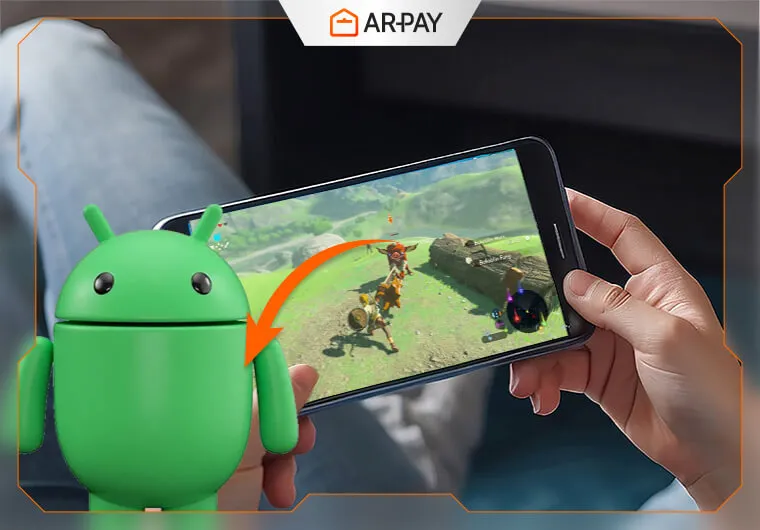
أصبح لعب Breath of the Wild أو Super Mario Odyssey على phone الخاصة بك ممكنًا الآن بفضل Nintendo Switch emulators لنظام Android. إذ تتيح هذه emulators لهاتفك الذكي محاكاة internal systems الخاصة بـ Switch، مما يجعل من الممكن تشغيل favorite Switch games الخاصة بك مباشرة على Android device الخاصة بك.ومع امتلاك modern smartphones لقدرة impressive في processing power، يمكنك الاستمتاع بـ console-quality gaming من دون الحاجة إلى dedicated hardware. وسواء كنت on the go أو مجرد مسترخٍ في المنزل، فإن هذه emulators توفر easy way لأخذ gaming experience الخاصة بك إلى أي مكان.ستتعرف على all the details الخاصة بأفضل Nintendo Switch emulators لنظام Android، وكيفية تثبيتها، وكيفية troubleshooting common issues لضمان smooth gaming experience.
ما Nintendo Switch Android Emulator؟
تعمل emulators عبر ترجمة ARM-based instructions الخاصة بـ Switch إلى commands يمكن لـ Android device الخاصة بك فهمها. فكر فيها بوصفها digital translator تحوّل native code الخاصة بـ Nintendo إلى Android-friendly language.وأصبحت modern Android phones الآن تضاهي gaming consoles في raw processing power. إذ تستطيع flagship Snapdragon processors وMali GPUs التعامل مع computational demands الخاصة بـ Switch games، رغم أن performance تختلف بشكل كبير بين titles.وتوجد key differences بين Android وPC-based emulators:
- PC مثل Yuzu وRyujinx تقدم superior performance وcompatibility
- Android تعطي الأولوية لـ portability وconvenience على حساب raw power
- Mobile limitations تشمل thermal throttling وbattery constraints
هل يمكنك فعلًا لعب Nintendo Switch games على Android؟
نعم — وعلى right device، يعمل الأمر بشكل أفضل مما تتوقع. إذ تمتلك modern flagship Android phones ما يكفي من processing power لتشغيل many Switch titles بسلاسة. لكن هناك catch: ليست every emulator مناسبة لكل phone، والقيام بذلك بشكل legal يتطلب few extra steps تتجاوزها most guides.هذا guide يقطع الضوضاء. ستجد honest performance comparison، وdevice compatibility matrix، وclear legal guidelines، وstraightforward setup walkthrough — حتى تتمكن من بدء gaming من دون surprises.
Legal & Safety Disclaimer (اقرأ هذا أولًا)
قبل التعمق، إليك ما تحتاج إلى معرفته:
- Emulators قانونية. إن تنزيل Switch emulator وتشغيلها على Android device الخاصة بك لا ينتهك أي law في most countries.
- Game ROMs هي حيث تصبح legality مهمة. يمكنك فقط لعب games التي تملكها legally — سواء تم شراؤها رقميًا من Nintendo eShop أو تم dumped لها من physical cartridges التي تملكها. إن تنزيل ROMs من third-party sites هو copyright infringement، بغض النظر عن الطريقة التي يتم بها تقديمه.
- قم بتنزيل emulators فقط من official أو verified sources. إن APKs غير الرسمية من random download sites كثيرًا ما تجمع malware. التزم بـ official GitHub page الخاصة بالمشروع أو established community forums.
يفترض باقي هذا guide أنك تعمل ضمن these boundaries.
لماذا يريد Gamers محاكاة Switch على Android
تدفع PPortability appeal الأساسية لمحاكاة Switch على phones. إذ يمكنك لعب Breath of the Wild أثناء commute الخاصة بك من دون حمل extra hardware أو القلق بشأن battery life الخاصة بـ Switch. ومع recent update إلىNintendo Switch 21.1.0، جعلت new emulation features الأمر أكثر seamless للعب أثناء التنقل.وتجذب enhanced features enthusiasts الذين يريدون more control على gaming experience الخاصة بهم:
- Higher resolutions تتجاوز 720p handheld limit الخاصة بـ Switch
- Custom modifications وcommunity-made content
- Cheat codes وsave state functionality
- Performance tweaks من أجل smoother gameplay
ويغذي community curiosity عملية التطوير بينما يدفع programmers mobile hardware إلى حدودها القصوى. وتعرض these projects ما هو ممكن عندما يتعامل dedicated developers مع complex technical challenges.هل أنت ready لفتح even more gaming perks؟ احصل علىNintendo Switch Online Membership gift cards الآن واستمتع بـ exclusive access إلى online multiplayer وclassic games والمزيد، وكل ذلك من Android device الخاصة بك!
Nintendo Switch Android Emulators الشائعة
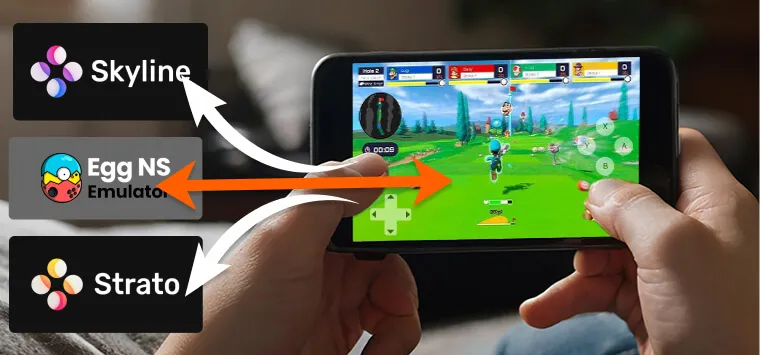
تتنافس several emulators على attention في مساحة Android Switch emulation، ولكل منها strengths وlimitations مميزة.EmulatorBest ForDevice TierCompatibilityStatusYuzu (Android)flagship performance، و1080p+ gamingSnapdragon 888+ / 12GB+ RAMExcellentActiveEgg NShigh-end devices، وwide game librarySnapdragon 855+ / 8GB RAMGoodActiveStratomid-range devices، وimproved Skyline forkSnapdragon 700–800 / 6GB RAMModerateActive (early builds)Skylineolder/lower-spec devices، وlightweightSnapdragon 600s / 3–4GB RAMLimitedDiscontinued (functional)
Key Features
يبقى controller support ضروريًا من أجل authentic gameplay experiences. إذ تتعرف most emulators على Joy-Con controllers عبر Bluetooth، إلى جانب popular third-party gaming controllers من Xbox وPlayStation.وتتيح graphics وperformance options للمستخدمين موازنة visual quality مع smooth operation:
- Resolution scaling من native 720p حتى 1080p أو أعلى
- Frame rate caps لمنع overheating
- Texture filtering من أجل sharper image quality
- Shader compilation management من أجل reduced stuttering
وتوفر save states convenience features غير الموجودة في original hardware. إذ يمكنك حفظ progress الخاصة بك في أي مكان وإعادة تحميلها فورًا، وهو ما يناسب mobile gaming sessions بشكل مثالي.وتواجه multiplayer وonline features limitations كبيرة على mobile emulators. إذ لا تعمل most networking functions، مما يقيّدك بـ single-player experiences.
أي Emulator يجب أن تستخدم؟ اعثر على Your Match في 60 Seconds
Phone الخاصة بك Flagship (Snapdragon 888 أو أحدث / 12GB+ RAM)
استخدم Yuzu for Androidتقدم Yuzu أفضل overall experience على high-end hardware: stable frame rates، ودعم 1080p وما فوق، وbroad game compatibility. وإذا كنت تريد لعب titles demanding مثلThe Legend of Zelda: Breath of the Wild أوSuper Mario Odyssey بأفضل صورة، فهذه هي emulator الخاصة بك.
Phone الخاصة بك High-End (Snapdragon 855–865 / 8GB RAM)
استخدم Egg NSتقدم Egg NS solid compatibility مع popular AAA Switch titles وتؤدي جيدًا على high-end mid-tier devices. وهي تتطلب trusted installation source — نزّلها فقط من official Egg NS site أو verified community repositories.
Phone الخاصة بك Mid-Range (Snapdragon 700–800 / 6GB RAM)
استخدم Stratoتُعد Strato fork من Skyline emulator التي تم discontinued الآن، مع meaningful performance improvements. وتُظهر early builds better frame rates وstability للألعاب moderately demanding مثلHollow Knight أوSuper Mario Odyssey على mid-tier hardware.
Phone الخاصة بك Older أو Budget (سلسلة Snapdragon 600 / 3–4GB RAM)
استخدم Skyline (مع realistic expectations)على الرغم من أنها officially discontinued، فإن codebase الخاصة بـ Skyline لا تزال functional وهي أخف option متاحة. توقّع acceptable performance في titles أقل demanding مثلPokémon: Let's Go أوMario Kart 8 Deluxe، لكن لا تتوقع miracles على low-spec hardware.
System Requirements لأجهزة Android
تحدد minimum specifications ما إذا كان phone الخاصة بك يمكنها التعامل مع Switch emulation بشكل acceptable:
- CPU: Snapdragon 855 أو ARM processor مكافئ
- RAM: حد أدنى 6GB، ويوصى بـ 8GB
- Storage: 64GB free space للألعاب وsystem files
- Android: Version 8.0 أو أحدث
تصبح storage space مسألة critical عند التعامل مع large Switch game files. إذ تستهلك popular titles من 10-15GB لكل منها، ما يتطلب ample internal أو external storage capacity.
كيفية Install واستخدام Switch Emulator على Android
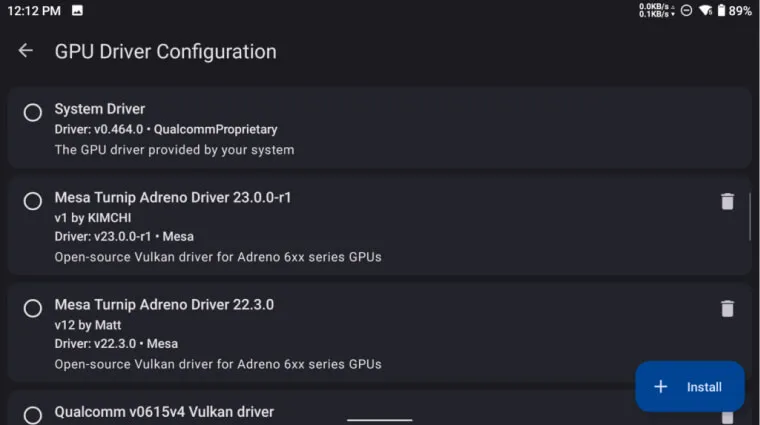
يتطلب installation اهتمامًا carefulًا بـ security وlegality طوال process.
- Step 1: قم بتنزيل emulator APK من official project websites أو trusted community forums. وتجنب random download sites التي قد تجمع malware مع legitimate software.
- Step 2: قم بتثبيت system firmware التي تم dumped لها بشكل legal من Switch console الخاصة بك. وتتطلب this process technical knowledge وspecialized homebrew software على Switch الخاصة بك.
- Step 3: انقل game files التي تملكها legally من خلال cartridge أو digital purchase. ويجب أن يتم dumped للألعاب من personal library الخاصة بك، لا تنزيلها من file-sharing sites.
- Step 4: قم بتكوين control schemes وgraphics settings بناءً على capabilities الخاصة بـ device. وابدأ بـ conservative settings ثم زد quality تدريجيًا حتى تصبح performance غير مستقرة.
- Step 5: قم بتشغيل games واضبط settings حسب الحاجة للحصول على optimal performance. فقد تتطلب each game configurations مختلفة من أجل best results.
تحمي safe downloading practices device الخاصة بك من malicious software المتنكرة في هيئة emulators. والتزم بـ established community sources واقرأ user reviews قبل تثبيت أي شيء.احصل على أقصى استفادة من Nintendo Switch emulation experience الخاصة بك مع Nintendo Switch Online Membership! اختر membership لمدة3-month أو12-month واستمتع بـ online play وclassic games وexclusive perks طوال العام!
Common Issues and Fixes
إذا كنت تواجه issues مع emulator الخاصة بك، فإليك some common problems وsolutions:
- Black Screen on Launch: Solution: تحقق مما إذا كانت emulator الخاصة بك updated إلى latest version. وإذا استمرت issue، فجرّب إعادة تشغيل app أو إعادة تكوين graphics settings.
- Lag or Low Frame Rate: Solution: اخفض resolution settings أو عطّل بعض graphic enhancements مثل texture filtering وanti-aliasing. وقد ترغب أيضًا في تقييد frame rate لمنع overheating.
- Frequent Crashes: Solution: تأكد من أن Android device الخاصة بك تلبي minimum system requirements الخاصة بـ emulator. وجرّب إغلاق other background apps لتحرير resources. وإذا استمرت problem، ففكر في إعادة تثبيت emulator.
إذا كنت تواجهNintendo Switch Error Codes محددة، فراجع troubleshooting guide الخاصة بـ emulator للحصول على more detailed instructions.
Pros and Cons of Switch Android Emulators
Pros:
- portability قصوى من دون حمل additional hardware
- customization options غير متاحة على original Switch
- enhanced graphics capabilities على high-end phones
- save state functionality من أجل convenient gaming sessions
Cons:
- performance inconsistencies عبر different games
- compatibility محدودة مع newer أو complex titles
- legal complexity المحيطة بـ game acquisition
- thermal throttling أثناء extended gaming sessions
يصبح battery drain problem حقيقية أثناء intensive emulation sessions. إذ تكافح most phones للحفاظ على performance أثناء تشغيل demanding Switch games لفترات ممتدة.ويؤثر heat generation في كل من comfort وperformance أثناء gameplay. إذ تدفع sustained emulation mobile processors إلى ما يتجاوز normal operating parameters الخاصة بها.Read more:Nintendo Switch Error Codes: Complete List and Solutions
Conclusion
تدفع Switch Android emulators حدود mobile gaming بينما تثير important questions حول software ownership وdigital rights. وتُظهر these projects technical achievements impressive رغم significant legal وpractical limitations.استخدم emulators بمسؤولية واحترم copyright laws عند acquiring games. وادعم game developers عبر legitimate purchases أثناء استكشاف technical possibilities الخاصة بـ mobile emulation.هل أنت ready للحصول على Nintendo eShop cards الخاصة بك من دون hassle؟ قم بزيارةARPAY الآن للحصول على instant delivery وابدأ تنزيل favorite games الخاصة بك اليوم!