


Are you a music lover, movie buff, or avid gamer? Look no further than iTunes US Gift Cards!
These versatile cards grant you access to a treasure trove of digital content, from the latest chart-topping songs to blockbuster movies and addictive mobile games.
Whether you’re treating yourself or surprising a friend, iTunes US Gift Cards open up a world of entertainment possibilities.
Buy iTunes US Gift Cards and dive into the details and discover how these cards can enhance your digital lifestyle.
What are iTunes US Gift Cards
iTunes US Gift Cards, now known as Apple Gift Cards, are versatile digital vouchers that unlock a world of entertainment and convenience. Here’s what you need to know:
What They Do
Apple Gift Cards can be used for a wide range of purposes, including purchasing products, accessories, apps, games, music, movies, TV shows, iCloud+, and more.
Whether you’re an avid music lover, a movie enthusiast, or a gamer, these cards have you covered.
Where to Use Them
- App Store: Redeem your Apple Gift Card to shop on the App Store.
- Apple TV: Enjoy streaming services and content on Apple TV.
- Apple Music: Access a vast library of songs and playlists.
- iTunes: Buy or rent movies, TV shows, and music.
- Apple Arcade: Dive into a collection of fun and addictive games.
- Apple Store: Shop for Apple products and accessories.
- iCloud+: Expand your iCloud storage.
- News+ and Books: Stay informed and entertained.

Benefits of Using iTunes US Gift Cards
iTunes US gift cards offer several benefits, especially if you’re outside the United States. Let’s explore them:
Access to the US iTunes Store:
The primary benefit is gaining access to the US iTunes Store, which has a broader selection of content compared to other regional stores.
With a US gift card, you can purchase apps, music, movies, books, and more from the US store.
Gifting to Friends and Family:
If your loved ones have a US iTunes account, you can gift them credits by sharing the 16-digit gift code. They can then use it to shop within the US store.
Personal Shopping:
If you want to shop in the US iTunes store yourself, you can create your own US iTunes account. The gift card allows you to unlock the full potential of the US store.
Instant Delivery:
When you buy a US iTunes gift card online, you’ll receive the gift code via email within minutes. It’s a hassle-free process, and you can start shopping right away.
Where to Buy iTunes US Gift Cards Online
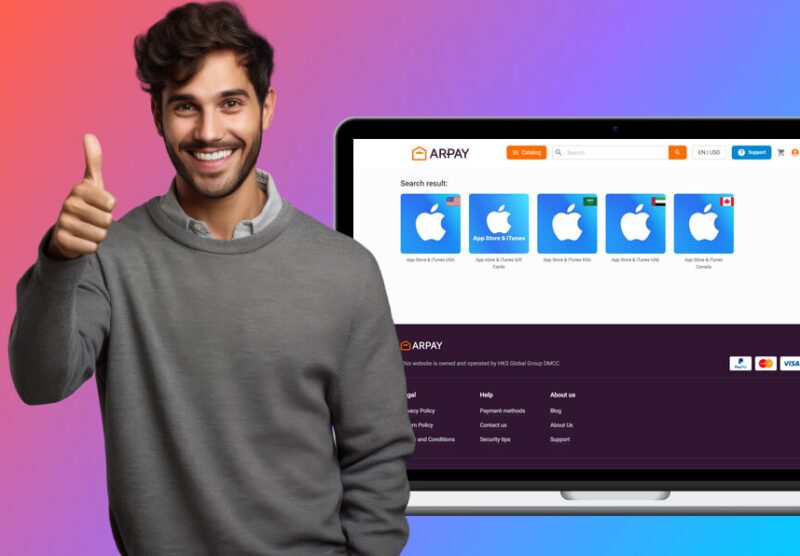
To buy iTunes US gift cards online from ARPay, follow these steps:
- Visit ARPay’s Website: Go to the ARPay website and navigate to the section for iTunes gift cards.
- Select the iTunes Gift Card: Choose the desired denomination of the iTunes gift card you want to purchase.
- Add to Cart and Checkout: Add the gift card to your cart, proceed to checkout, and provide the necessary payment and delivery information. ARPay offers various payment methods including cryptocurrency options like Bitcoin and Ethereum.
- Receive the Code: After the payment is processed, you will receive the iTunes gift card code via email.
Redeeming iTunes US Gift Cards
On an iPhone, iPad, or iPod Touch
- Open the App Store: Launch the App Store app on your device.
- Access Your Account: Tap your profile picture or the sign-in button at the top of the screen.
- Redeem Gift Card or Code: Tap “Redeem Gift Card or Code.” If you don’t see this option, sign in with your Apple ID.
- Use the Camera or Enter Code Manually: You can use your device’s camera to scan the code on the back of the gift card. Alternatively, you can enter the code manually by tapping “You can also enter your code manually.”
- Redeem: Follow the on-screen instructions to complete the process.
On a Mac
- Open the App Store: Launch the App Store on your Mac.
- Sign In: Click on your name or the sign-in button in the sidebar.
- Redeem Gift Card: Click “Redeem Gift Card.”
- Use Camera or Enter Code: Use your Mac’s camera to scan the gift card code or enter it manually.
- Redeem: Follow the on-screen instructions to finish redeeming the gift card.
On a Windows PC
- Open iTunes: Download and open iTunes if you haven’t already.
- Sign In: Sign in with your Apple ID.
- Account Menu: From the menu bar at the top of the iTunes window, choose “Account” > “Redeem.”
- Enter Code: Enter the 16-digit code from the back of the gift card.
- Redeem: Follow the instructions to redeem your card.
Using the Web
- Go to Redeem Page: Visit the Apple redeem page at redeem.apple.com.
- Sign In: Sign in with your Apple ID.
- Enter Code: Enter your gift card code.
- Redeem: Complete the redemption process by following the prompts.
How to Check Your iTunes US Gift Cards Balance

To check the balance of your iTunes US Gift Card, you can follow these steps on different devices:
On an iPhone, iPad, or iPod Touch
- Open the App Store: Launch the App Store app on your device.
- Profile: Tap on your profile picture or the sign-in button at the top right corner.
- Account Information: If prompted, sign in with your Apple ID.
- Check Balance: Your account balance should be displayed under your Apple ID at the top of the screen.
On a Mac
- Open the App Store: Launch the App Store on your Mac.
- Sign In: Click on your name or the sign-in button in the sidebar.
- View Information: If prompted, sign in with your Apple ID.
- Check Balance: Your available balance will be displayed below your name.
On a Windows PC
- Open iTunes: Launch iTunes on your PC.
- Account Menu: Click on “Account” in the menu bar at the top of the screen.
- View My Account: Select “View My Account” and sign in with your Apple ID if prompted.
- Apple ID Summary: Your account balance will be shown in the “Apple ID Summary” section.
Using the Web
- Go to the Apple ID Account Page: Visit appleid.apple.com and sign in with your Apple ID.
- Account Settings: Under the “Account” section, you can see your balance displayed.
Conclusion
iTunes US Gift Cards have evolved into the more versatile Apple Gift Cards, maintaining their value and expanding their usability.
These cards can be used across a wide range of Apple services and products, from purchasing apps, games, and digital content on the App Store to subscribing to services like Apple Music, Apple TV+, and iCloud storage.
Despite the rebranding, they remain a convenient and popular choice for gifting and personal use, allowing users to access and enjoy the extensive ecosystem of Apple’s digital offerings.
Whether purchased online or in stores, Apple Gift Cards continue to offer a flexible and valuable means of engaging with Apple’s comprehensive suite of products and services.

FAQs
What are iTunes US Cards Used For?
US iTunes gift cards can be used to purchase a variety of digital content and services from Apple.
This includes music, movies, TV shows, apps, books, and subscriptions to Apple services like Apple Music, Apple TV+, Apple Arcade, iCloud storage, and more.
Essentially, they function as a prepaid credit for your Apple ID, which you can use across multiple Apple platforms such as the App Store, iTunes Store, and Apple Books.
Is iTunes Card Sold in the USA?
Yes, iTunes cards are still sold in the USA. However, Apple has streamlined its gift card offerings under a unified “Apple Gift Card.”
This card can be used for any Apple service or product, including those previously covered by iTunes-specific cards.
Do iTunes Cards Exist Anymore?
While traditional iTunes-specific gift cards have been phased out, the functionality they provided is now encompassed by the Apple Gift Card.
This new card combines the versatility of iTunes, App Store, and Apple Store gift cards into one, allowing users to purchase products, apps, music, movies, and other Apple services.
How Much is a $100 iTunes Card Now?
The value of an iTunes gift card, or now an Apple Gift Card, remains the same as its face value when redeemed.
Therefore, a $100 iTunes card is worth $100 in purchases on Apple services and products.
There are no additional fees or changes in value when you redeem it for purchases on Apple platforms.

Aya Atef
I'm Aya, a content creator at ARPay, crafting engaging articles about payment gift cards, digital installments, and everything that makes online shopping seamless. Whether it's gaming top-ups or the latest e-commerce trends, I write to level up your shopping experience!

