

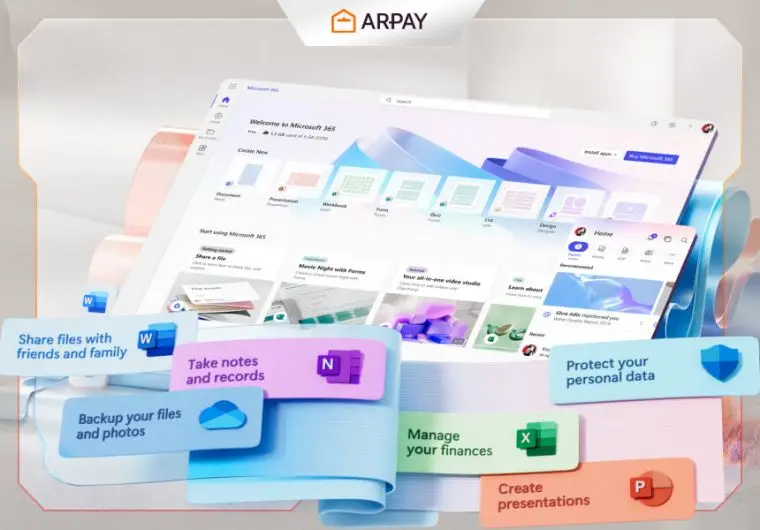
Whether you’re a solo entrepreneur or part of a large organization, we have something that will make your work easier and offer multiple features: Microsoft 365.
It is specially designed to support your business needs. This article is your chance to explore Microsoft 365 and discover its feature-rich apps and numerous advantages that you can integrate into your system to make everyday tasks easier and faster.
ًWhat is Microsoft 365?
Microsoft 365 is a cloud-powered productivity platform that includes useful apps like Microsoft Teams, Word, Excel, PowerPoint, Outlook, and OneDrive.
With a subscription, you can install these apps on PCs, Macs, tablets, and phones, and enjoy 1 TB of OneDrive cloud storage. Subscribers also receive exclusive feature updates and upgrades, ensuring access to the latest tools and functionalities.
All of these features make it very useful for companies, teams, or even solo workers.

What Are The Benefits of Using Microsoft 365?
Microsoft 365 is designed to offer many features that enhance productivity and streamline work across devices, and before you try it we will help you to discover more about them.
Productivity:
Microsoft 365 grants access to essential applications like Word, Excel, and PowerPoint.
These tools enable you to effortlessly create, edit, and collaborate on documents, spreadsheets, and presentations.
Whether you’re drafting a report, analyzing data, or designing a slideshow, these applications provide the functionalities necessary to streamline your work processes and boost productivity.
Cloud Collaboration:
Microsoft 365 facilitates real-time collaboration among team members through services such as Microsoft Teams and SharePoint Online.
You can easily share files and engage in virtual meetings, regardless of your location. These tools enhance communication and teamwork.
Security:
It is equipped with advanced security features to protect your data and privacy.
It includes data encryption, threat detection, and multi-factor authentication to safeguard sensitive information.
These security measures ensure that your files and communications remain secure from unauthorized access and cyber threats.
Anywhere Access:
OneDrive, part of Microsoft 365, offers 1 TB of cloud storage, enabling you to store and access your files from any device with an internet connection.
This ensures that your documents, photos, and other important files are always within reach, whether you’re working from a computer, tablet, or smartphone.
Regular Updates:
Subscribers benefit from automatic updates, guaranteeing access to the latest features, improvements, and security enhancements.
This ensures that your tools are always up-to-date with the newest functionalities, providing an optimal and secure user experience without the hassle of manual updates.
Flexibility:
It offers a wide range of subscription plans to cover the different needs of individuals, small businesses, and large enterprises.
Each plan provides specific features and services, allowing you to choose the solution that best fits your requirements.
You can unlock all those features and upgrade your devices when you buy Microsoft 365 gift cards from ARPay.
How Many Apps Does Microsoft 365 Offer?
Microsoft 365 covers a wide range of applications. Based on your subscription plan, you can access various tools and services, including but not limited to:
- Microsoft Word
- Microsoft Excel
- Microsoft PowerPoint
- OneNote
- Microsoft Outlook
- Publisher
- Access
- Sway
- Yammer
- SharePoint
- Exchange Microsoft Teams
- Planner
- StaffHub (Shifts)
- Power BI
- Forms
- Stream
- Flow
- PowerApps
- Microsoft Bookings
What are the security and compliance standards?
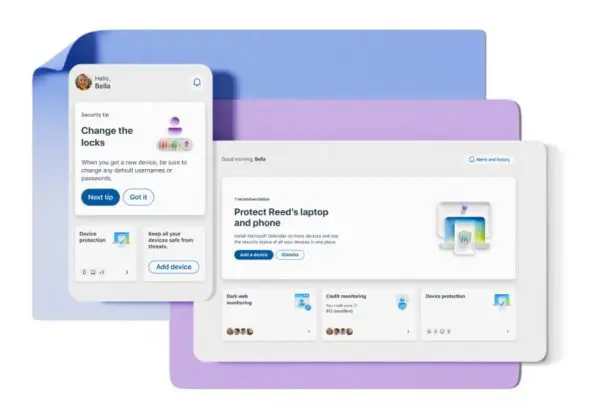
Microsoft 365 prioritizes robust data protection and regulatory compliance through adherence to a comprehensive set of security standards, let’s discover some of it together
Key Security and Compliance Standards:
- ISO Standards: Includes ISO 27001 for information security management systems, ISO 27017 for cloud security controls, and ISO 27018 for privacy protection in cloud services.
- NIST Guidelines: Adheres to NIST 800-171 guidelines for safeguarding Controlled Unclassified Information (CUI).
- Regulatory Compliance: Meets requirements such as HIPAA/HITECH for healthcare data privacy and GDPR for EU data protection.
- Cryptographic Security: Complies with FIPS 140-2 for cryptographic module security.
- Industry-Specific Regulations: Adheres to PCI-DSS, FERPA, and GLBA regulations, ensuring compliance across various sectors.
These standards collectively enhance security, and privacy, across organizations utilizing Microsoft.
You can find other information and news about digital and technology updates in ARPay blog.
Conclusion
Microsoft 365 stands out as an outstanding tool for both solo entrepreneurs and organizations.
Its suite of feature-rich apps and robust advantages make everyday tasks easier, faster, and more efficient.
By using Microsoft in your workflow, you can streamline your processes, enhance collaboration, and ensure top-notch security for your data.
Whether you are looking to improve communication, safeguard your information, or get more tasks done in less time, Microsoft is designed to meet and exceed your business needs.
Embrace the power of Microsoft 365 and maximize your productivity.
FAQs
What is Microsoft 365?
Microsoft 365 is a subscription service that provides access to a suite of Microsoft applications and services. It also offers 1 TB of OneDrive cloud storage.
Is Microsoft 365 now free?
No, Microsoft 365 is not free. It is a subscription-based service that offers access to Microsoft’s suite of productivity apps and services.
Can I use the same Microsoft account on two computers?
Yes, you can use the same Microsoft account on multiple computers. This allows you to access your files, settings, and apps across different devices.
What is Microsoft versus Office 365?
Microsoft 365 and Office 365 are essentially identical services, although Microsoft has renamed Office 365 to Microsoft 365. Both provide similar applications and services, but Microsoft 365 features extra features like AI-powered tools and sophisticated security features.

Aya Atef
I'm Aya, a content creator at ARPay, crafting engaging articles about payment gift cards, digital installments, and everything that makes online shopping seamless. Whether it's gaming top-ups or the latest e-commerce trends, I write to level up your shopping experience!

