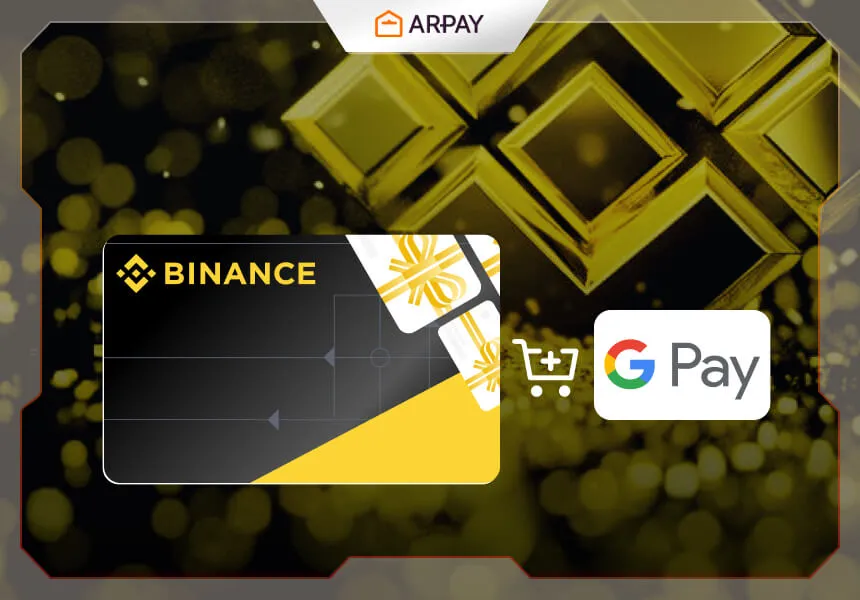
If you want to buy a Binance Gift Card with Google Pay, this can be one of the fastest ways to complete checkout when Google Pay is supported in your country and your linked funding source works correctly. In this guide, you will learn how to complete the purchase on AR-PAY, when Google Pay is a good choice, and what to do if the payment does not go through on the first try.
Can You Buy a Binance Gift Card with Google Pay?
Yes. You can buy a Binance Gift Card with Google Pay on AR-PAY if Google Pay is available in your region and your linked payment source is valid for the transaction.
- Choose the Binance Gift Card you need
- Continue to checkout
- Select Google Pay if available
- Complete payment authorization
- Wait for the order details to arrive by email
Why Use Google Pay for a Binance Gift Card?
- Fast checkout: it reduces friction and speeds up payment.
- Mobile-friendly: especially useful for users completing purchases on their phones.
- Familiar wallet flow: many users prefer paying through a digital wallet they already trust.
- Practical funding flexibility: depending on your setup, you may be able to use a linked card or another supported source.
How to Buy a Binance Gift Card with Google Pay on AR-PAY
- Open the Binance Gift Card page on AR-PAY.
- Choose the product or denomination you need.
- Go to checkout.
- Sign in to your AR-PAY account or create one if needed.
- Select Google Pay if it appears among the available methods.
- Authorize the payment.
- Wait for the order details to be delivered to your email.
Use This Method on AR-PAY
If you prefer digital wallets instead of entering card details manually every time, Google Pay can be a practical option for buying Binance Gift Cards on AR-PAY. This is especially useful for users who want a simple and familiar checkout flow for digital products.
Start here: Binance Gift Cards on AR-PAY
When Is Google Pay a Good Choice?
- You already use it for everyday purchases
- You prefer to pay on mobile
- You want a faster checkout flow
- Your Google Pay account and linked funding source work normally in your country
When Might Google Pay Not Be the Best Choice?
- Google Pay is not supported in your market
- Your linked card or account declines the payment
- There are currency or bank restrictions
- You need a different payment method with better regional acceptance
What to Do If Google Pay Does Not Work
- Check whether Google Pay is active and working correctly
- Verify the linked funding source
- Retry from another device or browser
- Check for a temporary network or authorization issue
- Try another payment method available on AR-PAY
If Google Pay does not work, consider PayPal, cards, or another supported payment route. You can also review the payment obstacles guide to understand the cause more clearly.
Common Problems and Fixes
The payment did not go through
Check Google Pay status, your linked card or account, and whether the transaction is allowed for your country and currency.
You did not receive the product
Check your email inbox and spam folder, and allow a few minutes if the order is still being processed.
Are there fees when using Google Pay?
This depends on your payment setup, bank, and linked method. Review those details in advance if fees matter for your checkout choice.
Is Google Pay supported in your country?
Support varies by country, bank, device, and payment setup. If it is not supported, switch to another method instead of repeating a failed attempt.
Helpful Links
- Check Binance Gift Card Balance
- How to Buy a Binance Gift Card with PayPal
- Payment Obstacles
- Binance Gift Cards on AR-PAY
Conclusion
If you want a practical and fast way to buy a Binance Gift Card, Google Pay can be a strong option on AR-PAY when it is supported in your country and your linked funding source works correctly. And if the first payment attempt fails, there are still other routes that may help you complete the purchase.
A simple decision rule before checkout
Google Pay is a strong option on AR-PAY when two things are true at the same time: it is supported in your country, and the funding source linked to your wallet is valid for this transaction. If either part is weak, the “fast checkout” advantage disappears, because you may spend more time retrying authorizations than you would by switching payment methods early. A practical way to decide is to ask: does Google Pay already work for you in normal daily purchases on this device? If yes, it is usually worth trying first. If no, using another available method on AR-PAY can be the faster path to completion.
Fast troubleshooting flow when Google Pay fails
When a payment does not go through, repeating the same attempt without changing anything often produces the same result. Instead, treat it like a quick checklist: confirm Google Pay is active, confirm the linked card or account can fund the transaction, then retry from a different device or browser if needed. If you still cannot authorize successfully, the guide already recommends switching to another payment route on AR-PAY such as PayPal or cards.
- Check that Google Pay is active and working correctly on your device.
- Verify the linked funding source and confirm it is valid for the transaction.
- Retry from another browser or device to rule out a temporary authorization or network issue.
- If it still fails, use another payment method available on AR-PAY instead of looping retries.
After payment: make sure you receive the order details
The purchase flow in this guide ends with one key step: waiting for the order details to arrive by email. If you do not see them immediately, it does not always mean something is wrong. First, check the inbox and spam folder, then allow a short processing window before escalating the issue. This reduces unnecessary worry and prevents duplicate purchases caused by impatience.
- Check your inbox and spam/junk folder for the order email.
- Allow a few minutes if the order is still being processed.
Fees and support: what the guide actually guarantees
This article is careful about what can vary. Google Pay support is not universal and depends on your country, bank, device, and payment setup. Fees are also not a fixed rule, because they can depend on your bank and the linked method behind Google Pay. If fees matter for your checkout choice, the safest approach is to review your setup first, then pick the method that best matches your priorities: speed, acceptance, or cost predictability.
Summary box
To buy a Binance Gift Card with Google Pay on AR-PAY, choose the product, select Google Pay at checkout if available, authorize payment, then watch for the order details by email. Google Pay is ideal when supported locally and your linked funding source is valid. If authorization fails, troubleshoot once with a clear checklist, then switch quickly to another supported payment method to complete the purchase efficiently.