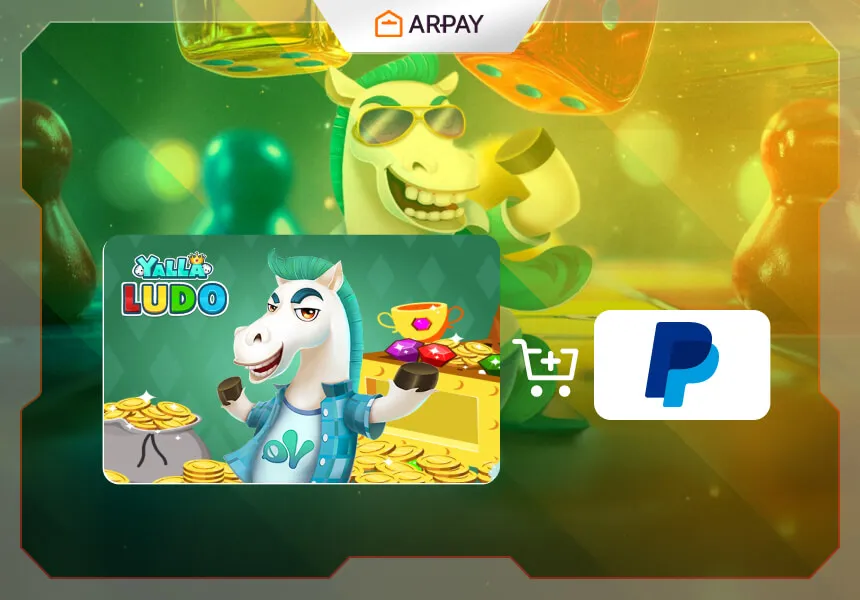
If you're wondering how to buy a Yalla Ludo Gift Card using PayPal, you're not alone. Many users look for ways to pay with their preferred method, whether it's a digital wallet, prepaid card, or buy-now-pay-later solution.
In this guide, we’ll walk you through the entire process so you can purchase a Yalla Ludo Gift Card easily, securely, and in just a few minutes.
Whether you're using PayPal for convenience, speed, or due to regional availability, ARPAY supports a wide variety of options for buying digital products like Yalla Ludo Gift Card.
Why Use PayPal for Buying Yalla Ludo Gift Card?
- Fast and Secure: PayPal is known for its fast checkout and reliable security.
- Widely Accepted: Supported in over 200 countries and regions.
- No Credit Card Needed: Ideal for users without access to international credit cards.
- Flexible Options: Pay with your balance, linked bank, or credit/debit card.
- Popular in Your Region: Frequently used for gaming, entertainment, and digital product purchases.
Step-by-Step: How to Buy Yalla Ludo Gift Card with PayPal on ARPAY
- Go to ARPAY and choose the correct Yalla Ludo Gift Card variant (e.g., region, denomination).
- Click “Buy Now” and proceed to the checkout.
- Create an account on ARPAY. Or log in if you have an existing account.
- Select PayPal QAR, PayPal EGP, PayPal SAR, PayPal AED, or PayPal USD from the list of available payment methods.
- You will be taken to PayPal to authorize the payment.
- ARPAY will send you the products via email to the address linked with the PayPal account. Only one PayPal ID account is allowed.
Tip: Make sure your PayPal account is active and has a sufficient balance or a linked payment source.
Read also: Using PayPal for Gift Card Purchases on ARPAY
Is PayPal Supported in My Country?
Yes! PayPal is widely supported in countries around the world. If you're located in the US, UK, Europe, MENA, or Asia, you can use it to pay without any issues.
Common Issues and Fixes
Payment Not Going Through?
Double-check your account, internet connection, and try again. You can also switch to a different browser or device.
Didn’t Receive the Product?
Check your spam/junk folder. If you still don’t see it, contact ARPAY support for immediate help.
Is There a Fee for Using PayPal?
ARPAY does not charge extra fees, but your provider may apply currency conversion or service fees.
Is PayPal Supported in My Country?
1-PayPal QAR is primarily intended for customers in Qatar, but can also be used by international users whose PayPal accounts support QAR transactions. You must have a verified PayPal account to use this method.
2- PayPal EGP is available for customers in Egypt, and can be used globally by anyone whose PayPal account supports sending payments in EGP. Your PayPal account must be verified and authorized to transact in local currency.
3- PayPal SAR is available to users in Saudi Arabia and countries where PayPal supports sending payments in SAR. A verified PayPal account that supports SAR transactions is required.
4- PayPal AED is available to users in the United Arab Emirates and other countries where PayPal operates and supports payments in AED. To use this method, you must have a verified PayPal account that can send payments in AED.
5- PayPal USD is available in all countries where PayPal is operational and supports USD transactions. This includes:
- United States
- Canada
- United Kingdom
- Australia
- Most of Europe
- Parts of Latin America, Asia, and the Middle East
You must have a verified PayPal account with the ability to send payments in USD.
Final Thoughts
Buying Yalla Ludo Gift Card with PayPal is quick, easy, and secure when you use ARPAY. Whether you're topping up a game wallet, grabbing a subscription, or sending a gift, this method ensures a smooth checkout experience.
If you found this guide helpful, feel free to share it or bookmark it for future purchases!
ARPAY is your trusted global platform for secure digital product purchases. Browse our full collection of payment guides .
Before You Checkout: Quick Preparation Steps
A smooth Yalla Ludo Gift Card purchase usually starts before you click Buy Now. The guide already shows that checkout success depends on the right variant selection, a compatible PayPal option, and an active PayPal account. If you prepare these in advance, you reduce failed attempts and get product delivery by email faster.
- Choose the correct Yalla Ludo Gift Card variant, including region and denomination.
- Sign in to ARPAY or create your account before payment.
- Confirm your PayPal account is active and has balance or a linked payment source.
- Pick the PayPal method that matches your country and currency flow.
- After payment, check inbox and spam/junk for delivery details.
Choosing the Right PayPal Method on ARPAY
The article lists multiple PayPal options: PayPal QAR, PayPal EGP, PayPal SAR, PayPal AED, and PayPal USD. There is no single best option for all users. The practical choice is the one that works reliably with your local checkout conditions and account setup.
PayPal QAR is mainly intended for customers in Qatar, but international users may use it when their PayPal accounts support QAR transactions. The guide also highlights broad PayPal availability across markets such as the United States, Canada, the United Kingdom, Australia, much of Europe, and parts of Latin America, Asia, and the Middle East.
If Payment Fails: A Practical Recovery Flow
When a payment fails, repeating the same attempt without changes often wastes time. A better approach is to verify key inputs once, then retry with adjustments. This method aligns with the troubleshooting steps in the article and helps you move to a successful authorization faster.
- Recheck account details and internet stability.
- Confirm country and currency compatibility for the selected method.
- Retry from another browser or another device if the session looks unstable.
- Switch to another supported PayPal option instead of looping on the same failed route.
- After success, verify delivery email in inbox and spam/junk.
Fees, Verification, and Delivery Expectations
According to the guide, ARPAY does not add extra PayPal fees. However, your payment provider may apply currency conversion or service charges. That is why it helps to review final payment details before authorization.
The article also emphasizes account readiness: use a verified PayPal account and make sure it can send payments in the required currency flow. Once authorized, product details are sent to the email linked with your PayPal account.
Summary Box
Buying a Yalla Ludo Gift Card with PayPal on ARPAY is easiest when you match variant, country, currency, and payment method before checkout. Keep your PayPal account active and verified, authorize payment, and confirm delivery by email. If issues appear, troubleshoot in sequence and switch to another supported method when needed.