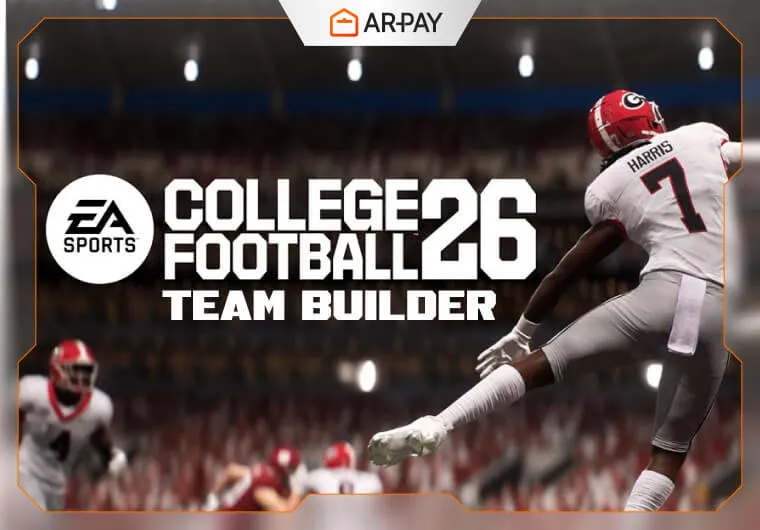
Team Builder is still one of the easiest ways to understand why College Football 26 matters to longtime sports-game fans. People did not ask for it back because they wanted a novelty menu. They wanted a way to create schools that felt personal, rebuild programs that no longer exist, invent rivalries, and turn Dynasty mode into something more than a season checklist. In 2026, that appeal is still strong because customization in a college football game does more than change colors on a jersey. It changes the story you tell every time you start a new save.
The broad shape of the feature is easy to explain even when individual tools evolve over patches. Team Builder is about constructing a college program that looks, sounds, and plays the way you want. That usually means editing school identity, visual branding, roster direction, and where that team fits once you carry it into larger modes. The real question is not whether custom teams exist. It is how deep the mode goes, how smoothly it connects to Dynasty, and how much freedom EA actually allows before online balance or moderation rules start pushing back. Some of those edges can still shift with updates, so highly specific tool-by-tool claims deserve caution unless they are checked against current official notes. []
What Team Builder actually changes
At the simplest level, Team Builder changes the emotional center of the game. A stock roster can be fun, but a custom program creates attachment much faster. Once you name the school, choose the colors, build the uniforms, and decide what kind of roster philosophy the team follows, every win feels more personal. That is why this feature tends to matter more in college football than in many other sports games. School identity is a huge part of the fantasy.
Most players care about four layers of customization. First is branding: team name, logo direction, color palette, and uniforms. Second is roster identity: whether you want a balanced squad, a run-first bruiser, a speed-heavy offense, or a long rebuild built around recruiting and development. Third is presentation: the stadium feel, crowd vibe, and how believable the program looks once it hits the field. Fourth is integration: whether that custom school stays trapped inside an isolated creation mode or becomes usable in the modes people actually sink time into.
Why Dynasty is where the feature really matters
Dynasty is where Team Builder stops being cosmetic and starts becoming meaningful. If you can import your custom school into a long-form program-building mode, then everything changes. Recruiting gets more interesting because you are not just improving a familiar brand; you are defining what that brand becomes. Conference placement matters more. Rivalries matter more. Even a middling season can feel memorable if it belongs to a school you invented yourself.
That is also why online and offline compatibility matters so much. If custom programs work only in a limited sandbox, the mode loses some of its reason to exist. If they work across Dynasty structures with sensible restrictions, then Team Builder becomes a replayability engine. One save can revolve around restoring a fallen regional school. Another can focus on a fictional powerhouse built from scratch. Another can become an underdog experiment with strict recruiting limits. That flexibility is the real long-term value of the feature.
Customization depth versus practical limits
The dream version of Team Builder gives players nearly total control, but sports games rarely operate without constraints. The more freedom a creator tool has, the more questions show up around moderation, copyright, exploit prevention, and online fairness. If players can upload logos or import aggressive roster setups, the publisher has to decide how hard to police those choices. That is especially true in a college setting, where real schools, real branding, and player expectations all sit close together. Policies around uploaded graphics, inappropriate designs, or copyrighted marks can affect how open the system really feels in day-to-day use. []
Balance rules matter too. A custom team mode sounds fun until someone builds an obviously broken roster and drags it into competitive play. That is why any claim about full creative freedom should be understood alongside probable restrictions. EA may allow broad visual expression while still limiting certain rating or roster behaviors in shared environments. [] For many players, that is a fair trade if it keeps Dynasty and head-to-head play from collapsing into nonsense.
Why the community keeps caring about it
The community appeal is bigger than self-expression alone. Team Builder also turns every player into a contributor. Even people who are not interested in designing logos from scratch often enjoy browsing, downloading, and adapting what other players create. That community layer extends the game’s life because it keeps supplying new schools, new visual identities, and new what-if scenarios long after launch. A sports title becomes easier to revisit when the imagination of thousands of players keeps feeding the mode.
It also changes how people talk about value. A standard sports release can feel repetitive if annual changes are too small. But a strong creation suite increases the effective size of the game. It gives players more reasons to start over, test ideas, and build stories that do not depend on official teams alone. That is one reason Team Builder can matter as much as a gameplay patch in the eyes of dedicated fans.
What still needs careful verification in 2026
The main areas that should still be treated carefully are exact feature scope, update timing, server-side limitations, and cross-platform behavior. Claims about early access dates, the precise moment Team Builder returned, whether uploads sync flawlessly everywhere, or how many preset and stadium options are currently available can all age quickly after patches or backend changes. [] The safest reading is that Team Builder and Dynasty together represent one of College Football 26’s most important identity features, but the detailed boundaries of that system are best checked against the latest official game notes before publication.
Conclusion
In 2026, Team Builder still matters because it gives College Football 26 something a lot of sports games struggle to maintain: personal ownership. It lets players create not just a team, but a program with its own look, history, ambitions, and future. Dynasty is the mode that turns that idea into something lasting, because that is where custom identity meets long-term consequence. Even if some details continue to shift through updates, the big picture is clear: when Team Builder works well, it does not feel like a side feature. It feels like one of the strongest reasons to keep coming back.