Nintendo Switch Error Codes: Complete List and Fixes for 2026

Nintendo Switch Error Codes: Complete List and Fixes for 2026

· 10 min · By
Updated: Jun 5, 2026
2110
1100: the console cannot identify or connect to the wireless network. Re-enter the Wi-Fi password, move closer to the router, reduce interference, and power-cycle the modem and router before reconnecting (source: Nintendo Support).Active
Verified · 3 days ago
2110
2003: the wired LAN adapter is not being detected. Reseat the adapter, reconnect the Ethernet cable, try another router port, and test a different cable if available (source: Nintendo Support).Active
Verified · 3 days ago
2110
2004, 2110-2201, 2110-2214, and 2110-2220: the Switch can see the network but cannot complete the connection. These usually trace back to the wrong password, weak signal, or router-side issues. Rebuild the connection profile from scratch instead of editing the old one, then retry after a network restart (source: Nintendo Support).Active
Verified · 3 days ago
2110
2091 and 2110-3127: the console reaches the network layer but fails when DNS or wired routing breaks. If you manually changed DNS, switch back to automatic first. If that fails, test another network such as mobile hotspot Wi-Fi to separate console issues from home-network issues (source: Nintendo Support).Active
Verified · 3 days ago
2124
8006, 2137-8006, 2160-8006, and 2160-8007: connection tests or downloads timed out. These are common during poor wireless conditions, congested networks, or temporary service trouble. Restart the download, reboot the Switch, check the router, and confirm Nintendo’s network services are not in maintenance before trying again (source: Nintendo Support).Active
Verified · 3 days ago
2124
4009 and 2811-7001: general online-service errors. These often clear after a retry, but if they repeat, treat them as either service maintenance or a local connection fault. If multiple online features fail at the same time, check Nintendo’s service status first (source: Nintendo Support).Active
Verified · 3 days ago
2124
4517 and 2181-4017: the account or device was flagged for unusual behavior. Do not keep hammering retry. Sign out, restart, wait, and contact Nintendo Support if the block persists, especially if you were not using cheats, unauthorized software, or unusual network tools (source: Nintendo Support).Active
Verified · 3 days ago
2124
4007: online access is blocked at the console or account level. This is not a routine connection glitch. Basic home-network fixes rarely solve it, so this is one of the clearest cases where support contact is the right next move (source: Nintendo Support).Active
Verified · 3 days ago
2618
0513, 2618-0006, 2618-0201, 2618-0203, and 2618-0516: matchmaking or peer-to-peer session setup failed. These codes frequently show up in online games when NAT type, router settings, or unstable upload quality interrupt session negotiation. Test the connection, restart networking gear, and compare results on another network if the same game keeps failing (source: Nintendo Support).Active
Verified · 3 days ago
2811
1006, 2811-5001, 2811-1028, and 2810-1224: Nintendo Account sign-in or eShop access failed. Treat them as internet or service-authentication problems first, not as payment or hardware faults. Confirm your account can sign in, then retest after a network restart (source: Nintendo Support).Active
Verified · 3 days ago
2000
0000, 2021-0003, 2101-0002, and 2107-0427: the system or game software is not in a healthy current state. Update the console, update the game, and use the built-in corrupted-data check if the problem stays attached to one title (source: Nintendo Support).Active
Verified · 3 days ago
2122
0082 and 2164-0020: a specific piece of software is likely damaged or failing to launch cleanly. Delete the affected software, restart the console, and redownload it from your library. If only one title triggers the code, the reinstall step matters more than a full-system reset (source: Nintendo Support).Active
Verified · 3 days ago
2162
0101: the game cannot start until the required update is installed. Open the software options, force an update check, and confirm the Switch itself is on current firmware as well (source: Nintendo Support).Active
Verified · 3 days ago
2306
0819 and similar online-launch errors usually mean the game, service handshake, or console firmware is not aligned with current online requirements. If the game recently updated or the season changed, install every pending patch before troubleshooting the network further (source: Nintendo Support).Active
Verified · 3 days ago
2142
1099 and 2155-0400: the Parental Controls app or related link cannot connect correctly. These usually resolve after a console update, app refresh, and a clean network test rather than a repair workflow (source: Nintendo Support).Active
Verified · 3 days ago
2005
0004 and 2005-0005: system data, add-on content, or storage may be corrupted. Power the console down fully, update it, inspect the affected title or DLC, and consider testing without the microSD card if the error started after storage changes. If unauthorized content was involved, remove it before doing anything else; Nintendo treats that as a serious risk factor (source: Nintendo Support).Active
Verified · 3 days ago
2813
0071: a general download or eShop processing issue. Restart the console and retry the transaction or download after confirming the service is up (source: Nintendo Support).Active
Verified · 3 days ago
2813
0055: the download code cannot be redeemed yet because the software is not available for redemption at that moment. If the title has a scheduled launch or preload timing, wait until Nintendo opens redemption for that release window (source: Nintendo Support).Active
Verified · 3 days ago
2813
0040: the code was already redeemed or cannot be used again. Double-check the exact account and region before assuming the code is defective (source: Nintendo Support).Active
Verified · 3 days ago
2813
6838 and 2813-6561: prepaid card or download code processing failed. Re-enter the code carefully and confirm the card region matches the Nintendo eShop region on your account. Region mismatch is a very common cause here (source: Nintendo Support).Active
Verified · 3 days ago
2813
1470: the saved payment card was rejected. Delete the payment method, add it again, and confirm billing details still match the card issuer’s record before retrying (source: Nintendo Support).Active
Verified · 3 days ago
2139
0006: hardware malfunction. Nintendo’s own guidance treats this as a repair case rather than a normal software fix. You can restart once and confirm updates are current, but repeated appearances usually mean support or service is needed (source: Nintendo Support).Active
Verified · 3 days ago
2153
0321: audio hardware problem. If you previously enabled automatic muting when headphones are unplugged, toggling that setting may work as a temporary workaround, but the code itself points to a deeper hardware issue and should be escalated if it returns (source: Nintendo Support).Active
Verified · 3 days ago
2153
1540: severe system malfunction. Restarting and updating are still worth trying once, but this is another code family that belongs in the repair lane if it repeats (source: Nintendo Support).Active
Verified · 3 days ago
2168
0002 and 2162-0002: crash-type errors with multiple possible causes, including corrupted data, unstable software, damaged storage, or deeper console issues. If the code follows one game, redownload that game first. If it appears across multiple games or immediately after boot, stop treating it as title-specific and move toward storage checks or formal support (source: Nintendo Support).Active
Verified · 3 days ago
2115
0096: amiibo read failure. Make sure NFC is being used with the correct controller, confirm the right Joy-Con or controller is functioning normally, update the system, and test another amiibo if possible before concluding the figure itself is bad (source: Nintendo Support).Active
Verified · 3 days ago

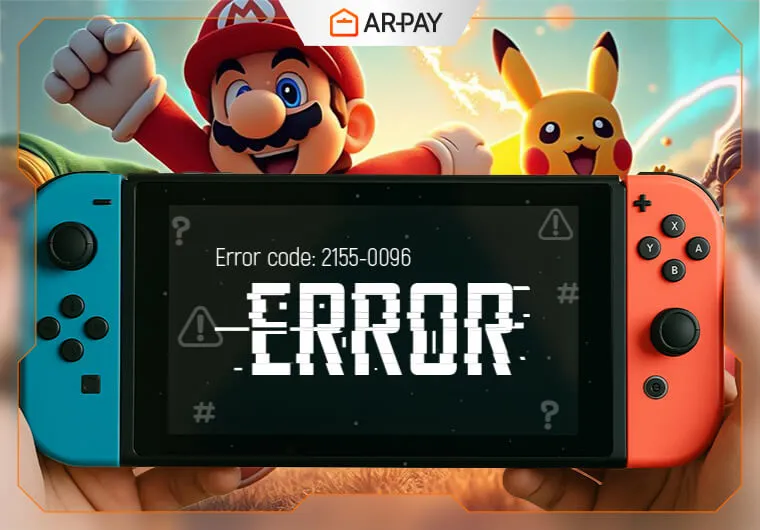
Nintendo Switch error codes are diagnostic labels the console shows when something interrupts normal play, downloads, sign-in, updates, or hardware communication. In practice, most codes fall into three buckets: connection problems, software or data problems, and hardware faults. Last verified: 2026-06-04 (source: Nintendo Support).

Quick answer: if your Switch throws an error code, start with the same official order Nintendo uses for most cases: restart the console, install the latest system update, test the internet connection if the code appears online, and check for corrupted data or pending game updates before assuming hardware failure (source: Nintendo Support).

Why Nintendo Switch error codes appear

The code itself is not the real problem; it is the clue. Nintendo uses different code families to narrow down where the failure happened. Codes in the 2110, 2124, 2137, 2155, 2160, 2618, and 2811 ranges usually point to networking, account, eShop, or online matchmaking issues. Codes in the 2000, 2021, 2101, 2107, 2122, 2142, 2162, and 2164 ranges often appear when software is outdated, corrupted, or unable to launch correctly. Hardware-focused cases tend to be more serious and include codes such as 2139-0006, 2153-0321, and 2153-1540 (source: Nintendo Support).

That classification matters because the fix path changes. A timeout while signing in is usually worth troubleshooting at home. A repeated hardware fault after restarts and updates usually is not. The faster you separate those two situations, the less time you waste.

First fixes to try before digging into the code list

These four steps solve a large share of common Switch errors and line up with Nintendo’s standard guidance. First, hold the power button and restart the console instead of leaving it in sleep mode. Second, install the latest system update from System Settings. Third, if the issue happens in a game, check that game for updates and run the corrupted-data check if the software menu offers it. Fourth, if the issue involves online play, downloads, eShop, or account login, run Test Connection from internet settings and confirm the console can reach Nintendo’s services (source: Nintendo Support).

If you recently moved data to a microSD card, added unofficial files, changed DNS settings, or switched routers, reverse that change before you do anything more advanced. A lot of recurring Switch errors are triggered by storage corruption, unusual network settings, or weak wireless stability rather than the game itself.

Common Nintendo Switch error codes and what to do

The codes below are the ones players most often still run into on Nintendo Switch and Switch OLED in 2026. Nintendo does not publish a single master page covering every code in one place, so the most reliable approach is to group them by behavior and use Nintendo’s troubleshooting patterns for each family (source: Nintendo Support).

Connection and online-service codes

2110-1100: the console cannot identify or connect to the wireless network. Re-enter the Wi-Fi password, move closer to the router, reduce interference, and power-cycle the modem and router before reconnecting (source: Nintendo Support).

2110-2003: the wired LAN adapter is not being detected. Reseat the adapter, reconnect the Ethernet cable, try another router port, and test a different cable if available (source: Nintendo Support).

2110-2004, 2110-2201, 2110-2214, and 2110-2220: the Switch can see the network but cannot complete the connection. These usually trace back to the wrong password, weak signal, or router-side issues. Rebuild the connection profile from scratch instead of editing the old one, then retry after a network restart (source: Nintendo Support).

2110-2091 and 2110-3127: the console reaches the network layer but fails when DNS or wired routing breaks. If you manually changed DNS, switch back to automatic first. If that fails, test another network such as mobile hotspot Wi-Fi to separate console issues from home-network issues (source: Nintendo Support).

2124-8006, 2137-8006, 2160-8006, and 2160-8007: connection tests or downloads timed out. These are common during poor wireless conditions, congested networks, or temporary service trouble. Restart the download, reboot the Switch, check the router, and confirm Nintendo’s network services are not in maintenance before trying again (source: Nintendo Support).

2124-4009 and 2811-7001: general online-service errors. These often clear after a retry, but if they repeat, treat them as either service maintenance or a local connection fault. If multiple online features fail at the same time, check Nintendo’s service status first (source: Nintendo Support).

2124-4517 and 2181-4017: the account or device was flagged for unusual behavior. Do not keep hammering retry. Sign out, restart, wait, and contact Nintendo Support if the block persists, especially if you were not using cheats, unauthorized software, or unusual network tools (source: Nintendo Support).

2124-4007: online access is blocked at the console or account level. This is not a routine connection glitch. Basic home-network fixes rarely solve it, so this is one of the clearest cases where support contact is the right next move (source: Nintendo Support).

2618-0513, 2618-0006, 2618-0201, 2618-0203, and 2618-0516: matchmaking or peer-to-peer session setup failed. These codes frequently show up in online games when NAT type, router settings, or unstable upload quality interrupt session negotiation. Test the connection, restart networking gear, and compare results on another network if the same game keeps failing (source: Nintendo Support).

2811-1006, 2811-5001, 2811-1028, and 2810-1224: Nintendo Account sign-in or eShop access failed. Treat them as internet or service-authentication problems first, not as payment or hardware faults. Confirm your account can sign in, then retest after a network restart (source: Nintendo Support).

Software, update, and corrupted-data codes

2000-0000, 2021-0003, 2101-0002, and 2107-0427: the system or game software is not in a healthy current state. Update the console, update the game, and use the built-in corrupted-data check if the problem stays attached to one title (source: Nintendo Support).

2122-0082 and 2164-0020: a specific piece of software is likely damaged or failing to launch cleanly. Delete the affected software, restart the console, and redownload it from your library. If only one title triggers the code, the reinstall step matters more than a full-system reset (source: Nintendo Support).

2162-0101: the game cannot start until the required update is installed. Open the software options, force an update check, and confirm the Switch itself is on current firmware as well (source: Nintendo Support).

2306-0819 and similar online-launch errors usually mean the game, service handshake, or console firmware is not aligned with current online requirements. If the game recently updated or the season changed, install every pending patch before troubleshooting the network further (source: Nintendo Support).

2142-1099 and 2155-0400: the Parental Controls app or related link cannot connect correctly. These usually resolve after a console update, app refresh, and a clean network test rather than a repair workflow (source: Nintendo Support).

2005-0004 and 2005-0005: system data, add-on content, or storage may be corrupted. Power the console down fully, update it, inspect the affected title or DLC, and consider testing without the microSD card if the error started after storage changes. If unauthorized content was involved, remove it before doing anything else; Nintendo treats that as a serious risk factor (source: Nintendo Support).

eShop and code-redemption errors

2813-0071: a general download or eShop processing issue. Restart the console and retry the transaction or download after confirming the service is up (source: Nintendo Support).

2813-0055: the download code cannot be redeemed yet because the software is not available for redemption at that moment. If the title has a scheduled launch or preload timing, wait until Nintendo opens redemption for that release window (source: Nintendo Support).

2813-0040: the code was already redeemed or cannot be used again. Double-check the exact account and region before assuming the code is defective (source: Nintendo Support).

2813-6838 and 2813-6561: prepaid card or download code processing failed. Re-enter the code carefully and confirm the card region matches the Nintendo eShop region on your account. Region mismatch is a very common cause here (source: Nintendo Support).

2813-1470: the saved payment card was rejected. Delete the payment method, add it again, and confirm billing details still match the card issuer’s record before retrying (source: Nintendo Support).

Hardware and system-failure codes

2139-0006: hardware malfunction. Nintendo’s own guidance treats this as a repair case rather than a normal software fix. You can restart once and confirm updates are current, but repeated appearances usually mean support or service is needed (source: Nintendo Support).

2153-0321: audio hardware problem. If you previously enabled automatic muting when headphones are unplugged, toggling that setting may work as a temporary workaround, but the code itself points to a deeper hardware issue and should be escalated if it returns (source: Nintendo Support).

2153-1540: severe system malfunction. Restarting and updating are still worth trying once, but this is another code family that belongs in the repair lane if it repeats (source: Nintendo Support).

2168-0002 and 2162-0002: crash-type errors with multiple possible causes, including corrupted data, unstable software, damaged storage, or deeper console issues. If the code follows one game, redownload that game first. If it appears across multiple games or immediately after boot, stop treating it as title-specific and move toward storage checks or formal support (source: Nintendo Support).

2115-0096: amiibo read failure. Make sure NFC is being used with the correct controller, confirm the right Joy-Con or controller is functioning normally, update the system, and test another amiibo if possible before concluding the figure itself is bad (source: Nintendo Support).

Which older code references are no longer useful

If you find old lists mentioning time-limited demo errors, very old online test events, or social-sharing workflows tied to services Nintendo no longer supports, treat those entries carefully. They may describe real historical codes, but they are not helpful for current troubleshooting in 2026. For a fresh fix, prioritize Nintendo’s current support articles and the code families above instead of legacy event-specific pages (source: Nintendo Support).

How to prevent repeat Switch error codes

Keep the system updated, and let game patches finish before putting the console away. On the network side, use the strongest available Wi-Fi band your router and room layout support, and avoid burying the dock behind dense electronics or inside cabinets. On the storage side, leave breathing room instead of running the console nearly full, and watch for errors that begin right after moving content between internal storage and microSD. Those patterns usually matter more than the code number alone.

If you redeem digital content often, keeping an eShop balance ready can be simpler than troubleshooting payment-method rejections during a release rush. That is the practical appeal of using a direct digital top-up option like https://ar-pay.com/en/category/gaming-gift-cards when you want to avoid re-entering card details at the last minute.

When to stop troubleshooting and contact Nintendo

Contact Nintendo sooner rather than later if you repeatedly see 2139-0006, 2153-0321, 2153-1540, or a crash code that survives restarts, updates, reinstalls, and network changes. Also escalate if 2124-4007 appears, because that is not the kind of problem most at-home fixes will solve (source: Nintendo Support).

Before contacting support, write down the full code, when it appears, whether it happens with one game or many, whether a microSD card is inserted, and whether another network changes the result. Those details cut through guesswork fast.


Frequently asked questions

What do Nintendo Switch error codes mean?
They are Nintendo’s shorthand for the type of failure the console detected, usually related to network access, software integrity, account services, storage, or hardware (source: Nintendo Support).
Can I fix most Nintendo Switch error codes myself?
Usually yes for connection, download, sign-in, and software-update issues. Restarting, updating, rechecking Wi-Fi, and reinstalling one affected game solve many cases. Repeating hardware codes are the main exception (source: Nintendo Support).
Which Nintendo Switch error codes are the most serious?
2139-0006, 2153-0321, and 2153-1540 are among the clearest repair-oriented codes, while 2124-4007 usually needs direct support because it affects online access status rather than routine connectivity (source: Nintendo Support).
Do Nintendo Switch error codes expire?
The codes themselves generally do not have expiration dates. What expires is the usefulness of old event-specific troubleshooting, such as limited demos or retired service flows. That is why current support guidance matters more than very old code lists (source: Nintendo Support).
What should I do first when I see a Switch error code?
Restart the console, update the system, check the affected game for updates, and test the internet connection if the problem involves online play or downloads. After that, match the code family to the right fix path (source: Nintendo Support).

Frequently Asked Questions

Why Does Nintendo Switch Say Error Code?
Your Switch displays error codes when something disrupts normal operation. The system constantly monitors itself - checking connections, validating software, and ensuring hardware components work properly. When the console detects an anomaly, it triggers an error code. This could happen during game launches, online connections, system updates, or hardware interactions. The code appears as a protective measure, preventing further damage or data corruption.
How to Fix Nintendo Switch Error Codes?
Here's every Nintendo Switch error code and how to fix each one:
What's the Best Way to Prevent Nintendo Switch Error Codes?
Keep your Switch updated with automatic downloads enabled. This prevents most software-related error codes before they happen. Maintain stable internet connections. Position your console within good WiFi range and avoid interference from other electronics. Handle your hardware gently. Protect it from drops, extreme temperatures, and dust accumulation that can trigger hardware error codes.
When Should you Contact Nintendo Support for an Error Code?
Contact support immediately for these hardware failure codes: 2153-0321 (audio hardware issues) 2168-0002 (console crashes)
Where Can you Buy Nintendo Gift Cards Online?
ARPay offers the most reliable way to purchase Nintendo eShop cards with instant digital delivery. Here's why gamers choose ARPay: Instant delivery - Get your codes via email within minutes of purchase Authentic guarantee - Every code is verified with full refund protection
What do Nintendo Switch error codes mean?
They are numerical identifiers that indicate specific issues with your console, such as software bugs, internet connection problems, or hardware malfunctions.
Can I fix most Nintendo Switch error codes myself?
Yes. Many codes can be resolved by restarting your console, checking your internet connection, or updating system software. Hardware-related codes, however, often require Nintendo Support.
Why does my Nintendo Switch keep showing error codes?
Frequent error codes may indicate unstable internet, outdated software, corrupted data, or failing hardware. Regular updates and proper maintenance reduce recurring issues.
Which error codes require immediate Nintendo Support?
Codes like 2153-0321, 2168-0002, 2139-0006, and 2153-1540 point to hardware malfunctions and should be escalated to official support.
How can I prevent Nintendo Switch error codes?
Keep your console updated, maintain enough storage space, use official accessories, ensure Joy-Con controllers are charged, and protect your device from physical or environmental damage.
Where can I buy Nintendo eShop gift cards safely?
The most reliable option is ARPay, offering instant delivery, verified codes, and multiple secure payment methods, making it easy to fund your eShop account anytime.

Was this helpful?