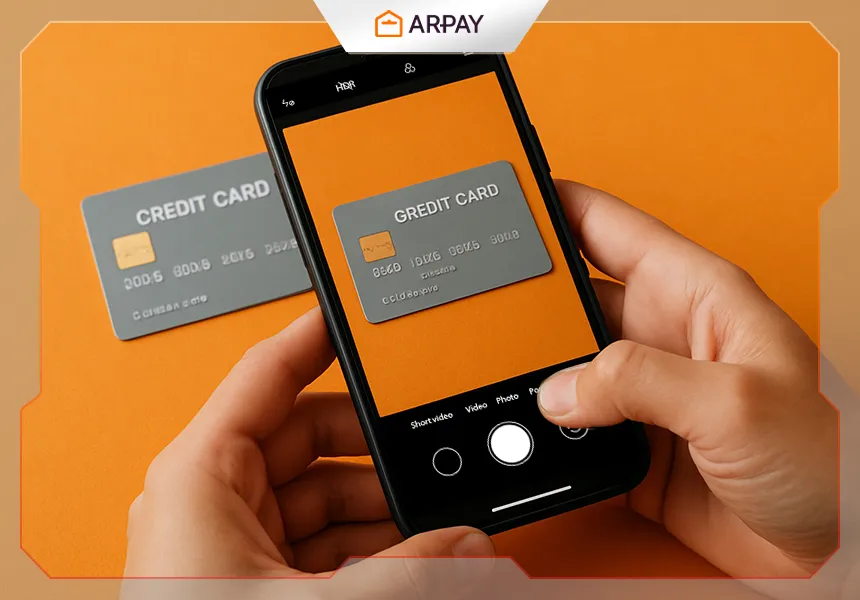
Congratulations! If you’ve already completed identity verification (KYC), you’re close to getting the smoothest version of the AR-PAY checkout experience. When your account approaches the limit of your current tier, the next unlock is often payment method verification—basically proving that the card or wallet you’re using belongs to you and is being used legitimately.
This guide refreshes the original 2025 walkthrough for 2026 by adding a bit more context (what reviewers usually look for, what to redact safely, and what slows approvals) while keeping the same structure, steps, and screenshots.
Why Verify Your Payment Method?
Payment method verification is a security step that helps prevent account takeover, stolen-card abuse, and “friendly fraud” disputes. It also helps AR-PAY apply higher purchase limits to accounts that have demonstrated consistent, legitimate ownership of both identity and payment details. Limits and eligibility rules can vary by country, risk signals, and compliance requirements in 2026. []
What Are the Benefits?
- Unlock the next level of purchase limits: verified payment methods can let you buy more without interruption. Exact limits vary by country and account tier in 2026. []
- Strengthen your security: verification helps protect your funds and account integrity by reducing the chance that someone can spend using a payment method that isn’t theirs.
- Enable additional features: some promos, payment options, or expedited processing may be reserved for fully verified users, depending on your region and current policies. []
What You Need to Submit
AR-PAY’s goal is simple: confirm that the payment method used on your account is legitimately yours. The original guide mentions two common document types. The exact accepted formats can change, so treat these as typical examples for 2026. []
- A scan or photo of the bank card you used to make your purchase (make sure your name is visible, if your card includes it).
- A transaction statement from your e-wallet (the source references PayPal, PIX, and others). Accepted wallets can vary by country and by policy changes in 2026. []
Practical safety note: only submit what the flow asks for. If you’re uploading a card image, avoid oversharing. In many verification workflows, it’s normal to mask parts of a card number while leaving enough information for the reviewer to match the payment method to your account. Masking rules can vary, so follow the on-screen instructions you see during verification in 2026. []
How Long Does It Take?
The source states reviews are completed within 48 hours and that limits may increase within 24 hours after verification. Review speed depends on workload, document clarity, and compliance checks, so treat these timelines as targets rather than guarantees in 2026. []
If you want the fastest outcome, the best “optimization” is boring: upload clear images, match names consistently, and avoid cropped screenshots that hide key details. Blurry uploads are a common reason reviews get delayed or rejected. []
Step-by-step Guide to Verify Payment Method on ar-pay.com
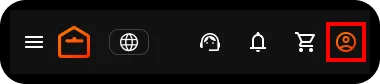
Step 1. Click on your Account.
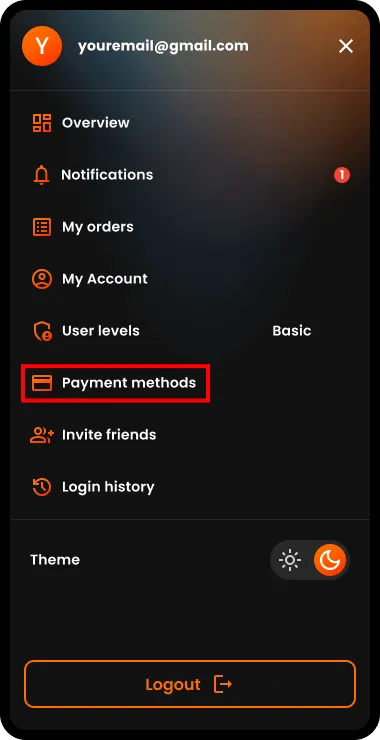
Step 2. Select Payment Methods.
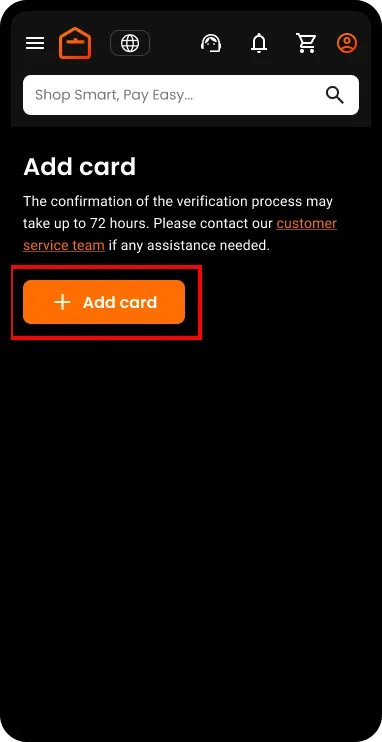
Step 3. Click the button to add and verify a payment method. The original article linked to a specific verification URL; in 2026, the safest approach is to follow the in-account flow shown in your dashboard, since paths can change. []
Step 4. Select your preferred language and choose one of the two options to start the verification process. Exact option names can differ by country and payment method type. []
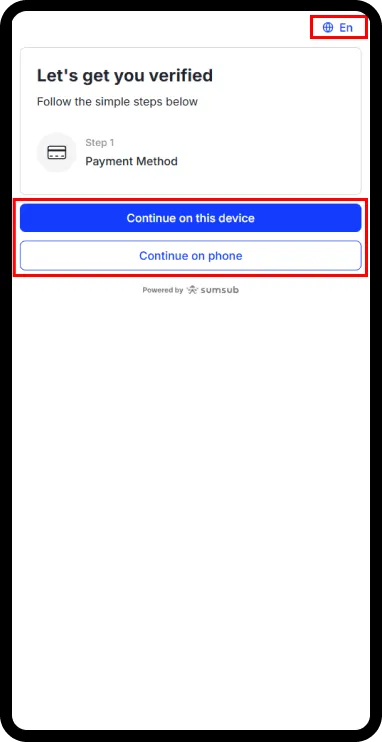
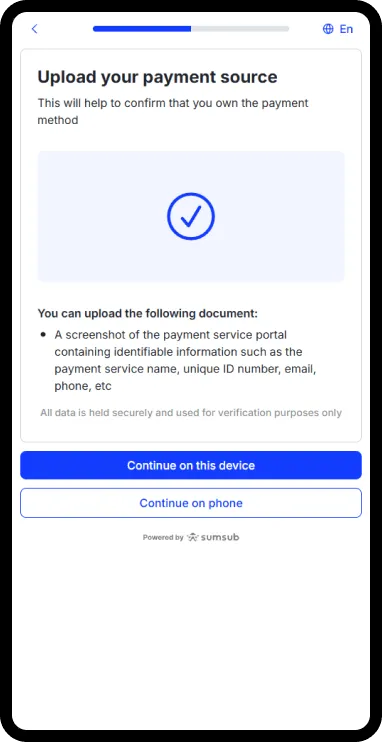
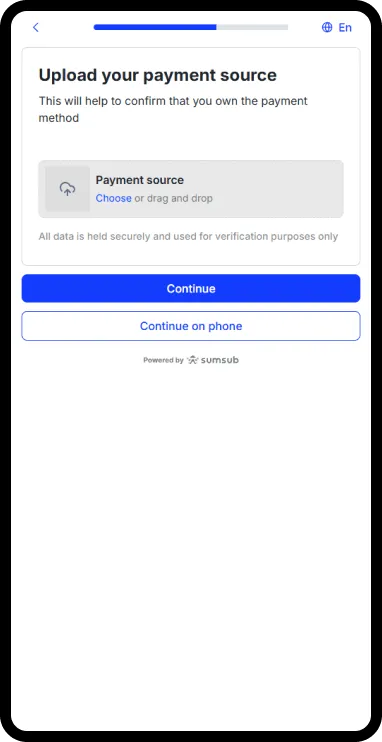
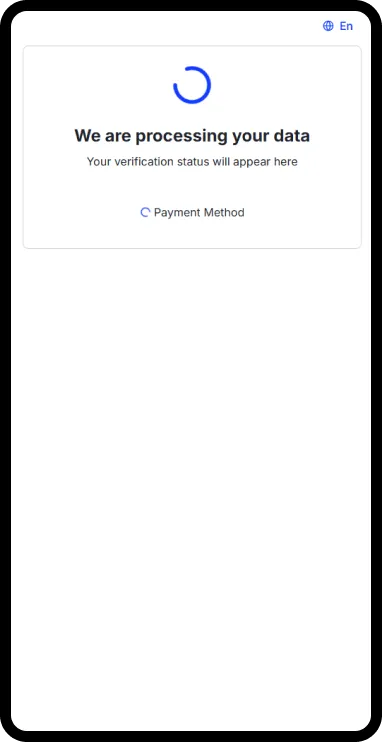
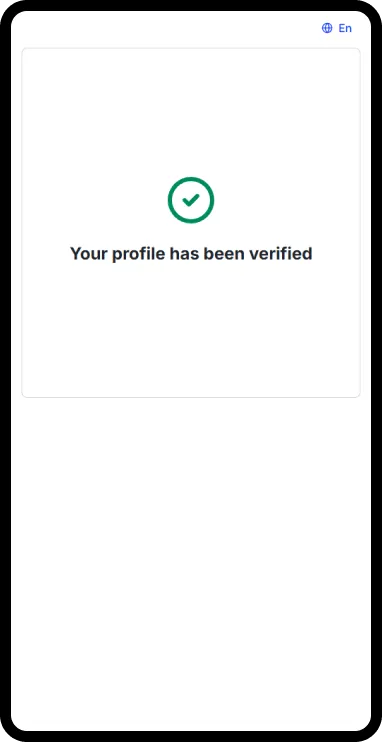
Step 5. Complete the verification process successfully. If the system asks for a re-upload or correction, don’t rush—small mismatches (name visibility, unclear statement lines, inconsistent currency) are usually what triggers a retry. []
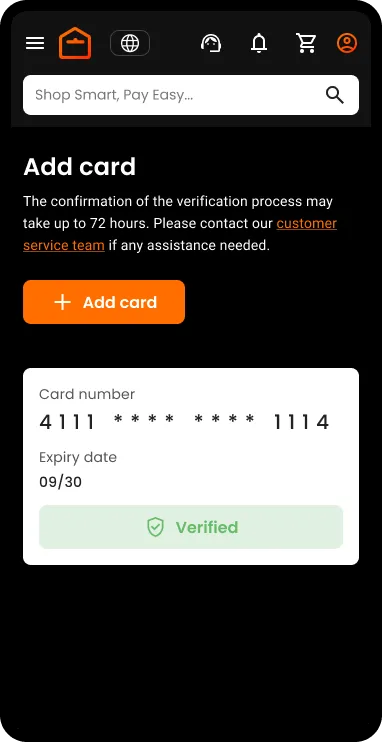
After Verification: What Changes (and What to Expect)
You’re all set now. In the original guide, the expected outcome is: your payment method is verified and your limits increase. Exact limit amounts differ per country and tier, and the timing of when limits update can vary. []
You can typically verify more than one payment method by repeating the same steps with a different card or wallet. Whether verifying multiple methods increases limits, and by how much, depends on current country rules and risk controls in 2026. []
Troubleshooting (2026 Quick Fixes)
If verification doesn’t go through on the first attempt, it usually means the reviewer couldn’t confidently match the payment method to your account. Try these fixes before you resubmit:
- Re-upload with better lighting and sharp focus (no glare, no heavy blur).
- Make sure your name is visible where required (cardholder name or statement owner name). Requirements differ by payment method. []
- If using an e-wallet statement, include the transaction lines that clearly tie the wallet to the purchase, without cutting off dates or reference IDs. []
- If your limits don’t update immediately, wait the stated window and then re-check your account tier/limits screen. Update timing varies by country and workflow. []