At ARPAY, verification is the switch that turns “basic browsing” into “smooth buying.” If you’ve hit the purchase limit for your current level, this is the fastest upgrade you can make in 2026—submit your ID, take a clear selfie, and wait for confirmation.
This refreshed guide keeps the original structure and screenshots, but tightens the pacing and adds what people actually need when they get stuck: what reviewers look for, what causes rejections, and how to resubmit without wasting time. Review timing, limits, and available methods can vary by country in 2026. []
Why Verification Matters
Identity verification (KYC) is how ARPAY reduces fraud and meets financial compliance expectations. It also helps keep checkout reliable: fewer failed attempts, fewer “limit reached” blocks, and clearer access to payment options that may be restricted for unverified accounts. Which rules apply depends on your country and the current compliance policy in 2026. []
Benefits of Completing Verification
- Unlock higher purchase limits: verified users typically get increased flexibility when purchasing gift cards. Exact limits vary by country and tier in 2026. []
- Added security: verification helps protect your account by making takeover and impersonation harder.
- Full access: some payment methods or features may be restricted without verification, depending on your region and risk controls. []
What You’ll Need
The verification flow is meant to be quick. Prepare these two items before you start so you don’t time out mid-upload:
- A valid government-issued ID (passport, national ID card, or driver’s license). Accepted documents vary by country in 2026. []
- A selfie: this helps match your face to your submitted ID and reduces fraud.
Fast approval usually comes down to clarity. Use good lighting, avoid glare on plastic cards, and make sure the ID edges and key text are visible. If your device compresses images heavily, the upload may look sharp to you but blurry to a reviewer. []
How It Works
- Submit your documents: open the verification flow and upload your ID and selfie.
- Review and confirmation: your submission is reviewed securely. Processing times vary by country and workload in 2026. []
- Enjoy higher limits: once approved, your account tier is upgraded and your purchase limits typically increase. Exact amounts vary by country in 2026. []
Get Verified Today
Don’t let limits block a purchase you’re ready to make. Start verification, follow the steps below, and keep an eye on your account status. The original article linked directly to a verification URL; since paths can change, the most reliable approach in 2026 is to navigate through your signed-in ARPAY account menus. []
NOTE: Purchase limits can differ for each country. []
Step-by-step Guide to Verify Your Identity
Step 1. Click on your Account.

Step 2. Select User levels.
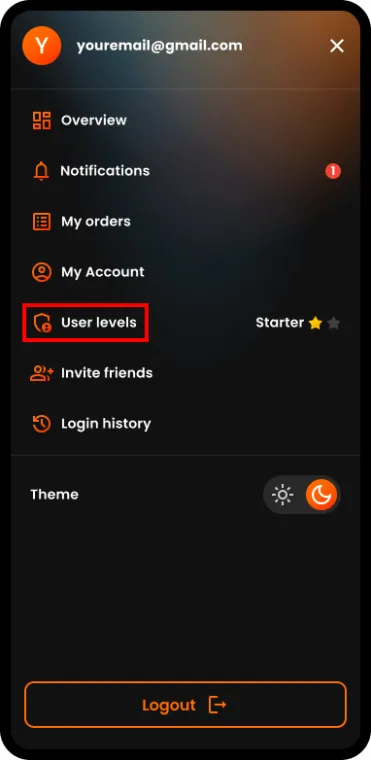
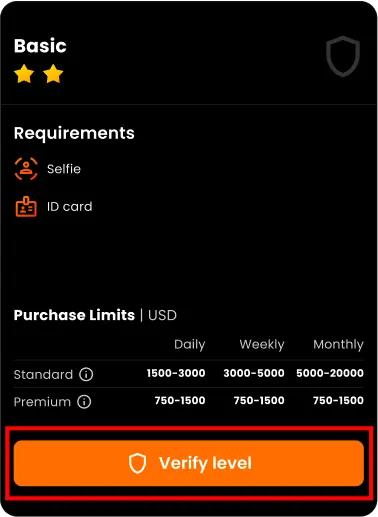
Step 3. Click the button to verify the Basic level. Exact labels can differ by app version in 2026, but you’re looking for the upgrade action on your tier screen. []
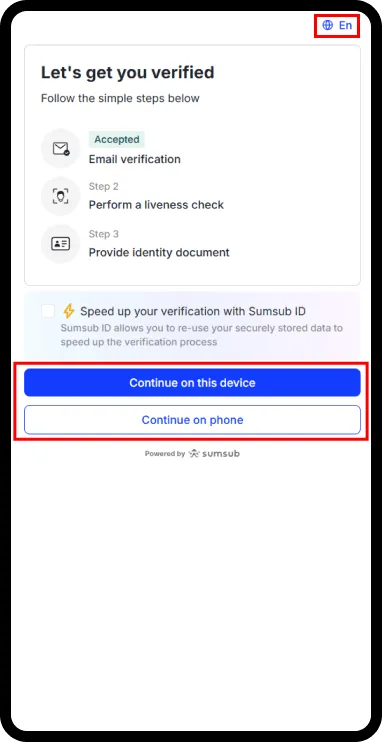
Step 4. Select your preferred language and choose one of the two options to start the verification process. Options can differ by country and document type in 2026. []
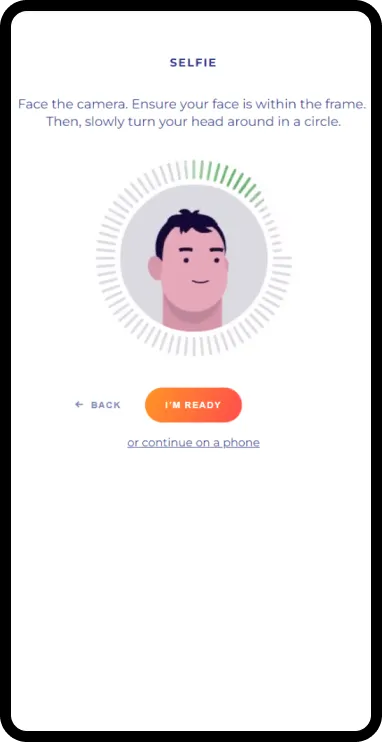
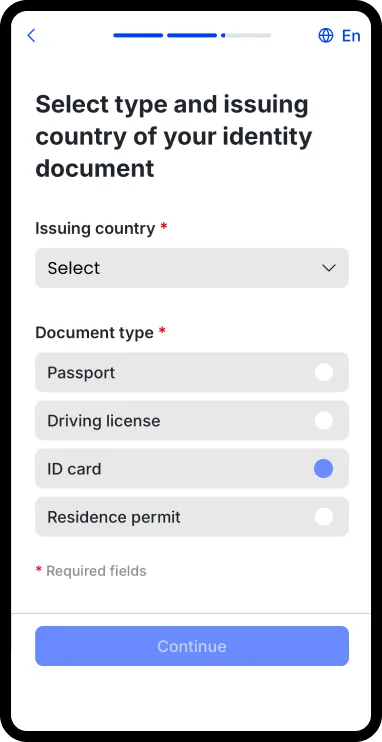
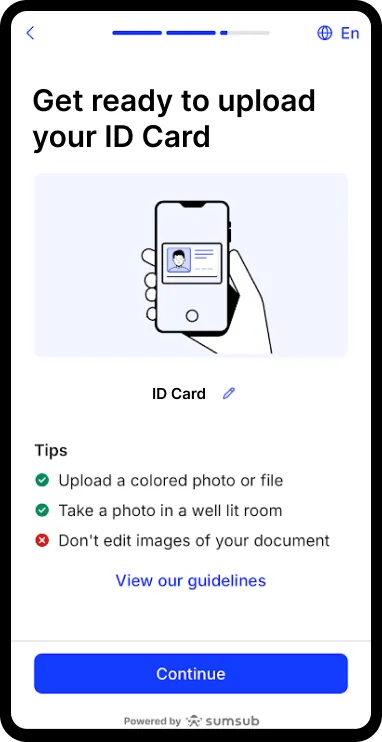
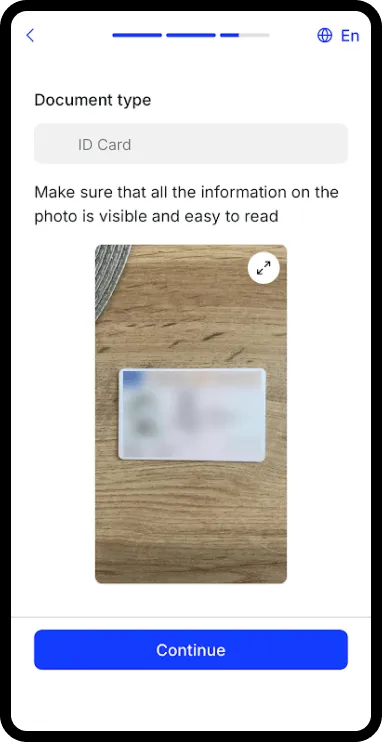
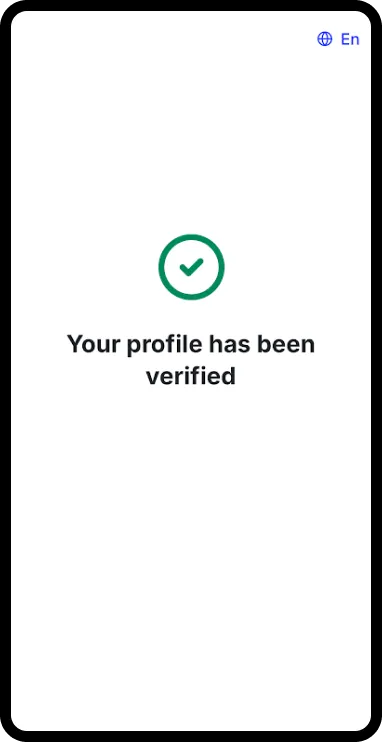
Step 5. Complete the verification process successfully. If you’re prompted to retry, fix the image quality first—most failures are due to glare, blur, cropped edges, or mismatched selfie framing. []
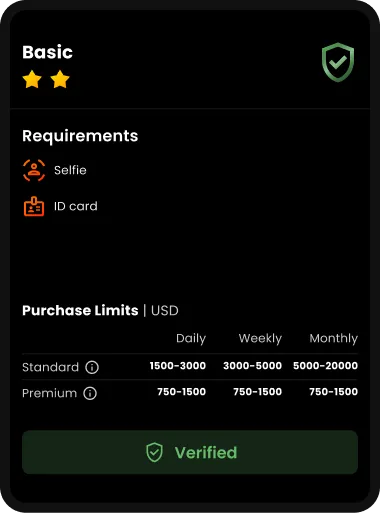
After You’re Verified (What Changes Next)
You’re all set now. In the original article, the expected result is: Basic level is verified and your limits are increased. The size of the increase depends on your country and tier rules in 2026. []
NOTE: The original guide says you can verify a payment method after verifying Basic level to increase purchase limits further. That process can differ by country and payment method type, so follow the instructions shown in your account in 2026. []
Troubleshooting (Fast Fixes)
If your verification is delayed or rejected, don’t resubmit the same files. Change one thing that increases reviewer confidence, then try again:
- Retake photos in bright, even light (avoid flash glare on glossy IDs).
- Make sure the full document is visible (no cropped corners or cut-off text).
- Match the selfie framing to the on-screen guidance (neutral expression, no heavy filters, no sunglasses). Requirements vary by flow in 2026. []
- If you’re traveling, expect extra friction: document acceptance and review rules can be stricter depending on region signals. []
FAQs
How long does verification take in 2026?
The original article says most verifications are processed within a short time, but timing varies by country, workload, and submission quality. Check the status view in your account for the most reliable expectation in 2026. []
Do I need a passport, or will a national ID work?
The source lists passport, national ID card, and driver’s license as typical options. Acceptance depends on your country and current policy, so follow the document list shown in your verification flow in 2026. []
What if I pass Basic verification but still hit limits?
Limits can be different per country and tier, and they can change with risk signals. The original guide suggests verifying a payment method as a next step. Follow the upgrade prompts inside your account in 2026 to see what’s available for you. []