


Are you looking for a gift card that opens a portal for you to explore endless content? There is a card that gives you access to explore over 30,000 music playlists, books, movies, and more! Choose iTunes Gift Cards.
In this article, we will discover together what an iTunes card is, its features, and all you need to know about it.
What is an iTunes Gift Card?
An iTunes gift card functions as a prepaid card designed specifically for purchasing digital content and services from Apple’s iTunes Store.
Whether you’re into music, movies, apps, books, or more, the card allows you to explore and enjoy a vast library of digital offerings.
You can easily purchase iTunes Gift Cards through ar-pay.com, It also provides the flexibility of either using it for personal indulgence in your favorite entertainment or gifting it to someone special, making it a perfect choice for sharing the joy of Apple’s digital ecosystem with friends and family.

Where to Buy iTunes Gift Cards Online
In today’s digital age, buying iTunes gift cards online offers convenience and flexibility.
Whether you’re gifting someone special or treating yourself to the latest digital content, ARPay provides easy access to iTunes gift cards like:
- ARPAY: a trusted website that allows you to buy iTunes gift cards online, it also offers other gift cards and eWallets.
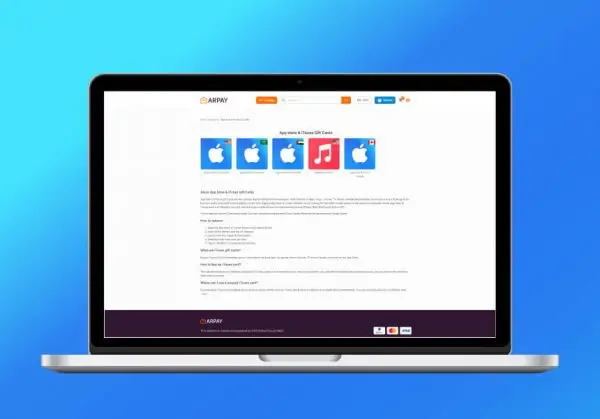
Steps to Buy an iTunes Gift Card
Buying an iTunes card online is an easy process you only need to choose a trusted website like ARPay, then visit the website and follow these steps:
- Select the Denomination: Choose the amount (denomination) of the gift card you wish to purchase. Typically, iTunes gift cards come in various amounts, such as $10, $25, $50, or higher.
- Add to Cart: Click on the option for the type of gift card and the chosen amount, then add it to your shopping cart.
- Proceed to Checkout: Once you’ve added the gift card to your cart, proceed to the checkout page to complete your purchase.
- Enter Payment Information: Enter your payment details, which may include credit card information, PayPal, or other accepted forms of payment.
Redeeming iTunes Gift Cards

To redeem iTunes gift cards on Apple devices like iPhones, iPads, MacBooks, and iMacs, follow these steps:
On iPhone or iPad:
- Open the App Store: Launch the App Store app on your device.
- Navigate to your Account: Tap on your profile picture or initials at the top right corner.
- Select “Redeem Gift Card or Code”: Scroll down and choose this option.
- Enter the Code: Use the camera to scan the code or enter it manually.
- Confirm: Tap “Redeem” and follow any additional prompts to complete the process.
On MacBook or iMac:
- Open the App Store: Launch the App Store from the dock or Applications folder.
- Sign In: If you’re not signed in, sign in with your Apple ID.
- Click on your Profile: At the bottom of the sidebar, click on your profile name or initials.
- Choose “Redeem Gift Card”: Select this option from the dropdown menu.
- Enter the Code: Type in the code and click “Redeem”.
- Confirm: Follow any further instructions to finalize the redemption.
Using iTunes (for older macOS versions or Windows PC):
- Open iTunes: Launch iTunes on your computer.
- Sign In: Sign in with your Apple ID.
- Go to “Account”: Click on your name or email at the top of the iTunes window and choose “Account Info”.
- Redeem: Scroll to the “Apple ID Account” section, click “Redeem Gift Card”, and enter the code.
- Submit: Click “Redeem” and follow the prompts to complete the redemption process.
Once you’ve redeemed your iTunes gift card, your Apple ID balance gets a boost. Dive into a world of apps, games, music, movies, books, and beyond at the iTunes Store, App Store, and Apple Books.
Enjoy the freedom to explore and indulge in everything Apple’s digital universe has to offer!
Benefits of Buying an iTunes Gift Card Online
Buying an iTunes gift card online has multiple benefits. You can shop at home without visiting a store, offering unparalleled convenience.
Instant delivery of digital codes allows you to start using your credit immediately, which is ideal for last-minute needs.
Secure payment methods ensure your transaction is safe and reliable. Furthermore, when the gift card is redeemed, it grants access to a broad range of digital content, such as apps, games, music, movies, and books from Apple’s vast ecosystem.
Conclusion
iTunes cards are one of the best cards available because they are a gateway to endless content and a mix of music of all kinds and books of all kinds, in addition to giving you the opportunity to enjoy the best movies.
In addition to the content, one of its advantages is that it is an easy card to buy and use and an ideal gift for anyone.

FAQs
What is the Saudi iTunes card used for?
The Saudi iTunes card, like iTunes cards in other regions, is primarily used to purchase digital content and services from Apple. This includes music, movies, apps, books, and subscriptions available on the iTunes Store, App Store, Apple Music, Apple TV, and more.
How do I convert an iTunes card to money?
iTunes gift cards are not designed to be converted directly into cash. However, there are some platforms and services where you may be able to sell or exchange your iTunes gift card for money or other gift cards.
What are the benefits I get from iTunes?
Using iTunes and iTunes gift cards offers several benefits. You gain access to a vast library of digital content, including millions of songs, thousands of movies and TV shows, top-rated apps, best-selling books, and more.
How to buy iTunes cards?
You can buy iTunes gift cards online or from various retail stores like Apple’s official website, ARPay, or other stores like Amazon and Walmart.

Aya Atef
I'm Aya, a content creator at ARPay, crafting engaging articles about payment gift cards, digital installments, and everything that makes online shopping seamless. Whether it's gaming top-ups or the latest e-commerce trends, I write to level up your shopping experience!

