We previously talked about iTunes backup and how it is possible to turn on and off automatic backup on iTunes, but we will provide the most important solutions that you must follow in case you forget your iTunes backup password.
Certainly all of us are vulnerable to this matter.
Either we forget the password or we may not be aware of it in the first place, and we need to know the password in order to access all files.
In the event that this happens to you, this means that you will not be able to restore the protection through using an iTunes password, and you will not be able to open it or skip this step.
So what is the way to restore all files and data from the iTunes backup without using the password?

First solution: try any password you know
The first step that you need to do is try any password you know in the iTunes store, such as the password for Apple ID or the password that you may have used before, such as passwords for email or any social media site, as it is usually used The same password on more than one site.
Second solution: retrieve the password using an external program
In the event that your first attempt to access your iTunes backup password is unsuccessful, you can look for a third-party tool to help you recover your iTunes password.
There are several well-known tools like Jihosoft iTunes Backup Unlocker.

How to use Jihosoft iTunes Backup Unlocker tool
This tool is considered one of the easiest tools to use to decrypt the encryption in the iTunes application, as well as the ease of downloading it to the device and not destroying any data or files in the backup copy of the iTunes store.
This program is used if the iTunes app requests a phone password that you did not previously set up, the backup password was entered incorrectly, or the backup password was forgotten in the iTunes Store.
- First, you have to download the program to your computer through the Jihosoft website.
- Then choose a password-protected iTunes backup, and click "Next" to continue.
- In this step, you have to choose between 3 ways to decrypt the iTunes backup. It is "brute force" or "brute force using the mask" or "dictionary method". Note that if you remember a small portion of the password, we recommend that you use the "brute-force using mask" method.
- When you have completed all the steps, press "Next", and then the password recovery process will begin.
Third solution: use backup and restore data without using iTunes
Also, you will use an external program in this step to back up your files on the computer without using iTunes, and one of the most important backup programs is Dr.Fone, this program will help you to share and create a backup copy of all data and files on any iOS device to the computer, including Photos, data, music files and playlists without using iTunes app.
Also, you can restore the backup copy from your computer to any iOS device with ease.
- First, download Dr.Fone to the computer, then connect the device using the USB cable.
- After the main screen appears, choose "Create and restore backup".
- In this step, you can easily create a backup copy of all your files on the device to the computer without restrictions of the iTunes application, by selecting "Create a backup copy".
- On the screen, you will see all the files and data available on your iOS device, after which you can choose the files that you want to copy, then choose the location of the backup on the computer, then click on "Create a backup".
- Now that you have created a backup copy of all the files you want, click on "View Backup History", to show you all the files that have been added to the backup.
- Return to the first screen, then choose "Restore".
- In this step, you can see the backup files on your computer, click on the copy that you want to restore to your iOS device, then choose "Next".
- Finally, all the files in the backup copy will be displayed, and you can choose the files that you want to restore to the phone, then click on Restore to Device or Extract to Computer.
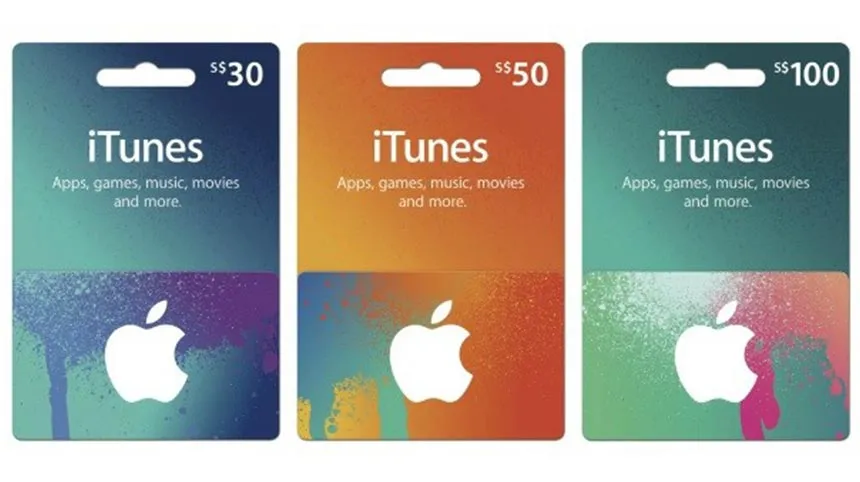
In the end, you have learned about the best ways to help you restore a backup from the iTunes store, in case you lose your iTunes password, and you can simply download all files and enjoy any music content you want on iTunes by purchasing iTunes cards from ar-pay online, as ar-pay provides you with all types of prepaid gift cards at the best prices in Saudi Arabia and in various price categories.
Tips to avoid forgetting your iTunes backup password in the future
Prevention is always better than recovery. Once you have regained access to your iTunes backup, it is a good idea to take a few simple steps to make sure you do not find yourself in the same situation again.
- Store your password in a password manager: Apps such as 1Password, Bitwarden, or the built-in iCloud Keychain can securely save your iTunes backup password so you never have to rely on memory alone.
- Write it down and keep it somewhere safe: If you prefer not to use a digital solution, writing the password on paper and storing it in a secure place is a reliable fallback.
- Use a memorable but strong password: Choose a passphrase that is personal enough to remember but not obvious to others. Avoid reusing passwords from other services if possible.
- Consider switching to iCloud Backup: iCloud Backup is tied to your Apple ID and does not require a separate password. If managing a local backup password feels cumbersome, iCloud is a simpler alternative for most users.
Before You Try to Recover the iTunes Backup Password
Before moving from one solution to another, it is better to organize your attempts. The iTunes backup password may be a password that you already use in another place, but trying too many random options can make the process confusing. Start with the most likely passwords first, then move to recovery tools only if those attempts do not work.
- Try your Apple ID password, old email passwords, and passwords you used for social media accounts.
- Write down every password you already tested so you do not repeat the same attempts.
- Make sure you are selecting the correct password-protected iTunes backup before using any external tool.
- Keep the iOS device connected properly with the USB cable when using a program such as Dr.Fone for backup or restore steps.
Which Solution Should You Try First?
If you only forgot the password but still remember several possible old passwords, the first solution is the simplest. It does not require installing anything and may solve the problem quickly. If that does not work, a tool such as Jihosoft iTunes Backup Unlocker can be used to recover the iTunes backup password from the protected backup.
If your goal is not to unlock the old backup but to create a new backup and restore selected files without relying on iTunes, then the Dr.Fone method is more suitable. As explained above, it allows you to create a backup copy on the computer and later restore files to the device or extract them to the computer.
Quick Summary
Forgetting an iTunes backup password can stop you from restoring your protected backup through iTunes, but you still have practical options. First, try passwords you already know. Second, use a recovery tool such as Jihosoft iTunes Backup Unlocker if you need to recover the forgotten backup password. Third, use a backup and restore program such as Dr.Fone if you want to back up or restore data without using iTunes.