If you’re not sure what Razer Gold cards are, what you can use them for, or how to top up games with Razer credit, this updated 2026 guide walks you through the essentials.
Razer Gold is popular because it’s prepaid: you load value first, then spend that balance on supported games and digital services. That makes it useful for budgeting, gifting, or shopping online without relying on a bank card at every checkout.
Just remember that Razer Gold rules can be region-specific. The same brand can have different redemption steps, currencies, and supported merchants depending on where your account is set. Always confirm the current terms for your region before buying or redeeming. []
In the beginning: what is Razer Gold?
Razer Gold is a prepaid balance (often described as credit or virtual currency) used to pay for supported games and digital entertainment.
The original article stated it can be used to purchase “over 2,000 games and entertainment content.” That number changes over time and depends on region and supported merchants, so treat it as a general claim and check the current supported list when it matters. []
The main benefit is convenience: instead of managing separate payment methods across multiple game stores, you maintain one balance and use it where Razer Gold is accepted.
How can I get Razer Gold credit?
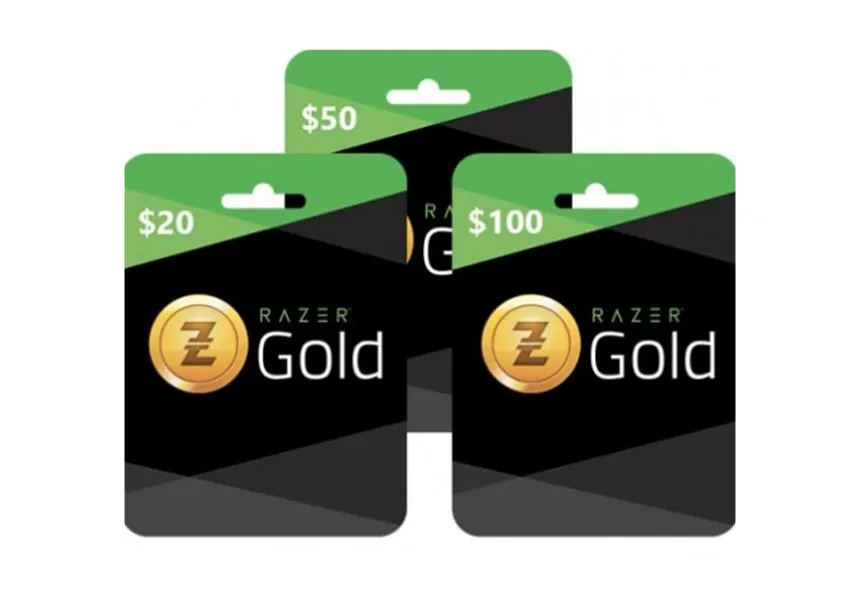
You can add value to your Razer Gold balance by redeeming Razer Gold cards or top-up codes.
The original article recommended buying Razer Gold cards through AR-PAY. Availability, denominations, delivery speed, and supported regions can vary by product listing and payment verification, so confirm the details on the specific card page before purchasing. []
In general, the flow is:
1) Buy a Razer Gold card (code)
2) Log in to your Razer Gold account
3) Redeem the code to add value
4) Use the balance at checkout on supported games/services
Does Razer Gold use fixed currency?
Razer Gold supports different regions and currencies. The simplest rule in 2026 is to pick the region/currency that matches where you live and where your game accounts are registered.
Why it matters:
• It reduces redemption failures caused by region mismatch.
• It helps avoid unnecessary conversions.
• It makes checkout smoother on services that enforce country-specific payment options.
If you’re gifting, ask the recipient what region their account is set to before buying. One “wrong region” code can turn a great gift into a support headache. []
Does Razer Gold credit expire?
The original article stated that your Razer wallet balance does not expire, while rewards/offers earned from promotions can expire within 30 days.
Because expiry rules can vary by program terms, account status, and region, treat this as something to confirm in your Razer account summary or current terms in 2026. []
Practical tip: even if your wallet balance is non-expiring, promo rewards are often time-sensitive. Check your account summary regularly so you don’t lose bonus value you earned.
Where can I use Razer Gold cards as a payment method?
Razer Gold is used across supported games and entertainment services. The older article called out PUBG Mobile and Twitch as key examples.
Supported merchants can change, and some services only support Razer Gold in certain regions. Before you buy a code specifically for one game or service, confirm that Razer Gold is still listed as a payment option for that region and platform. []
Quick start checklist before you use Razer Gold
If this is your first time using Razer Gold, a small setup routine makes everything smoother—especially if you’re using prepaid codes and want predictable top-ups:
- Decide your region and currency first, and keep it consistent to reduce conversion and redemption issues. []
- Use one active Razer Gold account for your balance (avoid splitting value across multiple accounts unless you have a reason). []
- Decide what you’re buying (game top-up, subscription, or digital content) before checkout so you select Razer Gold correctly.
- Review your order before you confirm payment—especially region, currency, and the account you’re logged into.
How to redeem a Razer Gold card safely
Redeeming is usually simple: buy a code, log in to your Razer Gold account, and add the code to your balance.
To keep it safe and stress-free in 2026, treat your code like cash:
- Only enter your code after you’re logged into your official Razer Gold account page. []
- Do not share codes in chats or screenshots, and don’t send them to “helpers” or unofficial support accounts.
- After your balance updates, check your account summary so you can track promos and any expiring rewards. []
How to buy with Razer Gold credit
The basic payment flow is usually the same across services:
1) Choose the game or content you want.
2) Select Razer Gold as the payment method.
3) You’ll be directed to sign in to your Razer Gold account.
4) Review the order carefully (region, currency, and total).
5) Confirm payment.
If the merchant supports it, your Razer Gold balance is applied to the purchase. If you see unexpected fees or currency conversion, stop and verify you selected the correct region before confirming. []
Step-by-step: top up Twitch TV with Razer Gold
The original article outlined a Twitch checkout flow that included selecting “Show more payment methods” and choosing Razer Gold.
It also stated you should choose USA as your country during this process. Country selection requirements can change, and payment options vary by region, so verify Twitch’s current payment options in 2026 before following a country-specific instruction. []
A general flow is:
- Open Twitch, choose a channel, and start a subscription checkout.
- Look for additional payment methods and select Razer Gold if it’s available in your region. []
- Log in to Razer Gold and confirm the purchase after reviewing details.
Step-by-step: charge PUBG UC with Razer cards
For PUBG UC top-ups, the original guide’s logic is:
1) Log in to your PUBG account.
2) Choose the UC amount.
3) Select Razer Gold as the payment method.
4) Confirm in your Razer Gold account page.
Top-up availability and region restrictions can change by publisher and platform, so verify that Razer Gold is still supported for your PUBG version and region in 2026 before you buy a code specifically for UC. []
Final takeaway
Razer Gold is built around one simple idea: one account and one prepaid balance that can work across a broad list of supported games and digital services.
If you choose the right region and currency, redeem your card into your account, and follow the specific checkout steps for services like Twitch or PUBG where supported, you get a fast way to manage gaming spending with fewer surprises.
Because terms and merchant support can change, the safest 2026 habit is to verify region eligibility, expiry rules, and accepted payment options right before you buy or redeem. []




