Want more control over your monthly mobile spending in 2026? Switching from STC postpaid to Sawa prepaid is a practical way to turn a fixed monthly bill into pay-as-you-go usage. The tradeoff is simple: prepaid gives you tighter budget control and flexibility, while postpaid can feel more “set and forget” with recurring billing and bundled perks.
This guide explains what Sawa prepaid and STC postpaid mean, why people switch, the safest steps to convert using MySTC, and how to recharge and manage the new prepaid line after the change. App labels and eligibility rules can change, so use this as a checklist and follow the latest prompts in MySTC.
What is Sawa Prepaid and STC Postpaid?
Sawa is STC’s prepaid service: you recharge first, then use calls, data, and add-ons until your balance or bundle expires. It’s known for flexibility because you can change add-ons frequently and you’re not locked into a monthly bill cycle. In many prepaid setups, your plan can include different validity periods (weekly/monthly) and may support 5G where coverage and device support allow.
STC postpaid (often referenced as subscription-style plans) is billed monthly. These plans may include larger bundles, certain roaming options, and a predictable billing date—useful if you want your line to keep working without manual top-ups. The exact benefit mix depends on the specific plan you’re on.
If you want more detail on how prepaid packages are structured, the original article references a Sawa prepaid explainer. Package names and pricing change, so treat any plan-specific details there as needing a 2026 confirmation.prepaid mobile service packages
Benefits of Changing STC Postpaid to Sawa Prepaid

Switching from postpaid to prepaid is usually about control. Here’s what people typically gain by moving to Sawa prepaid in 2026:
- Flexibility: you can adjust add-ons and spending more frequently, and you’re not tied to a fixed monthly bill structure.
- Cost control: prepaid lines can reduce “bill shock” because you generally spend only what you’ve already recharged (unless you enable extra charging options).
- Right-sized bundles: if you don’t need heavy data every month, prepaid lets you choose smaller add-ons and top up only when needed.
- Easier starts for some users: prepaid services often have fewer eligibility steps than postpaid, depending on your situation.
Before switching, do one quick check: confirm whether you have any unpaid balances, device installments, or contract commitments that could block conversion or create a final bill.
Steps to Change Your STC Postpaid to Sawa Prepaid
The original article recommends converting online using your MySTC account. App navigation can change, but the core steps usually look like this in 2026:
- Log in to MySTC: sign in on the MySTC app or website.
- Find plan/number management: look for an option related to plan management, number properties, or change plan type.
- Select a Sawa prepaid option: review the available Sawa prepaid packages and choose what fits your needs.
- Confirm and accept terms: follow prompts to confirm the conversion and any required acknowledgements.
If the app doesn’t show the conversion path, an STC branch can usually complete the request after identity verification.
Activating Your New Sawa Prepaid Package
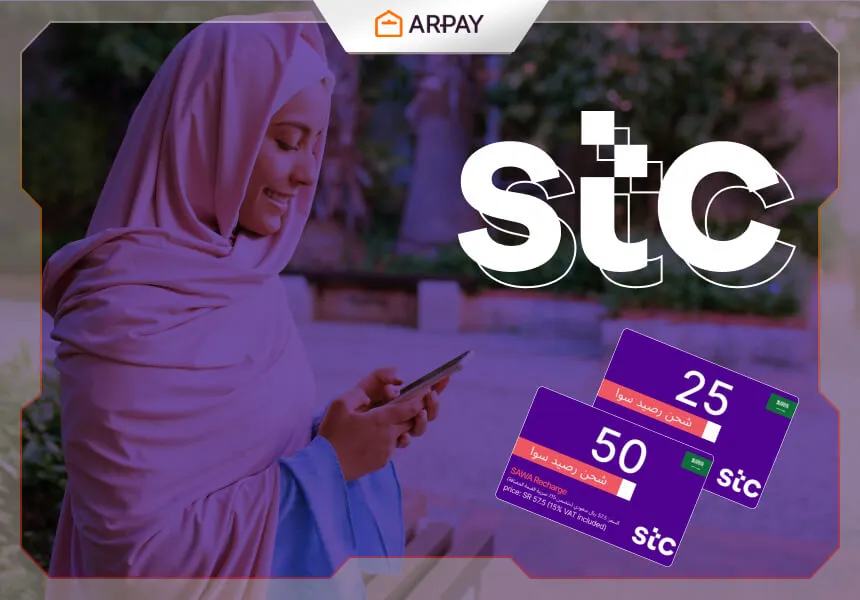
After conversion, activation usually means making sure you have prepaid balance and then subscribing to your chosen bundle. The source article describes two main paths: recharge via a prepaid card code or recharge inside MySTC.
- Physical recharge card method: buy a Sawa prepaid recharge card, reveal the code, then dial 155 followed by the code and # (for example: 155RechargeCode#). Dial formats can change, so verify the latest STC recharge USSD for your prepaid line.
- MySTC method: log in, choose Recharge, enter the code (or select a package if the app supports direct purchase), then confirm. Menu labels can vary by version.
Practical tip: after the first recharge, send yourself a quick reminder of the bundle’s validity window (weekly/monthly) so you don’t unexpectedly run out of data or minutes. If you rely on OTP messages (banks, deliveries), test SMS right away after conversion.
Common Issues After Converting (and Quick Fixes)
Most conversion problems aren’t technical—they’re small account or setup mismatches. If something feels “off” after switching to prepaid, try these checks before escalating:
- No data after recharge: restart the phone, toggle Airplane Mode, then check that mobile data is enabled and that your SIM is active in MySTC.
- Bundle didn’t activate: verify you used the right recharge method (balance top-up vs bundle purchase) and that the code was entered correctly.
- Unexpected deductions: review active add-ons in MySTC and disable anything you don’t need. Some services renew automatically.
- Can’t complete conversion in-app: visit an STC branch with your ID/Iqama; additional verification may be required.
Conclusion
Transitioning from STC postpaid to Sawa prepaid in 2026 can be a smart move if you want tighter control over expenses and more flexibility month to month. The safest approach is to convert through MySTC (or a branch if the app route isn’t available), then immediately confirm your balance, active bundle, and SMS/data functionality.
Because recharge codes and app menus can change, always rely on the latest instructions shown in MySTC or by STC support when something doesn’t match this checklist.