Wondering what amazing digital treasures await you? With millions of apps, games, books, and services available on the Google Play Store
Google Play gift cards have become the gateway to a vast digital ecosystem. These cards are primarily used to purchase digital content on the Google Play Store, including apps, games, in-app purchases, movies, books, audiobooks, subscriptions, and more. The beauty lies in their versatility – your gift card opens doors to entertainment, education, productivity, and personal growth.
In this comprehensive guide, we'll explore the top items you can purchase with your Google Play gift card in 2025, helping you make informed decisions that maximize your digital investment and enhance your mobile experience.
Exploring Your Options: What Can You Buy with a Google Play Gift Card?
The Google Play Store ecosystem has evolved dramatically, offering an impressive array of digital content categories. Your gift card balance can unlock premium experiences across multiple verticals, transforming your device into a powerhouse of entertainment and productivity.
Core Purchase Categories:
- Premium Applications – Professional-grade apps with advanced features
- Mobile Games – Both premium titles and in-app purchases for freemium games
- Digital Media – Movies, TV shows, books, magazines, and audiobooks
- Subscription Services – YouTube Premium, streaming apps, and specialized software
- In-App Content – Game currencies, premium features, and exclusive content
The Google Play Store processes billions of transactions annually, with mobile app spending reaching new heights in 2025. Your gift card balance provides access to apps and digital content, making it a versatile tool for enhancing your digital lifestyle.
What makes Google Play gift cards particularly valuable is their acceptance across Google's entire ecosystem. Unlike platform-specific currencies, these cards bridge entertainment, productivity, and educational content, ensuring your investment delivers maximum utility regardless of your interests or needs.
Enhance Your Entertainment with Google Play gift card
Using Gift Cards for Streaming Services + YouTube Premium Subscription
YouTube Premium stands as one of the most popular subscription services you can purchase with Google Play gift cards. Individual plans start at $13.99/month in the US, offering substantial value for regular YouTube users. The subscription eliminates advertisements across all content, enables background playback, and includes YouTube Music Premium access.
YouTube Premium Benefits in 2025:
- Ad-free viewing across all YouTube content and YouTube Music
- Background play – continue listening while using other apps
- Offline downloads – save videos for travel or limited connectivity
- YouTube Music Premium – complete music streaming service included
- Enhanced video quality and exclusive YouTube Originals access
YouTube Premium Lite offers ad-free viewing for $7.99/month, providing a budget-friendly alternative for users who primarily want advertisement removal without additional features. This option appeals to casual viewers who don't need offline downloads or background play functionality.
Beyond YouTube, your Google Play gift card unlocks premium tiers of popular streaming applications. Netflix, Disney+, Hulu, and HBO Max all offer in-app subscription purchases through the Play Store. This consolidated billing approach simplifies subscription management while leveraging your gift card balance effectively.
The entertainment value extends beyond traditional streaming. Podcast applications like Spotify Premium, Audible audiobook subscriptions, and specialized content platforms all accept Google Play payments, creating a comprehensive entertainment ecosystem accessible through your gift card.
Top-Paid Apps Games to Consider in 2025
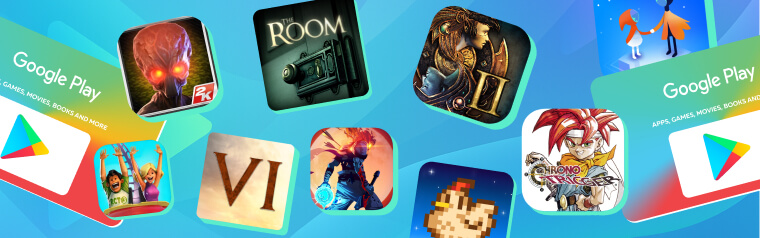
Mobile gaming has reached unprecedented sophistication in 2025, with premium titles rivaling console experiences. Your Google Play gift card opens access to exceptional gaming content spanning multiple genres and price points.
Premium Game Categories Worth Your Investment:
Strategy & Simulation Games:
- Civilization VI ($19.99) – Complete 4X strategy experience optimized for mobile
- RollerCoaster Tycoon 3 ($5.99) – Classic theme park simulation with modern enhancements
- XCOM: Enemy Within ($4.99) – Tactical turn-based strategy with deep campaign mode
Adventure & RPG Titles:
- Baldur's Gate II: Enhanced Edition ($9.99) – Legendary RPG with hundreds of gameplay hours
- Chrono Trigger ($9.99) – Timeless JRPG masterpiece with stunning pixel art
- The Room Series ($0.99-$4.99 each) – Award-winning puzzle adventures with immersive storytelling
Arcade & Action Games:
- Dead Cells ($8.99) – Metroidvania-style action with roguelike elements
- Stardew Valley ($4.99) – Relaxing farming simulation with multiplayer support
- Monument Valley 2 ($4.99) – Artistic puzzle game with mind-bending perspective mechanics
While Google Play offers excellent mobile gaming options, serious gamers often expand their digital libraries across multiple platforms. For PC gaming enthusiasts, consider exploring premium gift cards at ARPAY, where you'll discover extensive Steam gift card collections that unlock thousands of AAA and indie titles for desktop gaming adventures.
Unlock Endless Adventures: Buy Your Google Play Gift Card Today and Explore Unlimited Gaming Fun!
Expand Your Knowledge: Digital Books and Magazines
Popular/Trendy Reads Available on Google Play Books
Google Play Books has emerged as a formidable competitor in the digital reading space, offering millions of titles across every imaginable genre. Your gift card provides access to bestselling fiction, professional development resources, academic textbooks, and specialized publications.
Trending Categories in 2025:
- Self-Improvement & Productivity – Books focusing on remote work optimization, digital wellness, and personal growth
- Technology & AI – Publications exploring artificial intelligence, blockchain, and emerging technologies
- Health & Fitness – Comprehensive guides for mental health, nutrition science, and workout methodologies
- Fiction Bestsellers – Latest releases from popular authors and award-winning literature
Audiobook Advantages: Google Play Books audiobook selection has expanded significantly, featuring professional narrations and exclusive content. Many titles offer both ebook and audiobook versions, allowing flexible consumption based on your schedule and preferences. Prices typically range from $8.99 for older titles to $24.99 for new releases.
Magazine Subscriptions: Digital magazine subscriptions through Google Play provide excellent value. Popular titles like National Geographic, The Economist, Wired, and specialized hobby magazines offer monthly or annual subscription options. These digital versions often include interactive content, video supplements, and archive access unavailable in print editions.
The reading experience has been optimized for mobile devices, with customizable fonts, lighting adjustments, and synchronization across multiple devices. Your reading progress automatically syncs between smartphones, tablets, and web browsers, ensuring seamless continuation regardless of your device.
Check this and elevate your experience with ARPAY Blog: Google Play Gift Cards 101… Where to Buy & How to Manage
Develop Skills with Educational Apps in 2025
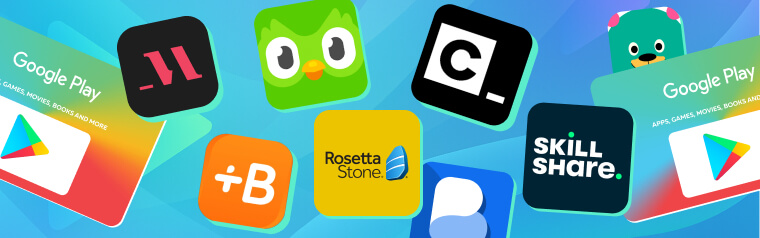
Educational technology has revolutionized skill development, and your Google Play gift card unlocks premium learning experiences that were previously expensive or inaccessible. Professional development, language learning, and technical skill acquisition have never been more convenient.
Language Learning Powerhouses:
- Babbel Premium ($12.95/month) – Scientifically-designed lessons with speech recognition
- Rosetta Stone ($11.99/month) – Immersive language learning with native speaker audio
- Busuu Premium ($9.99/month) – AI-powered lessons with community feedback features
Professional Development Platforms:
- LinkedIn Learning Premium ($29.99/month) – Thousands of courses taught by industry experts
- MasterClass ($15/month) – Celebrity-taught courses spanning creative and business skills
- Skillshare Premium ($8.25/month annually) – Creative courses in design, photography, and marketing
Technical Skill Development:
- Codecademy Pro ($15.99/month) – Interactive coding lessons with real-world projects
- Duolingo Plus ($6.99/month) – Ad-free language learning with offline access
- Khan Academy Kids Premium – Enhanced educational content for younger learners
These premium educational apps provide structured learning paths, progress tracking, and certification opportunities. Many offer offline content downloads, enabling continued learning during commutes or travel. The investment in educational apps through your gift card often pays dividends in career advancement and personal enrichment.
Specialized Learning Apps: Photography enthusiasts benefit from apps like Adobe Lightroom Premium, while music lovers can access Yousician Premium for instrument learning. These specialized applications provide professional-grade tools and instruction previously available only through expensive courses or software packages.
Stay Fit: Premium Fitness Apps at Your Fingertips
The fitness app market has exploded with sophisticated applications that rival personal training experiences. Your Google Play gift card unlocks premium fitness content that adapts to your schedule, fitness level, and specific goals.
Comprehensive Fitness Platforms:
- Nike Training Club Premium – Professional workouts with adaptive difficulty
- Peloton Digital ($12.99/month) – Live and on-demand classes beyond cycling
- Fitbit Premium ($9.99/month) – Advanced health insights with personalized coaching
- MyFitnessPal Premium ($9.99/month) – Detailed nutrition tracking with macro analysis
Specialized Training Apps:
- Seven - 7 Minute Workout ($9.99/month) – High-intensity interval training optimized for busy schedules
- Yoga with Adriene Premium – Guided yoga sessions for all experience levels
- Strava Premium ($5/month) – Advanced running and cycling analytics with route planning
Premium fitness apps provide personalized workout plans, nutrition guidance, and progress tracking that adapts to your improving fitness level. Many integrate with wearable devices, creating comprehensive health ecosystems that monitor sleep, heart rate, and daily activity patterns.
The convenience factor cannot be overstated. These applications eliminate gym membership costs while providing 24/7 access to professional-quality instruction. Whether you prefer high-intensity workouts, meditative yoga sessions, or strength training routines, premium fitness apps deliver personalized experiences that evolve with your fitness journey.
Organize Your Life: The Best Organizing Apps to Purchase
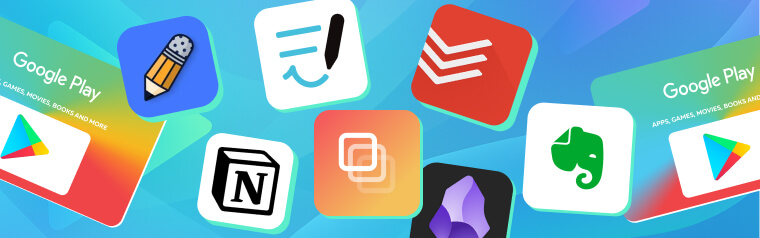
Digital organization has become essential for managing increasingly complex personal and professional lives. Premium productivity apps purchased with your Google Play gift card provide sophisticated tools that streamline workflows and reduce mental clutter.
Task Management Powerhouses:
- Todoist Premium ($4/month) – Advanced project management with natural language processing
- Things 3 ($9.99) – Elegant task organization with award-winning design
- Notion Premium ($8/month) – All-in-one workspace combining notes, databases, and collaboration
- Obsidian Premium ($10/month) – Knowledge management with powerful linking capabilities
Note-Taking Excellence:
- Evernote Premium ($7.99/month) – Comprehensive note organization with document scanning
- GoodNotes 5 ($7.99) – Digital handwriting and PDF annotation for creative professionals
- Notability ($9.99) – Audio recording synchronized with handwritten notes
These premium applications transform smartphones and tablets into powerful productivity workstations. Advanced features like cross-platform synchronization, unlimited storage, and AI-powered organization suggestions justify the investment for serious productivity enthusiasts.
Using Apps to Stay Organized and Efficient
Premium organization apps excel through automation and intelligent features unavailable in free versions. Smart scheduling algorithms, natural language processing for task creation, and predictive text suggestions dramatically reduce time spent on administrative tasks.
Advanced Organization Features:
- Automatic categorization of tasks and notes based on content analysis
- Smart reminders that consider location, calendar availability, and priority levels
- Cross-platform synchronization ensuring access across all devices
- Collaboration tools for shared projects and family organization
- Advanced search capabilities with tag-based filtering and content recognition
Check out 10 Hidden Gems on Google Play Store and get them after redeeming your card.
Maximize Your Gift Card Usage: Tips and Tricks
Checking Balance and Redeeming Your Gift Card
To redeem your gift card, open your Google Play app, search or browse the platform for desired apps or games, select your preferred app or game, choose gift card as your desired payment method, and then complete the purchase. This straightforward process ensures seamless access to premium content.
Balance Management Strategies:
- Check your balance regularly through Google Play Store settings
- Plan purchases strategically during sales and promotional periods
- Combine gift cards with payment methods for larger purchases
- Track spending to maximize value across multiple content categories
- Consider annual subscriptions for better value on frequently used services
Redemption Best Practices: Monitor Google Play promotions that offer bonus credit or discounted content. Seasonal sales, developer promotions, and bundle deals can stretch your gift card value significantly. Many premium apps offer annual subscription discounts that provide substantial savings compared to monthly payments.
Regional Considerations: Play gift cards may only be redeemed and used in the country and currency in which they were purchased. Ensure your account region matches your gift card origin to avoid redemption issues.
Conclusion
Google Play gift cards represent remarkable value in 2025's digital landscape. From entertainment subscriptions like YouTube Premium to productivity powerhouses and educational platforms, your gift card unlocks premium experiences that enhance every aspect of digital life. The strategic approach involves balancing immediate entertainment desires with long-term productivity and educational investments.
The versatility of Google Play purchases means your gift card can simultaneously improve your professional skills, physical fitness, digital organization, and entertainment options. Whether you're streaming ad-free content, mastering new languages, or optimizing daily workflows, these digital investments compound in value over time.
In conclusion, Google Play Gift Cards stand out as versatile and convenient tools for accessing a vast array of digital content and services available on the Google Play Store.
FAQs
Do Google Play gift cards expire?
Google Play gift cards do not expire, providing flexibility in how and when you use your balance. However, inactive Google accounts may be subject to closure after extended periods of inactivity, potentially affecting stored gift card balances. It's recommended to use your balance within reasonable timeframes and maintain regular account activity.
Can I transfer my Google Play balance to another account?
Google Play balances cannot be transferred between accounts or converted to cash. The balance remains permanently tied to the Google account where it was redeemed. This policy prevents fraud and maintains security but means careful consideration is necessary when redeeming gift cards to specific accounts.
How do I redeem a Google Play gift card?
Redeeming Google Play gift cards involves several simple methods. Open the Google Play Store app, navigate to your account menu, select "Redeem gift card," and enter your code manually or use your camera to scan the card. Alternatively, visit play.google.com on any web browser and follow similar redemption steps. The balance appears immediately and remains available for future purchases.
Can I use multiple gift cards for one purchase?
Yes, Google Play allows combining multiple gift card balances for larger purchases. If your single gift card doesn't cover the full cost of an item, the system automatically applies your entire gift card balance and prompts for additional payment methods to complete the transaction. This flexibility ensures you can always use your gift card value, regardless of purchase amounts.
Are there any restrictions on Google Play gift card usage?
Google Play gift cards must be used in the country and currency where they were purchased, and your Google account region must match the gift card's origin. Additionally, some content may have age restrictions or regional availability limitations. Subscription services may require ongoing payment methods beyond gift card balances for automatic renewals, though initial purchases can be completed using gift card funds.