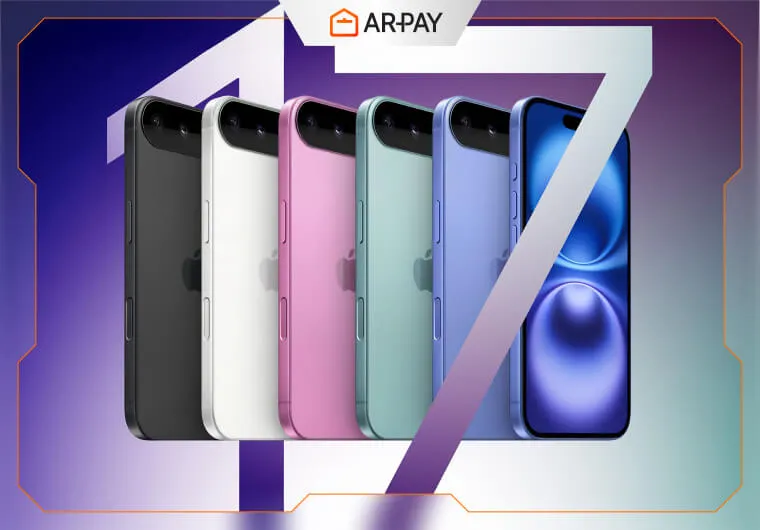
The star of the show, the iPhone 17 lineup, is finally official. Apple has not just refreshed its lineup; it has reshuffled it, introducing a radical new 'Air' model, pushing the boundaries of mobile photography, and embedding a new level of intelligence with its A19 Pro chip. But the central question on everyone's mind remains: Does the iPhone 17 family represent a significant leap forward, a true generational shift that justifies an upgrade? Or is it another year of iterative refinement? This deep-dive analysis will dissect every facet of the new iPhones—from design and performance to camera and price—to deliver a clear verdict on who should consider making the jump.
iPhone 17 Release Date: Mark Your Calendars
As expected, Apple is sticking to its tried-and-true release schedule, ensuring the new devices are in customers'; hands well before the holiday season. The official dates confirmed at the keynote are:
- Pre-orders Begin: Friday, September 12, 2025, at 5 a.m. Pacific Time.
- In-Store Availability & Shipping: Friday, September 19, 2025.
This global launch will cover the first wave of countries simultaneously. If you're planning to get one on day one, be ready for that early morning pre-order window, as initial stock, especially for the popular Pro and new Air models, is expected to be limited.
Innovative Design Features: A New Look and Feel
This year, Apple has made some of the most significant design changes in recent memory, particularly with the introduction of the iPhone 17 Air and a redesign of the Pro models.
The All-Screen Dream Gets Closer
While the dream of a completely uninterrupted, all-screen iPhone with under-display Face ID is still on the horizon the iPhone 17 Pro and Pro Max take a meaningful step forward. Apple has reportedly engineered a new "metalens" for the Face ID system, allowing for a noticeably smaller Dynamic Island. It's not gone, but it's less intrusive, reclaiming precious screen real estate and making the front of the device feel more immersive than ever.
Build & Materials: Aluminum's Pro Return
In a surprising move, Apple is shifting the iPhone 17 Pro and Pro Max from a titanium frame back to a refined aluminum chassis. this isn't a downgrade. The new aluminum unibody design is said to be incredibly robust and allows for better thermal management. A key benefit is weight; aluminum is lighter than titanium, potentially making these large-screen Pro devices more comfortable to hold. The back of the Pro models now features a striking full-width camera bar, reminiscent of Google's Pixel design but with a distinct Apple flair.
The Ultra-Thin iPhone 17 Air
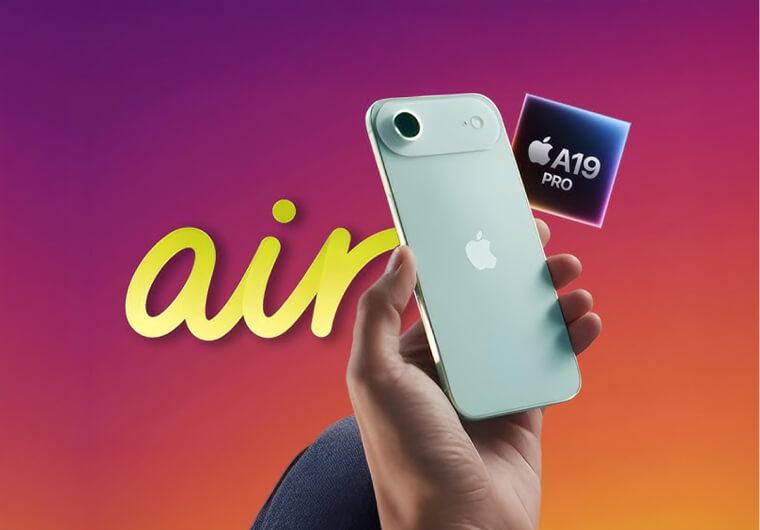
The showstopper is the all-new iPhone 17 Air, which replaces the Plus model. It's an engineering marvel, rumored to be incredibly thin and light, weighing in at just around 146 grams. This makes it one of the lightest full-sized iPhones ever, a dream for those who prioritize portability without sacrificing screen size.
New Colors for 2025
Color is a major part of the iPhone's identity, and this year brings some exciting new options:
- iPhone 17 & 17 Air: Expected in vibrant shades including Light Gold and Sky Blue, alongside classics like Black and White.
- iPhone 17 Pro & 17 Pro Max: Breaking from the muted tones of the past, the Pro lineup is rumored to launch in a bold Orange and a deep Navy Blue, in addition to Silver and Black.
Read more: The top 4 premium games for iPhone and iPad and how to get them
Model Differentiation at a Glance
FeatureiPhone 17iPhone 17 AiriPhone 17 ProiPhone 17 Pro MaxDisplay Size6.3 inches6.6 inches6.3 inches6.9 inchesFrame MaterialAluminumAluminumAluminum (New Design)Aluminum (New Design)Approx. Weight~185g~146g~194g~227gKey Design FeatureLarger 6.3" DisplayUltra-thin & lightSmaller Dynamic Island, Full-width camera barSmaller Dynamic Island, Full-width camera bar
Performance Enhancements: The A19 Chip and a Battery Revolution
Under the hood, the iPhone 17 series is powered by Apple's next-generation silicon, creating a starker performance gap between the standard and Pro models.
The A19 and A19 Pro Chips
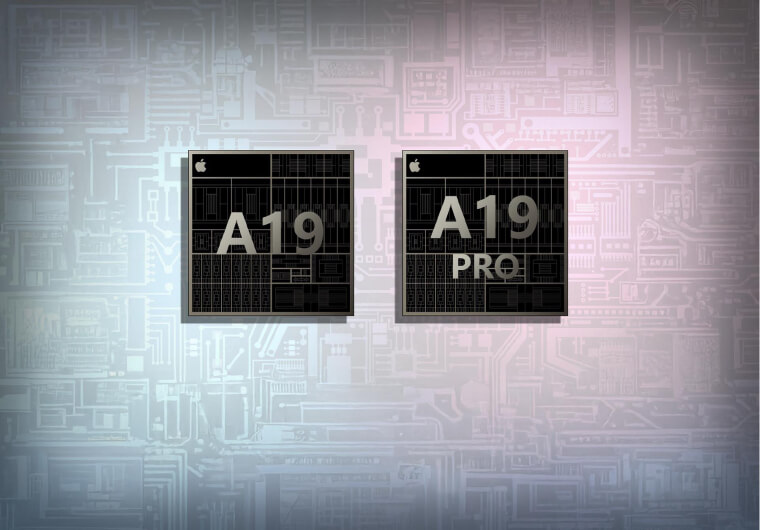
The iPhone 17 and 17 Air get the powerful new A19 chip, while the Pro models debut the formidable A19 Pro. This isn't just about a 20% faster CPU. For the average user, this means apps launch instantly, complex web pages render without a stutter, and the entire iOS 26 experience feels fluid and responsive. For gamers, the enhanced GPU in the A19 Pro, combined with a new vapor chamber cooling system, allows for higher frame rates and more detailed graphics in demanding titles like Genshin Impact or Call of Duty: Warzone Mobile without performance throttling.
The Neural Engine's AI Power
The real story is the A19 Pro';s massively upgraded Neural Engine. This is the brain behind "Apple Intelligence" in iOS 26. With the ability to perform trillions of operations per second, it powers on-device features like real-time call translation, advanced photo editing, and a much smarter, more context-aware Siri. The Pro models also get a RAM boost to 12GB (up from 8GB), ensuring that multitasking between these heavy AI-driven apps is seamless.
Battery Life Analysis: A Massive Leap for the Pro Max
Apple has made significant strides in battery life, thanks to more efficient chips and, in some cases, physically larger batteries. The iPhone 17 Pro Max is the standout, becoming the first iPhone to feature a battery capacity of approximately 5,000 mAh. This is a monumental increase over its predecessor and promises true multi-day endurance for many users.
Fig 1: Estimated battery capacity (mAh) comparison between iPhone 16 and iPhone 17 series.
Camera Upgrades: A Photography Revolution
The camera system is arguably the most significant area of advancement this year, especially for the Pro models, which now boast a triple 48-megapixel array.
Pro Models: The 8x Periscope and All-48MP System
The iPhone 17 Pro and Pro Max now feature a 48MP sensor for all three rear lenses: Main, Ultra-Wide, and Telephoto. This consistency allows for incredible detail and color parity across the entire zoom range. The crowning achievement is the new 48MP periscope telephoto lens, which offers up to 8x optical zoom. This is a game-changer, allowing you to capture stunningly sharp photos and videos from distances that were previously impossible on an iPhone.
Video Prowess: 8K Recording Arrives
For the first time, the Pro models can record video in stunning 8K resolution. This provides unparalleled detail and gives videographers massive flexibility for cropping and reframing in post-production. Combined with improvements to ProRes and Cinematic Mode, the iPhone 17 Pro is a true pocket-sized movie studio.
Upgrades Across the Board: The 24MP Front Camera
All four iPhone 17 models receive a long-awaited upgrade to the front-facing camera, moving from 12MP to a much sharper 24MP sensor. Your selfies, FaceTime calls, and video recordings will look noticeably more detailed and vibrant.
Standard & Air Cameras
The iPhone 17 retains a highly capable dual-camera system with a 48MP main sensor and a 12MP ultra-wide. The iPhone 17 Air, in its pursuit of ultimate thinness, is rumored to feature a single, but very powerful, 48MP main camera. This is a strategic trade-off: sacrificing lens versatility for a sleek, lightweight design.
iOS 26: The Software Backbone of the iPhone 17
The iPhone 17 launches with iOS 26, an update focused heavily on artificial intelligence and quality-of-life improvements. While available for older iPhones, its best features are unlocked by the A19 Pro chip.
Headline AI Features: Apple Intelligence Unleashed
iOS 26 introduces a suite of "Apple Intelligence" features. The most impressive include a new Call Screening function that transcribes calls in real-time so you can decide whether to answer, and Live Translate for phone calls, breaking down language barriers instantly. The Photos app also gets a major AI-powered overhaul, making it easier than ever to find specific photos and automatically creating beautiful, curated albums. These features run almost entirely on-device on the iPhone 17 Pro, ensuring privacy and speed.
User Interface and Customization
iOS 26 introduces a new "Liquid Glass" design language, offering users the option of a "Clear Look" transparent theme for a fresh, modern aesthetic. The Camera app has been decluttered, and new customization options like polls and custom backgrounds are coming to Messages, making communication more fun and interactive.
Pricing Insights: How Much Will the iPhone 17 Cost?
This year's innovation comes with a price adjustment. Based on analyst reports from firms like TrendForce, we're seeing price hikes for three of the four models, largely driven by new technology and increased base storage for the Pro and Air models.
Model128GB256GB512GB1TBiPhone 17$799$899$1,099-iPhone 17 Air-$1,099$1,299$1,499iPhone 17 Pro-$1,199$1,399$1,599iPhone 17 Pro Max-$1,299$1,499$1,699Note: Prices are based on pre-launch analyst reports and are subject to final confirmation by Apple.
The iPhone 17 Pro sees a significant $200 increase, but this is partially offset by the doubling of base storage to 256GB. The most controversial price is for the iPhone 17 Air at $1,099. At $300 more than the standard iPhone 17, customers are paying a steep premium for its unique thin-and-light design, larger screen, and 256GB of storage, despite having a less versatile camera system.
Unlock the Full Potential of Your New iPhone 17
With all these incredible new features, your new iPhone 17 is a gateway to a world of amazing content. From powerful new apps on the App Store to immersive games in Apple Arcade and subscriptions like Apple TV+, you'll want to be ready to dive in from day one.
The best and most secure way to manage your App Store and subscription payments is with an Apple Gift Card. ARPAY offers a fast, secure, and convenient way to get Apple Gift Cards instantly. It's the perfect method for managing your digital spending, gifting to friends and family, or paying for your subscriptions like Apple Music and iCloud+ without linking your personal credit card.
Get Your Apple Gift Card from ARPAY Today!
Conclusion
The iPhone 17 lineup is one of Apple's most ambitious in years. It redefines the lineup with the Air model and creates the most significant performance and feature gap we've ever seen between the standard and Pro devices.
Our Recommendation:
- For iPhone 15/16 users: If you have a standard model, the jump to an iPhone 17 Pro is substantial, especially for the camera. If you already own a 15 or 16 Pro, the upgrade is compelling only if you are a serious photographer/videographer who will leverage the 8x zoom and 8K video. Otherwise, you might consider waiting.
- For iPhone 14 or older users: This is a massive leap. The performance gains from the A19 chip, the dramatically better cameras, the brighter display with a smaller (or no) notch, and the all-day-and-then-some battery life will feel like a night-and-day difference. This is a highly recommended upgrade.
- Pro vs. Standard: This year, the "Pro" moniker means more than ever. If your phone is your primary camera, if you';re a mobile gamer, or if you want the absolute best performance and battery life, the iPhone 17 Pro or Pro Max is worth the premium. For everyone else, the standard iPhone 17 offers a fantastic, well-rounded experience. The iPhone 17 Air is a niche device for those who value design and portability above all else.
FAQs
Will my old iPhone case fit the iPhone 17?
No. Due to changes in dimensions, such as the iPhone 17 moving to a 6.3-inch screen and the Pro models featuring a new camera bar, cases from previous iPhone generations will not fit the new models.
Does the iPhone 17 still use a Lightning port, or has it switched to USB-C?
The entire iPhone 17 lineup uses the USB-C port, continuing the transition that began with the iPhone 15 series. This allows for faster data transfer speeds on Pro models and a universal charging standard.
Is the iPhone 17 waterproof? What is its IP rating?
Yes. All iPhone 17 models have an IP68 rating for dust and water resistance, meaning they can be submerged in up to 6 meters of water for up to 30 minutes, as per the IEC standard 60529.
What is the main difference between the iPhone 17 and iPhone 17 Pro camera?
The main difference is the third lens. The iPhone 17 Pro has a triple-camera system (48MP Main, 48MP Ultra-Wide, 48MP Telephoto with 8x optical zoom). The standard iPhone 17 has a dual-camera system (48MP Main, 12MP Ultra-Wide) and lacks the advanced telephoto capabilities and 8K video recording of the Pro models.
How can I pre-order the iPhone 17?
The easiest way to pre-order is through the Apple Store app or on Apple's official website. Pre-orders open on Friday, September 12, at 5 a.m. PT. It's recommended to have your payment and shipping information saved in your Apple account beforehand for a faster checkout.