
Are you looking for a gift card that opens a portal to explore endless digital content? iTunes gift cards (often used today as Apple gift card credit, depending on your region) are a straightforward way to add funds to an Apple account for music, movies, apps, books, and subscriptions. The original article claims access to “over 30,000 music playlists, books, movies, and more,” but the exact catalog size is not verifiable from the provided source and can vary by country and service. []
In this refreshed 2026 guide, we’ll keep the original structure—what the card is, where to buy it, how to redeem it, and FAQs—while tightening anything time-sensitive. One important note for 2026 publishing: Apple’s naming and store interfaces evolve, so always follow the current on-screen labels on your device even if the steps below look slightly different. []
What is an iTunes Gift Card?
An iTunes gift card is a prepaid code meant for purchasing digital content and services in Apple’s ecosystem. The original article frames it as a card for Apple’s iTunes Store, but in 2026 you may see it described as App Store & iTunes credit or Apple account balance, depending on your country and the type of card you buy. What matters is the outcome: you add value to your Apple ID to spend on eligible digital content. Eligible items vary by region and store rules. []
Use cases are simple: buy a movie rental for tonight, purchase an app, subscribe to a service, or gift someone credit so they can choose what they want. Because it’s prepaid, it’s also a popular choice for families and anyone who prefers budget control.
Where to Buy iTunes Gift Cards Online
Buying iTunes gift cards online is popular because it’s convenient and usually delivers a code quickly. The source article points to ARPay as a place to buy iTunes gift cards and notes it offers other gift cards and eWallets as well. Online availability can vary by country, payment method, and product catalog at the time of purchase. []
- ARPay: A gift card retailer referenced in the source as an online option for iTunes/App Store credit. Always confirm the card is valid for your Apple account region before checkout. []
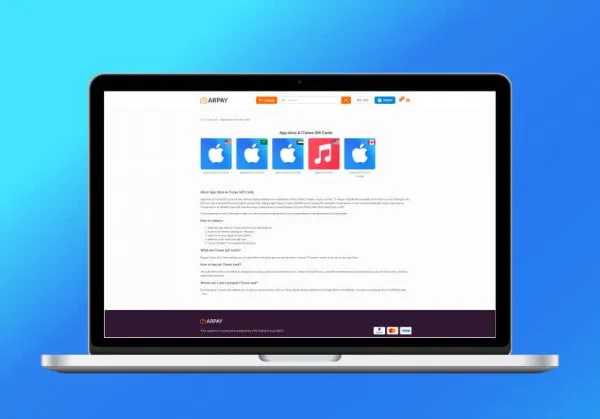
Safety tip for 2026: only buy from sellers you trust and avoid sharing your code in screenshots or messages until you’re ready to redeem. Once the code is used, it’s typically treated like cash—recovery may be difficult. Policies depend on the seller and Apple support rules. []
Steps to Buy an iTunes Gift Card
The original article outlines a simple online purchase flow: pick a denomination, add to cart, and checkout. In 2026, the screen labels may differ by retailer, but the purchase logic is the same.
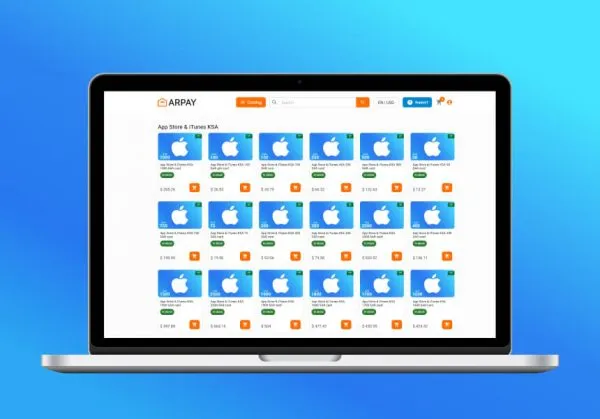
- Select the denomination: Choose the amount you want (the source mentions examples like $10, $25, and $50). Exact denominations and currencies vary by region and retailer. []
- Add to cart: Pick the correct product type (App Store/iTunes credit vs other Apple cards) and add it to your cart. Product naming can be confusing. []
- Proceed to checkout: Confirm the email address you want the code delivered to, then continue.
- Enter payment details: Accepted payment methods vary by seller (card, wallet, or other methods). []
If you’re buying for someone else, confirm their Apple account region first. A code intended for one region may not redeem on an account set to a different country or currency. []
Redeeming iTunes Gift Cards
The source article provides device-by-device redemption steps. In 2026, Apple’s exact menu labels can shift, but the “Redeem Gift Card or Code” option is commonly found in the App Store or in account settings. Follow the closest matching option on your device. []
On iPhone or iPad
- Open the App Store and tap your profile icon (usually top-right). []
- Select “Redeem Gift Card or Code,” then scan with the camera or enter the code manually. []
- Confirm redemption and follow any prompts to finish.
On MacBook or iMac
- Open the App Store and sign in with your Apple ID if needed. []
- Open your profile area in the App Store and look for a redeem option. []
- Enter the code and confirm to apply it to your account balance.
Using iTunes (older macOS versions or Windows PC)
- Open iTunes, sign in, then go to your account info area and look for “Redeem.” Menu labels vary by version. []
- Enter the code and submit, then confirm the updated balance on your Apple ID. []
After redemption, your Apple ID balance can be used across eligible Apple digital storefronts (for example, the App Store and Apple Books). Exactly which purchases are allowed depends on your region, taxes, and store policies. []
Benefits of Buying an iTunes Gift Card Online
Buying online is mostly about convenience: you can shop from home, get a code delivered quickly, and avoid hunting for physical stock. The original article emphasizes instant delivery and secure payment methods; delivery speed and security features depend on the retailer you choose. []
- Convenience: Buy anytime without visiting a store.
- Fast access: Digital delivery can be ideal for last-minute gifts or quick top-ups, but timing varies by seller. []
- Budget control: Prepaid credit helps you manage spending on subscriptions and one-off purchases.
- Gifting: The recipient chooses what they actually want, which is often better than guessing a specific app or movie.
Conclusion
iTunes gift cards are a simple gateway into Apple’s digital ecosystem: prepaid credit, flexible spending, and easy gifting. In 2026, the two biggest rules are still the same—buy from a trusted seller and match the card to the recipient’s account region. Follow the current redemption steps on your device, and you’ll be ready to explore apps, music, movies, books, and subscriptions with fewer payment headaches. []