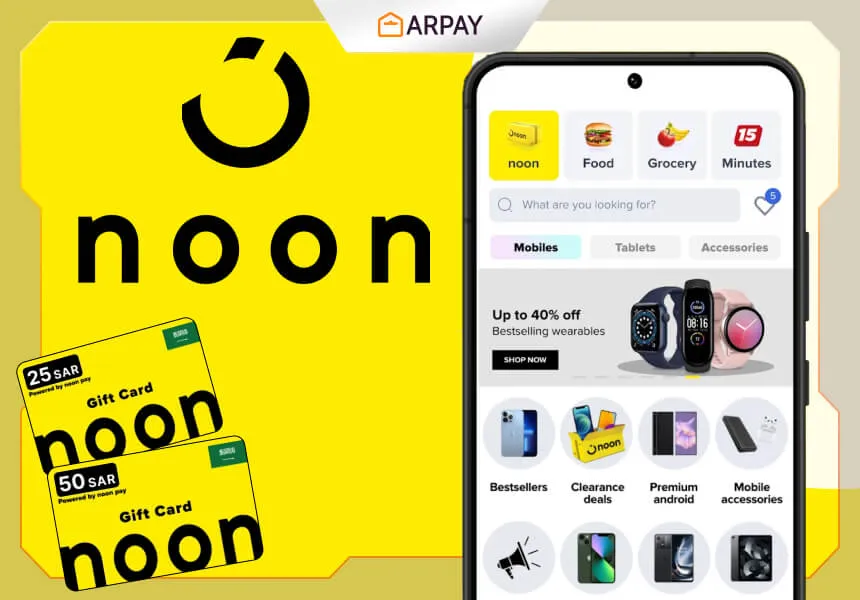
Noon is the Middle East’s homegrown marketplace.
With Noon eCards, you can shop for products you love on an easy platform and gift it to anyone you need—without guessing sizes, colors, or brands.
In 2026, eCards are also a simple budgeting tool: you decide the value first, redeem it to your account, then shop with a clear spending limit.
Whether you’re buying tech accessories, fashion essentials, home upgrades, or everyday family items, Noon eCards keep checkout smooth and gifting fast—especially when you want digital delivery instead of shipping a physical present. Delivery timing can still vary depending on payment verification and the seller’s process.
What are Noon eCards?
Noon eCards are digital gift cards you can buy and send electronically (often by email). After redemption, the value is typically added to your Noon Credits balance and can be used during checkout on Noon.
You can usually choose from different eCard amounts, which makes them useful for both small “thank you” gifts and larger planned purchases.
The older version of this article stated that Noon eCards can only be used for non-marketplace items sold and shipped by Noon directly. That kind of restriction can exist, but it can also change by country, product type, or current terms—so confirm the latest eligibility rules shown on Noon at the time you redeem and shop.
How to shop online easily with Noon eCards
Here are practical 2026 tips to shop smart with Noon eCards and get the most value from your balance:
Compare prices and reviews before you buy
Noon listings often include customer reviews and product ratings. Use filters (price, brand, rating, delivery speed) to narrow down options.
If you’re shopping with a fixed eCard value, check the final total (item price + shipping + taxes where applicable) before confirming your basket so you don’t run short at checkout.
Use Noon Pay for extra convenience (when available)
The older article described Noon Pay as a digital wallet and suggested you can link gift cards to Noon Pay for offers and cashback. Wallet features, linking options, and offer eligibility can change by market and app version, so confirm what’s currently supported inside your Noon account.
If you see an option to pay with credits/wallet balance during checkout, that’s usually the simplest way to apply your eCard value.
Shop during sales and promotions
Noon regularly runs sales and promo campaigns. You may see flash deals, daily deals, clearance pricing, and seasonal events.
Promo codes and coupon rules can vary by category and seller, so confirm the discount is actually applied to your cart total before placing your order.
Explore new products and categories
Noon covers a wide mix of categories like fashion, beauty, electronics, home, grocery, books, toys, sports, and more.
If you’re gifting an eCard, that range is the point: the recipient can choose what they actually need, whether it’s a power bank, new shoes, kitchen tools, or household essentials.
For higher-value purchases, check warranty terms and return policy details on the listing so you know what support looks like after delivery.
Buy in bulk or bundle (when it actually saves money)
Sometimes bundles or multi-item orders reduce shipping cost per item or unlock better pricing. But it’s only a “deal” if the per-item price drops or if you were going to buy the items anyway.
If you’re shopping with eCard credit, bundling can also help you use the balance efficiently instead of leaving a small unused remainder.
Use the app for faster shopping
Noon’s app can make repeat purchases easier with saved addresses, order tracking, notifications, and support chat. Specific features (voice search, barcode scanning, support hours) can vary by app version and region.
Noon VIP and referrals (treat benefits as variable)
The original article mentioned Noon VIP benefits (free delivery, priority support, early access) and a referral example offering 10% off as credits.
Membership benefits, fees, and referral rewards change frequently, so check Noon’s current VIP and referral pages inside the app before planning purchases around these perks.
Contact Noon customer service when something goes wrong
If you have redemption, delivery, or return issues, use Noon’s help center and in-app support. The older article claimed 24/7 support, but support hours can vary—confirm what’s currently offered in your region.
For gift card issues, keep your purchase confirmation and the eCard email until the full balance is redeemed and spent.
Conclusion
Noon eCards remain a practical option in 2026 for two reasons: they’re easy to gift, and they make budgeting simple.
To get the best experience, compare prices and reviews, confirm promo rules at checkout, and double-check whether your eCard credit can be applied to the items you want (especially if there are marketplace vs Noon-sold restrictions).
Whether you’re shopping for electronics, fashion, beauty, baby products, or groceries, Noon eCards can help you buy with less friction—and give recipients real freedom to choose what suits them.