If you are a gamer, you probably know how important it is to have access to the best games, online services, and exclusive deals.
Xbox cards are the perfect way to enjoy all the benefits of Xbox, whether you own an Xbox console, a Windows PC, or a mobile device.
In this article, we will explain what Xbox cards are, how to use them, how to buy them, how to redeem them, and what are the three Xbox cards that will make your game joyful.
What are Xbox cards
Xbox cards are digital codes that you can use to purchase games, apps, movies, TV shows, devices, and more from the Microsoft Store online, on Windows, and on Xbox.
They come in different denominations, from $10 to $100, and they have no fees or expiration dates.
You can use Xbox cards to buy the latest Xbox games, add-ons, map packs, subscriptions, and accessories, or to get a new Xbox console or a Surface device.
You can also use Xbox cards to rent or buy popular HD movies and TV shows, or to get access to streaming services like Netflix, Hulu, Disney+, and more.
Xbox cards are great gifts for gamers, as they can choose from a wide selection of games, entertainment, and tech tools that suit their preferences and needs.
You can also use Xbox cards to treat yourself or to save money on your gaming expenses.
Xbox cards are easy to use, and they can be redeemed online, on Windows, or on Xbox.
How to use Xbox cards
To use Xbox cards, you need to have a Microsoft account and a valid payment method linked to it.
You can create a Microsoft account for free, and you can link any credit card, debit card, PayPal account, or bank account to it.
You also need to have access to the Microsoft Store online, on Windows, or on Xbox, depending on where you want to use your Xbox card.
Once you have your Microsoft account and your payment method ready, you can use your Xbox card to buy anything you want from the Microsoft Store online, on Windows, or on Xbox.
You can browse through the categories, search for specific items, or filter by price, rating, genre, and more.
You can also check out the deals and offers section, where you can find discounts, bundles, and free games.
When you find something you want to buy, you can add it to your cart, or buy it directly.
You will be asked to enter your Xbox card code, which is a 25-digit alphanumeric code that you can find on your email.
You can also enter multiple Xbox card codes if you have more than one.
After you enter your Xbox card code, the amount will be deducted from your card balance, and the remaining balance will be displayed on your screen.
You can then confirm your purchase, and enjoy your item.
How to buy Xbox cards
You can buy Xbox cards online from various sources such as from ARPay.
You can buy Xbox cards from the Microsoft Store online, where you can choose from different denominations, and get a digital code delivered to your email instantly.
You can choose to get a digital code.
You can choose from different denominations.
You can also buy Xbox cards from other sources, such as online auctions, giveaways, contests, and more.
However, you should be careful when buying Xbox cards from these sources, as they may not be reliable, safe, or legitimate.
You should always check the seller’s reputation, feedback, and ratings, and avoid any suspicious or fraudulent offers.
You should also never share your Xbox card code with anyone unless you are ready to use it.
How to redeem Xbox cards
Redeem a code on Xbox One, Xbox Series X, and Xbox Series S:
- Sign in to your Xbox console (make sure you’re signed in with the Microsoft account you want to redeem the code with).
- From the Home screen, select and open the Store app. (If the Store app is not displayed, go to My Games & apps, select Apps, and select the Store app from there).
- In the Store app, move the cursor left or press the View button to open the side menu then select Redeem.
- Enter the 25-character code, and then follow the prompts.
Redeem a code on Windows 10/11:
- Sign in to your Windows device (make sure you’re signed in with the Microsoft account you want to redeem the code with).
- Press the Start button, type store, then select Microsoft Store.
- Select More … > Redeem a code.
- Enter the code you got from AR-Pay, then follow the instructions.
Redeem a code Using an Android or IOS mobile device:
- Go to the link: https://redeem.microsoft.com/
- Enter the code you got from AR-Pay, then follow the instructions.
3 Xbox cards for ultimate gaming joy
Now that you know what Xbox cards are, how to use them, how to buy them, and how to redeem them, you may wonder what are the best Xbox cards to get for yourself or for your loved ones.
Here are three Xbox cards that will make your game joyful, and why you should get them.
Xbox Game Pass & Game Pass Ultimate
Xbox Game Pass is a subscription service that gives you unlimited access to over 100 high-quality games for Xbox, PC, and mobile devices.
You can download and play any game from the Xbox Game Pass library, as long as you have an active subscription.
You can also enjoy exclusive member discounts, deals, and perks, such as free in-game content, consumables, and partner offers.
You can also play new games from Xbox Game Studios on the day of their release, such as Halo Infinite, Forza Horizon 5, and more.
Xbox Game Pass Ultimate is the ultimate gaming subscription, as it includes everything from Xbox Game Pass, plus Xbox Live Gold, EA Play, and cloud gaming.
Xbox Live Gold is a service that lets you play online multiplayer games with other players, and get free games every month.
EA Play is a service that gives you access to a collection of EA games, such as FIFA, Madden, Battlefield, and more.
Cloud gaming is a feature that lets you stream games from the cloud to your mobile device, without downloading or installing anything.
You can get Xbox Game Pass or Xbox Game Pass Ultimate with an Xbox card, by choosing the subscription option when you redeem your card.
You can choose from different plans, such as monthly, quarterly, or annual, and you can cancel anytime.
You can also use your Xbox card to extend your existing subscription or to upgrade from Xbox Game Pass to Xbox Game Pass Ultimate.
Xbox Game Pass and Xbox Game Pass Ultimate are the best Xbox cards for gamers who want to enjoy a variety of games, without spending a lot of money.
You can play new and old games, from different genres and platforms, and discover new favorites.
You can also play online with your friends, and get access to exclusive benefits and rewards.
Xbox Game Pass and Xbox Game Pass Ultimate are the ultimate gaming cards, and you should get them if you love gaming.
Xbox Live & Live Gold
Xbox Live is a service that connects you to the Xbox community and lets you play online multiplayer games, chat with your friends, and share your achievements.
You can also access the Xbox app on your PC or mobile device, where you can manage your profile, games, and subscriptions.
You can also stream games from your Xbox console to your PC or mobile device, using the Xbox app or the Xbox remote play feature.
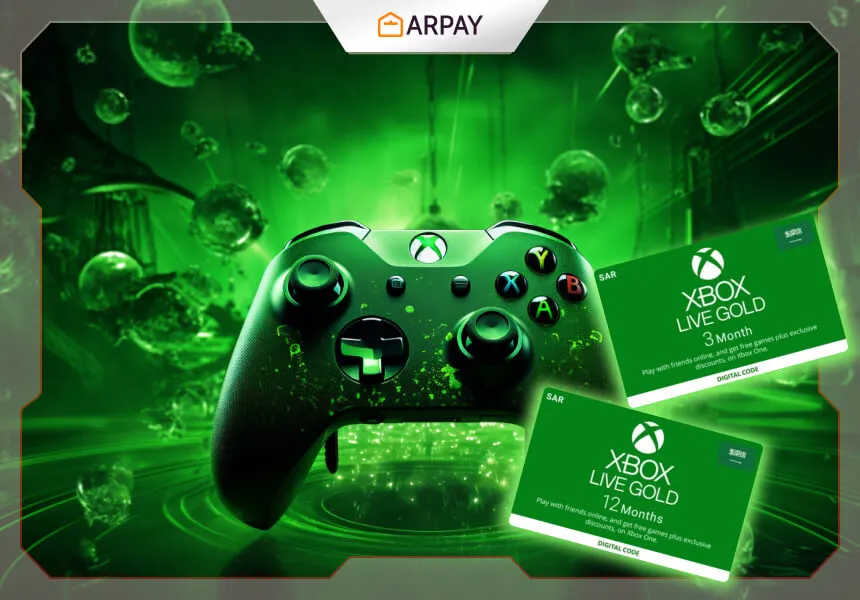
Xbox Live Gold is a premium service that gives you more benefits and features, such as free games every month, exclusive member discounts, and access to online multiplayer games.
You can play games like Call of Duty, Fortnite, Minecraft, and more, with other players from around the world.
You can also get free games every month, from a selection of Xbox One and Xbox 360 games, that you can keep and play as long as you have an active subscription.
You can also save up to 50% on games, add-ons, and more, from the Deals with Gold section.
You can get Xbox Live or Xbox Live Gold with an Xbox card, by choosing the subscription option when you redeem your card.
You can choose from different plans, such as monthly, quarterly, or annual, and you can cancel anytime.
You can also use your Xbox card to extend your existing subscription or to switch from Xbox Live to Xbox Live Gold.
Xbox Live and Xbox Live Gold are the best Xbox cards for gamers who want to play online, socialize, and get more value.
You can play with your friends, or make new ones, and enjoy the thrill of online gaming.
You can also get free games every month, and save money on your purchases.
Xbox Live and Xbox Live Gold are the essential gaming cards, and you should get them if you love online gaming.
Xbox Cards
Xbox cards are the most versatile and flexible Xbox cards, as they can be used to buy anything you want from the Microsoft Store online, on Windows, or on Xbox.
You can use Xbox cards to buy games, apps, movies, TV shows, devices, and more, from a huge selection of categories and genres.
You can also use Xbox cards to buy subscriptions, such as Xbox Game Pass, Xbox Live Gold, EA Play, and more.
You can also use Xbox cards to buy gift cards, such as Netflix, Spotify, Amazon, and more.
Xbox cards are the best Xbox cards for gamers who want to have more choices, freedom, and control.
You can buy whatever you want, whenever you want, and however you want.
You can also use Xbox cards to gift others or to reward yourself. Xbox cards are the ultimate gaming cards, and you should get them if you love gaming.
Conclusion
Xbox cards are the perfect way to enjoy all the benefits of Xbox, whether you own an Xbox console, a Windows PC, or a mobile device.
You can use Xbox cards to buy games, apps, movies, TV shows, devices, and more, from the Microsoft Store online, on Windows, or on Xbox.
You can also use Xbox cards to buy subscriptions, such as Xbox Game Pass, Xbox Live Gold, EA Play, and more, that give you unlimited access to a variety of games, online services, and exclusive deals.
You can also use Xbox cards to buy gift cards, such as Netflix, Spotify, Amazon, and more, that let you enjoy other entertainment options.
In this article, we have explained what Xbox cards are, how to use them, how to buy them, and how to redeem them.
We have also suggested three Xbox cards that will make your game joyful, and why you should get them.
Xbox Game Pass and Xbox Game Pass Ultimate are the ultimate gaming subscriptions, that give you unlimited access to over 100 high-quality games for Xbox, PC, and mobile devices.
Xbox Live and Xbox Live Gold are the essential gaming services that let you play online multiplayer games, and get free games every month.
Xbox cards are the ultimate gaming cards that let you buy anything you want from the Microsoft Store online, on Windows, or on Xbox.
We hope you have enjoyed this article, and that you have learned something new about Xbox cards.
If you are interested in buying Xbox cards, you can visit our website, ARPay, where we sell prepaid cards, gift cards, e-cards for supermarkets, and games and applications.
You can find Xbox cards in different denominations, and get them delivered to your email instantly.
You can also find other cards, such as PlayStation cards, Nintendo cards, Steam cards, and more, that let you enjoy other gaming platforms.
You can also find cards for other categories, such as food, fashion, travel, and more, that let you enjoy other aspects of life.
Thank you for reading this article, and happy gaming!
FAQs
What are Xbox cards and what can I use them for?
- Xbox cards are digital codes that let you buy anything from the Microsoft Store online, on Windows, or on Xbox, such as games, apps, movies, TV shows, devices, subscriptions, and gift cards.
How can I buy Xbox cards and how much do they cost?
- You can buy Xbox cards online or offline, from different sources and denominations, from $10 to $100.
- Xbox cards have no fees or expiration dates, so you can use them anytime you want.
How can I redeem Xbox cards and where can I use them?
- You can redeem Xbox cards online, on Windows, or on Xbox, by entering your Xbox card code on the Redeem page, or on the Store tab.
- You can use your Xbox card balance to buy anything you want from the Microsoft Store online, on Windows, or on Xbox.
What are the benefits of Xbox Game Pass and Xbox Game Pass Ultimate?
- Xbox Game Pass and Xbox Game Pass Ultimate are subscriptions that give you unlimited access to over 100 games for Xbox, PC, and mobile devices.
- You can also enjoy exclusive discounts, deals, and perks, and play new games on the day of their release.
- Xbox Game Pass Ultimate also includes Xbox Live Gold, EA Play, and cloud gaming.
What are the differences between Xbox Live and Xbox Live Gold?
- Xbox Live and Xbox Live Gold are services that let you play online multiplayer games, chat with your friends, and share your achievements.
- Xbox Live Gold also gives you free games every month and exclusive member discounts.