Quick answer: treat Xbox Ultimate Sale 2024 like a library-building moment, not a shopping spree—decide what you’ll actually play next, check editions carefully, and only buy discounts that replace a real future purchase. Last verified: 2026-05-01. (source: Microsoft Store)
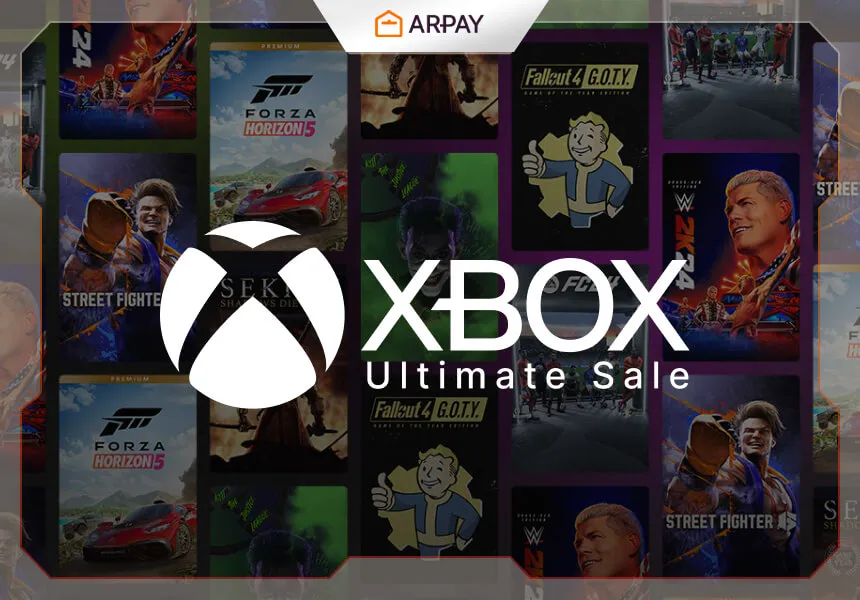
Big seasonal sales on Xbox tend to create the same problem every year: you can get great value, but only if you avoid filling your library with games you will never install. The phrase “Xbox Ultimate Sale 2024” (source: Microsoft Store) signals a wide discount event across genres, which is exactly why it’s dangerous. When everything is “a deal,” nothing is a decision unless you set rules.
This explainer focuses on the decisions that matter more than hype: how to choose what to buy, what to skip, and how to make your money go further if you’re using Xbox gift cards. Last verified: 2026-05-01.
The only rule that matters: buy your next plays, not your someday plays
Most sale regret comes from buying “aspirational” games: titles you respect but won’t realistically start soon. A better filter is brutally simple: would you start this game within the next month if you bought it today? If not, the discount is not saving you money; it is moving money from your wallet into a backlog. (according to common digital-library behavior patterns)
The Xbox ecosystem makes this even more important because your library is already full of options: owned games, subscription catalogs, and free-to-play staples. A sale purchase should earn its place by being something you will choose over all the things you already have. (source: Microsoft Store; source: Xbox platform ecosystem)
Editions and add-ons: how people accidentally overpay during sales
During major Microsoft Store sale events (source: Microsoft Store), the store pages can be filled with different versions of the same game: standard editions, deluxe editions, bundles, upgrade packs, and separate add-ons. This is where you can lose value fast, because “bigger bundle” feels like “better deal,” even when you only want the base game.
To avoid that, decide what you’re buying before you look at the price. Are you buying the base game to try it? Are you buying the complete experience because you already know you love it? If you can’t answer that, you’re not shopping; you’re reacting.
- If you have not played the series before, prefer the simplest edition. Your goal is to discover whether it’s for you, not to collect every extra.
- If you already love the game, check what the premium edition actually adds. Cosmetic-only bonuses are not automatically bad, but they should never be the reason you buy a bigger package.
- If a bundle includes multiple games, ask whether you would pay for each one individually. If you wouldn’t, it is padding, not value.
How to shop by mood (the easiest way to prevent a junk library)
Sales are overwhelming because they show you a thousand choices with no context. So give yourself context: shop for a mood. Do you want something story-heavy? Something you can play in short bursts? Something co-op? Something chill? When you shop with a mood in mind, you stop buying “good games” and start buying “games you will actually play.”
This is especially useful for Xbox Ultimate Sale 2024 (source: Microsoft Store) because it’s framed as broad and genre-spanning. Broad sales reward focused buyers. Unfocused buyers end up with a pile of unused “great deals.”
Using Xbox gift cards during a sale: the safe, budget-friendly approach
Gift cards are useful because they force a boundary. The danger is spending the balance just to “use it up.” Treat gift card credit like cash: spend it only on planned buys, and keep a small buffer if you know you’ll want something later. (source: Microsoft Store purchasing patterns; according to common budgeting advice)
One practical tip: separate “must play next” purchases from “nice to have” purchases. If your balance covers the must-play list, stop. Don’t turn leftover credit into random add-ons unless you already know you’ll use them. This keeps the sale working for you instead of turning into a self-justifying shopping loop.
Common mistakes people make in Xbox Ultimate Sales
- Buying based on discount size instead of personal value. A smaller discount on something you will play beats a huge discount on something you will not.
- Buying multiple long games at once. If you already have one massive RPG in your queue, buying three more is not saving money; it’s creating guilt.
- Confusing an add-on sale with a base-game sale. Always confirm you are buying the game itself, not just extra content for a game you don’t own. (source: Microsoft Store listing structure)
- Assuming you need to buy everything now. Major sales recur; the best purchase is the one that matches your time, not the one that matches the hype. (according to recurring retail sale patterns)
Bottom line: Xbox Ultimate Sale 2024 (source: Microsoft Store) is only “epic” if you come in with a plan. Buy what you’ll play next, choose editions intentionally, and use gift card credit to enforce a budget instead of to justify extra spending. Last verified: 2026-05-01.