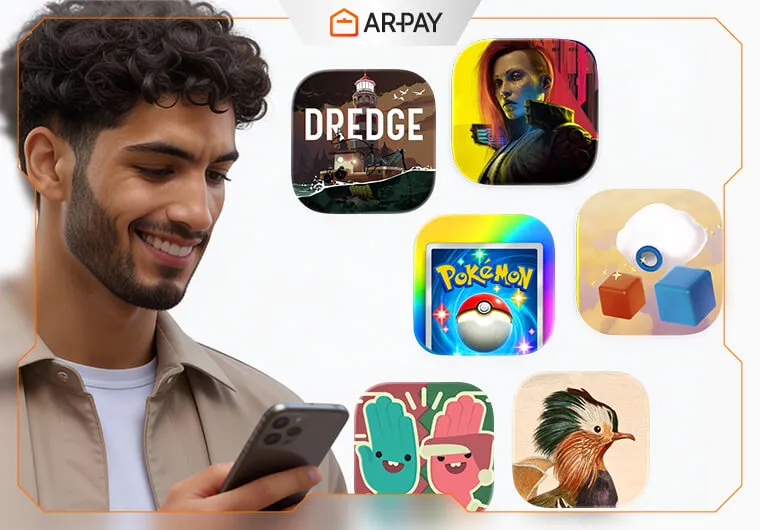
Apple's editors sifted through 45,000 games this year. If you've downloaded dozens of games only to delete them three days later, you're not alone. Most mobile games feel like slot machines disguised as entertainment.
But Apple's 2025 App Store Awards tell a different story. These winners kept players coming back throughout the year. From a card game that pulled in $800 million to a fishing simulator that somehow turns terrifying at night, these titles prove mobile gaming can be more than mindless tapping.
The awards span iPhone, iPad, Mac, Apple Watch, and even Vision Pro. Some winners prioritized accessibility. Others pushed technical boundaries. A few just nailed the fun factor so perfectly that millions couldn't put them down.
Want to skip the fluff and find games actually worth your storage space? Here's every winner, ranked by platform.
iPhone Game of the Year
Pokémon Trading Card Game Pocket: The $800M Nostalgia Machine
Remember trading Pokémon cards during recess? That feeling of ripping open a fresh pack, hoping for a holographic Charizard? This game bottled that exact emotion and turned it into 2025's most addictive mobile experience.
The numbers tell the story. Sixty million downloads in seven weeks. Eight hundred million dollars in revenue. Thirty-three million monthly players, with 10 million logging in daily. That's a 30% daily engagement rate, which is astronomical for free-to-play games.
What makes it special:
- Free daily packs create genuine habit loops without forcing you to spend money to progress
- Hidden missions never reveal their requirements, sparking the same playground speculation that made Pokémon legendary
- One-handed iPhone design lets you play during your commute without looking like you're juggling your phone
- Nostalgia executed perfectly by recreating 90s pack-opening magic instead of just slapping Pikachu on a generic game
Here's the reality check. Revenue dropped 45% mid-year, falling from nearly $100 million monthly to around $55 million by June. But even in decline, it's crushing competitors. Japan accounts for 42% of spending despite only 6% of downloads, revealing brilliant monetization that rewards whales without punishing casual collectors.
Who should play: Anyone who loved opening packs as a kid, card game fans, commuters needing five-minute sessions
Price: Free with optional purchases
Our take: The rare free game that respects your wallet while rewarding collection. Deserved winner.
Stay ahead of the curve with ARPay Apple News—your go-to destination for everything Apple! From the latest App Store updates and exclusive iTunes deals to breaking Apple news and must-know tech trends, we’ve got it all in one place.
iPad Game of the Year
DREDGE: The Fishing Game That Turns Into Your Nightmare
Fishing games should be relaxing, right? DREDGE agrees during daylight hours. You'll cast nets, sell catches, upgrade your boat, and enjoy the therapeutic rhythm of virtual fishing.
Then night falls.
The water turns black. Strange shapes move beneath your boat. Your character's sanity meter starts dropping. Suddenly, your cozy fishing sim becomes Lovecraftian horror, and you can't look away.
This genre-defying approach earned it iPad Game of the Year. Over one million cross-platform sales. Sustained top 50 chart position throughout 2025. Critical acclaim from players who didn't know they wanted "creepy cozy" fishing until they experienced it.
What makes it special:
- iPad's larger screen maximizes atmospheric tension by showcasing environmental details you'd miss on smaller displays
- No grinding or filler content, just a tight 12-15 hour narrative that respects your time
- Premium pricing means zero dark patterns, no energy systems, no pop-up ads begging for money
- Controller support turns extended sessions into console-quality experiences
The catch? Slow-paced gameplay filters out action junkies immediately. Some iPad Air users report minor frame drops during heavy fog sequences. This isn't for everyone, and DREDGE knows it.
Who should play: Story-driven gamers, horror fans wanting unsettling atmosphere over jump scares, anyone exhausted by free-to-play manipulation
Price: $9.99 one-time purchase
Our take: Proves premium games still thrive when they deliver unique experiences. The iPad version is the definitive mobile edition.
Mac Game of the Year
Cyberpunk 2077 Ultimate Edition: Mac Gaming Gets Legitimate

For years, "gaming on Mac" was a punchline. Then Cyberpunk 2077 Ultimate Edition arrived, fully optimized for Apple Silicon, and suddenly Mac gaming became real.
This isn't a half-hearted port. Full 4K support on M3 Max chips. Over 60 FPS on high settings with M2 Pro and above. All DLC included, meaning the massive Phantom Liberty expansion adds 30+ hours of content. Every bug from the disastrous 2020 launch has been squashed.
What makes it special:
- True AAA open-world gaming on a Mac, something previously impossible
- Metal 3 API showcase with ray tracing, HDR support, and haptic feedback through MacBook trackpads
- Complete edition advantage means you're playing the game CD Projekt Red intended to release
- Platform legitimacy signal that convinces other developers to take Mac gaming seriously
The reality check hits hard, though. You'll need M2 Pro minimum, as M1 base models struggle badly. The game demands 150GB storage. If you already own a console, playing there is cheaper. Apple awarded this more for what it represents than actual player count.
Who should play: Mac owners tired of hearing "just boot camp Windows," RPG enthusiasts, anyone who waited for the fixed version
Price: $59.99
Our take: A statement piece proving Mac gaming deserves respect. Now we need more developers to follow.
Apple Vision Pro Game of the Year
Porta Nubi: Spatial Computing's First Killer App

You can't play Porta Nubi anywhere else. Not because it's exclusive to Vision Pro, but because it's literally impossible without spatial computing. This puzzle game has you walking around your actual room, manipulating 3D objects floating in your physical space.
The numbers are tiny compared to iPhone winners. Vision Pro's install base sits around 600,000 units. But 89% of Apple retail demos featured Porta Nubi. It scored a rare 4.8 out of 5 rating despite launching on unproven hardware.
What makes it special:
- True spatial puzzle design requiring you to physically move around objects
- Perfect hand tracking with no controllers needed, just pure gesture interaction
- Immersive without motion sickness thanks to carefully designed comfort features
- Early adopter advantage means less competition and more discoverability
The elephant in the room? You need a $3,499 headset. The campaign lasts only 4-6 hours at launch. Apple awarded this for future potential, not current impact. The genre remains so undefined that comparison feels impossible.
Who should play: Vision Pro owners, puzzle fans, spatial computing evangelists, developers studying the platform
Price: $19.99
Our take: Historic for the platform, niche for everyone else. Check back in 2027 when more people own headsets.
Apple Watch Game of the Year
WHAT THE CLASH?: Multiplayer Gaming on Your Wrist

Gaming on an Apple Watch sounds ridiculous until you try WHAT THE CLASH?. This multiplayer game turned the "impossible" challenge of wrist-based gaming into addictive chaos that actually works.
Two million downloads since March. Average session length of 3.5 minutes, perfect for Watch gaming. A stunning 67% player retention after 30 days, which is exceptional for casual games.
What makes it special:
- Async multiplayer brilliance lets you challenge friends who play when ready, with haptic notifications delivering results
- Workout integration tracks your heart rate spikes during intense matches
- Digital Crown gameplay uses the Watch's signature control perfectly
- Social by design with iMessage notifications and Apple Watch group challenges
The downsides are real. That tiny screen means squinting, especially for anyone over 40 without reading glasses. Battery drain hits 15% per hour during extended play. You'll need the iPhone companion app for some features. Depth is limited, making this more "distraction" than "destination" gaming.
Who should play: Apple Watch owners seeking micro-gaming, fitness gamers wanting fun breaks, anyone with five-minute windows
Price: Free with optional cosmetic purchases
Our take: The perfect "waiting in line" game that proves Watch gaming isn't a gimmick.
Cultural Impact Award Winners
Art of Fauna: The Game That Changed Accessibility Forever

Some games entertain. Art of Fauna changed how developers think about accessible design, earning its Cultural Impact Award by making puzzles playable for users with visual, motor, and cognitive disabilities.
Every puzzle offers multiple input methods including touch, voice, and switch control. Colorblind modes don't just apply filters but redesign the entire visual language. Adjustable timers, no punishing difficulty spikes, and a hint system that never shames players create cognitive accessibility rarely seen in gaming.
The beautiful part? Accessibility features don't compromise aesthetics. The game looks gorgeous for everyone.
The impact:
- Featured by disability advocacy groups worldwide
- Over 500,000 downloads with a 4.9 out of 5 rating
- Cited in iOS accessibility documentation as the gold standard
Who should play: Everyone, especially parents with special needs kids, educators, and accessibility advocates
Price: $4.99
Our take: Will be studied by game design students for years as the template for inclusive development.
Apple Arcade Game of the Year Winners
Apple Arcade's $6.99 monthly subscription proves premium, ad-free gaming still has a market. Here are the six winners that justified the price tag throughout 2025:
NFL Retro Bowl '25

Old-school football meets modern strategic depth. Perfect for 10-minute sessions when you need quick gameplay without complexity overload.
Balatro+
This poker roguelike is mathematically addictive. Every run teaches you new synergies. "One more run" becomes your mantra at 2 AM.
Warped Kart Racers

Cartoon Network kart racing without a single microtransaction. Family-friendly chaos that proves racing games don't need predatory monetization.
Crossy Road Castle

Co-op platforming that's deceptively challenging. Looks cute, plays brutally. Revives couch multiplayer gaming on mobile devices.
WHAT THE GOLF?

An absurdist anti-golf game mixing comedy, puzzles, and constant surprises. Every hole breaks expectations in delightful ways.
Ridiculous Fishing EX
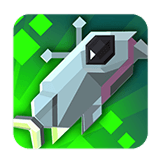
Endless arcade fishing perfection. The game that defined what premium mobile gaming could achieve back in the early App Store days.
Conclusion
The mobile gaming industry earned over $120 billion this year. Apple's award choices reveal they're betting on quality over quantity for long-term ecosystem health. The winners aren't always the highest earners. They're games that make iOS the platform players want to stay on.
These titles helped users be more productive, express creativity, and explore immersive worlds. Apple's editors spent 2025 finding the best. Now it's your turn to play them.
Want to explore Apple Arcade's award winners? Get your Apple gift cards from ARPay and unlock the entire premium gaming library. No ads, no in-app purchase pressure, just pure gaming bliss delivered instantly.
FAQ
Are Apple's App Store Award winners actually worth playing?
Yes, but not every winner fits every player. Apple's editors prioritize quality, innovation, and cultural impact over pure profitability. Pokémon TCG Pocket earned its award through massive engagement numbers and smart design. DREDGE won by creating an entirely new genre. The awards reflect games that pushed boundaries, which means they're worth trying if their genre interests you.
Do I need to pay for these award-winning games?
It varies by title. Pokémon TCG Pocket and WHAT THE CLASH? are free with optional purchases. DREDGE costs $9.99 as a premium game. Cyberpunk 2077 Ultimate Edition runs $59.99. The Apple Arcade winners require a $6.99 monthly subscription but include six award winners plus hundreds of other games. Apple's awards span both free and paid experiences, reflecting different monetization philosophies.
Can I play these games on older devices?
Depends on the game. Pokémon TCG Pocket and WHAT THE CLASH? run on relatively old hardware. DREDGE works on most recent iPads. Cyberpunk 2077 demands M2 Pro or better Mac chips. Porta Nubi requires Vision Pro hardware. WHAT THE CLASH? needs Apple Watch Series 6 or newer. Check each game's specific requirements before downloading, especially for graphically intensive titles.
Meta Description: Discover Apple's 2025 App Store Award winners. From Pokémon TCG Pocket's $800M success to accessibility pioneers, here are 17 games that actually deserve your time.