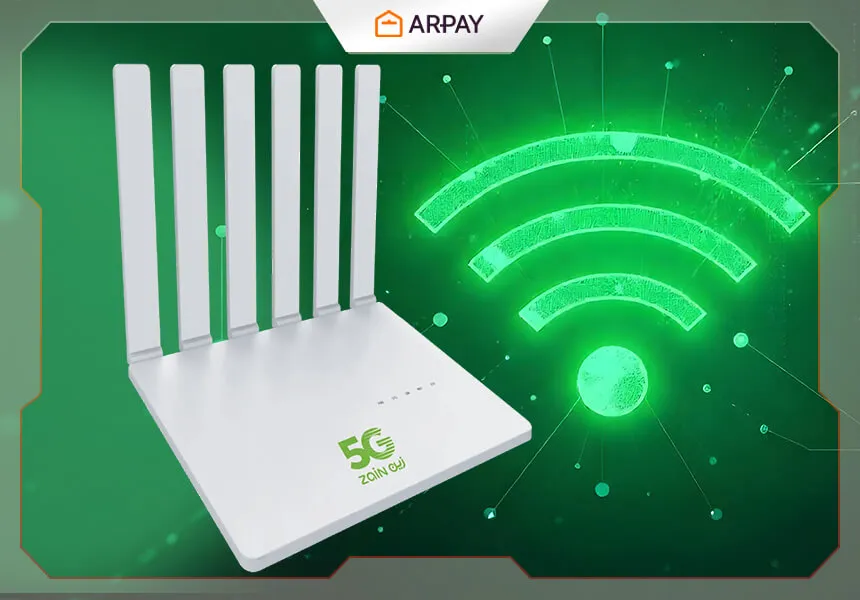
Reliable, fast home internet matters for work, streaming, and gaming—and in 2026, a 5G router can be a practical alternative to fixed lines in many areas. Zain’s 5G Router is often considered by individuals and small businesses who want high-speed connectivity with simple setup and flexible placement. Below, we’ll cover the router’s standout benefits, what to check before you buy, and how to purchase it using Zain Gift Cards.
At a high level, a Zain 5G Router (often called 5G CPE) connects to Zain’s 5G network and shares that connection over Wi‑Fi (and sometimes Ethernet) to your phones, laptops, TVs, and smart-home devices. The best experience comes when you’re within strong 5G coverage and can position the device where signal is clean—usually near a window or higher shelf away from thick walls and large metal objects.
Key Features and Benefits of the Zain 5G Router
High-Speed Internet (when coverage is strong)
5G can deliver a big jump in performance versus older mobile broadband, especially for downloads and responsiveness. Some 5G CPE devices are marketed with very high peak throughput figures (sometimes quoted up to multi‑Gbps). Real-world speeds vary heavily by area, indoor signal, network load, and your plan, so treat any “maximum speed” claim as a best‑case scenario. If you’re buying specifically for 4K streaming, cloud gaming, or heavy file transfers, check that your address has stable 5G coverage and ask about any speed caps or fair-usage policies on the plan. []
Low Latency for calls, gaming, and remote work
Latency (the time it takes data to travel) is what separates “fast enough” internet from internet that feels instant. A good 5G connection can reduce lag during video meetings, VoIP calls, and online gaming compared with congested 4G in the same area. For competitive play or constant video conferencing, prioritize consistency: a slightly lower but stable speed is often better than spikes and drops. If your area is prone to indoor signal issues, moving the router a few meters can noticeably change latency and stability.
Wide coverage inside the home (with smart placement)
Wi‑Fi coverage depends on your home layout and the router’s Wi‑Fi standard. In many apartments and medium homes, a single 5G router can cover most rooms; in larger homes or multi-floor spaces, you may need a mesh system or a Wi‑Fi extender for best results. If your Zain 5G Router supports dual‑band Wi‑Fi, use 5 GHz for speed in nearby rooms and 2.4 GHz for range and better wall penetration.
Supports multiple devices at once
A key reason people choose 5G CPE is to connect a whole household: phones, laptops, smart TVs, tablets, and smart devices. Performance under load will depend on the router’s CPU/Wi‑Fi capability and the strength of the 5G signal. If your home regularly streams multiple videos while someone is gaming or on a call, look for features like modern Wi‑Fi (Wi‑Fi 6/6E on some models) and quality-of-service controls in the management app or web portal. Exact model availability can vary by market and time. []
Easy setup and day-to-day management
Most 5G routers are designed to be plug-and-play: power on, wait for signal, and connect via the Wi‑Fi name/password printed on the device label. After that, you can typically manage basics like SSID/password changes, guest Wi‑Fi, and connected device lists through a mobile app or a browser-based admin page. If you’re setting up for a family, consider enabling a guest network for visitors and changing the default admin password so no one on your Wi‑Fi can tamper with settings.
Future-ready connectivity
If you’re in a location where fiber is limited or slow to install, a 5G router can be a “future-ready” bridge: you get fast internet now, and you can relocate the device if you move. That flexibility is one of the biggest practical advantages over fixed-line contracts—especially for renters, small offices, or temporary housing.
How to Buy a Zain 5G Router Using Zain Gift Cards (2026)
If you prefer not to use a credit or debit card online, Zain Gift Cards can be a convenient way to pay—especially for controlled spending or gifting. Checkout steps can change depending on Zain’s current store flow, but the process usually looks like this. []
- Open Zain’s official online store: browse available 5G router/CPE options and check whether the device is locked to Zain’s network (many carrier devices are).
- Add the router to your cart: confirm what’s included (power adapter, Ethernet cable, manuals) and note the return/warranty terms. []
- Proceed to checkout and pick Gift Card or voucher payment (if available): enter the card code and PIN exactly as shown on the gift card.
- Complete the purchase and keep your confirmation: save order numbers and delivery updates so you can track shipping or resolve issues quickly.
If you need a place to buy telecom credit and gift cards, you can use AR-PAY Telecom to choose a denomination that matches your budget and planned purchase.
Setting Up Your Zain 5G Router
Setup is typically quick, but a few small choices can make the difference between “okay” and “excellent” performance—especially indoors.
- Unbox and inspect: confirm you have the router unit, power adapter, any included Ethernet cable, and quick-start paperwork.
- Power on and wait for signal: give it a few minutes to register on the network the first time. If the signal indicator is weak, move it closer to a window or higher position.
- Connect a device and rename your Wi‑Fi: use the default Wi‑Fi details on the label, then change SSID/password to something unique (and enable WPA2/WPA3 if offered).
- Optimize placement with a quick speed/latency check: test from the rooms you care about most (office, living room). If performance drops, try rotating the router or moving it 1–2 meters; small changes can help indoors.
- Add your devices and consider a guest network: connect phones, laptops, TVs, and smart devices, then separate visitors onto guest Wi‑Fi to keep your main network tidier and safer.
Quick Comparison: 5G Router vs Fiber vs 4G (2026)
Choosing the “best” internet option is really about your address, your tolerance for installation, and how consistent you need performance to be:
• Fiber: typically the most consistent for heavy work-from-home, big uploads, and low-latency gaming—if it’s available at your address and the install timeline works for you. Pricing and availability vary by neighborhood. []
• 5G Router (Zain): great when you want fast setup, the ability to move the device, or you don’t have strong fixed-line options. Performance can be excellent, but it’s more sensitive to coverage and indoor signal.
• 4G Router: can be good enough for lighter use or areas without stable 5G, but it’s generally more likely to feel slow during peak hours or when many devices are connected.
Conclusion
In 2026, the Zain 5G Router remains a strong option for people who want modern home internet without waiting on fixed-line installation—especially if your area has reliable 5G coverage. Its biggest wins are convenience (plug-and-play), flexibility (easy to relocate), and the ability to serve multiple devices for streaming, work, and gaming.
If you plan to buy one, focus on the practical checks that matter most: coverage at your address, plan limits, return policy, and indoor placement. And if you prefer voucher-style payments, Zain Gift Cards can be a simple way to pay without using a bank card online. Store flows, plan terms, and device models change over time, so confirm the latest details before checkout. []