PlayStation Store Lebanon
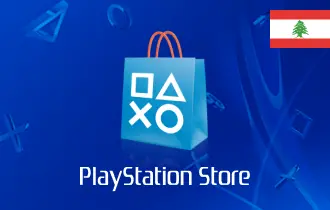
Unlock a world of gaming with PlayStation Store Lebanon Cards—perfect for gamers to explore new titles and exclusive content.




PlayStation Store Lebanon: The Ultimate Gaming Gift Every Gamer Wants!
Unlock a World of Immersive Gaming Experiences with PlayStation Store Lebanon Cards
Immerse your loved ones in the captivating world of PlayStation gaming with PlayStation Store Lebanon Cards, the ideal present for avid gamers, tech enthusiasts, and anyone seeking to experience the thrill and excitement of console gaming. These gift cards grant access to PlayStation's vast library of games, including exclusive titles, blockbuster franchises, and captivating multiplayer experiences.
With PlayStation Store Lebanon Cards, you can:
- Explore a Diverse Gaming Universe: Discover a vast library of games across a wide range of genres, from action-packed adventures to strategic simulations, ensuring there's something for every gaming enthusiast.
- Experience Exclusive PlayStation Games: Immerse yourself in the world of PlayStation exclusives, titles that are only available on PlayStation consoles, offering unique gaming experiences and captivating storylines.
- Enjoy Multiplayer Adventures and Competitive Thrills: Engage in exhilarating multiplayer battles, team up with friends for cooperative missions, and compete in thrilling online tournaments.
- Upgrade Your Gaming Experience: Purchase additional content, such as downloadable content (DLC), in-game items, and season passes, to enhance your gaming experience and extend your playtime.
- Gift the Essence of Gaming Excitement: Share the joy of gaming with loved ones, enabling them to explore new worlds, engage in thrilling adventures, and experience the endless possibilities of console gaming.
How to Redeem Your PSN Code
Redeeming your code is simple and can be done on your console, web browser, or the PlayStation App.
On a PS5 or PS4 Console:
- Go to the PlayStation Store from your console's home screen.
- Select your profile picture at the top of the screen, then choose Redeem Codes from the menu.
- Carefully enter the 12-digit voucher code and select Continue.
- Follow the on-screen prompts to confirm, and the funds will be added to your wallet.
On a Web Browser:
- Visit the official PlayStation Store website and sign in to your Bahrain PSN account.
- Click on your profile picture in the top-right corner and select Redeem Codes.
- Enter the 12-digit code and click Redeem.
On the PlayStation App:
- Open the PlayStation App on your mobile device and sign in.
- Tap the Store icon, then the menu button (three lines or dots).
- Select Redeem Code and enter your 12-digit code to add the funds.
Terms and Conditions
- Codes can only be redeemed on PlayStation accounts registered to Lebanon
- ARPay is an authorized digital reseller of PlayStation Store gift cards
- Wallet funds are non-transferable and cannot be exchanged for cash
- Minimum age requirements apply for certain content purchases
- PlayStation Store content ratings and purchase policies apply
- For technical assistance, contact PlayStation Support or ARPay customer service
FAQ
Can I use a US or EU PlayStation card on a Lebanese account?
No, you cannot. PlayStation gift cards are region-locked. To add funds to a PSN account registered in Lebanon, you must use a PlayStation Store card specifically for the Lebanon/Middle East region. A card from another region (like the US or Europe) will result in a redemption error.
What can I buy with a PSN Lebanon gift card?
Once redeemed, the funds in your PSN wallet can be used to purchase anything on the PlayStation Store. This includes full digital games for PS5 and PS4, downloadable content (DLC), season passes, in-game currency (like Fortnite V-Bucks or COD Points), and PlayStation Plus subscriptions.
How do I redeem my PSN Lebanon code?
You can redeem your 12-digit code on your PS5/PS4 console, the official PlayStation website, or the PlayStation mobile app. On your console, go to the PlayStation Store, select "Redeem Codes" from the menu, and enter your code. The funds will be added to your wallet immediately.
My PSN code is not working or says it's already used. What should I do?
First, double-check that you have entered the 12-digit code correctly, paying attention to similar characters (e.g., 'O' and '0'). If it still fails, the code may have already been redeemed or there might be a region mismatch. If you believe the code is faulty, you must contact PlayStation Support directly with your proof of purchase for an investigation.
Do PlayStation Store Lebanon gift cards expire?
No, standard PlayStation Store voucher codes purchased from retailers do not have an expiration date. You can redeem the code and use the wallet funds whenever you like. However, specific promotional codes from Sony may have an expiry date, which will be clearly stated.
How can I check my PSN wallet balance?
You can check your wallet balance easily on your console or online. On a PS5, simply select your profile avatar from the home screen, and your balance will be displayed. On the PlayStation Store website, sign in and go to "Payment Management" to see your current wallet funds.
Are PSN gift cards refundable?
No, PlayStation Store gift cards are non-refundable and non-exchangeable after purchase. Once the code is delivered, the sale is final. Refunds are only provided in cases where the code is proven to be defective or invalid, as required by consumer protection laws.
Can I use a gift card to renew my PlayStation Plus subscription?
Yes. First, redeem the gift card to add the funds to your PSN wallet. Then, navigate to your subscription settings (Settings > Account Management > PlayStation Subscriptions) and renew your PS Plus membership, choosing your PSN Wallet as the payment method.