PUBG New State

4.2

PUBG New State

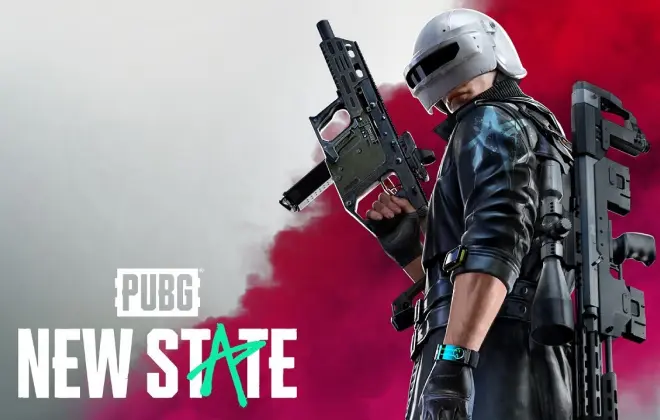
Dominate the battlefield with PUBG New State gift cards—access exclusive items, maps, and thrilling game modes.


1

For any questions contact support

SSLPCi DSS Complant

PayPalMastercardVisa

Dominate the Future of Battle Royale with PUBG New State NC 

Step into the battlegrounds of 2051 with everything you need to win. A PUBG New State gift card is your key to unlocking a world of premium content. Instantly top up your New State Credits (NC) and customize your gameplay with exclusive items, outfits, and weapon skins.

At ar-pay.com, we provide a fast, secure, and reliable way to get your NC. Forget waiting—your digital code is delivered to your account instantly after purchase, so you can jump right back into the action and dominate the competition.

Why Choose a PUBG New State Gift Card?

  • Instant Delivery: Receive your NC code immediately in your ar-pay.com account after a secure payment.
  • The Perfect Gift: Surprise a fellow gamer with the ultimate gift, allowing them to choose their own in-game rewards.
  • Secure & Flexible Payments: Purchase with confidence using a wide range of secure payment methods without linking a credit card to your game account.
  • Unlock Exclusive Content: Use your NC to purchase the latest Survivor Pass, unique character outfits, vehicle skins, and powerful weapon cosmetics.

How to Redeem Your Code

Redeeming your PUBG New State gift card is simple. Follow these steps to add NC to your account:

  1. Open the PUBG: New State game on your mobile device and go to your profile to find your Account ID.
  2. Visit the official PUBG: New State redemption website: https://newstate.pubg.com/en/redemption.
  3. Enter your Account ID and the gift card code you received from ar-pay.com.
  4. Complete the CAPTCHA verification and click "Redeem".
  5. Your NC will be delivered directly to your in-game mailbox. Claim it to update your balance!

Terms and Conditions

Please be aware of the following terms before purchasing:

  • One-Time Use: Each code can only be redeemed once.
  • No Expiration: Once redeemed, your in-game NC (New State Credits) do not expire.
  • Region-Specific: Codes are region-locked and must match the region of your game account.
  • Non-Refundable: Gift card purchases are final and cannot be refunded or exchanged.
  • Account-Tied: After redemption, the credits are tied to your personal game account and are non-transferable.

For full details, please refer to the official KRAFTON Terms of Service.

No, PUBG New State Gift Cards do not expire. They can be redeemed at any time for the amount of UC (Unknown Cash) that they are worth. This is in contrast to some other gift cards, which may have an expiration date. If you have a PUBG gift card that you are not planning on using right away, you can store it in a safe place until you are ready to redeem it. The UC will still be there waiting for you when you are ready to use it. Here are some things to keep in mind about PUBG New State Gift Cards: They can be redeemed on any platform that supports PUBG Mobile. They can be used to purchase UC, which can be used to buy items in the PUBG Mobile shop. They do not expire. They are not refundable.

Yes, PUBG New State Gift Cards are region-specific. This means that you can only redeem a PUBG gift card in the country where it was purchased. For example, if you purchase a PUBG gift card in the United States, you can only redeem it on a PUBG Mobile account that is registered in the United States. If you try to redeem a PUBG gift card in a different country, you will receive an error message. You can always contact the PUBG Mobile support team for assistance. They will be able to tell you whether the gift card you have is region-specific and whether it can be redeemed in your country.

To redeem a PUBG Gift Card, follow these steps: Visit the PUBG Mobile Redeem Page: https://www.pubgmobile.com/redeem/. Enter your Player ID and the Redemption Code from your PUBG Gift Card. Click Redeem Now. If successful, you'll receive a confirmation message. The UC (Unknown Cash) will be added to your PUBG Mobile account immediately. Important things to keep in mind: You must have a PUBG Mobile account to redeem a PUBG Gift Card. Enter the redemption code exactly as it appears on the card. Redeem the card in the same region as your PUBG Mobile account. The card cannot be redeemed for cash and is non-refundable.

There are two ways to check your PUBG Gift Card balance: In the PUBG Mobile app: Open the PUBG Mobile app. Tap the profile icon in the top right corner. Tap Account. Tap Unknown Cash. Your PUBG Gift Card balance will be displayed under Available UC. On the PUBG Mobile website: Go to the PUBG Mobile website: https://www.pubgmobile.com/. Log in to your PUBG Mobile account. Click on your profile picture in the top right corner. Click on Account. Click on Unknown Cash. Your PUBG Gift Card balance will be displayed under Available UC.

You can use a PUBG gift card to buy Unknown Cash (UC) in the PUBG Mobile game. UC is the in-game currency that you can use to purchase items from the PUBG Mobile store, such as skins, weapons, and crates. Here are some places where you can use a PUBG gift card: The PUBG Mobile website The Midasbuy website In-store at select retailers, such as GameStop, Walmart, and Target To redeem a PUBG gift card, you will need to enter your Player ID and the code from the gift card. Your UC will be added to your account immediately. Here are some things you can't do with a PUBG gift card: You can't use it to buy physical goods. You can't use it to make in-app purchases in other games. You can't exchange it for cash. You can't reload it. You can't get a refund, unless required by law.

You can't add a PUBG Gift Card to your Wallet. They are not physical cards that you can add to your Wallet. They are codes that you redeem on the PUBG Mobile website or the Midasbuy website. To redeem a Card, you will need to: Go to the PUBG Mobile website or the Midasbuy website. Click on the "Redeem" button. Enter your Player ID and the code from your PUBG Gift Card. Click on the "Redeem" button again. Your UC will be added to your account immediately. Here are some additional information: They are available in denominations of $10, $25, $50, and $100. They can be purchased online or at select retailers. They are not refundable. They cannot be used to purchase physical goods.

To contact PUBG New State Gift Cards customer support, you can follow these steps: Visit the official PUBG website or go to the PUBG New State Gift Cards website. Look for a "Contact" or "Support" link on the website. Click on the contact or support link, which will redirect you to the customer support page. On the customer support page, you may find options to submit a support ticket or contact support via email. Fill out the required information. Submit your support ticket or send your email to the designated email address provided. Wait for a response from the PUBG New State Gift Cards customer support team. They will usually get back to you with a resolution or further assistance.

No, PUBG New State Gift Cards do not require additional payment details. They are prepaid cards used to purchase UC in the PUBG Mobile game. Redeeming the gift card involves entering the code to add UC to your account. You may be asked to provide your Google Play account information when redeeming through the Google Play Store, or additional details like name and address when redeeming through the Midasbuy website. However, credit card or bank account information is not required for PUBG Gift Card redemption.

Buy a PUBG Gift Card voucher with PayPal through websites like G2A, OffGamers, and Midasbuy. These websites allow you to pay with PayPal and receive your gift card voucher instantly or within minutes. To make the purchase, visit the desired website, select the UC amount, choose PayPal as your payment method, enter your PayPal details, and complete the transaction. Your gift card voucher will be sent to your email, and you can redeem it on the PUBG Mobile or Midasbuy website by entering the code and your Player ID.

You can send a PUBG Gift Card voucher as a gift in a few different ways. One option is to buy the gift card online and have it emailed to the recipient. Simply purchase the gift card from a reputable website like G2A, OffGamers, or Midasbuy, and the recipient can redeem it on the PUBG Mobile or Midasbuy website. Another option is to buy a physical gift card and mail it to the recipient. Participating retailers like GameStop, Walmart, or Target offer physical gift cards that can be redeemed online. Lastly, you can create a custom PUBG Gift Card voucher with a personal message on websites like GiftCards.com or Raise, and then print or email it to the recipient. Just make sure to include the recipient's Player ID so they can redeem it.

No, you cannot use a PUBG Gift Card for family sharing purchases. Family sharing is a feature that allows you to share your apps, books, music, movies, TV shows, and iCloud storage with up to five family members. However, it does not allow you to share gift cards. If you want to use a PUBG Gift Card to purchase UC for a family member, you will need to redeem the gift card on their account. You can do this by having them enter the code from the gift card on the PUBG Mobile website or the Midasbuy website. Once the gift card has been redeemed, the UC will be added to the family member's account and they will be able to use it to purchase items from the PUBG Mobile store.

You can purchase a variety of items in the PUBG Mobile store with a PUBG Gift Card, including: Weapons: There are a variety of weapons available in PUBG Mobile, each with its own unique stats and abilities. Clothing: You can customize your character's appearance with a variety of clothing items, including hats, shirts, pants, and shoes. Emotes: You can use emotes to express yourself in PUBG Mobile. There are a variety of emotes available. Crates: Crates are a type of loot box that contains random items. You can use a PUBG Gift Card to purchase crates. Battle Pass: The Battle Pass is a seasonal event that gives you access to exclusive challenges, rewards, and items. You can also use a PUBG Gift Card to purchase UC, which is the in-game currency that you can use to purchase any of the items listed above.

To redeem a PUBG Gift Card, follow these steps: On the PUBG Mobile website, go to https://www.pubgmobile.com/redeem/. Enter your Player ID, which can be found in the game under the "Player ID" heading in your profile. Input the code from your PUBG Gift Card. Click on "Redeem." Your UC will be instantly added to your account. For redemption on the Midasbuy website, follow the steps below: Visit the Midasbuy website at https://www.midasbuy.com/. Click on the "PUBG Mobile" tab. Enter your Player ID, found in the game under the "Player ID" heading in your profile. Input the code from your PUBG Gift Card. Click on "Redeem." Your UC will be immediately added to your account.

To redeem a PUBG gift card, you will need a PUBG Mobile account. You can create a free account on the PUBG Mobile website or app by providing a username, password, email address, and phone number. Once you have an account, you can redeem your gift card on either the PUBG Mobile website or the Midasbuy website. On the PUBG Mobile website, go to https://www.pubgmobile.com/redeem/ and enter your Player ID (found in the game's profile) and the code from your gift card. Click "Redeem" and your UC will be added instantly. On the Midasbuy website, go to https://www.midasbuy.com/ and click on the "PUBG Mobile" tab. Enter your Player ID and the code from your gift card. Click "Redeem" and your UC will be added to your account right away.