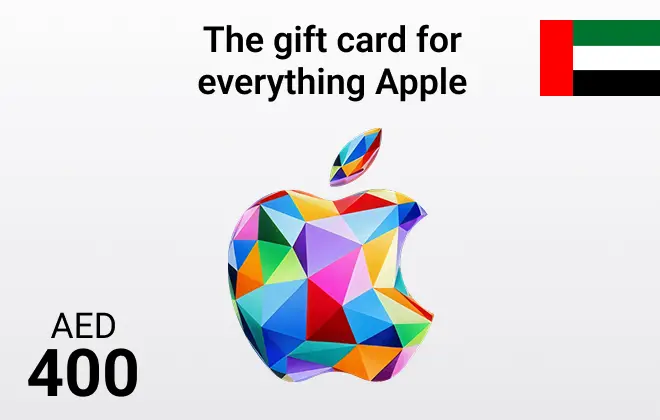
Apple Gift Card UAE 400 AED

4.1

Apple Gift Card UAE 400 AED

Instantly buy Apple UAE gift cards online at ar-pay.com. Securely access apps, music, games & more for your UAE Apple account. Fast digital delivery!

United Arab Emirates

400 AED

$ 108.69

1

For any questions contact support

SSLPCi DSS Complant

PayPalMastercardVisa

Extensive Digital Freedom: 400 AED Apple Credit

Gain significant freedom within the UAE Apple ecosystem with the App Store & iTunes 400 AED Gift Card. This large credit amount is perfect for users with substantial digital needs. Purchase securely via ar-pay.com and receive your code instantly, adding a hefty 400 AED to your UAE Apple Account balance.

What does 400 AED unlock? It can cover the purchase of high-end professional software, fund nearly a year of multiple Apple service subscriptions, allow for extensive in-game content acquisition across several titles, or build a truly impressive movie and music collection. It offers maximum flexibility for serious users, all while keeping financial details secure.

Capitalize on the 400 AED value:

  • Professional Software: Acquire advanced creative or productivity applications.
  • Yearly Subscription Potential: Covers annual costs for many Apple services or multiple concurrent subscriptions.
  • Extensive Media Library: Build a large collection of movies, TV shows, music, or books.
  • Instant Code Delivery: Your 400 AED credit is available immediately in your ar-pay.com account.
  • UAE Store Exclusive: Redeemable only within the United Arab Emirates Apple digital marketplace.
  • Premium Gifting: An outstanding gift for power users, developers, or families deeply invested in the Apple ecosystem in the UAE.
  • Secure Large Top-Up: Add substantial funds safely and manage large digital expenses effectively.

For those who demand the most from their Apple devices, the 400 AED gift card provides the necessary resources. Secure this significant credit instantly at ar-pay.com and explore the full breadth of Apple's digital offerings.

How to Redeem Your Apple Gift Card UAE Gift Card

  1. Access the 16-digit code from your ar-pay.com account order details.
  2. Open the App Store on your iPhone, iPad, or Mac.
  3. Tap your profile icon (top right corner).
  4. Select "Redeem Gift Card or Code."
  5. Enter the code manually or use your device camera to scan it.
  6. Tap "Done." The 400 AED credit will be added to your Apple Account.

Redemption via the web is possible at https://support.apple.com/en-us/118242?device-type=windows-pc

Terms and Conditions

  • Valid only for transactions on the UAE Apple Store using a UAE Apple ID.
  • Use requires an active Apple ID and agreement to Apple’s license and service terms.
  • Cannot be redeemed for cash, is non-refundable (unless legally required), and resale is prohibited.
  • Apple is not responsible for lost, stolen, or unauthorized use.
  • For complete, official terms, please visit support.apple.com/giftcard. Terms are subject to change.


No, App Store & iTunes UAE Gift Cards do not expire. App Store & iTunes UAE Gift Cards are prepaid cards that can be used to purchase mobile top-ups, data bundles, and other services from Mobily. They are not credit cards or debit cards, so they do not have an expiration date. As long as you have a valid App Store & iTunes UAE Gift Cards , you can use it to purchase services from Mobily, even if it has been sitting in your drawer for years. However, there are a few exceptions to this rule. Promotional App Store & iTunes UAE Gift Cards , such as those that are given away as prizes or rewards, may have expiration dates. These expiration dates are typically listed on the gift card itself.

Yes, App Store & iTunes UAE Gift Cards are region-specific. This means that a App Store & iTunes UAE Gift Cards purchased in one region may not be valid in another region. The region of a App Store & iTunes UAE Gift Cards is determined by the country in which it was purchased. For example, a App Store & iTunes UAE Gift Cards purchased in Saudi Arabia will only be valid in Saudi Arabia. If you try to redeem a App Store & iTunes UAE Gift Cards from a different region, you will receive an error message. You will need to contact Mobily customer service for assistance in order to redeem the gift card. Here is a list of the regions where App Store & iTunes UAE Gift Cards are valid: Saudi Arabia United Arab Emirates Kuwait Qatar Bahrain. Oman

There are two ways to redeem a App Store & iTunes UAE Gift Cards: By calling Mobily: Dial 1400PIN*ID number#. Enter the PIN and ID number from your App Store & iTunes UAE Gift Cards. Press #. By visiting a Mobily store: Bring your App Store & iTunes UAE Gift Cards to a Mobily store. Give the gift card to the cashier. The cashier will redeem the gift card and add the funds to your Mobily account. Here are the steps on how to redeem a App Store & iTunes UAE Gift Cards by calling Mobily: Dial 1400. Enter your Mobily phone number. Enter the PIN from your App Store & iTunes UAE Gift Cards. Enter your ID number. Press #. The funds from your App Store & iTunes UAE Gift Cards will be added to your account and you will be able to use them to purchase services from Mobily.

There are a few ways to check your App Store & iTunes UAE Gift Cards balance: By calling Mobily: Dial 1400. Enter your Mobily phone number. Enter the PIN from your App Store & iTunes UAE Gift Cards. Press #. The automated system will then tell you your App Store & iTunes UAE Gift Cards balance. By visiting a Mobily store: Bring your App Store & iTunes UAE Gift Cards to a Mobily store. Give the gift card to the cashier. The cashier will be able to check your App Store & iTunes UAE Gift Cards balance for you. By using the Mobily app: Download the Mobily app from the App Store or Google Play. Open the app and sign in to your account. Tap on the My Account tab. Tap on Gift Cards.

Here are some of the places where you can use a App Store & iTunes UAE Gift Cards: Mobily stores: You can use your App Store & iTunes UAE Gift Cards at any Mobily store in Saudi Arabia. Simply present the gift card to the cashier and they will be able to top up your balance or pay your bill for you. Mobily website: You can also use your App Store & iTunes UAE Gift Cards to top up your balance or pay your bill online through the Mobily website. Simply enter the gift card code and your Mobily phone number, and the amount will be credited to your account. Mobily app: You can also use your App Store & iTunes UAE Gift Cards to top up your balance or pay your bill through the Mobily app. Simply open the app, tap on "Top Up", and enter the gift card code. The amount will be credited to your account immediately.

You cannot add a App Store & iTunes UAE Gift Cards to Wallet. Wallet is a digital wallet that allows you to store credit cards, debit cards, and gift cards from participating merchants. App Store & iTunes UAE Gift Cards are not currently supported by Wallet. However, you can still use your App Store & iTunes UAE Gift Cards to purchase items from participating merchants. To do this, you will need to enter the PIN from your App Store & iTunes UAE Gift Cards when you checkout. The funds from your App Store & iTunes UAE Gift Cards will then be deducted from your balance and you will be able to complete your purchase. You can also check your App Store & iTunes UAE Gift Cards balance by calling 1400 or by visiting a Mobily store.

To contact App Store & iTunes UAE Gift Cards customer support, you can try the following methods: Phone: Call Mobily's customer support hotline. Depending on your location, you can dial 1100 from within Saudi Arabia to reach their customer service representatives. Email: Send an email to Mobily's customer support team at care@mobily.com.sa. Provide a detailed explanation of your issue or question, and include relevant information. Online Chat: Visit www.mobily.com.sa, and look for a live chat option. This will allow you to communicate with a customer service representative. Social Media: Reach out to Mobily's customer support team through their official social media accounts on platforms.

No, a App Store & iTunes UAE Gift Cards will not ask you to add additional payment details when you redeem it. App Store & iTunes UAE Gift Cards are prepaid cards that can be used to purchase mobile top-ups, data bundles, and other services from Mobily. They are not credit cards or debit cards, so you do not need to provide any additional payment information when you redeem them. However, if you are redeeming a App Store & iTunes UAE Gift Cards online, you may be asked to create an account or to enter your email address. This is so that Mobily can send you a confirmation email and so that you can track your redemption history.

To buy a App Store & iTunes UAE Gift Cards voucher with PayPal from Codashop, GiftCards.com, or Raise, then you will need to: Go to the Codashop, GiftCards.com, or Raise website. Select the country or region that you want to purchase the App Store & iTunes UAE Gift Cards voucher for. Select the amount of the App Store & iTunes UAE Gift Cards voucher that you want to purchase. Select PayPal as your payment method. Enter your PayPal login information and click on the Pay button. Once you have paid for the App Store & iTunes UAE Gift Cards voucher, you will receive a code that you can redeem on the Mobily website or on the Mobily app.

Sending a App Store & iTunes UAE Gift Cards voucher as a gift is easy. Here are a few options: Buy the gift card online and email it to the recipient. Purchase a gift card from trusted websites like Codashop or GiftCards.com and have it sent directly to the recipient via email. They can redeem it on the Mobily website or app. Buy a physical gift card and mail it to the recipient. Create a custom App Store & iTunes UAE Gift Cards voucher. Personalize the voucher on websites like Codashop or GiftCards.com by selecting the UC amount and adding a personal message. The customized voucher can be printed or emailed.

No, you cannot use a App Store & iTunes UAE Gift Cards for family sharing purchases. Family sharing is a feature that allows you to share your Mobily account with up to five family members. However, it does not allow you to share gift cards. If you want to use a App Store & iTunes UAE Gift Cards to purchase mobile top-ups, data bundles, or other services for a family member, you will need to redeem the gift card on their account. You can do this by having them enter the code from the gift card on the Mobily website or on the Mobily app. Once the gift card has been redeemed, the funds will be added to their account and they will be able to use them to purchase services from Mobily.

You can use a App Store & iTunes UAE Gift Cards to purchase mobile top-ups, data bundles, and other services from Mobily. Mobile top-ups: You can use your App Store & iTunes UAE Gift Cards to top up your Mobily phone number. This will add more airtime to your account so that you can make calls, send text messages, and use the internet. Data bundles: You can use your App Store & iTunes UAE Gift Cards to purchase data bundles. International roaming: You can use your App Store & iTunes UAE Gift Cards to pay for international roaming charges. Other services: You can also use your App Store & iTunes UAE Gift Cards to purchase other services from Mobily, such as music streaming, video streaming, and cloud storage.

Here are the steps on how to use a App Store & iTunes UAE Gift Cards: Find the 16-digit code on the back of your App Store & iTunes UAE Gift Cards. Go to the Mobily website or open the Mobily app. Sign in to your account. Click on the Gift Cards tab. Enter the 16-digit code from your App Store & iTunes UAE Gift Cards. Click on the Redeem button. The funds from your App Store & iTunes UAE Gift Cards will be added to your account and you will be able to use them to purchase services from Mobily. You can also redeem your App Store & iTunes UAE Gift Cards by calling 1400 and following the instructions.

You need to have a Mobily account to redeem a App Store & iTunes UAE Gift Cards. You can create a Mobily account for free on the Mobily website or on the Mobily app. Here are the steps on how to create a Mobily account: Go to the Mobily website or open the Mobily app. Click on the Sign Up button. Select your country or region. Enter your email address and create a password. Enter your date of birth. Select your gender.. You will receive a confirmation email. Click on the link in the email to activate your account.